
1. Introducción
Welcome to the user manual for your new Lenovo IdeaCentre 27IRH9 F0HM000RUS All-in-One PC. This document provides comprehensive instructions to help you set up, operate, maintain, and troubleshoot your device. Please read this manual thoroughly before using your computer to ensure optimal performance and longevity.
The Lenovo IdeaCentre 27IRH9 F0HM000RUS is a powerful and elegantly designed all-in-one desktop computer, featuring a 27-inch Full HD touchscreen display, an Intel Core i7 13th Gen i7-13620H processor, 16GB of RAM, and a 512GB SSD. It comes pre-installed with Windows 11 Home, offering a stable, intuitive, and responsive computing environment for both productivity and creative tasks.
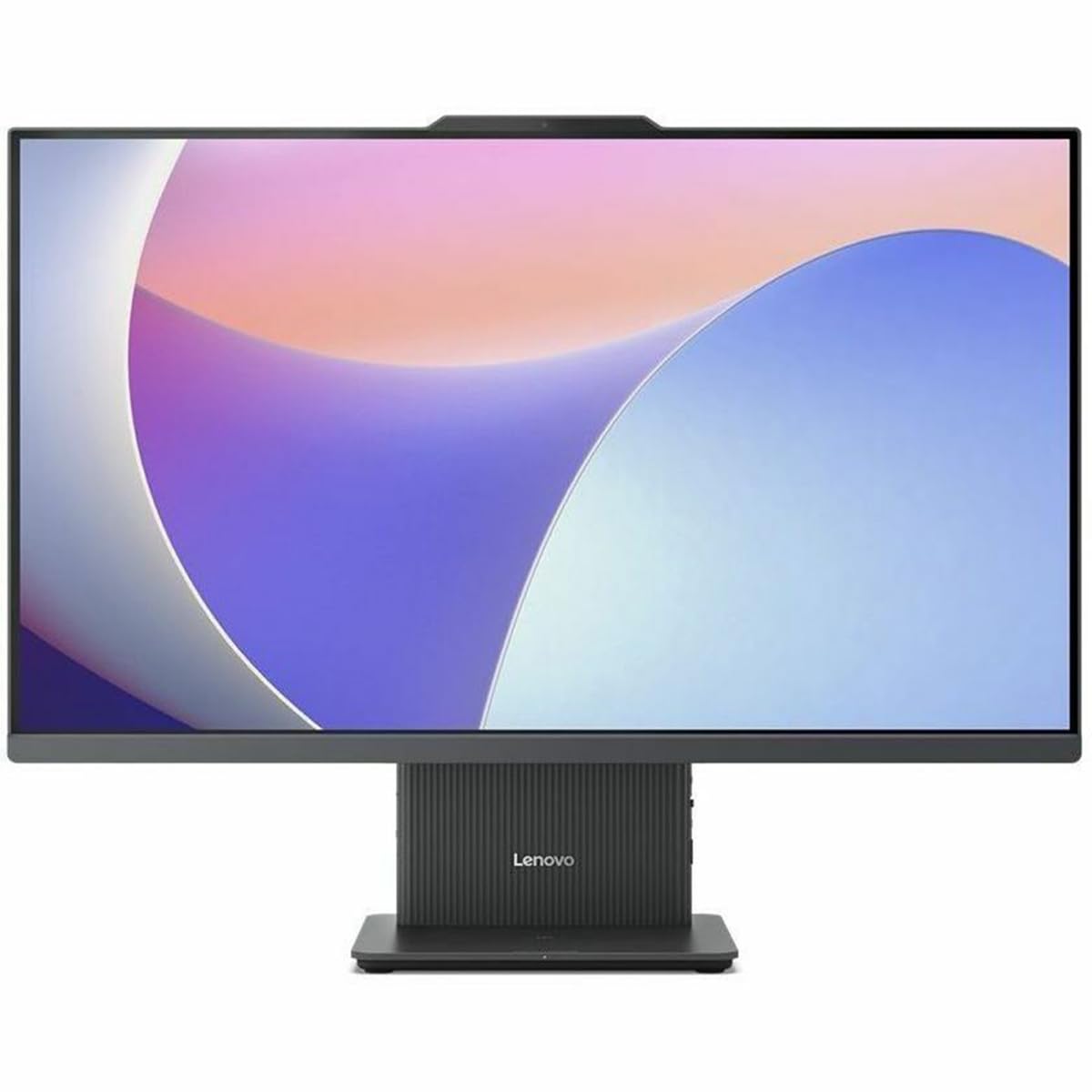
Figura 1: Frente view of the Lenovo IdeaCentre 27IRH9 F0HM000RUS All-in-One PC.
2. Guía de configuración
2.1 Desembalaje y colocación
- Carefully remove all components from the packaging. Ensure all items listed in the packing slip are present.
- Place the IdeaCentre All-in-One PC on a stable, flat surface, such as a desk or table. Ensure there is adequate ventilation around the device.
- Avoid placing the computer in direct sunlight or near heat sources.
2.2 Conexión de periféricos
Connect the included wireless keyboard and mouse. The USB receiver for these devices is typically found in the mouse or keyboard packaging. Insert the USB receiver into an available USB port on the back of the computer.
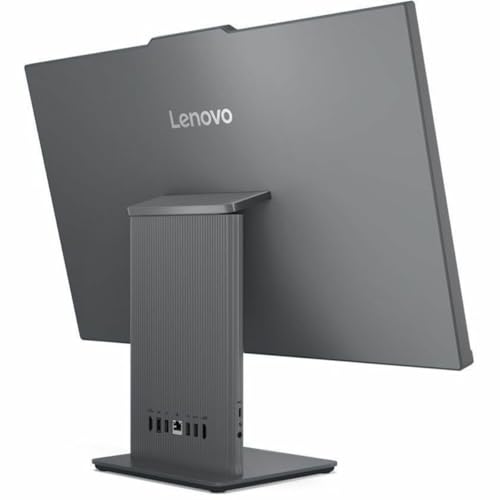
Figura 2: Posterior view of the IdeaCentre, highlighting available ports for peripheral connections.
2.3 Conexión de alimentación
- Connect the power adapter cable to the power input port on the back of the IdeaCentre PC.
- Enchufe el adaptador de corriente en un tomacorriente con conexión a tierra.
2.4 Arranque inicial
- Presione el botón de encendido, generalmente ubicado en el costado o en el bisel inferior de la pantalla.
- Siga las instrucciones en pantalla para completar el proceso de configuración de Windows 11 Home, incluida la selección de idioma, la conexión de red y la creación de la cuenta de usuario.
3. Instrucciones de funcionamiento
3.1 Conceptos básicos de Windows 11 Home
Your IdeaCentre PC runs on Windows 11 Home, offering a user-friendly interface. Familiarize yourself with the Start Menu, Taskbar, and File Explorer for efficient navigation and application management.
3.2 Funcionalidad de la pantalla táctil
The 27-inch Full HD display supports multi-touch gestures. Use gestures such as tap, swipe, pinch-to-zoom, and two-finger scroll for intuitive interaction with applications and content.
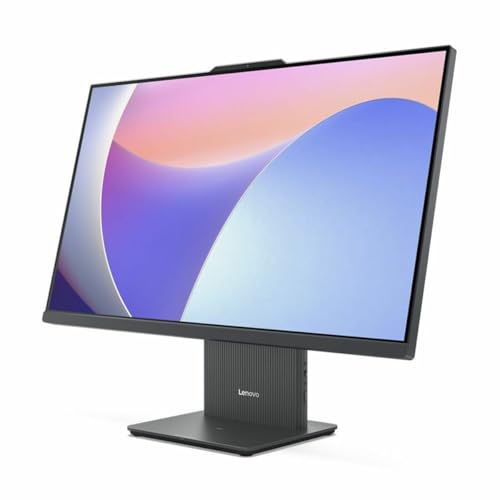
Figure 3: User interacting with the touchscreen display of the IdeaCentre.
3.3 Conectividad de red
- Wifi: To connect to a wireless network, click the Wi-Fi icon in the taskbar, select your network, and enter the password. The device supports 802.11ax for stable and efficient online operations.
- Ethernet: Para una conexión por cable, conecte un cable Ethernet al puerto RJ-45 en la parte posterior de la computadora.
3.4 Dispositivos Bluetooth
To pair Bluetooth devices (e.g., headphones, speakers), go to Configuración > Bluetooth y dispositivos, turn on Bluetooth, and select your device from the list to pair. Bluetooth ensures stable wireless communication with minimal interference from nearby devices.
3.5 USB Type-C Port Usage
The USB Type-C port supports high-speed data transfer and power delivery, allowing for streamlined connectivity and efficient integration with various peripherals.
4. Mantenimiento
4.1 Limpieza del dispositivo
- Pantalla: Utilice un paño suave y sin pelusa ligeramente seco.ampLimpiar con agua o un limpiador de pantallas. Evitar productos químicos agresivos.
- Chasis: Limpie el exterior con un paño suave y seco. No utilice limpiadores abrasivos.
- Asegúrese de que el dispositivo esté apagado y desenchufado antes de limpiarlo.
4.2 Actualizaciones de software
Regularly check for and install Windows updates and driver updates to ensure system stability, security, and optimal performance. Go to Configuración > Actualización de Windows para gestionar actualizaciones.
4.3 Copia de seguridad de datos
Realice periódicamente copias de seguridad de sus datos importantes files to an external drive or cloud storage to prevent data loss. Windows 11 offers built-in backup solutions.
5. Solución de problemas
This section addresses common issues you might encounter with your IdeaCentre PC.
| Problema | Posible solución |
|---|---|
| La computadora no enciende | Asegúrese de que el cable de alimentación esté bien conectado tanto a la computadora como a la toma de corriente. Pruebe la toma de corriente con otro dispositivo. |
| Sin visualización en pantalla | Check if the computer is powered on. If connected to an external monitor, ensure the correct input source is selected on the monitor. |
| Problemas de conexión wifi | Restart your router and modem. Ensure Wi-Fi is enabled on your computer. Check network settings in Windows. |
| El teclado o el mouse no responden | Check battery levels for wireless devices. Ensure the USB receiver is properly inserted. Try a different USB port. |
| El sistema es lento o no responde | Close unnecessary applications. Check for background processes using Task Manager. Ensure sufficient free space on the SSD. Run a system scan for malware. |
If problems persist, refer to the Lenovo support websitio o comuníquese con el servicio de atención al cliente para obtener más ayuda.
6. Especificaciones
Detailed technical specifications for the Lenovo IdeaCentre 27IRH9 F0HM000RUS:
| Característica | Detalle |
|---|---|
| Marca | Lenovo |
| Número de modelo | F0HM000RUS |
| Sistema operativo | Inicio de Windows 11 |
| Modelo de CPU | Intel Core i7-13620H (13.ª generación) |
| Velocidad de la CPU | 4.9 GHz |
| Procesador gráfico | Gráficos Intel UHD (integrados) |
| Memoria RAM | 16 GB DDR5 |
| Almacenamiento | SSD de 512 GB |
| Tamaño de pantalla | 27 pulgadas |
| Resolución de pantalla | 1920 x 1080 (Full HD) |
| Tipo de pantalla | IPS, Touchscreen |
| Relación de aspecto | 16:9 |
| Conectividad inalámbrica | Wi-Fi (802.11ax), Bluetooth |
| Puertos USB | 4 (including USB-C) |
| Puertos HDMI | 1 |
| Consumo de energía | 135 vatios |
| Dimensiones del producto | 22.1 x 56.1 x 75.9 cm |
| Peso del producto | 24.25 libras |
| Componentes incluidos | AIO Stand, Wireless Keyboard, Wireless Mouse, USB Receiver, Power Adapter |
| Código Postal | 197531855381 |
7. Garantía y soporte
7.1 Garantía del producto
Your Lenovo IdeaCentre 27IRH9 F0HM000RUS comes with a standard manufacturer's warranty. Please refer to the warranty card included in your product packaging or visit the official Lenovo websitio para conocer los términos y condiciones detallados sobre la cobertura de la garantía, la duración y los procedimientos de servicio.
7.2 Soporte técnico
For technical assistance, troubleshooting beyond this manual, or service inquiries, please contact Lenovo customer support. You can find contact information, FAQs, and additional resources on the official Lenovo support websitio: support.lenovo.com. When contacting support, please have your product model number (F0HM000RUS) and serial number ready.