
COOLGEEK VS-01

Original Upright Vinyl Turntable
Manual de instrucciones
Modelo: VS-01
1. Introducción
Gracias por la compraasing the COOLGEEK Upright Vinyl Turntable. This manual provides essential information for the safe and efficient operation of your new record player. Please read this manual thoroughly before use and retain it for future reference.
This innovative turntable features an upright design, a high-quality AT-3600L stylus, integrated hybrid mid/treble drivers and a powerful subwoofer, along with Bluetooth 5.0 connectivity for versatile audio playback.
Información importante de seguridad
- No exponga la unidad a la lluvia ni a la humedad.
- No desmonte la unidad. Deje cualquier mantenimiento a personal cualificado.
- Asegure una ventilación adecuada alrededor de la unidad.
- Utilice únicamente el adaptador de corriente proporcionado.
- Mantenga la unidad alejada de la luz solar directa, fuentes de calor y campos magnéticos fuertes.
2. Contenido del paquete
Compruebe que todos los artículos enumerados a continuación estén incluidos en su paquete:
- COOLGEEK Upright Vinyl Turntable
- Adaptador de corriente
- Manual de instrucciones (este documento)
3. Características del producto

Vertical Record Player Design
The unique upright design of this turntable allows for an unobstructed view of your records while playing. This vertical placement also minimizes the surface area where dust can settle on the record and drive shaft, contributing to a more stable needle performance and purer sound reproduction.
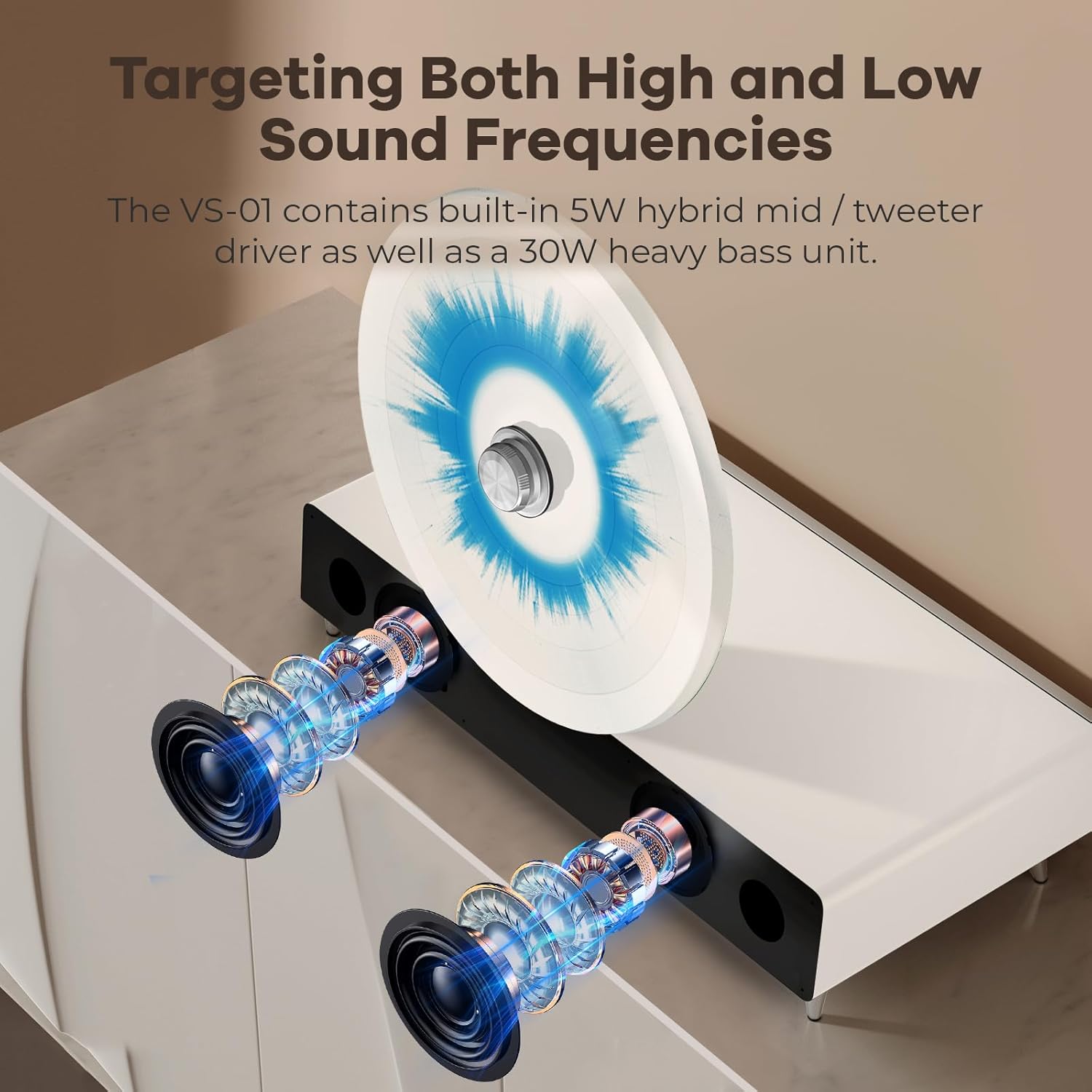
Calidad de sonido de nivel profesional
Equipped with a built-in 5-watt hybrid mid/treble driver and a powerful 30-watt subwoofer, the turntable delivers a full range of sound. This configuration ensures excellent audio quality, providing an immersive Hi-Fi listening experience.

Cushioning Shock Absorption System
The turntable incorporates three distinct shock absorbers to maintain stability during playback. These include a rotation axis shock absorber to prevent record movement, foot nail shock absorbers to absorb vibrations from the surface, and silicon seismic material shock absorbers for overall dampening. This system ensures the needle remains stable and the sound quality is clear.

AT-3600L Stylus Head
The turntable is equipped with a high-quality Audio-Technica AT-3600L cartridge and stylus head, known for its reliable performance and clear audio reproduction.

Conectividad Bluetooth 5.0
The unit supports Bluetooth 5.0, allowing for wireless connection to your PC, tablet, or smartphone. This advanced engineering ensures a stable and high-quality audio streaming experience.

Adjustable Rotation Speed (33.3/45 RPM)
Equipped with a silent high-speed motor and closed-loop control technology, the VS-01 can play records at both 33.3 and 45 RPM. You can adjust the speed without impacting the needle or your records.

Needle Protection with Auto-Stop Function
The turntable includes a fail-stop function that automatically stops playback when the needle approaches the center of the record. This feature helps protect the needle from friction damage, extending its lifespan and ensuring consistent music playback.
4. Configuración
4.1 Desembalaje y colocación
- Retire con cuidado el plato giratorio y todos los accesorios del embalaje.
- Place the turntable on a stable, level surface, away from direct sunlight, heat sources, and excessive dust. Ensure there is adequate space around the unit for ventilation.
- Remove any protective packaging materials from the tonearm and platter.
4.2 Conexión de alimentación
- Connect the provided power adapter to the DC input port on the back of the turntable.
- Conecte el adaptador de corriente a una toma de pared adecuada.
4.3 Stylus Protection Removal
- Gently remove the clear plastic stylus protector from the needle before playing a record. Be careful not to bend the stylus.
5. Instrucciones de funcionamiento
5.1 Reproducción de un disco de vinilo
- Place a vinyl record onto the upright platter.
- Select the appropriate speed (33.3 RPM or 45 RPM) using the speed selector switch, typically located near the platter or control knob.
- Levante suavemente el brazo utilizando la palanca de señalización.
- Coloque la aguja sobre el surco inicial deseado del disco.
- Baje lentamente el brazo fonocaptor usando la palanca de apoyo. La aguja tocará el disco y comenzará la reproducción.
- Adjust the volume using the main control knob.
- When the record finishes, the auto-stop function will engage, and the platter will stop spinning. Gently lift the tonearm and return it to its rest.
5.2 Modo Bluetooth
- Turn on the turntable. The unit will automatically enter Bluetooth pairing mode, indicated by a flashing light (refer to specific indicator light in product for exact behavior).
- En su dispositivo con Bluetooth (teléfono inteligente, tableta, PC), habilite Bluetooth y busque los dispositivos disponibles.
- Select "COOLGEEK Turntable" (or similar name) from the list of devices to pair.
- Once paired, the indicator light will become solid, and you can now stream audio wirelessly to the turntable's speakers.
- Adjust the volume on both your connected device and the turntable for optimal sound.
6. Mantenimiento
6.1 Limpieza del lápiz óptico
A clean stylus is crucial for optimal sound quality and to prevent damage to your records. Use a soft brush designed for stylus cleaning, brushing gently from back to front (in the direction of the tonearm's movement).
6.2 Registros de limpieza
Always handle records by their edges. Use a carbon fiber brush or a record cleaning solution with a microfiber cloth to remove dust and debris before each play. This helps preserve both your records and the stylus.
6.3 Limpieza de la unidad
Wipe the turntable's surface with a soft, dry, lint-free cloth. Do not use abrasive cleaners, waxes, or solvents as they may damage the finish.
7. Solución de problemas
| Problema | Posible causa | Solución |
|---|---|---|
| Sin poder | Adaptador de corriente no conectado; toma de corriente no activa. | Asegúrese de que el adaptador de corriente esté conectado de forma segura y enchufado a una toma de corriente que funcione. |
| No hay sonido de los altavoces | Volumen demasiado bajo; modo incorrecto seleccionado; Bluetooth no conectado. | Increase volume. Ensure turntable is in the correct playback mode (vinyl or Bluetooth). Re-pair Bluetooth device if necessary. |
| Sonido saltado o distorsionado | Dirty record; dirty or damaged stylus; turntable not level; excessive vibration. | Clean record and stylus. Ensure turntable is on a stable, level surface. Check for external vibrations. |
| Problemas de emparejamiento de Bluetooth | Dispositivo demasiado lejos; plato giratorio no en modo de emparejamiento; interferencia. | Ensure device is within range. Restart turntable to re-enter pairing mode. Move away from other wireless devices. |
| El registro se detiene prematuramente | Auto-stop function engaged. | This is normal behavior due to the auto-stop feature designed to protect the stylus. |
8. Especificaciones
| Característica | Detalle |
|---|---|
| Marca | Coolgeek |
| Modelo | VS-01 |
| Dimensiones (paquete) | 22.97 x 18.4 x 14.66 pulgadas |
| Peso del artículo | 22 libras (aprox. 10 kilogramos) |
| Velocidad máxima de rotación | 45 RPM (supports 33.3 and 45 RPM) |
| Componentes incluidos | Vinyl Turntables, Power Adapter, Instruction Manual |
| Características especiales | Upright Design, Built-in 5W mid/treble driver & 30W subwoofer, 3 Shock Absorbers, Bluetooth 5.0, AT-3600L Stylus Head, Auto-stop function |
| Material | Aluminio |
| Color | Blanco |
| Dispositivos compatibles | Speaker (internal), Bluetooth devices |
9. Garantía y soporte
This product comes with a manufacturer's warranty. Please refer to the warranty card or documentation included in your product packaging for specific terms and conditions, including warranty period and coverage details.
For technical support, troubleshooting assistance, or warranty claims, please contact COOLGEEK customer service. Contact information can typically be found on the manufacturer's official websitio o en el embalaje del producto.
Note: No specific video content from the seller was provided in the product data for embedding.
Ask a question about this manual
Ask about setup, troubleshooting, compatibility, parts, safety, or missing instructions. Manuals+ will review the question and use this page’s manual context to help answer it.