
Novzix S9 White And Black 2Pack
Novzix Android Compatible Tracker Tag Manual de usuario
Model: S9 White And Black 2Pack
Brand: Novzix
Introducción
This manual provides comprehensive instructions for the Novzix Android Compatible Tracker Tag, Model S9. This 2025 new model tracker tag is designed for Android 9 and above, seamlessly integrating with the Google Find My Device network to help you locate your items. Its compact design allows for easy attachment to various personal belongings.
The device is built with high-quality, water- and dust-resistant materials, ensuring durability in various environments. Location updates are provided every 3-30 minutes through the Google Find My Device network.

Figure 1: Novzix Android Compatible Tracker Tag (Negro)
Guía de configuración
1. Preparación inicial del dispositivo
The Novzix Tracker Tag comes with a pre-installed CR2032 battery. Ensure the battery is properly seated. If the device does not power on, you may need to replace the battery (see Maintenance section).
2. Android Device Compatibility
This tracker tag is compatible with Android devices running Android 9 and above. Some devices may require additional system updates for optimal compatibility. Ensure your Android device's Google Play Services are up to date.
Figure 2: Compatible with Android Devices (Android 9.0+)
3. Emparejamiento con Buscar mi dispositivo de Google
The setup process is straightforward via the Google Find My Device app. Follow these steps:
- Update Google Services:
- Ve a tu teléfono Ajustes.
- Desplácese hacia abajo y toque en Acerca del teléfono.
- Encuentra y pulsa en Versión de Android.
- Toque en Actualización del sistema de Google Play and check for updates. Restart your phone if prompted.
- Restablecimiento de fábrica (si es necesario): If you encounter pairing issues, perform a factory reset on the tracker tag.
- Quickly press the button on the tracker tag cuatro veces.
- Then, long press the fifth time until you hear a sound. This indicates a successful reset.
- Emparejamiento manual:
- Ve a tu teléfono Ajustes.
- Desplácese hacia abajo y toque en Google.
- Toque en All services.
- Seleccionar Dispositivos.
- Ensure "Scan for nearby devices" is enabled.
- Tap on "Wireless tag" (or similar name) when it appears to connect.
- Location Update Settings: To get faster location updates, configure the Find Hub App settings.
- Abrir el Find Hub App.
- Ir a Configuración de la aplicación.
- Navegar a Encuentra Hub.
- Seleccionar Encuentra tus dispositivos sin conexión.
- Choose "With network in all areas" for comprehensive tracking.
Video 1: Google Tracker Connection Issue Fix - This video demonstrates how to update Google services, factory reset the tracker, manually pair it, and configure location update settings for optimal performance.
Instrucciones de funcionamiento
Seguimiento de sus artículos
Once paired, your Novzix Tracker Tag will leverage the Google Find My Device network to provide location updates. You can view your item's location through the Google Find My Device app on your Android phone.
- Seguimiento en tiempo real: Location updates occur every 3-30 minutes, depending on network conditions and device activity.
- Reproducción de sonido: Use the app to make the tracker tag play a sound, helping you locate items nearby.
- Modo perdido: If an item is lost, you can mark it as lost in the app. The Google Find My Device network will then help locate it, and you may receive notifications when it's found by another Android device.
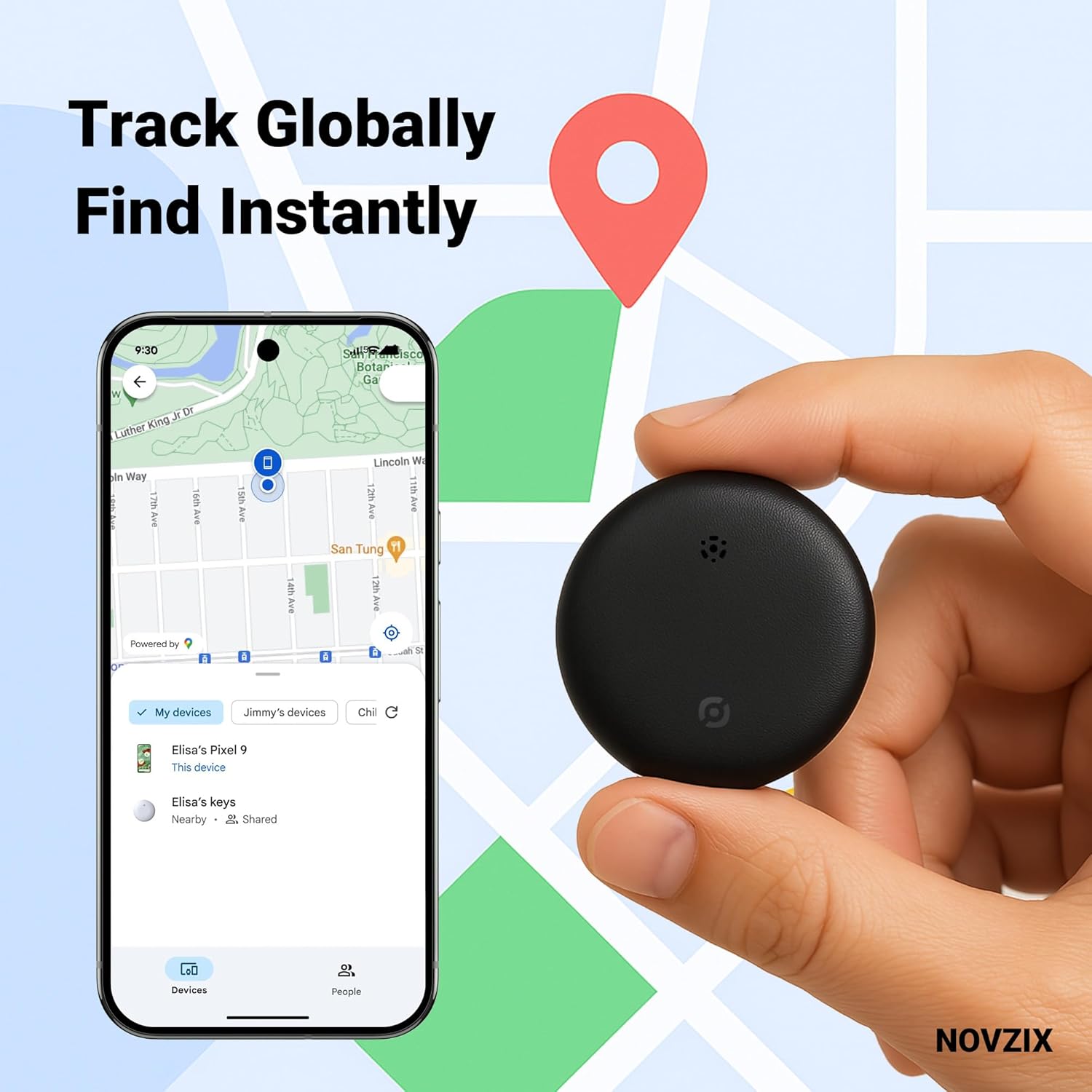
Figure 3: Track Globally, Find Instantly with the Google Find My Device app.
Adjuntar el rastreador Tag
The compact design of the Novzix Tracker Tag allows it to be easily attached to various items. Use the included strap or lanyard for convenience.
- Llaves: Attach to your keyring.
- Wallets/Bags: Slip into a wallet compartment or attach to a bag strap.
- Equipaje: Securely attach to luggage handles or zippers for travel.
- Otros objetos de valor: Can be used for backpacks, pet collars, or even hidden in vehicles.

Figure 4: Never lose your luggage again.

Figure 5: Protect your keys, bags, and other valuables.
Mantenimiento
Reemplazo de batería
The Novzix Tracker Tag uses a standard CR2032 coin cell battery. A spare battery is included in some packages. To replace the battery:
- Locate the battery compartment on the back of the tracker tag.
- Use a small tool (like a coin) to twist open the battery cover counter-clockwise.
- Retire la batería CR2032 vieja.
- Inserte la nueva batería CR2032 con el lado positivo (+) hacia arriba.
- Alinee la tapa de la batería y gírela en el sentido de las agujas del reloj para asegurarla.
Cuidado y limpieza
el rastreador tag is built with water and dust-resistant materials. To ensure longevity:
- Limpie el dispositivo con un paño suave y seco.
- Evite utilizar productos químicos agresivos o limpiadores abrasivos.
- While water-resistant, avoid prolonged submersion in water.
Solución de problemas
| Problema | Posible causa | Solución |
|---|---|---|
| Tracker not connecting to phone. | Outdated Google Play Services, pairing issue, low battery. |
|
| Inaccurate or infrequent location updates. | Network settings, limited network coverage. |
|
| Tracker not making sound. | Low battery, speaker obstruction, device malfunction. |
|
Presupuesto
- Modelo: S9 White And Black 2Pack
- Marca: Novzix
- Dimensiones del producto: 1.26 x 0.31 x 1.26 pulgadas (32 mm x 8 mm x 32 mm)
- Peso del artículo: 0.81 onzas
- Conectividad: NFC, Bluetooth (for Google Find My Device network)
- Batería: 1 x CR2032 (incluido)
- Compatibilidad: Android 9.0+ devices
- Material: Plástico
- Resistencia al agua y al polvo: Yes (designed to withstand rain and outdoor conditions)
- Fabricante: NOVZIX
- País natal: Porcelana
- Primero disponible: 14 de agosto de 2024

Figura 6: Dimensiones del producto y lista de embalaje.
Garantía y soporte
For warranty information and customer support, please refer to the contact details provided with your product packaging or visit the official Novzix website. Ensure you have your product model number (S9 White And Black 2Pack) and purchase details ready when contacting support.
También puedes visitar el Novzix Store on Amazon para obtener recursos adicionales e información del producto.
Ask a question about this manual
Ask about setup, troubleshooting, compatibility, parts, safety, or missing instructions. Manuals+ will review the question and use this page’s manual context to help answer it.