
1. Configuración e instalación
The DYONDER Wired PC Game Controller is designed for easy setup across multiple platforms. Follow these steps to get started:
1.1 Amplia compatibilidad
This controller is compatible with a variety of systems, including:
- Windows (Vista, 7, 8, 10, 11)
- PlayStation 3 (PS3)
- Android TV Box (Android 4.0 or higher with OTG function)
- Tesla
1.2 Plug & Play System
The controller features a simple Plug & Play system. No drivers are typically required for most compatible devices. Simply connect the controller to your device's USB port.
The integrated USB cable is 2 meters long, allowing for comfortable gaming from a distance.

Image: The controller supports multiple platforms, including Android and Windows 10/8/7.
2. Instrucciones de funcionamiento
Familiarize yourself with the controller's features and functions for an optimal gaming experience.
2.1 Diseño del controlador
The DYONDER controller features a standard layout with clearly labeled buttons and joysticks.
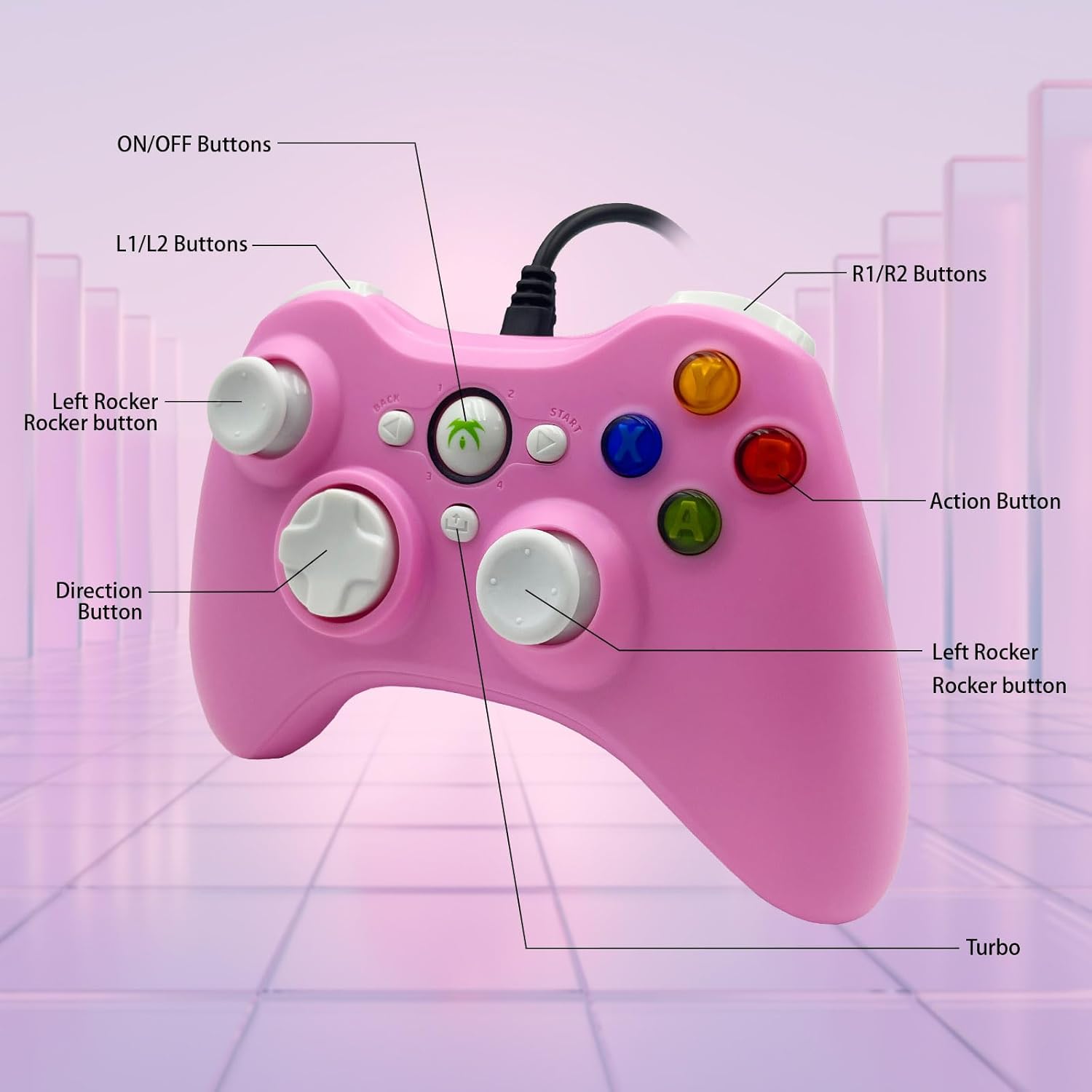
Image: Detailed diagram illustrating the various buttons and their labels on the controller, including ON/OFF, L1/L2, R1/R2, Left Rocker, Direction Button, Action Buttons, and Turbo button.
2.2 Función Turbo
The Turbo function allows for rapid-fire input of a designated button, reducing repetitive presses and giving you an advantagy en juegos de ritmo rápido.
- Para activar Turbo: Mantenga presionado el Turbo button, then press the desired action button (e.g., A, B, X, Y). The button will now rapidly fire when held.
- Para desactivar el Turbo: Mantenga presionado el Turbo botón nuevamente y luego presione el mismo botón de acción.

Image: The Turbo button is highlighted, indicating its function for rapid-fire input.
2.3 Immersive Vibration Feedback
The controller is equipped with two vibrating motors located in the side grips. These motors provide clear feedback, enhancing the immersion and realism of your gaming experience by reacting to in-game events.
2.4 Ergonomic Design and Joysticks
The asymmetrical joystick design is ergonomically crafted for the most comfortable thumb position, ensuring an optimal feel during extended gaming sessions.
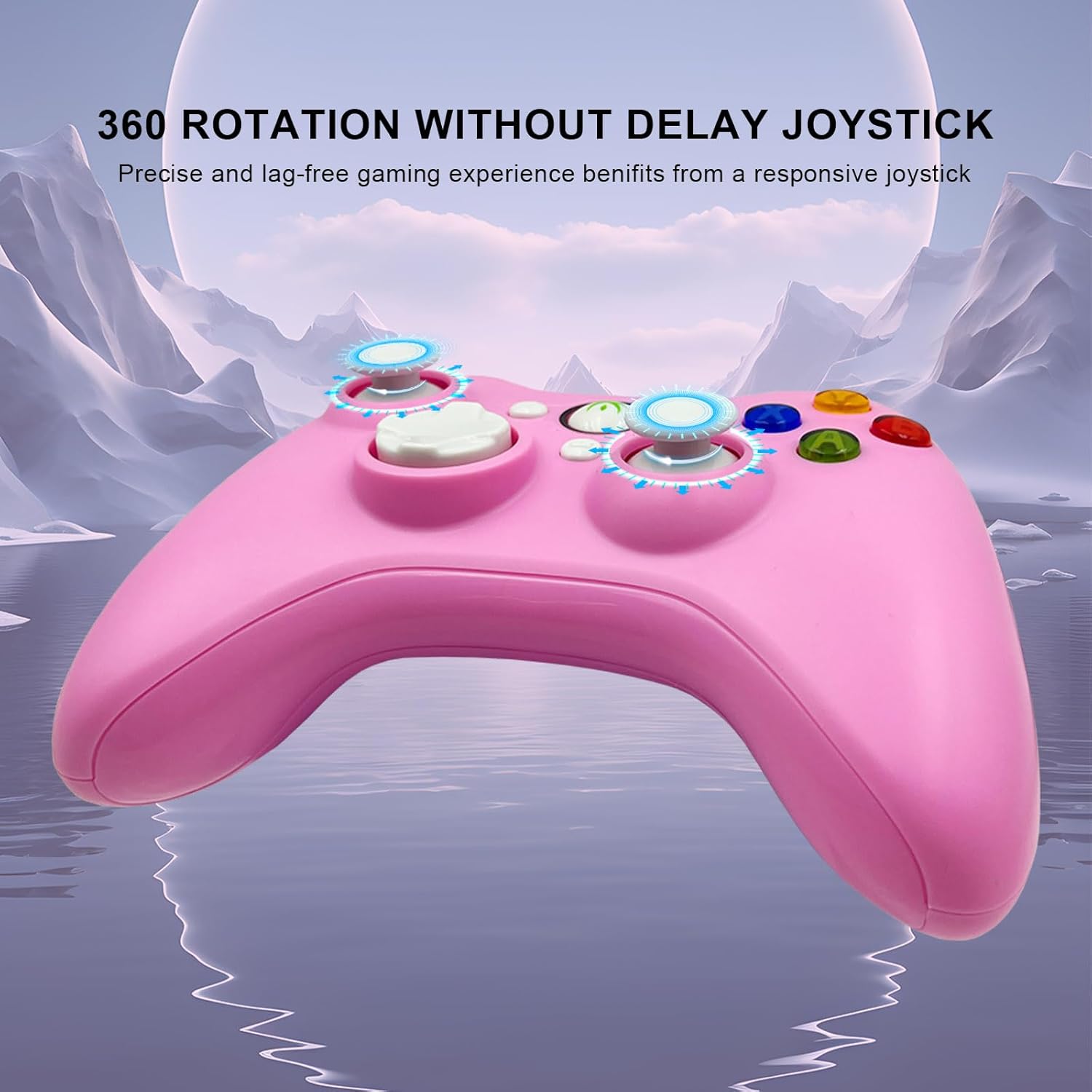
Image: The joysticks are designed for 360-degree rotation without delay, providing precise and lag-free gaming.
2.5 Disparadores lineales Hall
The Hall linear triggers provide precise and responsive input, particularly beneficial for racing games where nuanced acceleration and braking are crucial.

Image: The Hall linear triggers are shown, emphasizing their benefit for racing games.
3. Mantenimiento
Proper care and maintenance will extend the lifespan of your DYONDER Wired PC Game Controller.
- Limpieza: Utilice un paño suave y seco para limpiar el mando. Para suciedad difícil de eliminar, limpie ligeramenteampEnjuague el paño con agua. Evite usar productos químicos agresivos o limpiadores abrasivos.
- Almacenamiento: Guarde el controlador en un lugar fresco y seco, alejado de la luz solar directa y de temperaturas extremas. Evite enrollar el cable demasiado fuerte para evitar daños.
- Manejo: Do not drop the controller or expose it to excessive force, as this can damage internal components.
4. Solución de problemas
Si tiene problemas con su controlador, consulte las siguientes soluciones comunes:
- Controlador no reconocido:
- Asegúrese de que el cable USB esté conectado de forma segura tanto al controlador como al dispositivo.
- Intente conectar el controlador a un puerto USB diferente en su dispositivo.
- Reinicie su computadora o consola de juegos.
- For Android devices, ensure OTG functionality is enabled and your device supports it.
- Botones o joysticks que no responden:
- Test the controller on a different game or application to rule out software-specific issues.
- Asegúrese de que no haya residuos alojados alrededor de los botones o joysticks.
- If using on PC, check your game's controller settings to ensure it's properly configured.
- La vibración no funciona:
- Verifica que el juego que estás jugando admita la respuesta de vibración.
- Verifique la configuración del juego para asegurarse de que la vibración esté habilitada.
- Some older systems or emulators may not fully support vibration features.
Importante: If you encounter any persistent problems, please contact the seller for assistance before attempting to return the item.
5. Especificaciones
| Característica | Detalle |
|---|---|
| Número de modelo | B0DD613G32 |
| Conectividad | USB con cable |
| Longitud del cable | 2 metros |
| Vibración Feedback | Motores duales |
| Características especiales | Turbo Function, Hall Linear Triggers, Ergonomic Design |
| Compatibilidad | Windows, PS3, Android TV Box (OTG), Tesla |
| Fecha de primera disponibilidad en Amazon.com.be | 8 de abril de 2024 |
| Disponibilidad de repuestos | Información no disponible |
6. Soporte
For any questions, technical support, or issues not covered in this manual, please contact DYONDER customer support or the seller directly through your purchase platform. Providing your model number (B0DD613G32) will help expedite the support process.