
1. Introducción
Gracias por la compraasing the Salange HY300Pro Mini Projector. This manual provides essential information for setting up, operating, and maintaining your projector. Please read it thoroughly before use to ensure optimal performance and longevity of your device.
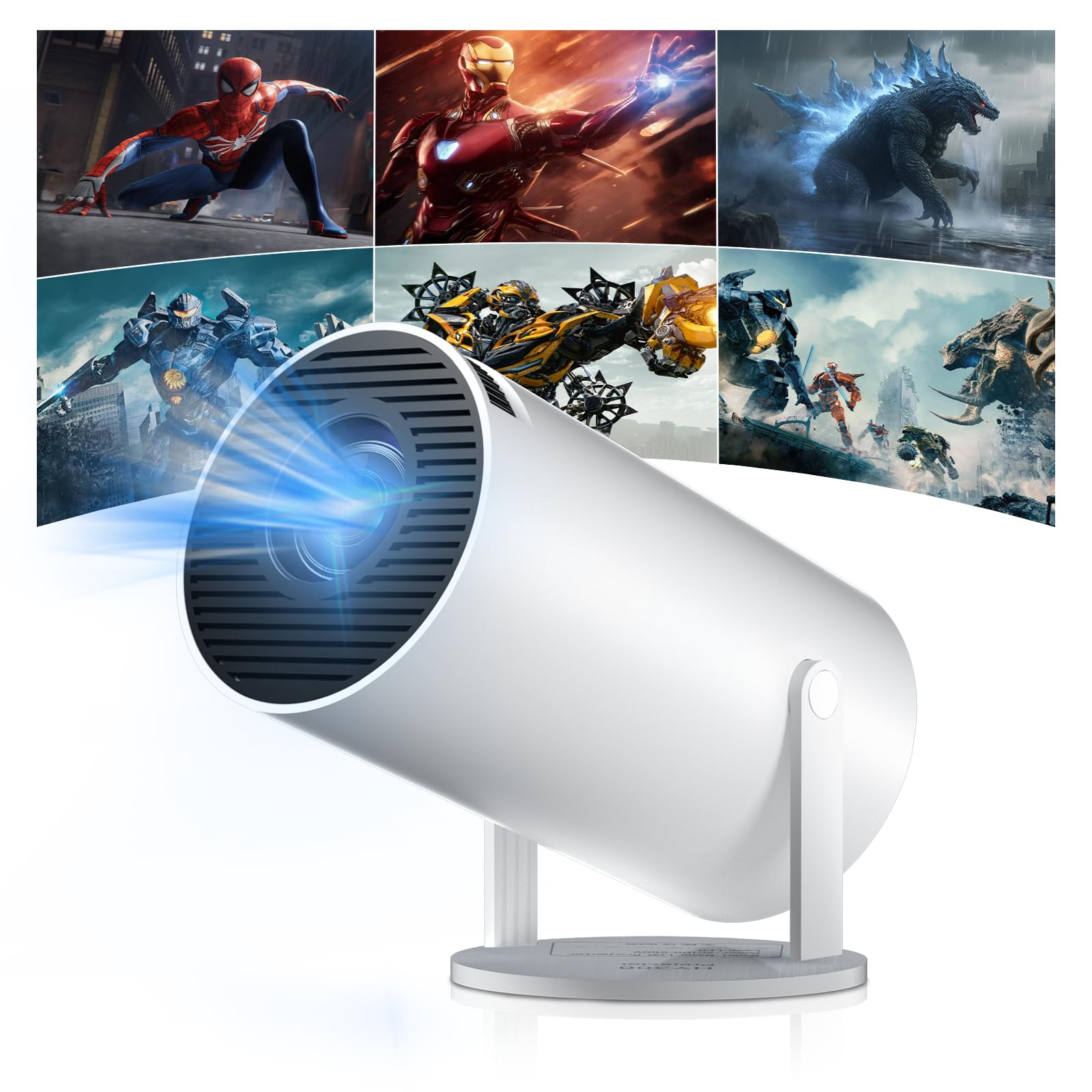
Figure 1: Salange HY300Pro Mini Projector
2. Producto terminadoview
Características principales
- WiFi 6 de doble banda y Bluetooth 5.4: Ensures fast and stable network connectivity and seamless audio pairing with external speakers or headphones.
- Sistema operativo Android 11.0: Supports installation of various applications directly on the projector for versatile entertainment and productivity.
- Compatibilidad con 4K y resolución nativa de 720P: Delivers clear and vibrant images, supporting 1080P and 4K video playback.
- Rotación de 180°: Flexible projection angles for various setups, including ceiling, wall, or angled surfaces.
- Automatic Keystone Correction & Manual Focus: Intelligently corrects image distortion and allows for fine-tuning clarity.
- Diseño compacto y portátil: Weighs only 700g, making it easy to transport for outdoor activities or different rooms.

Figura 2: Sobreview of Salange HY300Pro features including 8K support, WiFi 6, Bluetooth 5.4, 180° rotation, and auto keystone correction.
¿Qué hay en la caja?
- 1 x Salange HY300Pro Projector
- 1 x Manual de usuario
- 1 x cable de alimentación
- 1 x control remoto

Figure 3: Contents of the Salange HY300Pro package.
3. Configuración
3.1 Desembalaje y colocación
- Retire con cuidado todos los componentes del embalaje.
- Coloque el proyector sobre una superficie estable y plana. Asegúrese de que haya suficiente ventilación alrededor del dispositivo.
- The projector's 180° rotation feature allows flexible placement. Adjust the projector's angle to project onto a wall, ceiling, or screen as desired.

Figure 4: Projector demonstrating 180-degree rotation for various projection surfaces.
3.2 Conexión de alimentación
Conecte el cable de alimentación provisto a la entrada de alimentación del proyector y luego a una toma de corriente.
3.3 Encendido inicial y ajuste del enfoque
- Presione el botón de encendido en el proyector o el control remoto para encender el dispositivo.
- The projector features automatic keystone correction. It will intelligently detect and correct image distortion to ensure a square image.
- For fine-tuning the image clarity, use the manual focus adjustment ring on the projector.

Figure 5: Illustration of automatic keystone correction and manual focus adjustment.
3.4 Conexión de red (WiFi)
- Navegue hasta el menú 'Configuración' en la pantalla de inicio del proyector.
- Select 'Network & Internet' and enable Wi-Fi.
- Choose your desired Wi-Fi network from the list and enter the password if prompted. The projector supports dual-band 2.4G + 5G WiFi 6 for fast and stable connections.

Figure 6: Visual representation of the projector's WiFi 6 capabilities for ultra-fast streaming.
3.5 Emparejamiento Bluetooth
- From the 'Settings' menu, select 'Connected Devices' or 'Bluetooth'.
- Habilite Bluetooth y busque dispositivos disponibles.
- Seleccione su altavoz o auriculares Bluetooth de la lista para emparejarlos.

Figure 7: Projector connected to various Bluetooth audio devices.
3.6 Conexión de dispositivos externos
The projector supports HDMI and USB connections.
- HDMI: Connect your laptop, game console, Blu-ray player, or TV stick using an HDMI cable. Select the corresponding HDMI input source from the projector's input menu.
- USB: Inserte una unidad USB para reproducir contenido multimedia files directamente. Acceda a la files through the media player application on the Android OS.
4. Instrucciones de funcionamiento
4.1 Navegación por el sistema operativo Android
The Salange HY300Pro runs on Android 11.0, providing a smart TV experience.
- Utilice el control remoto para navegar por la pantalla de inicio, las aplicaciones y la configuración.
- The interface is intuitive, similar to an Android smartphone or tablet.

Figure 8: Projector displaying the Android OS home screen with various streaming apps.
4.2 Gestión de aplicaciones
You can install and manage applications directly on the projector.
- Access the app store (e.g., Google Play Store) to download streaming services, games, and productivity tools.
- To uninstall an app, go to 'Settings' > 'Apps' and select the desired app.
4.3 Duplicación de pantalla
Duplica la pantalla de tu teléfono inteligente o tableta en el proyector de forma inalámbrica.
- Asegúrese de que tanto su dispositivo como el proyector estén conectados a la misma red Wi-Fi.
- On the projector, select the screen mirroring function (e.g., 'Miracast', 'AirPlay', or 'Screen Share').
- On your smartphone/tablet, enable screen mirroring and select the projector from the list of available devices.
4.4 Configuración de imagen y sonido
Adjust various settings to optimize your viewExperiencia de aprendizaje.
- Configuración de imagen: Access 'Settings' > 'Display' to adjust brightness, contrast, color, and aspect ratio.
- Configuración de sonido: Access 'Settings' > 'Sound' to adjust volume, sound mode, and output device.

Figure 9: Projector displaying a large image, illustrating its ability to create a home cinema experience.
5. Mantenimiento
5.1 Limpieza de la lente
Utilice un paño suave y sin pelusa, especialmente diseñado para lentes ópticas, para limpiar suavemente la lente del proyector. No utilice limpiadores abrasivos ni aplique demasiada fuerza.
5.2 Ventilación
Ensure the projector's ventilation vents are clear of dust and obstructions. Blocked vents can lead to overheating and reduced performance. Periodically clean the vents with a soft brush or compressed air.
5.3 Almacenamiento
Cuando no lo utilice durante un período prolongado, guarde el proyector en un lugar fresco y seco, alejado de la luz solar directa y de temperaturas extremas. Utilice el embalaje original o una funda protectora para evitar la acumulación de polvo y daños.
6. Solución de problemas
| Problema | Posible causa | Solución |
|---|---|---|
| No se muestra ninguna imagen | Cable de alimentación desconectado; Fuente de entrada incorrecta; Proyector en modo de espera. | Verifique la conexión de alimentación; seleccione la entrada HDMI/USB correcta; presione el botón de encendido para activar. |
| La imagen es borrosa | Enfoque no ajustado; proyector demasiado lejos/cerca de la pantalla. | Adjust manual focus ring; Ensure projector is within optimal projection distance. |
| Sin sonido | Volumen demasiado bajo; Silenciado; Salida de audio incorrecta seleccionada; Dispositivo Bluetooth no emparejado. | Aumentar el volumen; Activar silencio; Verificar la configuración de audio; Volver a emparejar el dispositivo Bluetooth. |
| Problemas de conexión Wi-Fi/Bluetooth | Contraseña incorrecta; Fuera de rango; Interferencia. | Verify password; Move closer to router/device; Reduce interference from other electronics. |
| El control remoto no funciona | Baterías agotadas; Obstrucción; No emparejado. | Reemplace las baterías; elimine obstrucciones; vuelva a emparejar el control remoto si es necesario. |
7. Especificaciones
| Característica | Detalle |
|---|---|
| Marca | Salange |
| Número de modelo | X-HY300PRO |
| Serie | Salange Mini Beamer |
| Color | Blanco |
| Tipo de pantalla | Pantalla LCD |
| Resolución nativa | 1280 x 720P |
| Resolución máxima de pantalla | 3840 x 2160 (compatible con 4K) |
| Tecnología de conectividad | Bluetooth, Wi-Fi (WiFi 6) |
| Interfaz de hardware | Bluetooth, HDMI, USB |
| Dispositivos compatibles | Smartphones, Laptops, Game Consoles, Blu-ray Players, Media Players |
| Dimensiones del artículo (largo x ancho x alto) | 9.5 x 9.5 x 15.7 centímetros |
| Características especiales | Wi-Fi Compatible, Digital Keystone Correction, Lightweight, Portable, 180° Rotation |
| Usos recomendados | Negocios, Cine en casa, Juegos, Educación |
| Factor de forma | Portátil |
| Tipo de montaje | Montaje de mesa |
8. Garantía y soporte
For warranty information and technical support, please refer to the documentation included with your purchase or visit the official Salange webSitio. Conserve su comprobante de compra para reclamaciones de garantía.