
Introducción
Gracias por la compraasing the E GATE C222 24W Bluetooth Soundbar. This manual provides essential information for setting up, operating, and maintaining your device. Please read it thoroughly before use to ensure optimal performance and safety.

Image: The E GATE C222 Soundbar, showcasing its 24W output, Bluetooth connectivity, and ambient LED lighting.
Contenido del paquete
Asegúrese de que todos los artículos estén presentes en la caja:
- E GATE C222 Soundbar
- Cable auxiliar
- Cable de carga (USB tipo C)
- Manual de usuario
Vídeo: Un overview of the E GATE C222 Soundbar, including its specifications and what is included in the box.
Características principales
- Salida de audio de 24 W: Equipped with dual 5.3 cm (12W) drivers for powerful sound.
- Radiadores de graves pasivos duales: Mejora los graves para una experiencia de audio más rica.
- Estéreo inalámbrico verdadero (TWS): Pair two C222 soundbars for a combined 48W output and stereo sound.
- Conectividad Bluetooth 5.3: Conexión inalámbrica estable y eficiente.
- Múltiples modos de reproducción: Supports Bluetooth, USB, AUX, TF Card, and FM Radio.
- Llamadas manos libres: Micrófono incorporado para una cómoda gestión de llamadas.
- Batería de larga duración: Up to 24 hours of playback from a 3600mAh battery (at 50% volume).
- Ambient RGB Light: Dynamic LED strip with controllable colors to enhance your listening environment.
- Diseño liviano: Weighs approximately 750 grams for portability.

Image: Illustration showing the soundbar's internal structure with two drivers and dual bass radiators for enhanced audio.
Guía de configuración
Carga inicial
- Connect the provided USB Type-C charging cable to the soundbar's charging port.
- Conecte el otro extremo del cable a un adaptador de corriente USB compatible (no incluido) o al puerto USB de una computadora.
- Allow the soundbar to fully charge before first use. The LED indicator will change to show charging status.
Encendido/apagado
- Para encender, mantenga presionada la tecla Fuerza botón hasta que se ilumine la luz indicadora.
- Para apagar, mantenga pulsado el Fuerza Presione nuevamente el botón hasta que la luz indicadora se apague.
Instrucciones de funcionamiento
Modo Bluetooth
- Encienda la barra de sonido. Entrará automáticamente en modo de emparejamiento Bluetooth, lo cual se indicará mediante un LED parpadeante.
- En su dispositivo (teléfono inteligente, tableta, TV), habilite Bluetooth y busque los dispositivos disponibles.
- Select "E GATE C222" from the list. Once paired, the LED indicator will stop flashing and remain solid.
- Ahora puedes reproducir audio de forma inalámbrica desde tu dispositivo.

Image: The soundbar demonstrating Bluetooth 5.3 connectivity with various devices and the option for TWS pairing.
Verdadero emparejamiento estéreo inalámbrico (TWS)
Para lograr un sonido estéreo más ampliotage, you can pair two E GATE C222 soundbars:
- Ensure both C222 soundbars are powered on and in Bluetooth mode, but not yet connected to any device.
- On one of the soundbars, press and hold the TWS button (or a similar designated button, refer to physical controls).
- The soundbars will attempt to pair with each other. Once successful, you will hear an audible confirmation, and their LED indicators will sync.
- Now, connect your device to one of the paired soundbars via Bluetooth as described above. Audio will play through both soundbars in stereo.
Modo de radio FM
- Enciende la barra de sonido.
- Presione el Modo Botón repetidamente hasta ingresar al modo de radio FM.
- Presione el Reproducir/Pausa Botón para escanear automáticamente y guardar las estaciones de FM disponibles.
- Utilice el Pista anterior y Pista siguiente Botones para navegar entre estaciones guardadas.
Modo de entrada AUX
- Connect one end of the provided AUX cable to the soundbar's AUX port.
- Connect the other end to the audio output jack of your external device (e.g., TV, MP3 player).
- Presione el Modo botón repetidamente hasta ingresar al modo AUX.
- Audio will now play from your connected device.
Modo de tarjeta USB/TF
- Inserte una unidad USB o una tarjeta TF (MicroSD) con audio files into the respective port on the soundbar.
- The soundbar will automatically switch to USB or TF Card mode and begin playing audio. If not, press the Modo Botón para seleccionar.
- Utilice el Reproducir/Pausa, Pista anterior, y Pista siguiente Botones para controlar la reproducción.
Llamadas manos libres
Cuando se conecta mediante Bluetooth a un teléfono inteligente:
- Para contestar una llamada entrante, presione el Reproducir/Pausa botón.
- Para finalizar una llamada, presione el botón Reproducir/Pausa botón de nuevo.
- Para rechazar una llamada entrante, mantenga presionada la tecla Reproducir/Pausa botón.

Image: The soundbar positioned next to a smartphone displaying an incoming call, illustrating its hands-free calling capability via the built-in microphone.
Ambient RGB Light Control
The soundbar features dynamic RGB LED lighting:
- Presione el Modo claro button (or similar, refer to physical controls) to cycle through different light modes or turn the lights off.

Imagen: Tres views of the E GATE C222 Soundbar, each showing a different ambient LED light color (purple, green, and multi-color), demonstrating the mood lighting feature.
Información de carga y batería
The E GATE C222 Soundbar is equipped with a 3600mAh lithium-polymer battery, offering extended playback time.
- Tiempo de carga: Aproximadamente 3-4 horas para una carga completa.
- Tiempo de reproducción: Up to 24 hours at 50% volume. Actual battery life may vary based on volume level, audio content, and usage.
- Indicador de carga: Refer to the LED indicator for charging status. It typically glows red while charging and turns off or changes color when fully charged.
- Utilice únicamente el cable de carga proporcionado o un cable USB tipo C certificado.
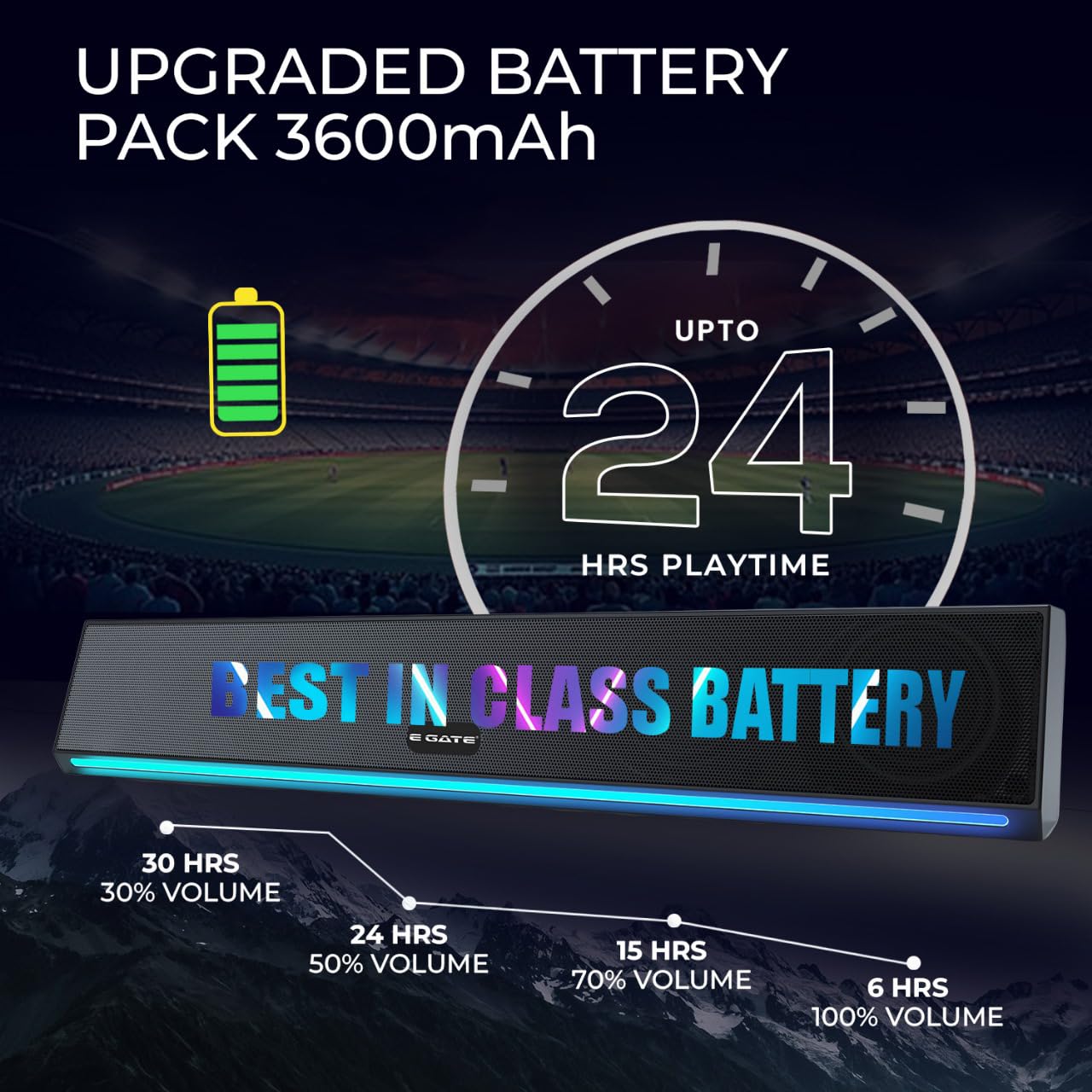
Image: The soundbar with an overlay graphic indicating its 3600mAh upgraded battery pack and up to 24 hours of playtime at 50% volume.
Solución de problemas
| Problema | Posible solución |
|---|---|
| La barra de sonido no se enciende. | Asegúrese de que la batería esté cargada. Conecte el cable de carga y vuelva a intentarlo. |
| No se puede emparejar a través de Bluetooth. |
|
| No hay sonido de la barra de sonido. |
|
| Mala recepción de radio FM. | Reposition the soundbar to improve signal reception. Auto-scan for stations again. |
| El emparejamiento de TWS falla. | Ensure both soundbars are powered on, in Bluetooth mode, and not connected to any other device before initiating TWS pairing. Keep them close to each other. |
Presupuesto
| Característica | Detalle |
|---|---|
| Marca | PUERTA E |
| Nombre del modelo | C222 |
| Número de modelo | ABE006-2X |
| Potencia máxima de salida del altavoz | 24 vatios |
| Tamaño del controlador de audio | 5.3 Centimetres (Dual Drivers) |
| Modo de salida de audio | Mono (estéreo con emparejamiento TWS) |
| Cantidad de canales de audio | 2 |
| Tecnología de conectividad | Bluetooth 5.3, USB, AUX, TF Card, FM |
| Fuente de poder | Funciona con pilas |
| Capacidad de la batería | 3600 miliamp Horas |
| Duración media de la batería | Hasta 24 horas (al 50 % del volumen) |
| Método de control | Control táctil |
| Tamaño del altavoz | 40 Centimetres (Length) |
| Dimensiones del artículo (Pr. x An. x Al.) | 10D x 40W x 11H Centímetros |
| Peso del artículo | 750 gramos |
| Material del recinto | Plástico o metal |
| es resistente al agua | FALSO |
| País natal | India |
Mantenimiento
- Mantenga la barra de sonido alejada del agua, la humedad y las temperaturas extremas.
- Limpie la superficie con un paño suave y seco. No utilice limpiadores abrasivos ni disolventes.
- Evite dejar caer el dispositivo o someterlo a fuertes impactos.
- Guárdelo en un lugar fresco y seco cuando no lo utilice durante períodos prolongados.
Garantía y soporte
The E GATE C222 Soundbar comes with a Garantía limitada de 1 años a partir de la fecha de compra.
For warranty claims, technical support, or service inquiries, please contact Egate Infotel Pvt Ltd using the following information:
Fabricante: Egate Infotel Pvt LtdDIRECCIÓN: 503, SG Alpha Tower-II, Sector-9 Vasundhara, Ghaziabad, Uttar Pradesh - 201012, India
Contacto: Refer to your purchase documentation or the official E GATE webSitio para obtener información de contacto actualizada.
Conserve su comprobante de compra para validar la garantía.