
1. Introducción
Welcome to the SIMATE 6.5-inch Bluetooth Scooter user manual. This guide provides essential information for the safe and efficient operation, setup, and maintenance of your new electric scooter. Please read this manual thoroughly before first use to ensure proper function and to prevent damage or injury.
2. Normas de seguridad
ADVERTENCIA: No seguir estas instrucciones de seguridad puede provocar lesiones graves o la muerte.
- Always wear appropriate safety gear, including a helmet, knee pads, and elbow pads, when operating the scooter.
- Ensure the scooter is fully charged and in good working condition before each use.
- No circule por vías públicas, cerca de vehículos motorizados o en tráfico peatonal intenso.
- Avoid riding on uneven surfaces, steep inclines (maximum 15-degree slope), or slippery conditions.
- The maximum load capacity for this scooter is 220 lbs (approximately 100 kg). Do not exceed this limit.
- Los niños sólo deben utilizar el scooter bajo la supervisión directa de un adulto.
- This product has achieved UL2272 Safety Certification from SGS, complying with U.S. safety regulations.
- Do not attempt to modify the scooter or its components.
- Familiarícese con las leyes y regulaciones locales relacionadas con el uso de scooters eléctricos.
3. ¿Qué hay en la caja?
Upon opening your SIMATE 6.5-inch Bluetooth Scooter package, you should find the following items:
- SIMATE 6.5-inch Bluetooth Scooter
- Manual de usuario (este documento)
- Adaptador de carga
4. Configuración
4.1. Charging the Scooter
Before first use, fully charge your SIMATE scooter. A full charge typically takes 2-3 hours.
- Localice el puerto de carga en el lateral del scooter.
- Conecte el adaptador de carga al puerto de carga del scooter.
- Conecte el adaptador de carga a un tomacorriente de pared estándar.
- The battery indicator light on the scooter will show the charging status. It will typically turn green when fully charged.

4.2. Encendido inicial
To power on your scooter:
- Press and hold the power button located near the center of the scooter.
- The scooter will emit an audible signal, and the LED lights will illuminate, indicating it is ready for use.
4.3. Instalación y conexión de la aplicación
Enhance your riding experience by connecting your scooter to the exclusive SIMATE app, "XsCar".
- Download the "XsCar" app from your device's app store.
- Ensure your scooter is powered on and Bluetooth is enabled on your mobile device.
- Open the "XsCar" app and follow the on-screen instructions to pair with your SIMATE scooter.
- Through the app, you can control various functions including power on/off, adjusting lights, monitoring speed and battery power, and setting speed modes.

5. Operating Your SIMATE Scooter
5.1. Funcionamiento básico
The SIMATE scooter features a self-balancing control system designed for ease of use. Practice in a safe, open area before riding in more challenging environments.
- Step onto the footpads one foot at a time, ensuring the scooter remains level.
- Lean gently in the direction you wish to move. Slight pressure from your feet on the footpads controls acceleration and turning.
- To stop, slowly shift your weight back to a neutral position.
5.2. Modos de velocidad
The scooter offers three adjustable speed modes to suit different skill levels:
- Modo seguro: Maximum speed 5 mph (suitable for beginners).
- Modo principiante: Maximum speed 6.5 mph (suitable for novices).
- Modo deportivo: Maximum speed 7.5 mph (suitable for proficient users).
These modes can be selected via the "XsCar" app.
5.3. Altavoz Bluetooth
Your SIMATE scooter includes a built-in Bluetooth speaker for music playback.
- Asegúrese de que el scooter esté encendido.
- Habilite Bluetooth en su dispositivo móvil.
- Buscar and connect to the scooter's Bluetooth device name (usually "SIMATE Scooter" or similar).
- Once connected, you can play audio from your device through the scooter's speaker.
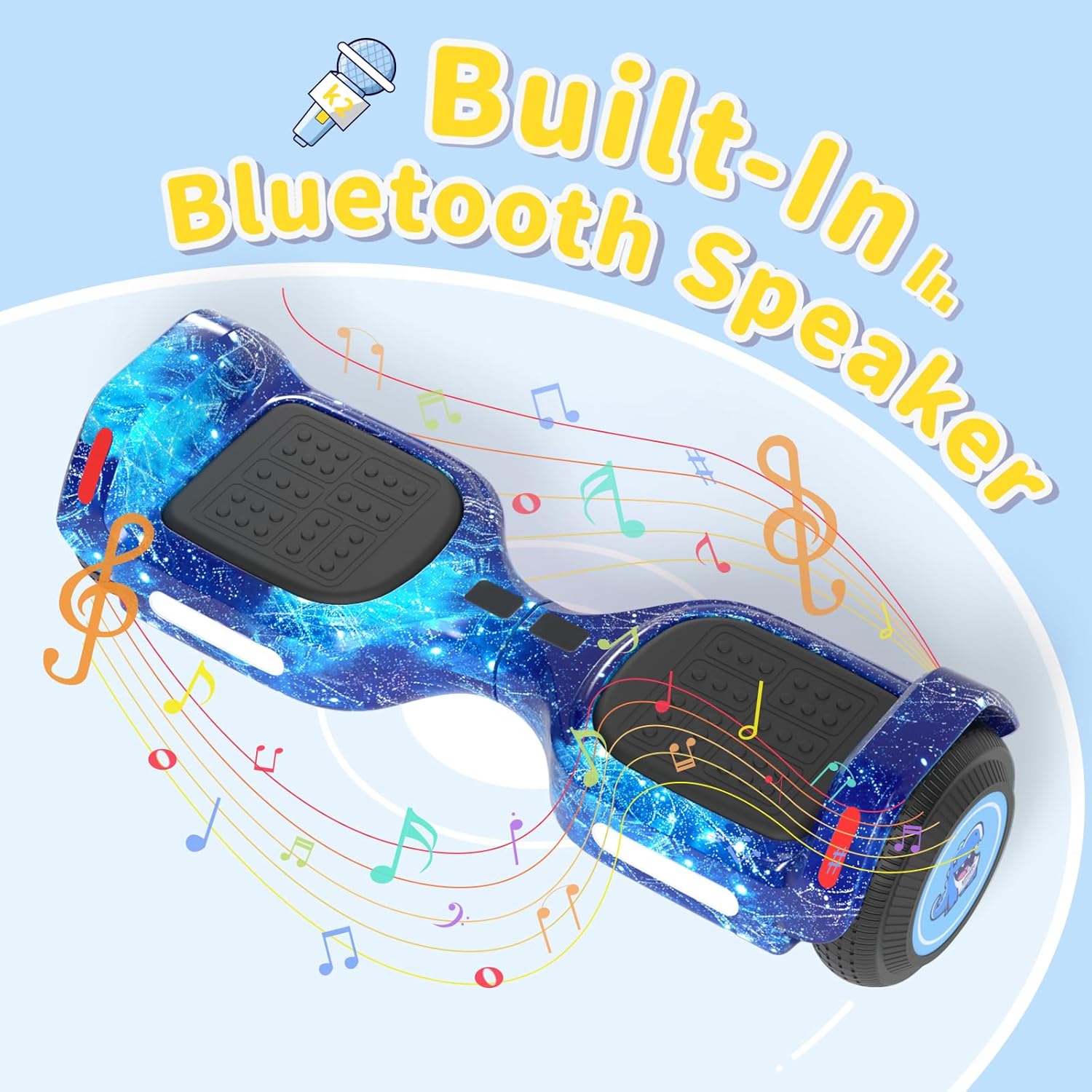
5.4. luces LED
The scooter is equipped with colorful LED lights and flashing wheels for enhanced visibility and aesthetics.
- The LED lights automatically activate when the scooter is powered on.
- Light patterns and colors may be adjustable via the "XsCar" app.

6. Mantenimiento
Regular maintenance ensures the longevity and optimal performance of your SIMATE scooter.
- Limpieza: Limpiar el patinete con publicidadamp Limpie con un paño después de usar. No utilice productos químicos agresivos ni limpiadores abrasivos. Evite el rociado directo con agua.
- Almacenamiento: Guarde el scooter en un lugar fresco y seco, alejado de la luz solar directa y de temperaturas extremas.
- Cuidado de la batería: Charge the battery regularly, even if not in use, to maintain battery health. Do not allow the battery to fully discharge for extended periods.
- Llantas: The scooter features 6.5-inch solid rubber wheels, which require minimal maintenance. Periodically check for debris or damage.
7. Solución de problemas
If you encounter issues with your SIMATE scooter, refer to the following common problems and solutions:
| Problema | Posible causa | Solución |
|---|---|---|
| El scooter no enciende. | Batería baja o botón de encendido no presionado correctamente. | Charge the scooter fully. Ensure the power button is pressed firmly for a few seconds. |
| Scooter is not balancing correctly. | Incorrect foot placement or calibration issue. | Ensure feet are centered on the footpads. Refer to the app for calibration options if available. Practice balancing in a safe area. |
| El altavoz Bluetooth no se conecta. | Bluetooth not enabled on device, scooter not discoverable, or already paired. | Ensure scooter is on and Bluetooth is active on your phone. Forget previous connections and try pairing again. |
| Alcance o velocidad reducidos. | Low battery, riding conditions, or excessive load. | Charge the scooter fully. Avoid riding on steep inclines or with loads exceeding 220 lbs. |
8. Especificaciones
| Característica | Detalle |
|---|---|
| Número de modelo | K2 |
| Tamaño de la rueda | 6.5 pulgadas (caucho macizo) |
| Velocidad máxima | 7.5 Miles per Hour (adjustable modes) |
| Alcance máximo | Up to 7.5 miles (on a full charge) |
| Potencia del motor | Dos motores de 250 W |
| Carga máxima | 220 libras |
| Inclinación máxima | 15 grados |
| Tiempo de carga | 2-3 horas |
| Material | Aluminio, Caucho |
| Características especiales | Built-In Bluetooth Speaker, Colorful LED Lights, Light-Up Wheels, App Control |
| Certificación de seguridad | UL2272 (SGS Certified) |
| Dimensiones del artículo (LxWxH) | 24 x 8 x 8 pulgadas |
| Peso del paquete | 6.35 kilogramos |
9. Garantía y soporte
9.1. Información de garantía
The SIMATE 6.5-inch Bluetooth Scooter comes with a 1 año de garantía Desde la fecha de compra. Esta garantía cubre defectos de fabricación en condiciones normales de uso. No cubre daños causados por mal uso, accidentes, modificaciones no autorizadas o incumplimiento de las instrucciones de este manual.
Conserve su comprobante de compra para reclamos de garantía.
9.2. Atención al cliente
For any questions, technical assistance, or warranty inquiries, please contact SIMATE US customer support. Our team is available to assist you with any issues you may encounter.
Contact information for SIMATE US can typically be found on the product packaging, the official SIMATE websitio, o a través de su plataforma de compra.