
Introducción
Thank you for choosing the Raddy RF320 Shortwave Radio. This manual provides essential information for the safe and efficient operation of your device. Please read it thoroughly before use and retain it for future reference. The RF320 is a versatile portable radio offering comprehensive reception across AIR, FM, VHF, MW, SW, and WB bands, along with Bluetooth 5.0 connectivity, TF card playback, and emergency features like a flashlight and SOS function.
Información de seguridad
- No exponga la radio a temperaturas extremas, luz solar directa o humedad alta.
- Evite dejar caer o someter el dispositivo a impactos fuertes.
- Keep the radio away from water and other liquids. It is not waterproof.
- Utilice únicamente el cable de carga y el adaptador de corriente especificados para evitar daños.
- Do not attempt to disassemble or modify the radio. This will void the warranty and may cause harm.
- Deshazte de las baterías de acuerdo a las regulaciones locales.
Contenido del paquete
Verifique que todos los artículos estén presentes en el paquete:
- Radio de onda corta Raddy RF320
- Cable de carga USB
- 3m Cable Antenna
- Auriculares
- Manual del propietario
Producto terminadoview
Familiarícese con los componentes y controles de la radio.
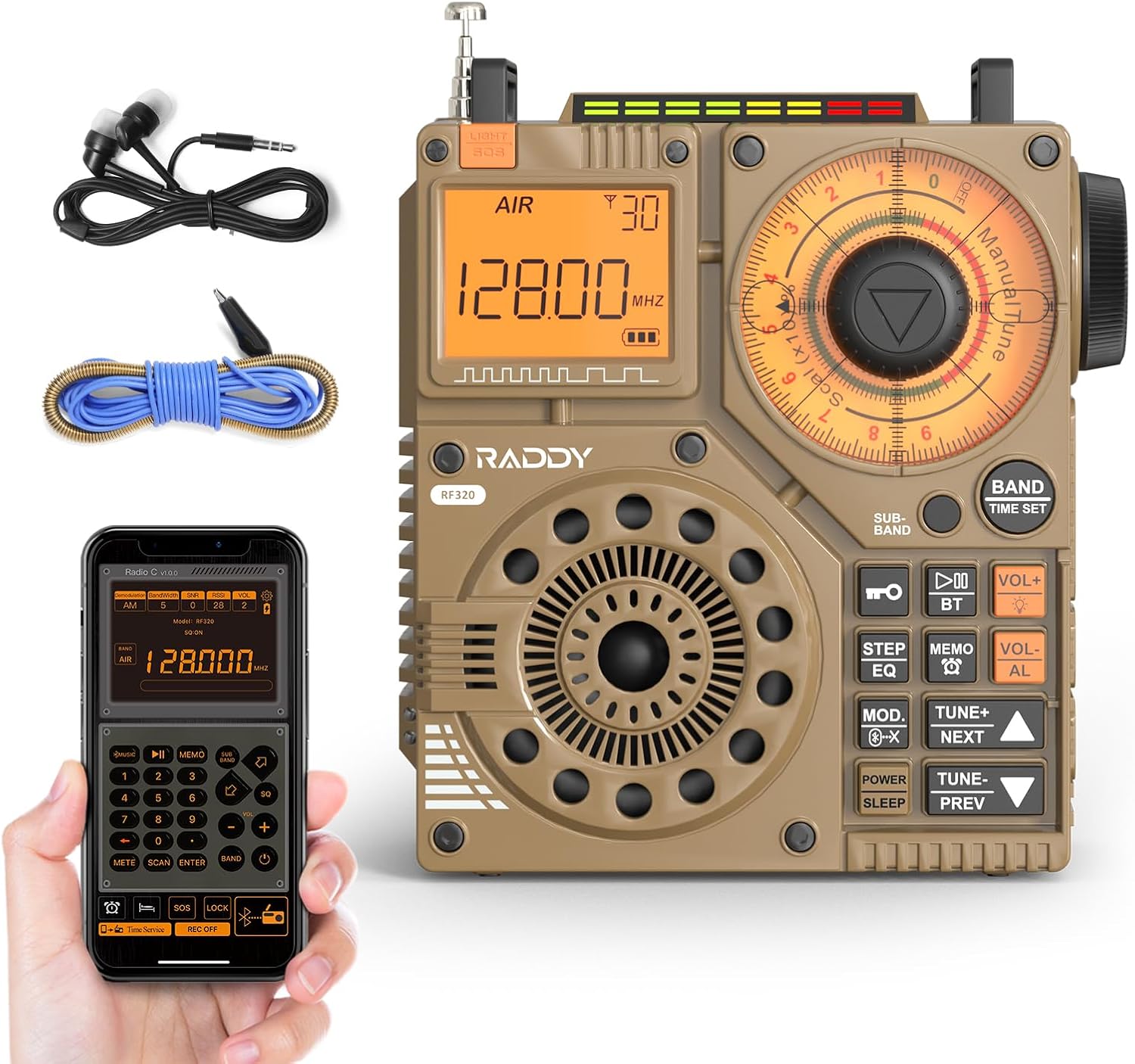
Figura 1: Frente view of the Raddy RF320 Shortwave Radio, showing the display, speaker, and control buttons.

Figura 2: Lado view of the Raddy RF320, illustrating the fine-tuning knobs and their function for precise frequency adjustment.
Características principales:
- Pantalla digital: Shows frequency, band, and other operational information.
- Perillas de sintonización: For manual and fine-tuning adjustments.
- Botones de selección de banda: To switch between AIR, FM, VHF, MW, SW bands.
- Control de volumen: Ajusta el nivel de salida de audio.
- Linterna integrada: Para iluminación en condiciones de poca luz.
- Función SOS: Activa una señal de emergencia.
- Bluetooth 5.0: Para transmisión de audio inalámbrica.
- Ranura para tarjetas TF: For direct playback of stored audio files.
- Conector de audio de 3.5 mm: For earphone connection.
Configuración
1. Carga de la batería
The RF320 is powered by a built-in Lithium-ion battery. Before first use, fully charge the radio.
- Conecte el cable de carga USB al puerto de carga de la radio.
- Conecte el otro extremo del cable USB a un adaptador de corriente USB compatible (no incluido) o al puerto USB de una computadora.
- The charging indicator on the display will show the charging status. It will typically turn off or change color when fully charged.
2. Conexión de la antena
For optimal reception, especially on SW and AIR bands, extend the telescopic antenna or connect the included 3m cable antenna.
- Antena telescópica: Extend it fully and adjust its direction for best signal.
- Cable Antenna: Plug the cable antenna into the designated antenna jack on the radio. Extend the cable antenna as much as possible, ideally outdoors or near a window, for improved shortwave reception.
Instrucciones de funcionamiento
1. Encendido y apagado
Mantenga pulsado el FUERZA Botón para encender o apagar la radio.
2. Selección de banda
Presione el BANDA button repeatedly to cycle through the available frequency bands: FM, AM (MW), SW, VHF, AIR, WB.
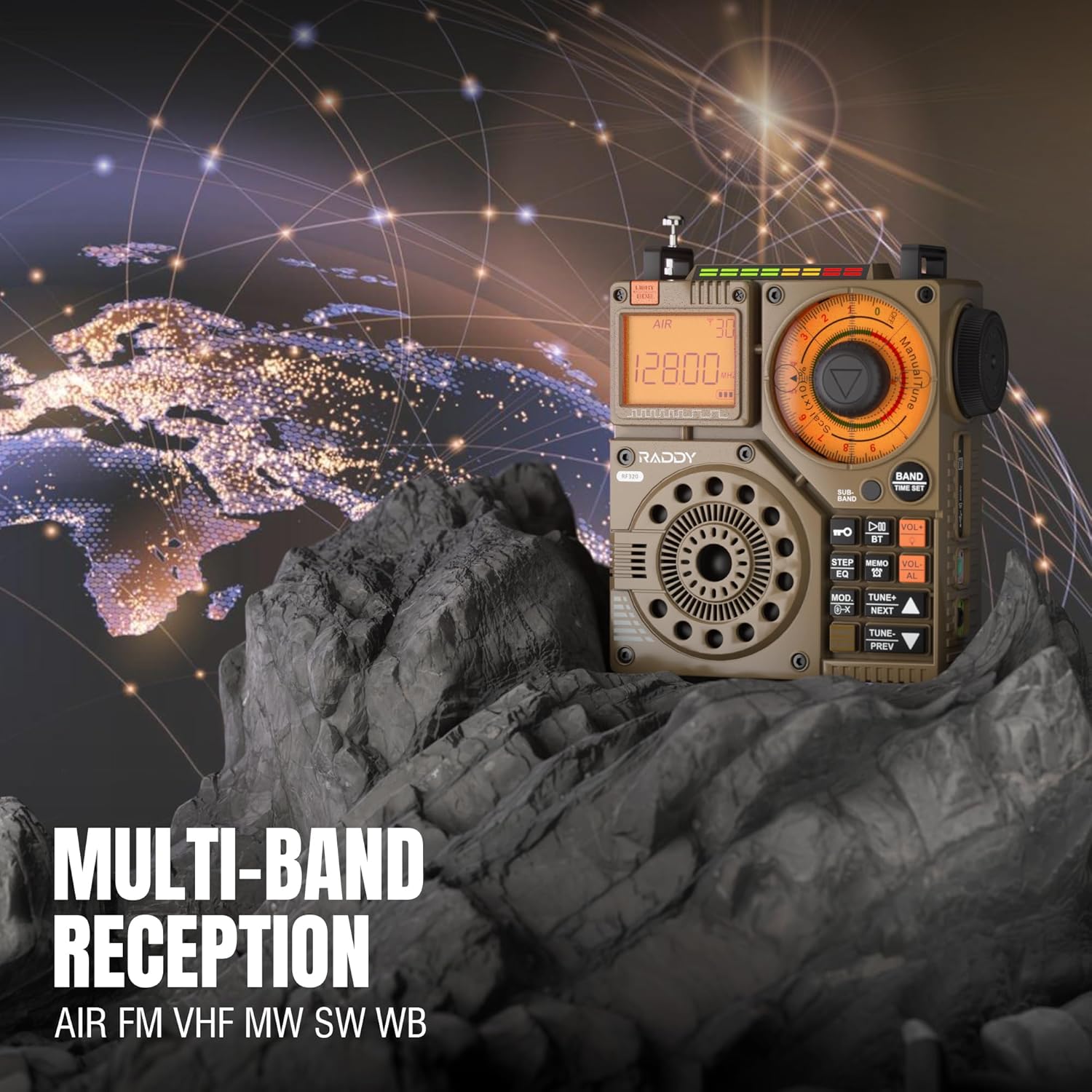
Figure 3: The Raddy RF320 radio on a rocky surface, symbolizing its multi-band reception capabilities across AIR, FM, VHF, MW, SW, and WB bands.
3. Métodos de ajuste
The RF320 offers multiple tuning options:
- Sintonización manual: Use the main tuning knob to adjust the frequency incrementally. The precise tuning knobs offer a minimum step value of 0.005 MHz for accurate frequency selection.
- Sintonización digital: Use the numeric keypad (if available on the device or via app) to directly enter a frequency.
- Búsqueda automática: Presione el AUTO ESCÁNER Botón para escanear y almacenar automáticamente las estaciones disponibles.
- Búsqueda semiautomática: This function allows for scanning within a specific range or with user intervention. Refer to the on-screen prompts or app interface for details.
4. Station Storage
The radio can store up to 955 stations (199 for each of AIR, FM, VHF, MW, and SW bands).
- Sintonice la emisora deseada.
- Mantenga pulsado el MEMO button (or equivalent) to save the station.
- Utilice el SIGUIENTE / ANTERIOR Botones para navegar a través de las estaciones almacenadas.
5. Modo Bluetooth (BT)
Conecte su teléfono inteligente u otro dispositivo con Bluetooth para transmitir audio de forma inalámbrica.
- Presione el MODO button until 'BT' or 'Bluetooth' is displayed.
- On your device, search for Bluetooth devices and select 'Raddy RF320'.
- Una vez emparejado, podrá reproducir audio desde su dispositivo a través del altavoz de la radio.
6. Reproducción de tarjeta TF
Reproducir audio files directamente desde una tarjeta TF (MicroSD).
- Insert a TF card (up to 32GB, FAT32 format) with audio files en la ranura para tarjeta TF.
- Presione el MODO button until 'TF' or 'Card' is displayed.
- Utilice el SIGUIENTE / ANTERIOR botones para navegar por las pistas.

Figure 4: The Raddy RF320 radio next to a smartphone displaying music, highlighting its three operational modes: Bluetooth, TF Card, and Radio Receiver.
7. Linterna y función SOS
The RF320 includes an integrated flashlight and an SOS emergency signal.
- Flash: Presione el LUZ button to turn the flashlight on/off.
- LLAMADA DE SOCORRO: Mantenga pulsado el LLAMADA DE SOCORRO button to activate the emergency alarm and flashing light. Press again to deactivate.

Figure 5: Close-up of the Raddy RF320 radio with its integrated flashlight active, demonstrating its outdoor lighting capability.
8. Control de aplicaciones
The Raddy RF320 can be controlled via a dedicated application on iOS, Android, and HarmonyOS systems.
- Download the 'Radio C' application from your device's app store.
- Ensure Bluetooth is enabled on your smartphone and the RF320 radio.
- Open the app and follow the on-screen instructions to connect to your RF320.
- The app allows for digital tuning, channel naming, recording broadcasts, and other advanced controls.

Figure 6: The Raddy RF320 radio displayed alongside a smartphone running its control application, illustrating the ease of use with app integration.
Mantenimiento
- Limpie la radio con un paño suave y seco. No utilice limpiadores abrasivos ni disolventes.
- Cuando no utilice la radio durante períodos prolongados, guarde la radio en un lugar fresco y seco.
- Periodically charge the battery to maintain its lifespan, even if the radio is not being used.
- Ensure the telescopic antenna is retracted when not in use to prevent damage.
Solución de problemas
| Problema | Posible causa | Solución |
|---|---|---|
| La radio no se enciende. | La batería está agotada. | Cargue la radio completamente. |
| Mala recepción de radio. | Señal débil; antena no extendida. | Extend the telescopic antenna or connect the 3m cable antenna. Adjust antenna position. Move to an area with better signal. |
| La conexión Bluetooth falla. | La radio no está en modo BT; el dispositivo está demasiado lejos; problema de emparejamiento. | Ensure radio is in BT mode. Bring devices closer. Delete 'Raddy RF320' from your device's BT list and re-pair. |
| La tarjeta TF no se reproduce. | Card not inserted correctly; unsupported format; corrupted files. | Reinsert TF card. Ensure card is FAT32 format. Check if audio fileSe admiten s. |
| El control de la aplicación no funciona. | Bluetooth not connected; app not updated. | Ensure radio is paired via Bluetooth. Update the 'Radio C' app to the latest version. |
Presupuesto
| Característica | Especificación |
|---|---|
| Marca | Raddy |
| Número de modelo | RF320 |
| Bandas de radio compatibles | AIR, FM, VHF, MW (AM), SW |
| Tecnología de ajuste | FM, AM, VHF, SW, AIR |
| Tecnología de conectividad | Bluetooth 5.0 |
| Características especiales | Digital Display, Integrated Flashlight, Rechargeable, Automatic Squelch, Keypad Lock, TF Card Playback, App Control, SOS Function |
| Dimensiones del producto (L x An x Al) | 15L x 9W x 15H centímetros |
| Fuente de poder | Funciona con pilas (1 batería de iones de litio incluida) |
| Tipo de pantalla | Digital Display (LCD/LED) |
| Interfaz de hardware | 3.5mm Audio Jack |
| Nivel de resistencia al agua | No es impermeable |
| Material interno | Metal |
| País natal | Porcelana |
Garantía y soporte
Información de garantía
Raddy products typically come with a standard manufacturer's warranty. Please refer to the warranty card included in your package or visit the official Raddy website for detailed warranty terms and conditions specific to the RF320 model. Keep your purchase receipt as proof of purchase for warranty claims.
Atención al cliente
Para asistencia técnica, resolución de problemas más allá de este manual o consultas sobre garantía, comuníquese con el servicio de atención al cliente de Raddy a través de su sitio web oficial. website or the contact information provided with your product packaging. When contacting support, please have your product model (RF320) and purchase details ready.