
SIMATE K3
SIMATE 6.5" Self-Balancing Scooter Instruction Manual
Modelo: K3
1. Introducción
Gracias por la compraasing the SIMATE 6.5" Self-Balancing Scooter. This manual provides essential information for the safe operation, maintenance, and troubleshooting of your scooter. Please read this manual thoroughly before first use and retain it for future reference.
2. Información de seguridad
Your safety is paramount. Always wear appropriate safety gear, including a helmet, knee pads, and elbow pads, when operating the scooter. Ensure you understand and comply with all local laws and regulations regarding the use of self-balancing scooters.
- This product is UL2272 Safety Certified, ensuring compliance with U.S. safety regulations.
- No opere el scooter bajo la influencia del alcohol o drogas.
- Avoid riding on uneven surfaces, steep slopes (over 15 degrees), or in wet conditions.
- Mantenga una distancia segura con peatones y otros vehículos.
- Los niños deben ser supervisados por un adulto durante el funcionamiento.
- Maximum load capacity is 220 lbs. Do not exceed this limit.
3. Contenido del paquete
Verifique que todos los artículos estén presentes en su paquete:
- SIMATE 6.5" Self-Balancing Scooter
- Cargador
- Manual de instrucciones (este documento)
4. Producto terminadoview
The SIMATE 6.5" Self-Balancing Scooter features dual 250W motors, LED lights, and a self-balancing control system. It is designed for ease of use and enjoyment.

Imagen 4.1: Frente view of the SIMATE 6.5" Self-Balancing Scooter in white.
Características principales:
- Sistema de autoequilibrio: Assists in maintaining balance for easier learning and riding.
- Luces LED: Includes head lights and central lights for enhanced visibility and aesthetics.
- Bluetooth Music Speaker: Allows connection to a device for audio playback.
- Control de APP: Compatible with the "XsCar" app for advanced control and monitoring.
- Motores duales de 250 W: Provides power for speeds up to 7.5 mph and a range of 7.5 miles.

Image 4.2: Diagram illustrating the self-balancing function and basic movement controls (Go Ahead, Back, Self-Balancing).
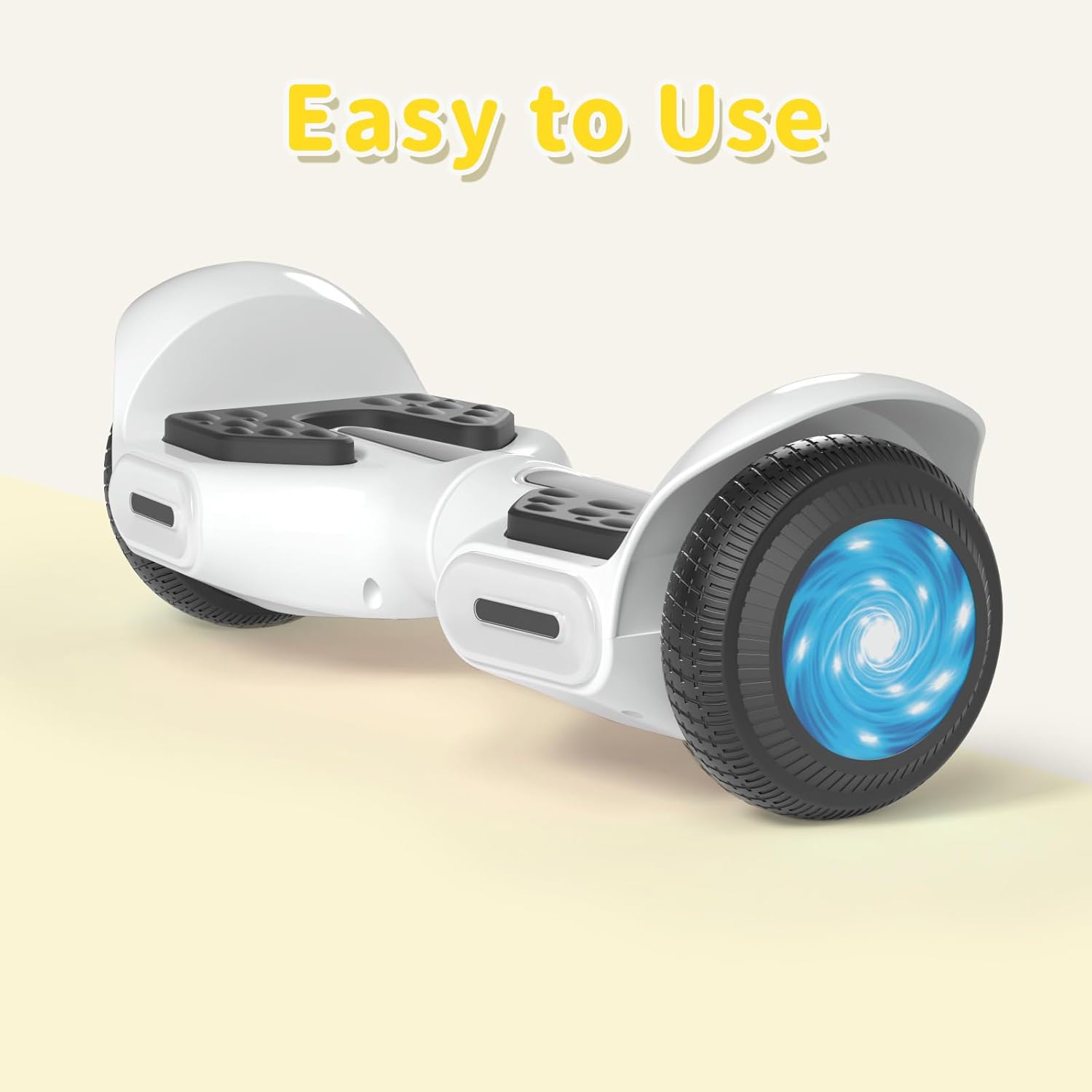
Imagen 4.3: Primer plano view of the head and central LED lights on the scooter.
5. Configuración
5.1 Carga inicial
- Before first use, fully charge the scooter. Connect the charger to the charging port on the scooter and then to a power outlet.
- The indicator light on the charger will change (e.g., from red to green) when charging is complete. Charging typically takes 2-3 hours.
- No sobrecargue la batería. Desconecte el cargador una vez completada la carga.
5.2 Encendido y apagado
- To power on, press and hold the power button located on the scooter.
- Para apagar, mantenga presionado el botón de encendido nuevamente.
6. Instrucciones de funcionamiento
6.1 First Ride Guidelines
- Coloque el scooter sobre una superficie plana y nivelada.
- Step onto one footpad, then quickly and confidently step onto the other footpad. Use a wall or another person for support initially.
- Inclínese ligeramente hacia delante para avanzar e inclínese hacia atrás para disminuir la velocidad o moverse en reversa.
- Para girar, aplique una presión suave con el pie izquierdo para girar a la derecha y con el pie derecho para girar a la izquierda.
- Para desmontar, pise un pie a la vez, asegurándose de que el scooter permanezca estable.
Video 6.1: Demonstration of basic riding techniques and self-balancing features for the SIMATE Kids Scooter.
6.2 modos de velocidad
The scooter features three adjustable speed modes:
- Modo seguro: Maximum speed 5 mph (suitable for beginners).
- Modo principiante: Maximum speed 6.5 mph (suitable for novices).
- Modo deportivo: Maximum speed 8.5 mph (suitable for proficient users).

Image 6.2: Visual representation of the three speed modes: Safe, Beginner, and Sports.
6.3 App Control ("XsCar")
Download the exclusive "XsCar" app to unlock additional features and control options:
- Scan the QR code (if provided on packaging or scooter) or search for "XsCar" in your device's app store.
- Pair your scooter with the app via Bluetooth.
- A través de la aplicación podrás:
- Power on/off the scooter.
- Adjust LED lights.
- Monitor speed and battery power.
- Set speed modes.
- Access other control features.

Image 6.3: Illustration of the "XsCar" app interface and its control capabilities for lights, speed, and battery.
6.4 Altavoz de música Bluetooth
To use the built-in Bluetooth speaker:
- Asegúrese de que el scooter esté encendido.
- Habilite Bluetooth en su dispositivo móvil.
- Buscar available Bluetooth devices and select "SIMATE Scooter" (or similar name).
- Once paired, you can play music through the scooter's speaker.
7. Mantenimiento
7.1 Limpieza
- Limpiar el patinete con publicidadamp cloth after use. Avoid using excessive water or harsh cleaning agents.
- No utilice chorros de agua a alta presión para limpiar el scooter, ya que esto puede dañar los componentes electrónicos.
7.2 Cuidado de la batería
- Cargue la batería periódicamente, incluso si el scooter no está en uso, para mantener la salud de la batería.
- Guarde el scooter en un lugar fresco y seco, alejado de la luz solar directa y de temperaturas extremas.
- If the scooter will not be used for an extended period, charge it to approximately 50% before storage.
7.3 Almacenamiento
- Store the scooter indoors to protect it from weather elements.
- Mantén el patinete alejado de materiales inflamables.
8. Solución de problemas
| Problema | Posible causa | Solución |
|---|---|---|
| El scooter no enciende. | Batería baja o botón de encendido no presionado correctamente. | Charge the scooter fully. Ensure the power button is pressed and held for a few seconds. |
| El scooter no está en equilibrio. | Rider weight distribution is incorrect or surface is uneven. | Ensure feet are centered on the footpads. Practice on a flat, smooth surface. |
| El altavoz Bluetooth no se conecta. | Bluetooth not enabled on device or scooter, or device is too far. | Ensure scooter is on and Bluetooth is enabled on your device. Move device closer to the scooter. Re-pair if necessary. |
| Alcance o velocidad reducidos. | Low battery, heavy load, or riding on inclines. | Charge the battery fully. Reduce load. Avoid steep inclines. |
9. Especificaciones
| Característica | Detalle |
|---|---|
| Nombre del modelo | 6.5" Scooter (K3) |
| Marca | SIMATE |
| Tamaño de la rueda | 6.5 pulgadas |
| Potencia del motor | Dos motores de 250 W |
| Velocidad máxima | 7.5 mph (3 modos de velocidad ajustables) |
| Rango máximo | 7.5 millas |
| Carga máxima | 220 libras |
| Tiempo de carga | 2-3 horas |
| Material | Aluminio, Caucho |
| Características especiales | Built-In Bluetooth speaker, LED Lights, App Control |
| Certificación de seguridad | UL2272 |
10. Información de garantía
The SIMATE 6.5" Self-Balancing Scooter comes with a 1 año de garantía Desde la fecha de compra. Esta garantía cubre defectos de fabricación en condiciones normales de uso. No cubre daños causados por mal uso, accidentes, modificaciones no autorizadas ni desgaste normal.
Conserve su comprobante de compra para reclamos de garantía.
11. Atención al cliente
For any questions, technical assistance, or warranty claims, please contact SIMATE customer support:
- Servicio en línea: SIMATE provides 7*24 hours online service.
- Contacto: Refer to the contact information provided on the product packaging or the official SIMATE webSitio para los canales de soporte más actualizados.

Image 11.1: Illustration of a customer support representative, symbolizing available assistance.
Ask a question about this manual
Ask about setup, troubleshooting, compatibility, parts, safety, or missing instructions. Manuals+ will review the question and use this page’s manual context to help answer it.