
1. Introducción
This manual provides comprehensive instructions for the installation, operation, and maintenance of your Gravity MGR5 Marine Stereo Receiver. Please read this manual thoroughly before using the product to ensure proper function and to prevent damage. Keep this manual for future reference.
2. Información de seguridad
- Fuente de alimentación: Ensure the power supply is 12V DC (direct current) only. Incorrect voltagPuede dañar la unidad.
- Alambrado: All wiring should be performed by a qualified technician. Incorrect wiring can lead to electrical shock or fire.
- Resistencia al agua: The MGR5 is designed with IPX5 water resistance. While it can withstand splashes and light rain, it is not designed for submersion.
- Temperatura: Evite exponer la unidad a temperaturas extremas o a la luz solar directa durante períodos prolongados.
- Limpieza: Utilice un paño suave y seco para limpiar. No utilice limpiadores abrasivos ni disolventes.
- Ventilación: Asegúrese de que haya una ventilación adecuada alrededor de la unidad para evitar el sobrecalentamiento.
3. Contenido del paquete
Verifique que todos los artículos estén presentes en el paquete:
- Gravity MGR5 Marine Stereo Receiver
- Mando a distancia
- Mazo de cables
- Herrajes de montaje
- Manual de usuario (este documento)
4. Producto terminadoview
The Gravity MGR5 is a versatile marine stereo receiver featuring a 4.1-inch LCD display, multi-mode playback options, and Bluetooth connectivity. It is designed for use in various environments, including marine, automotive, and recreational vehicles.

Figura 4.1: Frente view of the Gravity MGR5 Marine Stereo Receiver, showcasing its 4.1-inch LCD display and control buttons. The display shows a vibrant image of a harbor.
4.1. Funciones del panel de control
Refer to the diagram below for an explanation of the main control buttons on the MGR5 unit.

Figure 4.2: Detailed diagram illustrating the MGR5 control buttons and their corresponding functions.
- PWR/SEL/VOL: Controls power, sound settings, and volume levels.
- MODE/SUB-: Switches audio sources and controls subwoofer levels.
- BAND/AV/SUB+: Changes radio bands and audio/video output, adjusts subwoofer.
- TUNE/TRACK BUTTONS: Selects radio stations or media tracks, fast-forwards or rewinds.
- MENÚ: Accesses the main menu for various system settings.
- AMS: Searches and stores radio stations automatically, toggles play/pause in media mode.
- CH +: Skips through or saves radio presets.
- Botón de reproducción/pausa: Manages playback of media.
- Configuración: Enters detailed settings for the system like color, light, time, and language.
4.2. Características principales
- 4.1" LCD Display for video playback and navigation.
- Conectividad Bluetooth para transmisión de audio inalámbrica.
- Multi-mode playback: USB, SD card, AUX input, FM radio.
- Subwoofer control and preset equalizer modes.
- IPX5 water-resistant and durable construction.
- Multi-color buttons for enhanced usability.

Figure 4.3: Visual representation of key features such as AUX, USB, Preset EQ, Subwoofer control, and IPX5 water resistance.
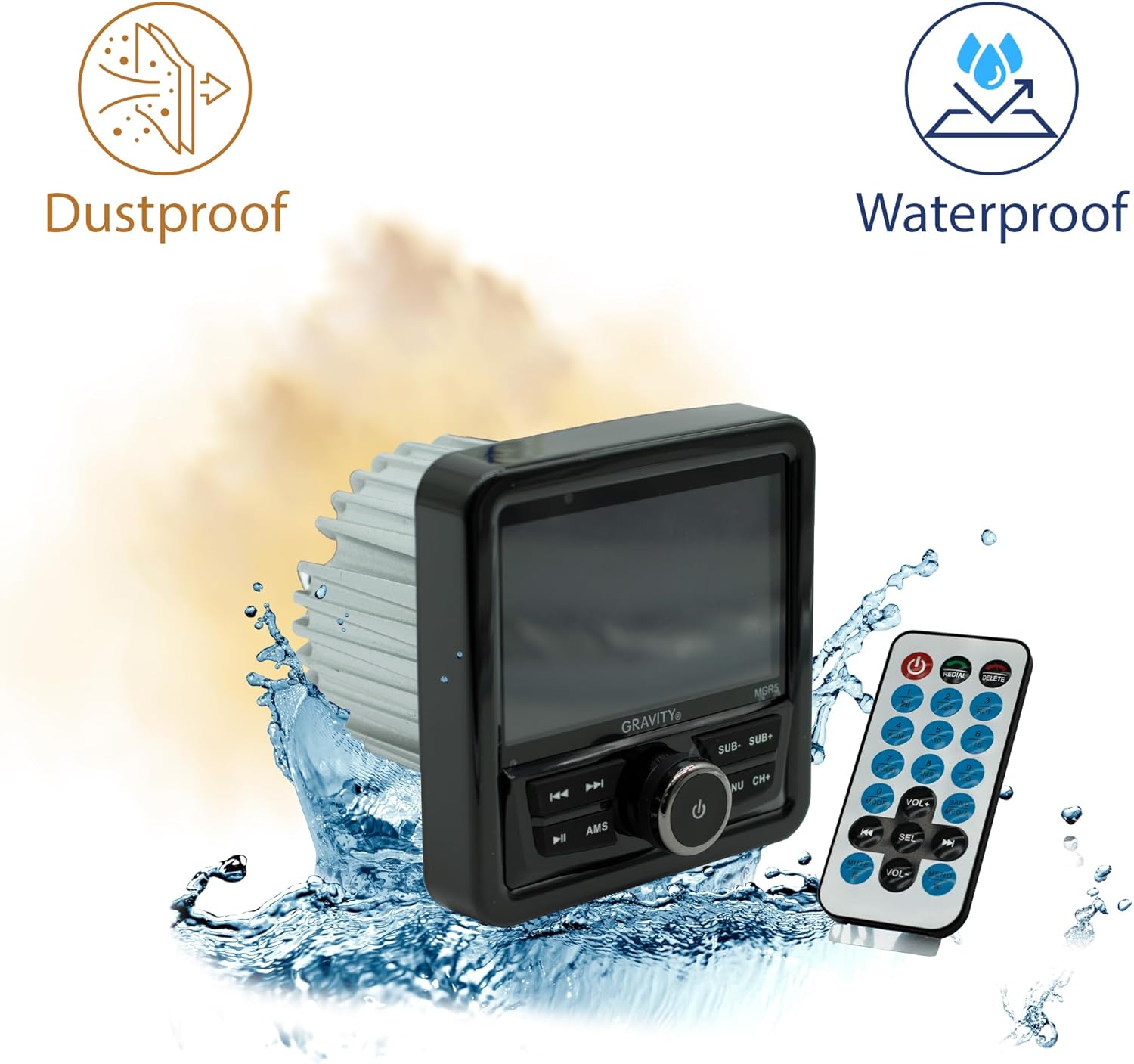
Figure 4.4: The MGR5 unit highlighting its dustproof and waterproof design, suitable for challenging environments.
5. Instalación
Proper installation is crucial for the performance and longevity of your MGR5 receiver. Consult a professional if you are unsure about any steps.
5.1. Dimensiones de montaje
Before installation, ensure you have adequate space for the unit. Refer to the dimensions below.

Figure 5.1: Detailed dimensions of the MGR5 unit, including front panel and chassis measurements, essential for proper mounting.
- Ancho del panel frontal: Aproximadamente 4.33 pulgadas
- Profundidad del chasis: Aproximadamente 3.98 pulgadas
- Altura del chasis: Aproximadamente 2.89 pulgadas
5.2. Diagrama de cableado
Connect the wiring harness according to the diagram provided in the separate wiring guide (if applicable) or the labels on the harness itself. Ensure all connections are secure and insulated.
- Cable rojo: ACC (Alimentación accesoria)
- Alambre amarillo: B+ (Potencia constante de 12 V)
- Cable negro: GND (tierra)
- Alambre azul: Encendido remoto (para amplificador/antena)
- Cables de altavoz: Connect to appropriate speakers (Front Left, Front Right, Rear Left, Rear Right). Ensure correct polarity.
Advertencia: Incorrect wiring can cause severe damage to the unit or vehicle's electrical system. Always disconnect the vehicle's battery before beginning installation.
6. Operación
6.1. Funciones básicas
- Encendido/apagado: Presione el PWR/SEL/VOL Perilla para encender o apagar la unidad.
- Control de volumen: Girar el PWR/SEL/VOL mando para ajustar el volumen.
- Selección de fuente: Presione el MODE/SUB- button to cycle through available audio sources (FM, AM, Bluetooth, USB, SD, AUX).
6.2. Operación Bluetooth
- Emparejamiento:
- Select Bluetooth as the source. The unit will enter pairing mode automatically.
- On your mobile device, search for Bluetooth devices and select "MGR5".
- Una vez emparejado, la unidad confirmará la conexión.
- Transmisión auditiva: Reproduce audio desde tu dispositivo emparejado. Usa el TUNE/TRACK botones para saltar pistas y el AMS Botón para reproducir/pausa.
6.3. Reproducción USB/SD
- Inserte una unidad USB o una tarjeta SD en la ranura correspondiente.
- The unit will automatically switch to USB/SD mode and begin playback. If not, select USB/SD as the source using the MODE/SUB- botón.
- Utilice el TUNE/TRACK botones para navegar por las pistas y AMS para reproducir/pausar.
6.4. Radio FM
- Seleccione FM como fuente.
- Auto escáner: Mantenga pulsado el AMS Botón para escanear y almacenar automáticamente estaciones fuertes.
- Sintonización manual: Utilice el TUNE/TRACK Botones para ajuste fino.
- Estaciones preestablecidas: Utilice el CH+ Botón para recorrer los ajustes preestablecidos guardados.
6.5. Subwoofer Control and EQ Settings
- Nivel de subwoofer: Prensa MODE/SUB- or BAND/AV/SUB+ to adjust subwoofer output.
- Ajustes preestablecidos del ecualizador: Presione el MENÚ button to access audio settings, then navigate to EQ presets (e.g., Pop, Rock, Classic, Flat).
7. Mantenimiento
- Limpieza de la unidad: Use a soft, dry cloth to wipe the exterior of the unit. For stubborn dirt, slightly dampLave el paño con agua. No utilice productos químicos agresivos ni materiales abrasivos.
- Cuidado de la pantalla: The LCD display is sensitive. Clean it gently with a microfiber cloth. Avoid pressing hard on the screen.
- Comprobaciones de conexión: Revise periódicamente todas las conexiones del cableado para asegurarse de que estén seguras y libres de corrosión, especialmente en entornos marinos.
- Actualizaciones de software: Verifique el fabricante websitio para obtener actualizaciones de firmware disponibles para garantizar un rendimiento y compatibilidad óptimos.
8. Solución de problemas
| Problema | Posible causa | Solución |
|---|---|---|
| Sin poder | Cableado incorrecto, fusible quemado, conexión suelta. | Check power and ground connections. Inspect fuse. Ensure battery is connected. |
| Sin sonido | Volumen demasiado bajo, fuente incorrecta seleccionada, cables de altavoz desconectados, ampProblemas de salvavidas. | Increase volume. Select correct source. Check speaker wiring. Verify external ampEl lificador (si se utiliza) está encendido. |
| El Bluetooth no se conecta | Device not in pairing mode, MGR5 not in Bluetooth mode, interference. | Ensure MGR5 is in Bluetooth mode. Put mobile device in pairing mode. Try restarting both devices. |
| USB/SD no reproduce | Sin soporte file format, corrupted media, incorrect source. | Controlar file formats (e.g., MP3, WMA). Try a different USB/SD card. Select USB/SD source. |
| Mala recepción de radio | Antena no conectada, señal débil, interferencia. | Ensure antenna is properly connected. Try auto-scanning for stations. Move to an area with better signal. |
9. Especificaciones
| Característica | Detalle |
|---|---|
| Número de modelo | MGR5 |
| Potencia de salida | 200W (50W x 4 canales) |
| Mostrar | Pantalla LCD de 4.1" |
| Conectividad | Bluetooth, USB, SD, AUX, radio FM |
| Resistencia al agua | IPX5 |
| Fuente de alimentación | 12 V CC |
| Modo de salida de audio | Estéreo |
| Configuración de canales de sonido envolvente | 4.1 |
| Peso del artículo | 1.2 libras |
| Dimensiones del paquete | 6 x 6 x 6 pulgadas |
10. Garantía y soporte
Gravity products are designed for reliability and performance. For warranty information and technical support, please refer to the warranty card included with your product or visit the official Gravity websitio.
For assistance, please contact Gravity customer support with your model number (MGR5) and purchase details ready.