
Introducción
This manual provides detailed instructions for setting up, operating, maintaining, and troubleshooting your DYONDER Wireless Controller. This controller is compatible with PlayStation 4 (PS4), PS4 Pro, PS4 Slim, and PC systems.
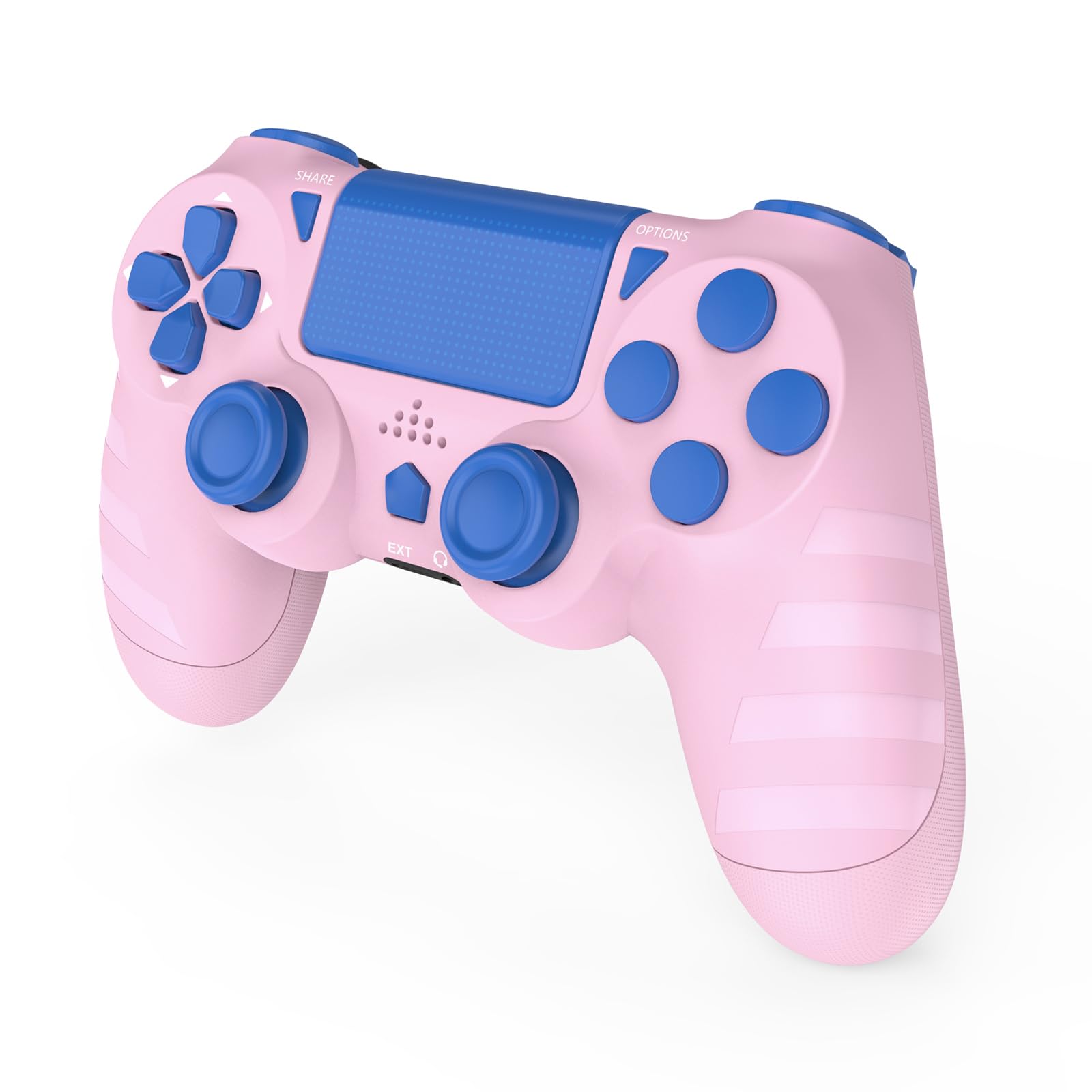
Frente view of the DYONDER Wireless Controller.
Configuración y conexión inicial
Carga del controlador
Before first use, fully charge the controller. Connect the included USB-C charging cable to the controller's USB-C port and the other end to a power source (e.g., PS4 console, PC USB port, or a USB wall adapter). A full charge typically takes approximately 2 hours and provides over 15 hours of playtime.

The controller features a USB-C charging port for convenient charging.

Illustration of 1000mAh battery capacity, 2 hours charging time, and 10+ hours playing time.
Connecting to PS4/PS4 Pro/PS4 Slim
- Asegúrese de que su consola PS4 esté encendida.
- Para el first connection, use the included USB-C charging cable to connect the controller directly to your PS4 console.
- Presione el Botón PS (Home button) on the controller. The light bar will flash, indicating it is pairing.
- Once paired, the light bar will glow a solid color, and you can disconnect the USB-C cable for wireless play.
- Para conexiones posteriores, simplemente presione el botón Botón PS on the controller to automatically connect wirelessly to the last paired PS4 console.
Conexión a PC (Windows)
- To pair the controller with your PC, hold the Botón de compartir y el Botón INICIO (PS button) simultaneously for 3 seconds.
- The controller will enter pairing mode, and you can then connect it via Bluetooth on your PC.
- Alternatively, you can connect the controller to your PC using the USB-C cable for a wired connection.

The controller is compatible with various PlayStation 4 models and Windows PCs.
Operar el controlador
The DYONDER Wireless Controller offers a range of features designed to enhance your gaming experience.
Características principales
- Retroalimentación de vibración dual: Experience immersive gameplay with dual vibration motors. The controller provides 4 levels of vibration feedback, responding to in-game actions for a more realistic feel.
- Sensor de movimiento de 6 ejes: Utilize the built-in 6-axis gyro sensor for precise motion sensing in compatible games, allowing for intuitive control through tilting and rotating the controller.
- Responsive Joysticks and Buttons: The upgraded joysticks and buttons are designed for enhanced responsiveness and precision, minimizing input lag and drift for faster reactions.
- Conector de audio integrado: Connect your gaming headset directly to the controller's 3.5mm audio jack for private listening and in-game communication.
- Panel táctil: The integrated touch pad provides additional input options for games that utilize this feature.

The 6-Axis Gyro Sensor provides superior motion sensing for interactive gameplay.

Labeled diagram showing the SHARE button, D-Pad, Left Joystick, Extended Interface, Home button, Headphone Jack, Touchpad, OPTIONS button, Action buttons, Right Joystick, LED indicator, and Charging Socket.
Mantenimiento
El cuidado y mantenimiento adecuados prolongarán la vida útil de su controlador.
- Limpieza: Utilice un paño suave y seco para limpiar el controlador. Para la suciedad difícil, limpie ligeramenteampen the cloth with water. Avoid using harsh chemicals, solvents, or abrasive cleaners, as these can damage the surface.
- Almacenamiento: Guarde el controlador en un lugar fresco y seco, alejado de la luz solar directa y de temperaturas extremas.
- Evite las gotas: Proteja el controlador de caídas e impactos que puedan dañar los componentes internos.
- Cuidado de cables: Handle the USB-C charging cable carefully. Avoid bending or twisting it excessively, and always pull from the plug, not the cable itself, when disconnecting.
Solución de problemas
If you encounter issues with your DYONDER Wireless Controller, refer to the following common solutions.
Controller Not Connecting to PS4
- Conexión por primera vez: Ensure you are using the USB-C cable to connect the controller to the PS4 console for the initial pairing. Press the PS button after connecting.
- Reiniciar controlador: Locate the small reset button on the back of the controller (often inside a small hole). Use a thin object (like a straightened paperclip) to press and hold the reset button for 3-5 seconds. Then, attempt to reconnect via USB cable.
- PS4 System Settings: Check your PS4's power saving settings. Ensure that "Rest Mode" features that might turn off USB power or disconnect devices are disabled, especially during initial setup.
- Power Cycle PS4: If connection issues persist, try turning off your PS4 completely (not just rest mode), then turn it back on. Connect the controller via USB and press the PS button.
- Try a Different USB-C Cable: A faulty cable can prevent proper data transfer. Test with another known-good USB-C cable.
Controller Not Connecting to PC
- Modo de emparejamiento: Ensure the controller is in pairing mode by holding the SHARE + HOME buttons durante 3 segundos.
- Configuración de Bluetooth: On your PC, go to Bluetooth settings and ensure Bluetooth is enabled. Buscar new devices and select the controller when it appears.
- Conexión por cable: If wireless connection fails, try connecting the controller directly to your PC via the USB-C cable.
- Conductores: For some PC games or systems, specific drivers might be required. Check online resources for generic gamepad drivers if needed.
Battery Not Charging or Short Battery Life
- Compruebe el cable y el puerto: Ensure the USB-C cable is securely connected to both the controller and the power source. Inspect the USB-C port on the controller for any visible damage.
- Fuente de energía: Intente cargarlo desde un puerto USB o un adaptador de pared diferente.
- Tiempo de carga: Allow the controller to charge for the recommended 2 hours for a full charge.
Presupuesto
| Modelo | B0DH1XPF61 |
| Compatibilidad | PS4, PS4 Pro, PS4 Slim, PC (Windows) |
| Conectividad | Inalámbrico (Bluetooth), con cable (USB-C) |
| Tipo de batería | 1 batería de iones de litio (incluida) |
| Capacidad de la batería | 1000 mAh |
| Tiempo de carga | Aproximadamente 2 horas |
| Recreo | Over 15 hours (approx.) |
| Dimensiones | 16.6 x 11.2 x 6.6 cm (aprox.) |
| Peso | 280 g (aprox.) |
| Características | Dual Vibration, 6-Axis Motion Sensor, Touch Pad, 3.5mm Audio Jack |
Garantía y soporte
For warranty information or technical support, please contact DYONDER customer service through the retailer where the product was purchased. Please retain your proof of purchase for any warranty claims.
You can also visit the official DYONDER store page for additional resources and contact information: DYONDER Store