
1. Introducción
The LAMAX X5.2 is a versatile action camera designed to capture your adventures in high definition. Featuring real 4K video recording at 30 frames per second (FPS) and Full HD at 60 FPS, it ensures clear and detailed footage. The camera incorporates MAX Soft Electronic Stabilisation for smooth shots, even in dynamic environments. It is waterproof up to 40 meters with its included case, offers USB-C charging, a 2-inch LCD display, and Wi-Fi connectivity for easy file transferir.

Imagen 1.1: Frente view of the LAMAX X5.2 Action Camera, showcasing su lente y diseño compacto.
2. Contenido del paquete
Before using your LAMAX X5.2 Action Camera, please verify that all items are present in the package:
- Cámara de acción LAMAX X5.2
- Estuche impermeable (hasta 40 m)
- Mounting Accessories (various clips, mounts, and adhesive pads)
- Cable de carga USB-C
- Paño de limpieza
- Batería recargable
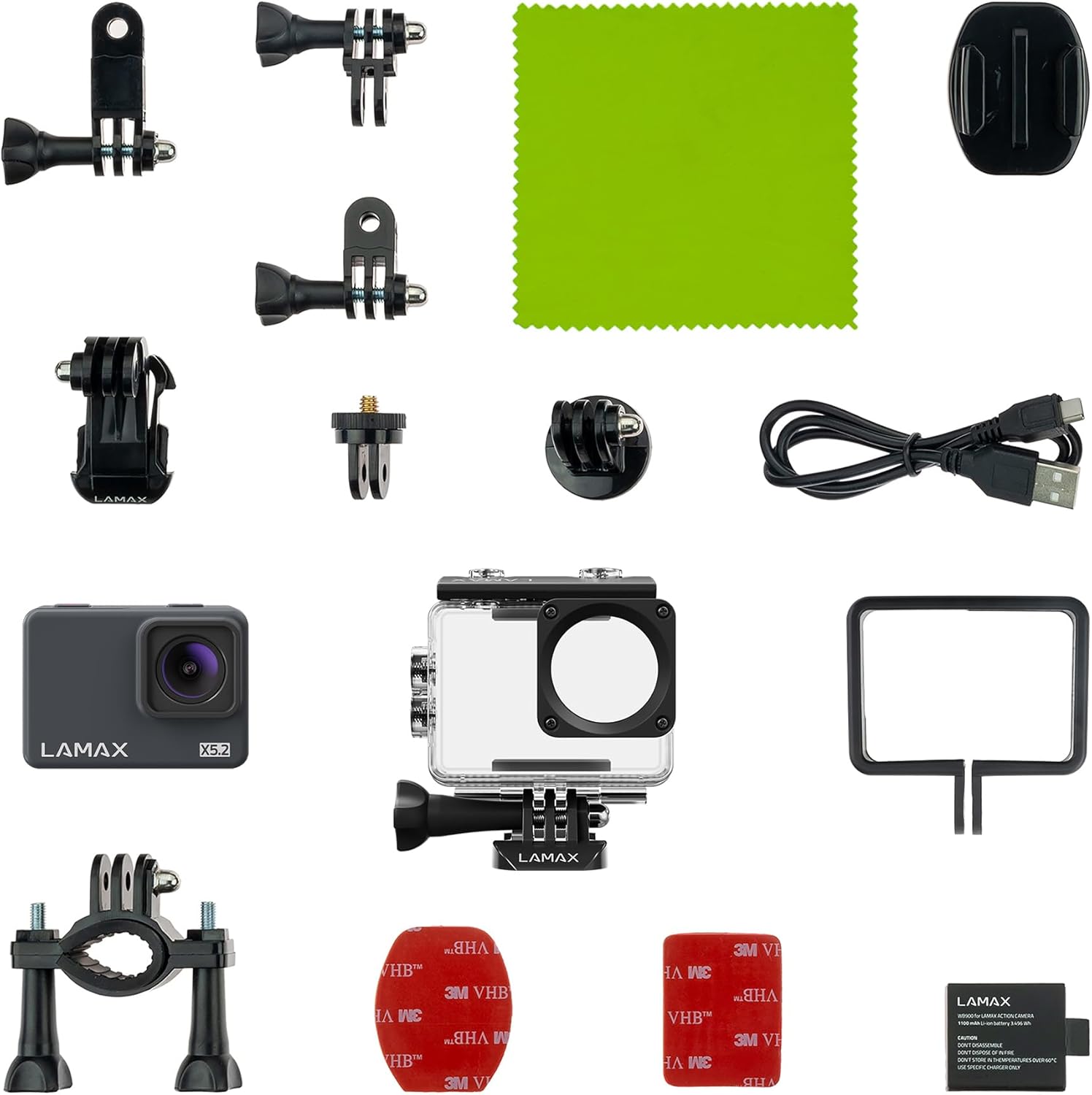
Image 2.1: All components included with the LAMAX X5.2 Action Camera, laid out for inspection.
3. Primeros pasos
3.1 Carga de la batería
Before first use, fully charge the camera battery. Connect the camera to a USB power source (e.g., computer, wall adapter) using the provided USB-C cable. The charging indicator light will illuminate during charging and turn off when complete.
3.2 Inserción de una tarjeta MicroSD
The LAMAX X5.2 supports microSD cards up to 128 GB. Use a high-speed card (Class 10 or UHS-I/UHS-3 recommended) for optimal performance. Open the card slot cover, insert the microSD card with the contacts facing the correct direction until it clicks into place. To remove, press the card gently until it springs out.
3.3 Encendido / Apagado
- Para encender: Mantenga presionado el botón de Encendido/Modo durante unos segundos hasta que la pantalla se ilumine.
- Para apagar: Mantenga presionado el botón de Encendido/Modo nuevamente hasta que la pantalla se apague.
4. Funcionamiento básico
4.1 Navegación por el menú
Use the Power/Mode button to cycle through different modes (Video, Photo, Playback, Settings). Use the Up/Down buttons (if available, or the Shutter button for selection) to navigate within menus and adjust settings on the 2-inch LCD display. The multilingual menu allows for easy customization.
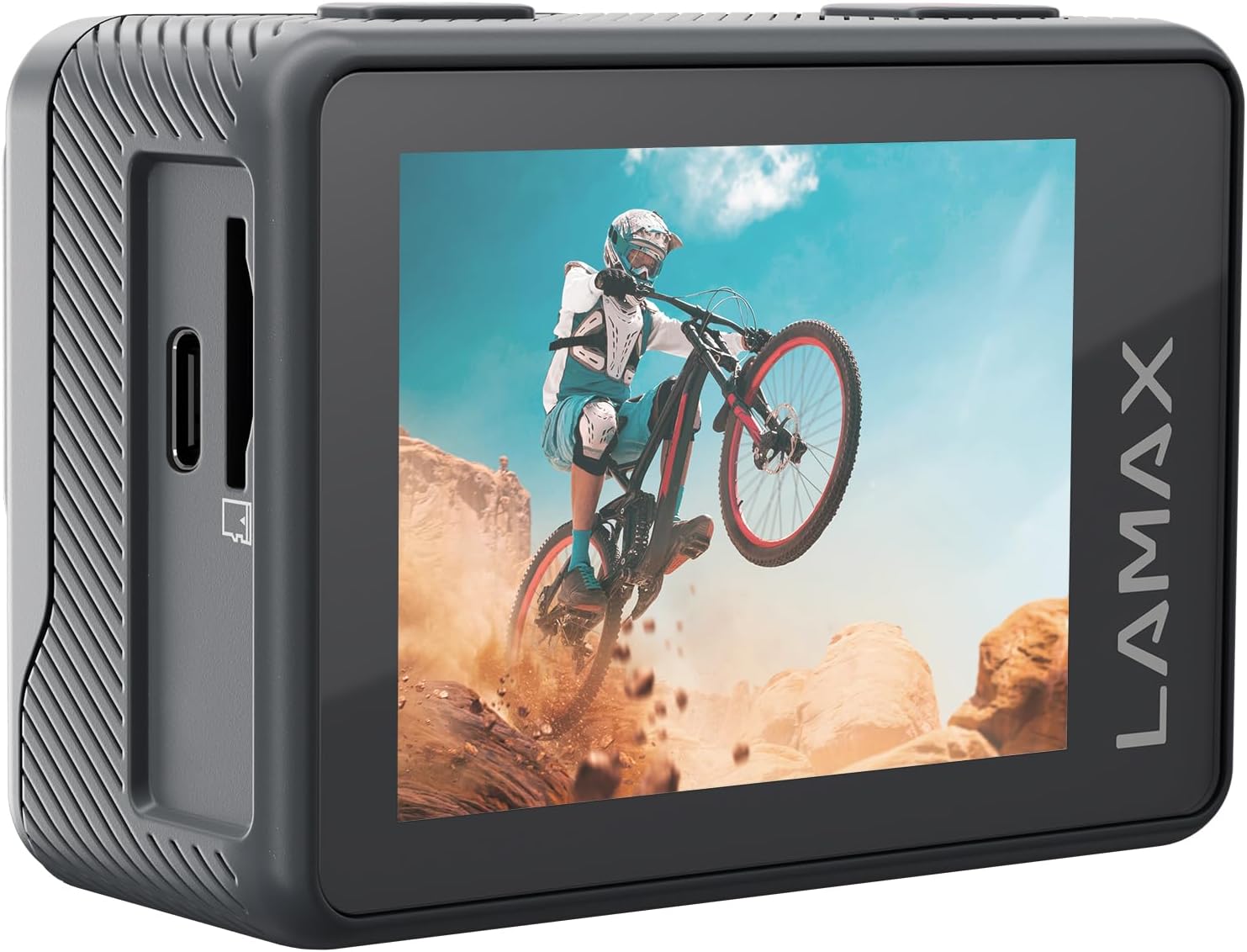
Imagen 4.1: Trasera view of the LAMAX X5.2 Action Camera, showing the 2-inch LCD screen displaying captured action footage.
4.2 Grabación de vídeo
In Video mode, press the Shutter button to start recording. Press it again to stop. The camera supports real 4K at 30 FPS and Full HD at 60 FPS. MAX Soft Electronic Stabilisation helps achieve smooth video footage.
4.3 Captura de fotografías
In Photo mode, press the Shutter button to take a picture.
4.4 Conexión Wi-Fi
Activate Wi-Fi in the camera settings. Download the official LAMAX app on your smartphone or tablet. Connect to the camera's Wi-Fi network. This allows for fast and wireless transfer of footage and remote control of the camera.
5. Funciones avanzadas
The LAMAX X5.2 offers several creative functions:
- Lapso de tiempo: Capture a series of photos at set intervals and combine them into a video.
- Grabación en bucle: Continuously record video, overwriting the oldest files cuando la tarjeta de memoria está llena.
- Cámara lenta: Record video at a higher frame rate to play back in slow motion.
- Temporizador automático: Establezca un retraso antes de tomar una fotografía.
6. Uso a prueba de agua
The LAMAX X5.2 is waterproof up to 40 meters when enclosed in its dedicated waterproof case. Ensure the case is properly sealed before submerging the camera. Always rinse the case with fresh water after use in saltwater and allow it to dry completely.

Image 6.1: The LAMAX X5.2 Action Camera securely housed within its transparent waterproof case.
7. Mantenimiento
7.1 Limpieza
Wipe the camera body and lens with a soft, lint-free cloth. For the waterproof case, clean with fresh water and a soft cloth. Avoid harsh chemicals.
7.2 Cuidado de la batería
Store the battery in a cool, dry place. Do not expose to extreme temperatures. If storing for extended periods, charge the battery to approximately 50% every few months.
7.3 Almacenamiento
When not in use, store the camera and accessories in a protective case to prevent damage from dust and impacts.
8. Solución de problemas
If you encounter issues with your LAMAX X5.2, try the following solutions:
- La cámara no enciende: Ensure the battery is fully charged. Try a different USB-C cable and power source.
- Problemas de grabación (congelamiento, archivos dañados) files): Ensure you are using a high-speed microSD card (Class 10 or higher). Format the microSD card in the camera's settings.
- Problemas de conexión Wi-Fi: Restart both the camera and your mobile device. Ensure the LAMAX app is up to date.
- Mala calidad de imagen/vídeo: Check the lens for smudges or dirt. Ensure adequate lighting conditions.
For persistent issues, contact LAMAX customer support.
9. Especificaciones técnicas
| Característica | Especificación |
|---|---|
| Número de modelo | X5.2 |
| Resolución de captura de video | 4K (30 FPS), Full HD (60 FPS) |
| Tecnología de fotosensor | CMOS |
| Electronic Stabilization | MAX Soft Electronic Stabilisation |
| Profundidad impermeable | Up to 40 m (with waterproof case) |
| Conectividad | USB-C, Wi-Fi |
| Tamaño de pantalla | 2 pulgadas |
| Tipo de memoria flash | Micro SD (hasta 128 GB) |
| Formato de captura de video | MP4 |
| Formato de audio compatible | MP4 |
| Distancia focal máxima | 2.8 milímetros |
| Color | Negro |
| Fabricante | LAMAX |
10. Garantía y soporte
For information regarding the product warranty, please refer to the warranty card included in your package or visit the official LAMAX website. For technical support or service inquiries, please contact LAMAX customer service through their official channels.