
Introducción
This manual provides detailed instructions for the DALI IO-8 Over-The-Ear Wireless/Wired Hi-Fi Headphones. Please read this manual thoroughly before using your headphones to ensure proper operation and to maximize your listening experience. The DALI IO-8 headphones are designed to deliver high-fidelity audio with advanced features such as Active Noise Cancellation (ANC), Bluetooth AptX Adaptive connectivity, and versatile wired options.
Contenido del paquete
Verifique que todos los artículos estén presentes en el paquete:
- DALI IO-8 Over-The-Ear Headphones
- USB-C Cable (for charging and digital audio)
- 3.5mm Stereo Cable (for analog audio)
- Estuche de viaje
- Este manual de instrucciones
Producto terminadoview
Familiarícese con los componentes y controles de sus auriculares DALI IO-8.
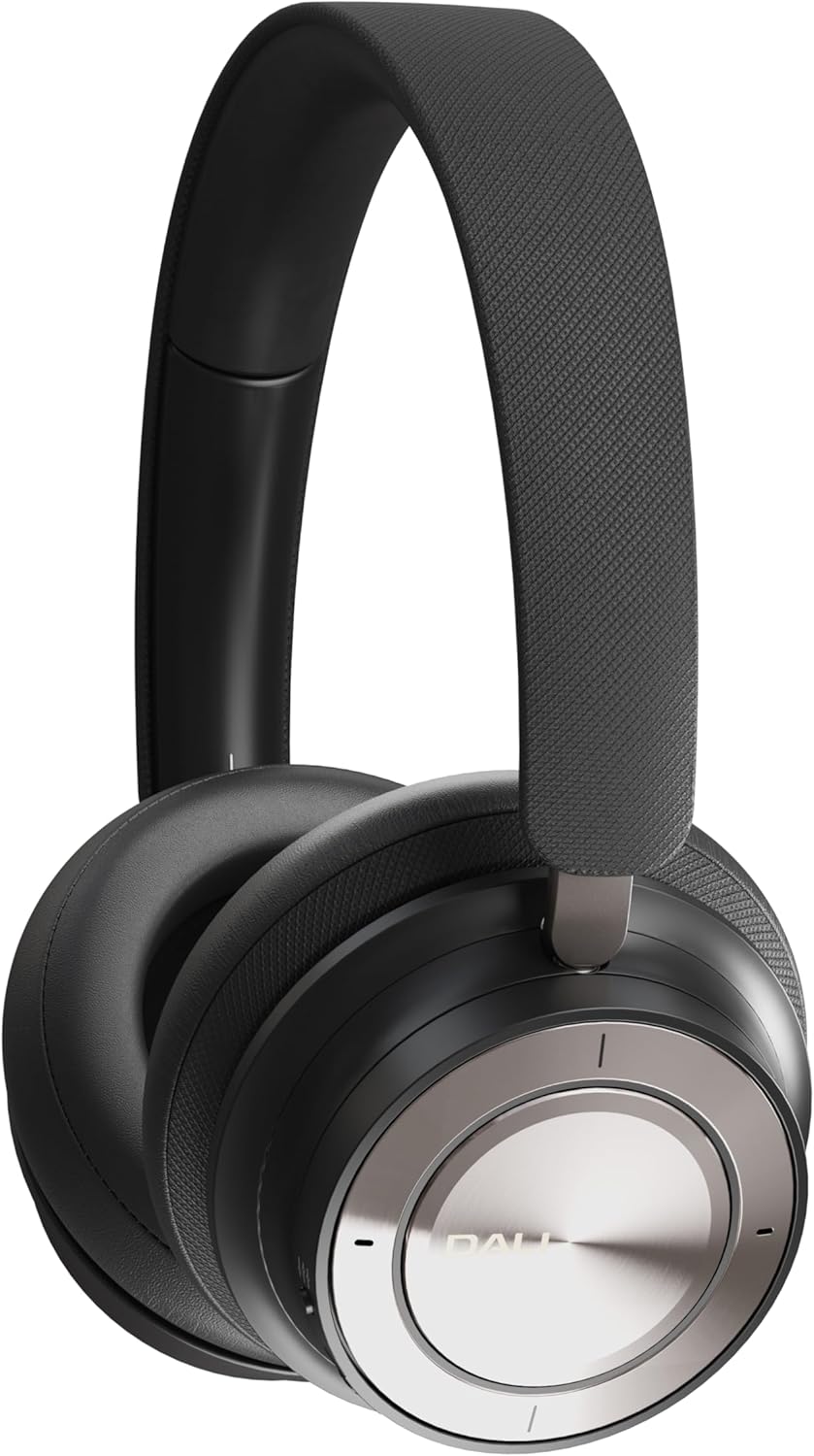
Figure 1: DALI IO-8 Headphones (Iron Black)

Figura 2: De arriba hacia abajo view of DALI IO-8 headphones, highlighting the control layout on the earcups.

Figure 3: Close-up of the right earcup, showing the power button, ANC button, and USB-C port.
Controles y Puertos:
- Botón de encendido/Bluetooth: Located on the right earcup. Used for powering on/off and initiating Bluetooth pairing.
- Botón ANC: Located on the right earcup. Cycles through Active Noise Cancellation modes.
- Volume/Track Control Ring: A ring on the right earcup for adjusting volume and skipping tracks.
- Botón de reproducción/pausa: Central button on the right earcup.
- Puerto USB-C: For charging and digital audio connection.
- Conector de audio de 3.5 mm: For analog audio connection.
- Indicadores LED: Provide status for power, battery, and Bluetooth connection.
Configuración
1. Carga de los auriculares
Before first use, fully charge your DALI IO-8 headphones.
- Connect the supplied USB-C cable to the USB-C port on the right earcup.
- Conecte el otro extremo del cable USB-C a una fuente de alimentación USB compatible (por ejemplo, puerto USB de computadora, adaptador de pared USB).
- El indicador LED mostrará el estado de carga. Una carga completa proporciona hasta 35 horas de reproducción con la cancelación activa de ruido activada (ANC) activada.
2. Encendido y apagado
- Para encender: Press and hold the Power button on the right earcup until the LED indicator illuminates.
- Para apagar: Mantenga presionado el botón de encendido hasta que el indicador LED se apague.
3. Emparejamiento Bluetooth
Pair your DALI IO-8 headphones with a Bluetooth-enabled device.
- Asegúrese de que los auriculares estén apagados.
- Mantenga presionado el botón de encendido durante aproximadamente 5 segundos hasta que el indicador LED parpadee en azul y rojo, lo que indica el modo de emparejamiento.
- En su dispositivo (teléfono inteligente, tableta, computadora portátil), navegue hasta la configuración de Bluetooth y habilite Bluetooth.
- Select "DALI IO-8" from the list of available devices.
- Una vez conectado, el indicador LED mostrará una luz azul fija.
4. Conexión por cable
The DALI IO-8 headphones support both 3.5mm analog and USB-C digital wired connections.
- 3.5mm Stereo Cable: Connect one end of the 3.5mm stereo cable to the audio jack on the left earcup and the other end to your audio source's 3.5mm output. The headphones can be used passively in this mode, even if powered off.
- Cable USB tipo C: Connect the supplied USB-C cable to the USB-C port on the right earcup and the other end to a compatible USB-C audio output on your device. This provides a digital audio connection and can also charge the headphones simultaneously.
Instrucciones de funcionamiento
1. Controles básicos de audio
- Reproducir/Pausa: Press the central Play/Pause button once.
- Sube el volumen: Rotate the outer control ring upwards.
- Bajar volumen: Rotate the outer control ring downwards.
- Pista siguiente: Rotate the outer control ring forward (clockwise).
- Pista anterior: Rotate the outer control ring backward (counter-clockwise).
2. Cancelación activa de ruido (ANC)
The DALI IO-8 features multiple ANC modes to adapt to your environment.
- Press the ANC button on the right earcup to cycle through the available modes:
- ANC en: Reduce el ruido ambiental.
- Modo de transparencia: Permite escuchar sonidos externos, útil para el conocimiento de la situación.
- ANC desactivado: Desactiva la cancelación de ruido.
3. Modos de sonido
The headphones offer two distinct sound profiles.
- Press the EQ button (if present, or refer to specific button for sound modes) to switch between:
- Modo Hi-Fi: Provides a balanced and neutral sound signature.
- Modo bajo: Enhances low-frequency response for a more pronounced bass.
4. Realización y recepción de llamadas
When connected via Bluetooth, the DALI IO-8 headphones can be used for phone calls.
- Responder/Finalizar llamada: Presione el botón Reproducir/Pausa una vez.
- Rechazar llamada: Mantenga presionado el botón Reproducir/Pausar durante 2 segundos.
- Activar asistente de voz: Double-press the Play/Pause button (functionality may vary by device).
Mantenimiento
Limpieza
- Limpie los auriculares con un paño suave, seco y que no suelte pelusa.
- No utilice limpiadores abrasivos, alcohol ni disolventes químicos.
- Evite que entre humedad en las aberturas.
Almacenamiento
- Cuando no los utilice, guarde los auriculares en el estuche de viaje proporcionado para protegerlos del polvo y otros daños.
- Conservar en un lugar fresco y seco, alejado de la luz solar directa y de temperaturas extremas.
Solución de problemas
If you encounter issues with your DALI IO-8 headphones, refer to the following common solutions:
| Problema | Posible solución |
|---|---|
| Sin poder | Asegúrate de que los auriculares estén cargados. Conéctalos a una fuente de alimentación mediante el cable USB-C. |
| No se puede emparejar a través de Bluetooth | Ensure headphones are in pairing mode (flashing blue/red LED). Turn off and on your device's Bluetooth. Move closer to the device. |
| No hay sonido en modo inalámbrico | Check if headphones are paired and connected. Adjust volume on both headphones and source device. Ensure media is playing. |
| No hay sonido en modo cableado | Ensure cables are securely connected. Test with a different cable or audio source. |
| El Congreso Nacional Africano no es efectivo | Ensure ANC mode is active. Check earcup fit for a proper seal around your ears. |
Presupuesto
| Característica | Detalle |
|---|---|
| Nombre del modelo | DALI IO-8 |
| Tecnología de conectividad | Con cable, inalámbrico (Bluetooth) |
| Tecnología de comunicación inalámbrica | Bluetooth 5.2 with AptX Adaptive |
| Toma de auriculares | 3.5 mm Jack |
| Tipo de controlador de audio | Controlador dinámico (50 mm) |
| Rango de frecuencia | 10 - 43,000 Hz |
| Control de ruido | Cancelación activa de ruido (ANC) |
| Duración de la batería | Hasta 35 horas (con ANC) |
| Material | Cuero |
| Forma del auricular | Sobre la oreja |
| Nivel de resistencia al agua | Resistente al agua |
| Número de modelo del artículo | 203081 |
| Fabricante | Dalí |
Garantía y soporte
Para obtener información sobre la garantía y soporte técnico, consulte el sitio web oficial de DALI. website or contact your authorized DALI retailer. Keep your proof of purchase for warranty claims.