
Introducción
The Hotmoon Cocoon Pro White Noise Sound Machine is designed to create an optimal soundscape environment for various activities such as sleep, relaxation, study, work, or soothing infants. It features a comprehensive library of 388 high-fidelity sounds, a night light, a sleeping timer, and convenient app control for personalized routines.
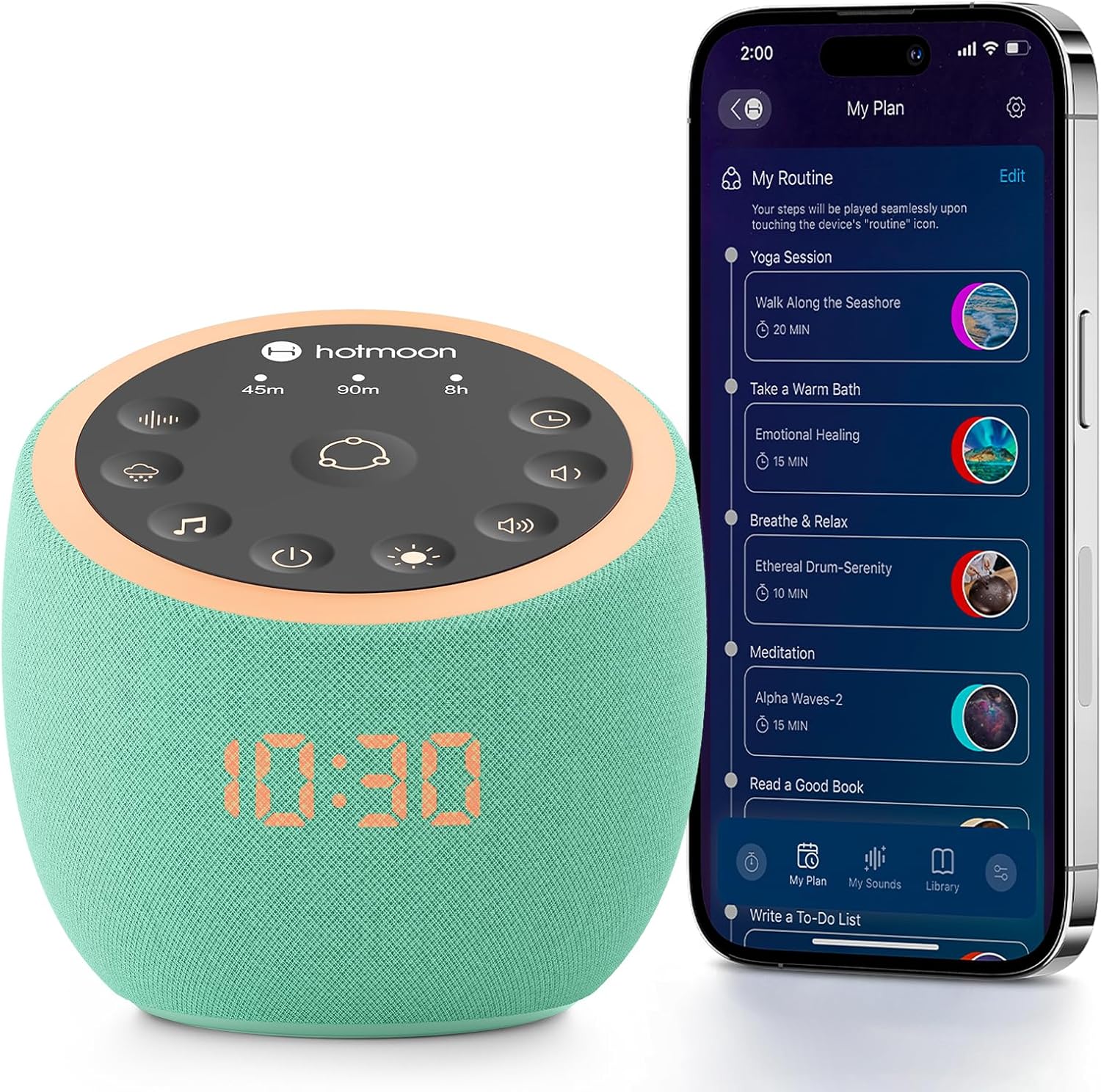
Image: The Hotmoon Cocoon Pro White Noise Sound Machine, a compact, mint-green device with a digital clock display, shown next to a smartphone illustrating its app control interface. The device features a top panel with various control icons.
Características principales
- 388 High-Fidelity Sounds: Includes White noises, Fan sounds, Nature sounds, Lullabies, Alpha brainwaves, Zen sounds, Meditation melodies, High frequency sound, and more.
- Control de la aplicación: Adjust settings remotely via a companion app on your smartphone.
- DIY Sound Buttons: Three customizable buttons allow personalization with 1 to 9 sounds from the professional sound library.
- Luces nocturnas coloridas: Various professional anti-glare baby night lights for soothing sleep, with adjustable brightness and static/breath modes.
- Sleeping Timer: Set timers for 45 minutes, 90 minutes, or 8 hours.
- Alarma ascendente: Features exclusive awakening melodies with volume fade-in. Clock brightness can be dimmed, turned off, or scheduled.
- Diseño compacto: Portable and suitable for travel.

Image: A visual representation highlighting the 388 sounds available on the Hotmoon Sound Machine, categorized by type, emphasizing no subscription fees.
Configuración
1. Conexión de alimentación
Connect the sound machine to a power source using the provided cable. The device is not battery-operated and requires continuous power.
2. Descarga y conexión de la aplicación
- Download the official Hotmoon companion app from your smartphone's app store.
- Habilite Bluetooth en su teléfono inteligente.
- Open the Hotmoon app. The app will automatically detect and connect to your Cocoon Pro device via Bluetooth. No Wi-Fi password is required for initial setup.
Instrucciones de funcionamiento
Control de aplicaciones
The primary method for controlling the Cocoon Pro is through its companion app. This allows for comprehensive customization and scheduling.
- Selección de sonido: Browse and select from 388 high-fidelity sounds categorized by Weather (e.g., Heavy Rain, Light Rain, Thunder), Nature, Noise (e.g., Warm Pink Noise, White Noise), Brainwave Music, Instrumental, Lullaby, and more.
- Ajuste de volumen: Control the sound volume from 0-100% using a slider in the app.
- Control de luz:
- Turn the night light on/off.
- Customize light color and brightness.
- Select between Static or Breath light modes.
- Routine Setup: Create personalized routines for various activities (e.g., meditation, wake-up, bedtime).
- Combine multiple sounds and light settings.
- Schedule routines to turn on/off at specific times and repeat on selected days of the week.
- DIY Sound Buttons: Assign up to 9 sounds to each of the three physical DIY buttons on the device for quick access.

Image: A smartphone screen displaying the Hotmoon app's sound library, showing various sound categories and options to customize the three physical sound buttons on the device.
Control de botón físico
The device also features intuitive physical buttons for basic control without the app.
- Routine Button (Center): Press to activate pre-set or customized routines.
- Timer Buttons (45m, 90m, 8h): Select a specific duration for sound playback.
- Botones de selección de sonido: Cycle through different sound categories (e.g., fan, rain, meditation).
- Botones de control de volumen: Adjust sound volume up or down.
- Botón de control de luz: Turn the night light on/off and cycle through brightness levels.
- Botón de encendido: Encienda o apague el dispositivo.

Image: A close-up of the Hotmoon Sound Machine's top panel, showing the illuminated touch-sensitive buttons for direct control of sounds, timers, volume, and light, enabling phone-free operation.
Mantenimiento
To ensure the longevity and optimal performance of your Hotmoon Cocoon Pro:
- Mantenga el dispositivo limpio frotándolo con un paño suave y seco.
- Evite utilizar limpiadores líquidos o materiales abrasivos.
- No exponga el dispositivo al agua ni a la humedad excesiva.
- Conservar en un lugar fresco y seco cuando no esté en uso.
Solución de problemas
El dispositivo no se enciende
- Asegúrese de que el cable de alimentación esté conectado de forma segura tanto al dispositivo como a una toma de corriente que funcione.
- Verifique que la toma de corriente funcione probándola con otro dispositivo.
Problemas de conexión de la aplicación
- Asegúrese de que Bluetooth esté habilitado en su teléfono inteligente.
- Make sure the device is powered on and within Bluetooth range of your smartphone.
- Try restarting both the app and the sound machine.
Sin salida de sonido
- Check the volume level on both the device and within the app.
- Ensure a sound is selected and playing in the app.
Presupuesto
| Atributo | Detalle |
|---|---|
| Marca | Hotmoon |
| Modelo | capullo pro |
| Color | Mint-green |
| Material | Acrilonitrilo butadieno estireno (ABS) |
| Dimensiones del paquete | 4.92 x 4.92 x 4.52 pulgadas; 15.04 onzas |
| Baterías | 1 batería de metal de litio necesaria (incluida) - Note: Device is not battery operated, this likely refers to a small internal battery for clock/memory. |
| Fabricante | Hotmoon |
| Primera fecha disponible | 25 de junio de 2025 |