
Introducción
Thank you for choosing the SUNITEC BH880 Wireless Headset. This manual provides detailed instructions for setting up, operating, and maintaining your headset to ensure optimal performance and longevity. The BH880 headset is designed for clear communication and comfortable use in various environments, featuring advanced noise-cancelling technology and multiple connectivity options.

Image: SUNITEC BH880 Wireless Headset, showcasing its design with an adjustable microphone boom.
¿Qué hay en la caja?
Verifique que todos los artículos estén presentes en el paquete:
- 1 x SUNITEC BH880 Bluetooth Computer Headset with Microphone
- 1 x cable de carga tipo C
- 1 x Bluetooth Audio USB-A Dongle Adapter
- 1 cable de audio de 3.5 mm
- 1 x Manual de usuario (este documento)

Image: The SUNITEC BH880 headset, USB-C charging cable, USB-A dongle, and 3.5mm audio cable, illustrating the package contents.
Producto terminadoview
Familiarize yourself with the components and controls of your SUNITEC BH880 headset.
Características principales:
- Micrófono con cancelación de ruido IA: Blocks 99% of ambient noise for clear voice transmission.
- Conjunto de chips Qualcomm QCC3034: Provides stable and fast Bluetooth transmission with aptX HD and aptX LL support.
- Diseño cómodo: Soft dual ear pads and an adjustable headband for extended wear.
- 270° Rotatable Boom Microphone: Can be positioned on either the left or right side.
- Batería de larga duración: Hasta 45 horas de tiempo de conversación con una sola carga.
- Conectividad múltiple: Bluetooth, USB Dongle, and 3.5mm wired connection.

Image: Close-up of the memory foam earpads, highlighting the comfort feature of the headset.

Image: Detail of the individual mute button located on the microphone boom.

Imagen: Un interno view highlighting the Qualcomm QCC3034 chipset, responsible for stable and fast connections.
Configuración
1. Cargar los auriculares
Before first use, fully charge the headset. Connect the Type-C charging cable to the headset's charging port and the other end to a USB power source (e.g., computer USB port, wall adapter). The LED indicator will show charging status. A full charge takes approximately 2 hours and provides up to 45 hours of talk time or 400 hours of standby time.
2. Encendido y apagado
- Encendido: Mantenga presionado el botón de encendido durante unos segundos hasta que se encienda el indicador LED.
- Apagado: Mantenga presionado el botón de encendido durante unos segundos hasta que el indicador LED se apague.
3. Opciones de conectividad
The SUNITEC BH880 offers three ways to connect to your devices:
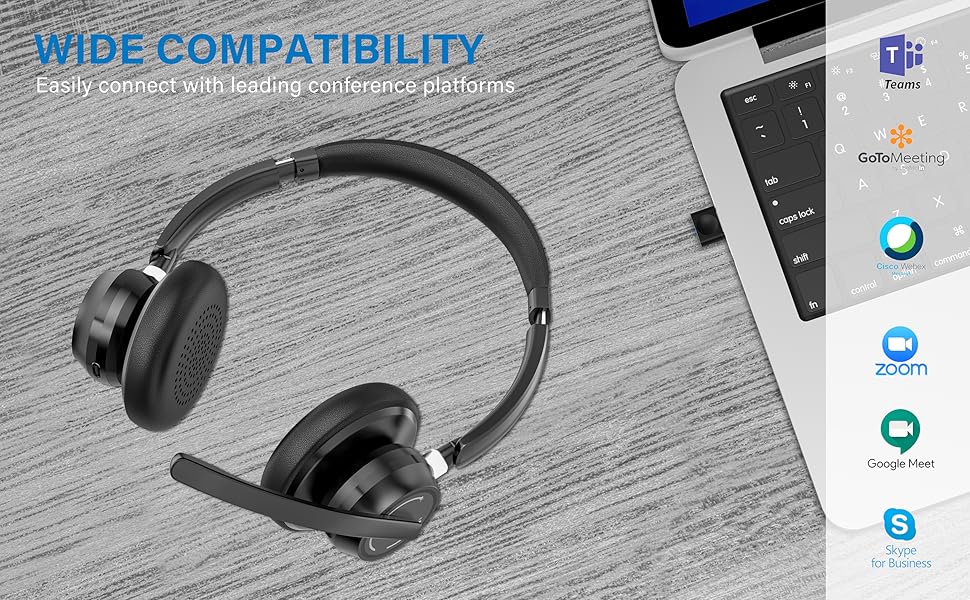
Image: Visual representation of Bluetooth, USB Dongle, and Wired connection methods for the headset.
Conexión Bluetooth:
- Asegúrese de que los auriculares estén apagados.
- Mantenga presionado el botón de encendido hasta que el indicador LED parpadee en azul y rojo alternativamente, lo que indica el modo de emparejamiento.
- En su dispositivo (teléfono inteligente, tableta, computadora), habilite Bluetooth y busque nuevos dispositivos.
- Seleccione "SUNITEC BH880" de la lista de dispositivos disponibles.
- Una vez conectado, el indicador LED parpadeará en azul lentamente.
Conexión del dispositivo USB:
This method is ideal for computers without built-in Bluetooth or for a more stable connection.
- Plug the USB-A Dongle Adapter into an available USB port on your computer.
- Power on the SUNITEC BH880 headset. It will automatically attempt to connect to the dongle.
- The LED indicator on the dongle and headset will show a solid blue light once connected.
- You may need to select the "SUNITEC BH880" as the audio input/output device in your computer's sound settings.

Image: A USB dongle being inserted into a laptop's USB port, demonstrating the dongle connection method.
Conexión por cable:
Use the included 3.5mm audio cable to connect the headset directly to devices with a 3.5mm audio jack. Note that the microphone function is not available when using the 3.5mm wired connection; the headset will function as headphones only.

Image: The headset shown with logos of popular communication platforms like Teams, Zoom, Google Meet, and Skype, indicating wide compatibility.
Instrucciones de funcionamiento
Funciones básicas:
- Subir/Bajar volumen: Utilice los botones de volumen dedicados en el auricular.
- Reproducir/Pausa: Presione el botón multifunción una vez.
- Pista siguiente: Mantenga presionado el botón para subir el volumen.
- Pista anterior: Mantenga presionado el botón para bajar el volumen.
Funciones de llamada:
- Responder/Finalizar llamada: Presione el botón multifunción una vez.
- Rechazar llamada: Mantenga presionado el botón multifunción durante 2 segundos.
- Volver a marcar el último número: Presione dos veces el botón multifunción.
Función de silencio del micrófono:
The headset features an individual mute button on the microphone boom for quick privacy control.
- Silenciar/Activar silencio: Press the mute button on the microphone boom. The LED indicator on the microphone will show red when muted.
- Nota: For PC platforms, microphone mute functionality may also be controlled via the software application (e.g., Zoom, Teams).
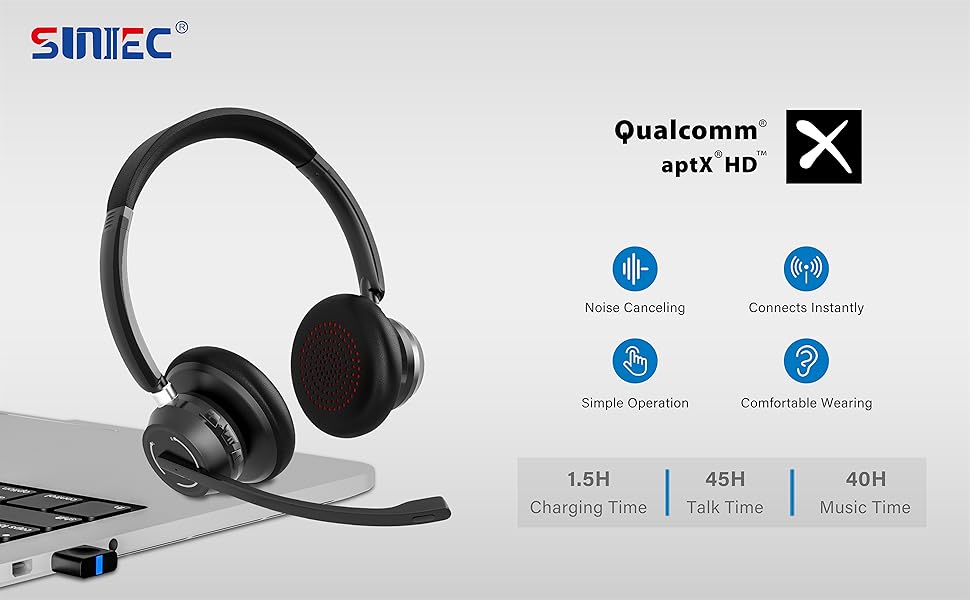
Image: A graphic demonstrating how the noise-cancelling microphone filters out background noise for clearer audio output.
Mantenimiento
Proper care ensures the longevity of your SUNITEC BH880 headset.
- Limpieza: Utilice un paño suave y seco para limpiar los auriculares. No utilice limpiadores abrasivos ni disolventes.
- Almacenamiento: Guarde los auriculares en un lugar fresco y seco, alejado de la luz solar directa y de temperaturas extremas.
- Cuidado de la batería: Para prolongar la vida útil de la batería, evite descargar completamente los auriculares con frecuencia. Cárguelos regularmente, incluso si no los usa durante períodos prolongados.
- Evite la humedad: Los auriculares no son resistentes al agua. Manténgalos alejados de líquidos y humedades elevadas.
Solución de problemas
If you encounter issues with your SUNITEC BH880 headset, refer to the following common solutions:
| Problema | Solución |
|---|---|
| El auricular no se enciende. | Asegúrate de que los auriculares estén cargados. Conéctalos a una fuente de alimentación con el cable tipo C. |
| No se puede emparejar a través de Bluetooth. |
|
| No hay sonido o la calidad del sonido es mala. |
|
| El micrófono no funciona. |
|
| USB Dongle not connecting. |
|
Presupuesto
| Característica | Detalle |
|---|---|
| Nombre del modelo | BH880 |
| Tecnología de conectividad | Wireless (Bluetooth), Wired (3.5mm), USB Dongle |
| Tecnología de comunicación inalámbrica | Bluetooth 5.1 |
| Alcance de Bluetooth | Hasta 15 metros (49 pies) |
| Control de ruido | Cancelación de ruido adaptativa (micrófono) |
| Tamaño del controlador de audio | 40 milímetros |
| Tipo de controlador de audio | Controlador dinámico |
| Impedancia | 32 ohmios |
| Forma del auricular | Sobre la oreja |
| Duración de la batería (tiempo de conversación) | Hasta 45 horas |
| Tiempo de carga | Approximately 2 Hours (Type-C) |
| Peso del artículo | 280 gramos (9.9 onzas) |
| Dimensiones del producto | 5.91 x 3.94 x 1.96 pulgadas |
| Material | Plástico |
| Dispositivos compatibles | Computers, Communication Software (Skype, Zoom, MS Teams, Google Meet) |
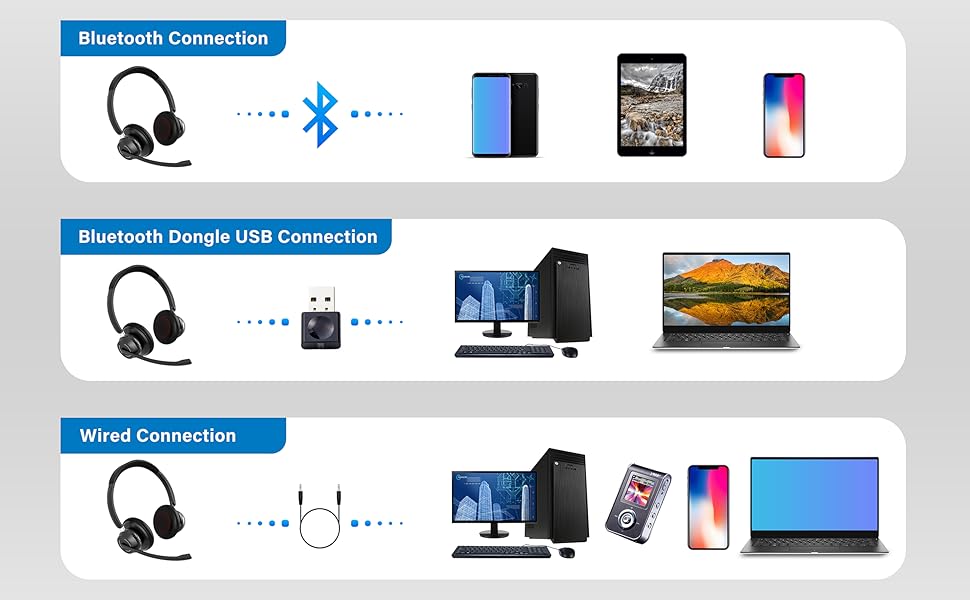
Image: An illustration highlighting the headset's battery performance, indicating up to 45 hours of wireless talk time.
Garantía y soporte
SUNITEC products are designed for reliability and performance. For warranty information or technical support, please refer to the contact details provided with your purchase or visit the official SUNITEC webSitio. Conserve su recibo de compra como comprobante para reclamaciones de garantía.
For further assistance, you may contact SUNITEC customer service through their official channels.