
1. Másview
The VIZIO SV210D-0806 All-in-One Soundbar is designed to deliver immersive audio with Dolby Atmos 3D audio and DTS:X. This compact soundbar features two built-in subwoofers for enhanced bass. It offers versatile connectivity options including HDMI, Bluetooth, and USB, and can be controlled via the VIZIO mobile app.
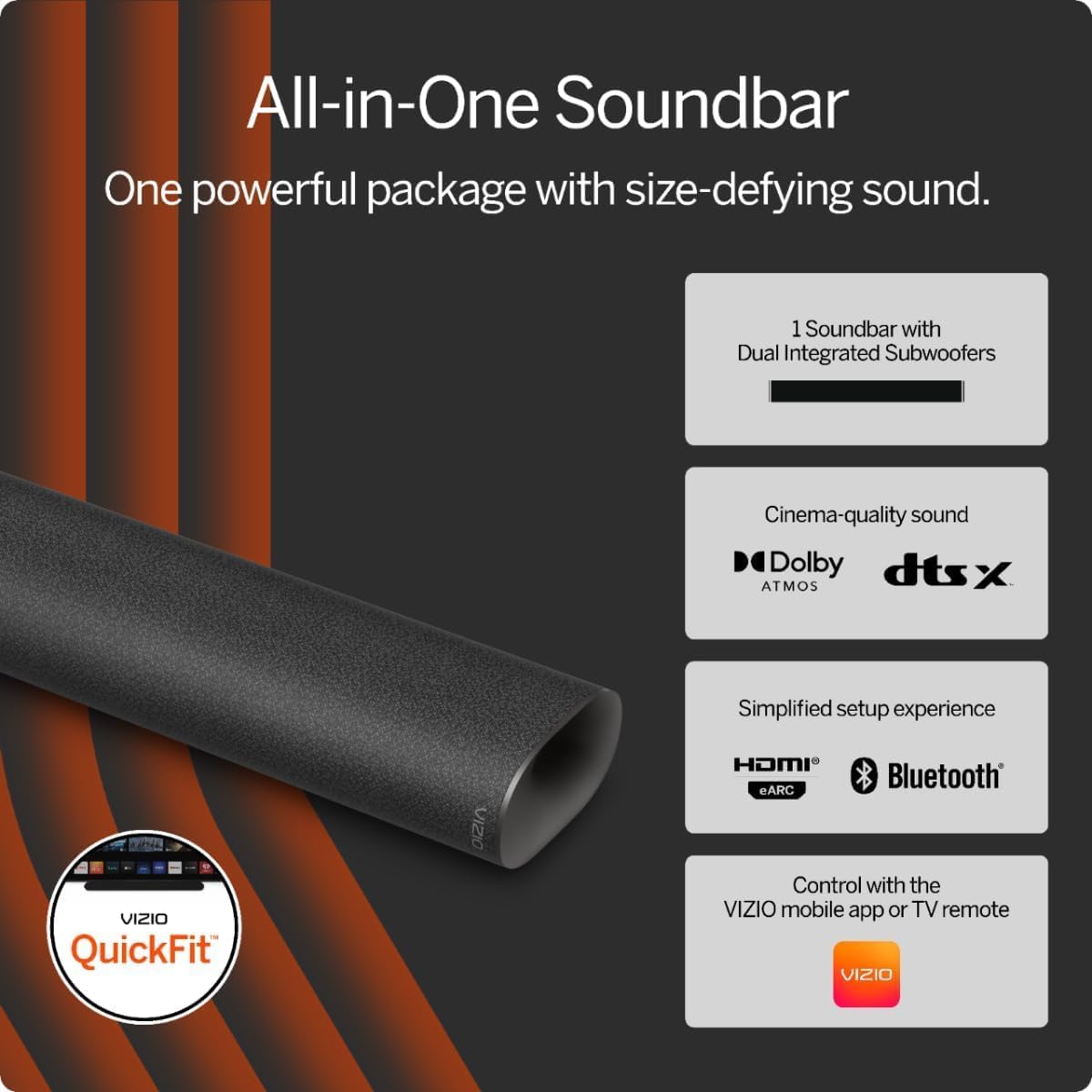
Figure 1: VIZIO All-in-One Soundbar with key features including dual integrated subwoofers, Dolby Atmos, DTS:X, HDMI eARC, Bluetooth, and VIZIO app control.

Figure 2: Experience cinema-quality sound with the VIZIO soundbar, supporting Dolby Atmos and DTS:X for immersive entertainment.
2. Configuración
2.1. Desempaquetado y contenido del paquete
Retire con cuidado todos los artículos del embalaje. La caja debe contener lo siguiente:
- VIZIO All-in-One Soundbar (Model: SV210D-0806)
- Cable de alimentación
- HDMI (ARC/eARC) Cable
- Guía de configuración rápida
- Mounting Screws (for compatible VIZIO TVs)
- Plantilla para montaje en pared

Figure 3: The VIZIO All-in-One 2.1 System includes the soundbar with 4 speakers and 2 integrated subwoofers, an HDMI eARC cable, and QuickFit mounting screws for compatible VIZIO TVs.
2.2. Opciones de colocación
The soundbar can be placed on a flat surface below your TV or wall-mounted. For optimal audio performance, ensure the soundbar is centrally aligned with your TV.

Figure 4: The soundbar is designed for flexible placement, fitting neatly under your TV for a space-saving audio solution.
Montaje en pared (opcional)
If wall-mounting, use the provided wall mounting template to ensure correct positioning and leveling. The soundbar is compatible with VIZIO QuickFit mounting solutions for select VIZIO TVs.

Figure 5: QuickFit mounting allows for seamless attachment of the soundbar directly to the bottom of compatible VIZIO TVs, providing a clean and integrated look.
2.3. Conexión de la barra de sonido
- Conexión de energía: Plug the power cable into the soundbar's power input and then into a wall outlet.
- HDMI (ARC/eARC) Connection: Connect one end of the included HDMI cable to the HDMI ARC/eARC port on your soundbar and the other end to the HDMI ARC/eARC port on your TV. Ensure your TV's CEC (Consumer Electronics Control) feature is enabled for seamless control. Refer to your TV's manual for specific instructions.
- Conexión USB: A USB port is available on the back of the soundbar for firmware updates or connecting compatible devices.
2.4. VIZIO Mobile App Setup
For enhanced control and sound settings, download the VIZIO Mobile app. Scan the QR code provided in the Quick Setup Guide or on the product packaging to download the app from the App Store (iOS) or Google Play Store (Android). Create a VIZIO account to access full functionality, settings, and system updates.

Figure 6: The VIZIO app provides comprehensive audio controls, allowing you to personalize settings like EQ modes, treble, ClearDialog, bass, subwoofer, and height levels directly from your smartphone.
2.5. Guía de vídeo de desempaquetado e instalación
Video 1: This video provides a detailed unboxing experience, showcasing the contents of the VIZIO All-in-One Soundbar package. It also guides users through the initial setup process, including physical connections and an overview of the soundbar's features and controls.
3. Funcionamiento de la barra de sonido
3.1. Controles en el dispositivo
The soundbar features accessible control buttons on its top surface:
- Botón de encendido: Enciende o apaga la barra de sonido.
- Botones de volumen (+/-): Ajusta el nivel del volumen principal.
- Botón Bluetooth: Initiates Bluetooth pairing mode for connecting mobile devices.
3.2. Indicadores LED
An LED light on the lower left-hand corner of the soundbar indicates its status:
- Rojo sólido: Modo de espera.
- Rojo intermitente: Error or specific mode indication (refer to app for details).
- Light Green/Blue: On or Bluetooth pairing mode.
The LED indicator can be turned off via the VIZIO mobile app if desired.
3.3. Personalización del sonido
The soundbar supports advanced audio formats like Dolby Atmos and DTS:X for a cinematic experience. You can customize sound settings using the VIZIO mobile app or your TV's audio control menu (if using a compatible VIZIO TV).
- Modos de ecualizador (EQ): Select from various preset EQ modes or personalize settings for bass, treble, and subwoofer levels.
- ClearDialog: Enhance vocal clarity for dialogue, making conversations easier to understand.

Figure 7: The TV's audio control menu (for compatible VIZIO TVs) allows adjustment of various sound settings, including ClearDialog for improved voice clarity.
3.4. Transmisión por Bluetooth
Para transmitir audio desde un dispositivo móvil:
- Press the Bluetooth button on the soundbar or select Bluetooth input via the VIZIO app. The LED indicator will change to indicate pairing mode.
- On your mobile device, go to Bluetooth settings and select the VIZIO soundbar from the list of available devices.
- Una vez conectado, puede transmitir audio desde su dispositivo a la barra de sonido.
3.5. Audio Demonstration Video
Vídeo 2: Este vídeo ofrece una visión generalview and demonstration of the VIZIO soundbar's audio capabilities in a home environment, highlighting its sound quality for various media.
Video 3: A short audio demonstration showcasing the soundbar's performance, particularly for movies, to illustrate its ability to enhance the viewExperiencia de aprendizaje.
4. Mantenimiento
4.1. Limpieza
Para mantener la apariencia y el rendimiento de su barra de sonido:
- Limpie las superficies exteriores con un paño suave, seco y sin pelusa.
- No utilice limpiadores líquidos, aerosoles ni productos químicos agresivos, ya que pueden dañar el acabado o los componentes internos.
4.2. Almacenamiento
Si va a guardar la barra de sonido durante un período prolongado, desconéctela de la alimentación y guárdela en un lugar fresco y seco, alejado de la luz solar directa y de temperaturas extremas.
5. Solución de problemas
If you encounter issues with your VIZIO soundbar, refer to the following common troubleshooting steps:
| Asunto | Posible solución |
|---|---|
| Sin sonido |
|
| Fallo de emparejamiento de Bluetooth |
|
| VIZIO App Connectivity Issues |
|
6. Especificaciones
| Característica | Detalle |
|---|---|
| Marca | VIZIO |
| Nombre del modelo | SV210D-0806 |
| Número de modelo | 10612320241 |
| Potencia máxima de salida del altavoz | 54 vatios |
| Respuesta de frecuencia | 50 Hz |
| Tecnología de conectividad | Bluetooth, HDMI, USB |
| Modo de salida de audio | Rodear |
| Tipo de montaje | Wall Mount and Quick Fit Compatible |
| Material del recinto | Plástico |
| Tipo de altavoz | Barra de sonido |
| Características adicionales | Bluetooth Streaming, DTS: X, Dolby Atmos, VIZIO QuickFit |
| Color | Gris |
| Método de control | Aplicación |
| Tamaño del altavoz | 36.61 pulgadas (largo) |
| Cantidad de canales de audio | 5.1 or 7.1 (Supported formats) |
| Tecnología inalámbrica | Bluetooth |
| Protocolo de conectividad | Bluetooth, HDMI |
| Fuente de poder | Eléctrico con cable |
| Dimensiones del artículo (Pr. x An. x Al.) | 4.72" de profundidad x 34" de ancho x 2.6" de alto |
| Peso del artículo | 10.1 libras |
| Código Postal | 703670748134 |
7. Garantía y soporte
7.1. Garantía del producto
This VIZIO soundbar comes with a 90-day limited warranty. Please refer to the warranty card included in your package for full terms and conditions.
7.2. Atención al cliente
For further assistance, technical support, or to register your product, please visit the official VIZIO website or use the VIZIO Mobile app. The app provides access to support resources, FAQs, and direct contact options.