
SENTRY OSE-HOOKBK
SENTRY OSE Sport Hook Bluetooth Wireless Earbuds
Manual de usuario
Producto terminadoview
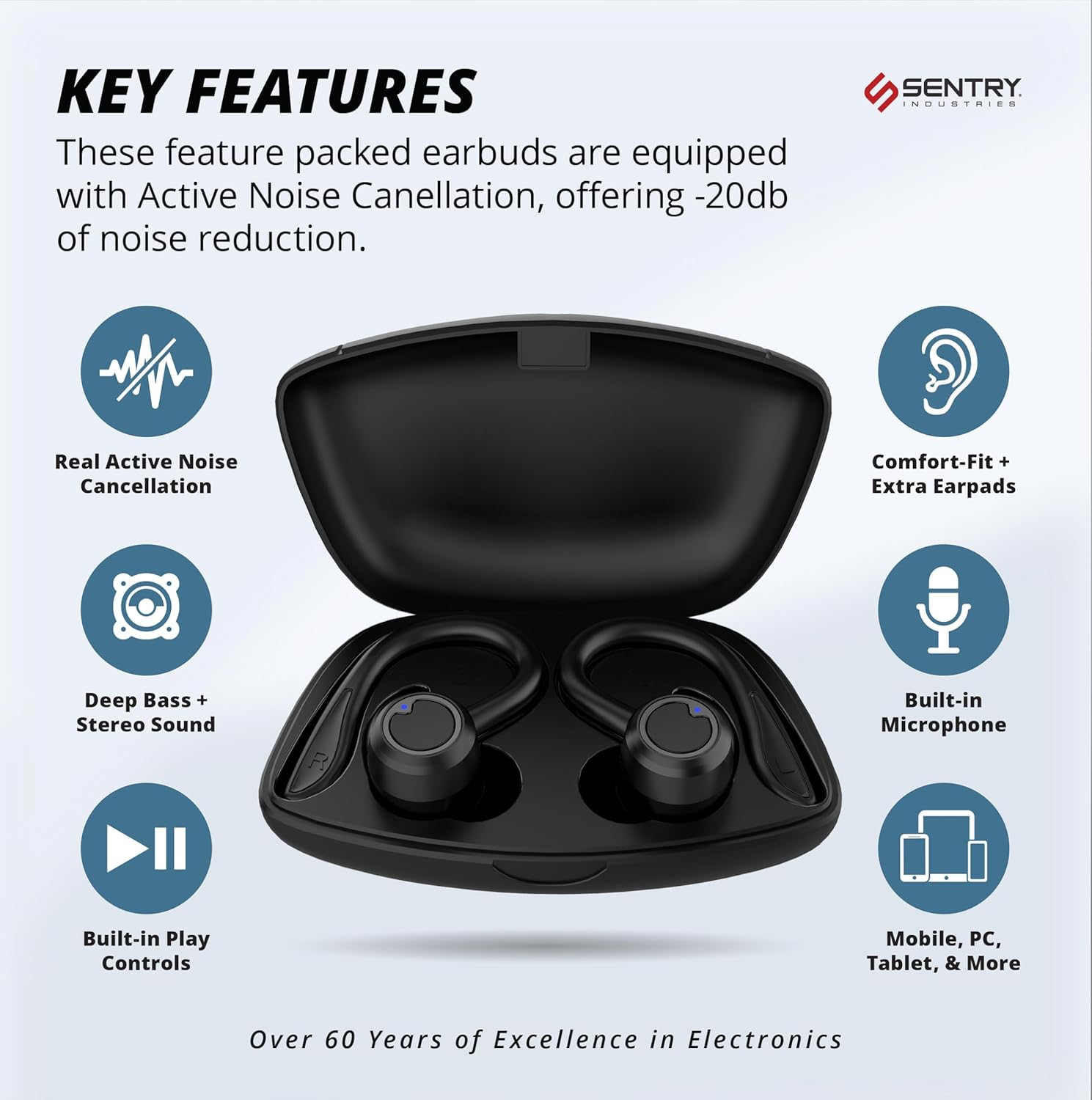
The Sentry OSE Sport Hook Bluetooth Wireless Earbuds are designed for an immersive audio experience with advanced features. They offer Active Noise Cancellation (ANC) up to -20dB, ensuring an isolated listening environment. The unique 2-in-1 detachable hook design provides versatility for both secure sports use and comfortable everyday listening. With Bluetooth V5.3 connectivity, pairing is simple and stable, offering up to 30 feet of wireless range. The earbuds feature built-in controls for music and calls, along with an integrated microphone. A portable charging case provides extended playtime, and extra earpads are included for a customized fit.

¿Qué hay en la caja?
Your SENTRY OSE Sport Hook Earbuds package includes the following components:
- Auriculares
- Estuche de carga portátil
- Cable de carga USB C
- Puntas para los oídos (varios tamaños para un ajuste óptimo)
- Manual de usuario (este documento)

Características principales
- Cancelación activa de ruido (ANC): Blocks out ambient noise for an isolated listening experience, cancelling up to -20dB of outside noise.
- 2-in-1 Detachable Hook Design: Provides a secure, comfortable fit for active use, with the option to detach hooks for a more compact fit.
- Conectividad Bluetooth V5.3: Ensures a stable wireless connection up to 30 feet without the need for an app.
- Batería de larga duración: Up to 12 hours of playtime on a single charge, with the portable charging case providing additional charges.
- Micrófono y controles integrados: Administra la reproducción de música, las llamadas y el volumen directamente desde los auriculares.
- Deep Bass + Stereo Sound: Experience vibrant soundscapes with clear vocals and balanced stereo audio.
- Comfort-Fit + Extra Earpads: Includes multiple earpad sizes to ensure a perfect and comfortable fit for all users.



Guía de configuración
1. Carga inicial
Before first use, fully charge the earbuds and the charging case. Place the earbuds into the charging case. Connect the provided USB-C charging cable to the charging case and a compatible USB power source. The charging case has a 400mAh battery and requires approximately 3-4 hours for a full charge. The earbuds will charge automatically when placed in the case.
2. Detachable Hook Adjustment (2-in-1 Design)
The SENTRY OSE Sport Hook Earbuds feature a 2-in-1 design, allowing you to use them with or without the sport hooks. To attach or detach the hooks, gently align the hook with the designated slot on the earbud and push or pull until it clicks into place. Ensure the hooks are securely fastened for active use.
3. Emparejamiento Bluetooth
- Asegúrate de que los auriculares estén cargados y extraídos del estuche de carga. Entrarán automáticamente en modo de emparejamiento.
- En su dispositivo (teléfono inteligente, tableta, computadora portátil), habilite Bluetooth.
- Buscar "Sentry Earbuds" or "OSE-HOOKBK" in the list of available Bluetooth devices.
- Selecciona los auriculares que quieres conectar. Una vez conectados, un mensaje de voz confirmará que el emparejamiento se ha realizado correctamente.
- Los auriculares se volverán a conectar automáticamente al último dispositivo emparejado cuando se retiren del estuche, si Bluetooth está habilitado en el dispositivo.

Instrucciones de funcionamiento
The SENTRY OSE Sport Hook Earbuds feature intuitive button controls for easy management of your audio and calls.
Controles de botones
The earbuds are equipped with multi-function buttons. Refer to the diagram below for specific functions:
- Reproducir/Pausa: Presione una vez el botón multifunción en cualquiera de los auriculares.
- Responder llamada: Presione una vez el botón multifunción en cualquiera de los auriculares durante una llamada entrante.
- Finalizar llamada: Single press the multi-function button on either earbud during an active call.
- Rechazar llamada: Mantenga presionado el botón multifunción durante 2 segundos durante una llamada entrante.
- Pista siguiente: Presione dos veces el botón multifunción en el auricular derecho.
- Pista anterior: Presione dos veces el botón multifunción en el auricular izquierdo.
- Sube el volumen: Presione tres veces el botón multifunción en el auricular derecho.
- Bajar volumen: Presione tres veces el botón multifunción en el auricular izquierdo.
- Activar asistente de voz: Press and hold the multi-function button for 2 seconds (e.g., Siri, Google Assistant).
Cancelación activa de ruido (ANC)
The earbuds feature Active Noise Cancellation to reduce ambient noise. To toggle ANC on/off, locate the dedicated ANC button (if present, or refer to the manual for specific gesture/button press). When ANC is active, you will experience a significant reduction in surrounding sounds, enhancing your listening experience.
Modo de conciencia
Some models may include an Awareness Mode (also known as Transparency Mode) which allows you to hear your surroundings while still enjoying your audio. This is useful for situations where you need to be aware of traffic or announcements. Refer to your specific earbud model's instructions for activating this feature, typically a long press or specific button combination.
Mantenimiento
Proper maintenance ensures the longevity and optimal performance of your SENTRY OSE Sport Hook Earbuds.
- Limpieza: Regularly wipe the earbuds and charging case with a soft, dry, lint-free cloth. Do not use abrasive cleaners, alcohol, or chemical solvents. For eartips, they can be gently removed and cleaned with mild soap and water, then thoroughly dried before reattaching.
- Almacenamiento: Cuando no los uses, guarda siempre los auriculares en su estuche de carga para protegerlos del polvo, la suciedad y cualquier daño físico. Guárdalos en un lugar fresco y seco, alejados de la luz solar directa y de temperaturas extremas.
- Cuidado de la batería: Para prolongar la duración de la batería, evite descargar completamente los auriculares y el estuche de carga con frecuencia. Cárguelos regularmente, incluso si no los usa constantemente.
- Resistencia al agua: Estos auriculares son no resistente al agua. Avoid exposure to water, sweat, and high humidity to prevent damage.
Solución de problemas
If you encounter issues with your SENTRY OSE Sport Hook Earbuds, try the following troubleshooting steps:
| Problema | Posible solución |
|---|---|
| Los auriculares no se emparejan ni se conectan. |
|
| No hay sonido o volumen bajo. |
|
| Active Noise Cancellation (ANC) not working effectively. |
|
| El estuche de carga no se carga o los auriculares no se cargan en el estuche. |
|
| Los auriculares se desconectan con frecuencia. |
|
Presupuesto
| Característica | Detalle |
|---|---|
| Nombre del modelo | OSE-HOOKBK |
| Control de ruido | Cancelación activa de ruido |
| Tecnología de conectividad | Inalámbrico, Bluetooth |
| Tecnología de comunicación inalámbrica | Bluetooth |
| Versión de Bluetooth | 5.3 |
| Alcance de Bluetooth | 30 pies |
| Duración de la batería (auriculares) | 12 horas |
| Tiempo de carga (estuche) | 2 horas |
| Estuche de transporte Capacidad de la batería | 400 miliamp Horas |
| Tipo de control | Control de botones, táctil |
| Micrófono | Incorporado |
| Colocación de orejas | En el oído |
| Factor de forma | En el oído |
| Estilo | 2-in-1 Detachable Hook Earbuds |
| Material | Plástico |
| Color | Negro |
| Peso del artículo | 7.4 onzas |
| Nivel de resistencia al agua | No resistente al agua |
| Respuesta de frecuencia | 20 Hz - 20,000 Hz |
| Impedancia | 32 ohmios |
| Fabricante | CENTINELA |
| Código Postal | 080068078500 |
Garantía y soporte
Sentry Industries stands behind its products with a comprehensive warranty and dedicated customer support.
90-Día de garantía
Experience worry-free shopping with Sentry Industries and our extensive 90-day warranty, applicable to all our products. We offer free replacement for up to 90 days for defective or damaged products. This guarantee ensures your satisfaction and confidence in our quality.
Atención al cliente
Sentry Industries is an American company with over 60 years in business. We provide a customer support line operated out of our New York office to ensure you can get the help that you need when you need it. For assistance, please refer to the contact information provided on the product packaging or visit the official SENTRY websitio.
También puedes visitar el SENTRY Store on Amazon para más información y detalles del producto.
Ask a question about this manual
Ask about setup, troubleshooting, compatibility, parts, safety, or missing instructions. Manuals+ will review the question and use this page’s manual context to help answer it.