
1. Introducción
The MiBOXER K3S Rotating Wheel Remote provides intuitive control over LED lighting systems, allowing for precise adjustment of both color temperature and brightness. Utilizing 2.4GHz wireless technology, this remote ensures stable and responsive operation. Its ergonomic design facilitates easy handling and accurate adjustments, making it suitable for various lighting applications.
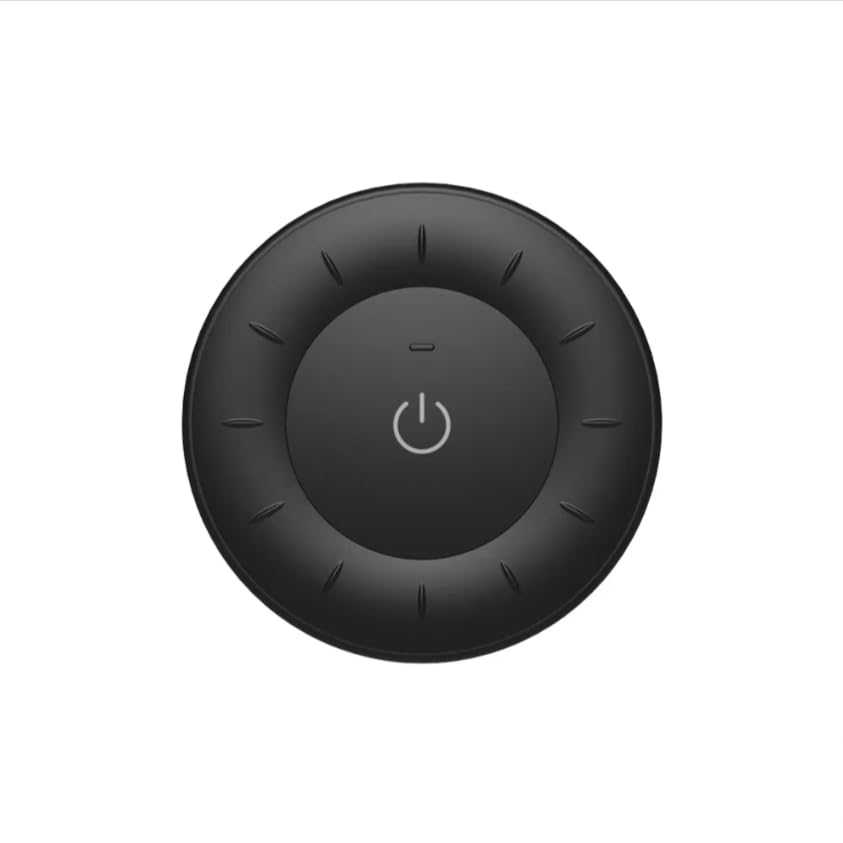
Image 1.1: MiBOXER K3S Rotating Wheel Remote (Black)
This image displays the MiBOXER K3S remote control in black, highlighting its circular design and central power button.
2. Características del producto
- Adjustable Brightness & Color Temperature: Allows fine-tuning of lighting intensity and warmth.
- Diseño de rueda giratoria: Provides smooth and intuitive control for easy adjustments.
- Tecnología inalámbrica de 2.4 GHz: Ensures stable, interference-free connectivity with compatible devices.
- Diseño ergonómico: Cómodo de sostener y operar.
- Multi-Environment Compatibility: Adecuado para diversos entornos, incluidos hogares, oficinas y espacios comerciales.
3. Contenido del paquete
Al abrir el paquete, verifique que estén presentes todos los componentes:
- Control remoto con rueda giratoria MiBOXER K3S
- Manual de usuario
Note: CR2032 battery is purchased separately and is not included in the package.
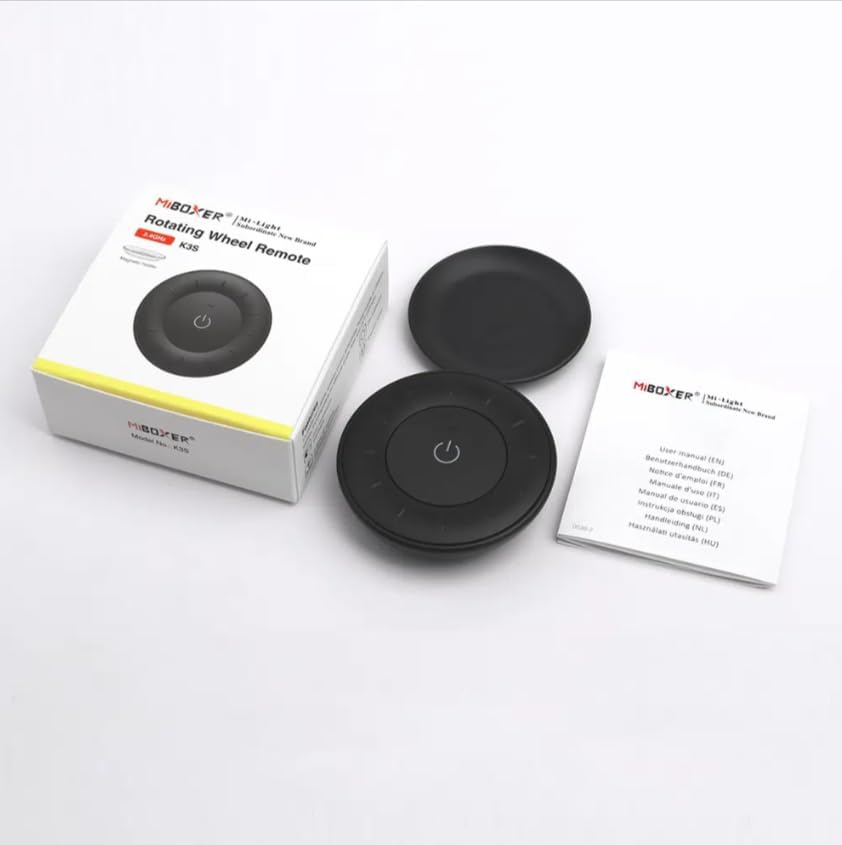
Imagen 3.1: Contenido del paqueteview
This image shows the MiBOXER K3S remote, its packaging box, and the included user manual, laid out on a surface.
4. Diagrama del producto

Image 4.1: Remote Control Components
This diagram illustrates the main components of the MiBOXER K3S remote, including the ON/OFF button, brightness/color temperature rotating wheel, and the battery compartment with Link/Unlink button.
- Botón ON/OFF: Central button to power the connected light on or off.
- Brightness / Color Temperature Rotating Wheel: The outer ring used to adjust brightness by default. Long press the ON/OFF button for 3 seconds to switch to color temperature adjustment mode.
- Link / Unlink Button: Located inside the battery compartment, used for pairing the remote with compatible lighting devices.
5. Configuración
5.1 Instalación de la batería
- Ubique el compartimiento de la batería en la parte posterior del control remoto.
- Abra la tapa del compartimiento de la batería.
- Inserte una batería CR2032, asegurándose de la polaridad correcta (+/-).
- Cierre bien la tapa del compartimento de la batería.
Image 5.1: Battery Installation Area
This image shows the underside of the remote, indicating the location for the CR2032 battery and the Link/Unlink button.
5.2 Linking / Unlinking the Remote
The K3S remote uses 2.4GHz RF wireless technology to communicate with compatible MiBOXER lighting devices.
Linking Procedure:
- Ensure the light fixture you wish to control is powered off.
- Power on the light fixture.
- Within 3 seconds of powering on the light, press the "Link/Unlink" button (located inside the battery compartment) on the K3S remote tres veces.
- La luz debe parpadear tres veces lentamente, lo que indica que la vinculación se realizó correctamente.
Unlinking Procedure:
- Ensure the light fixture you wish to unlink is powered off.
- Power on the light fixture.
- Within 3 seconds of powering on the light, press the "Link/Unlink" button (located inside the battery compartment) on the K3S remote cinco veces.
- La luz debe parpadear diez veces rápidamente, lo que indica que la desvinculación se realizó correctamente.
6. Instrucciones de funcionamiento
6.1 Encendido y apagado
- Presione el botón central ⏻ (ON/OFF) button once to turn the connected light on or off.
6.2 Ajuste del brillo
- By default, rotating the outer wheel adjusts the brightness of the light.
- Gírelo en el sentido de las agujas del reloj para aumentar el brillo.
- Rotate counter-clockwise to decrease brightness.
6.3 Ajuste de la temperatura del color
- To switch to color temperature adjustment mode, pulsación larga the central ⏻ (ON/OFF) button for 3 seconds.
- Once in color temperature mode, rotate the outer wheel to adjust the color temperature.
- Rotate clockwise for cooler (bluer) light.
- Rotate counter-clockwise for warmer (yellower) light.
- To switch back to brightness adjustment, long press the ⏻ (ON/OFF) button for another 3 seconds.
7. Especificaciones
| Nombre del modelo | K3S |
| Marca | MiBOXER |
| Tecnología de conectividad | 2.4G RF inalámbrico |
| Tipo de control | Brillo, temperatura de color |
| Alcance máximo | 30 metros |
| Tipo de batería | CR2032 (purchased separately) |
| Dimensiones (diámetro x altura) | Ø60mm x 15mm (approx.) |
| Weight (Gross Weight per box) | 0.05 KGS (approx.) |

Image 7.1: Remote Control Dimensions
This diagram provides the physical dimensions of the MiBOXER K3S remote, showing a diameter of 60mm and a thickness of 15mm (or 19.5mm with the base).
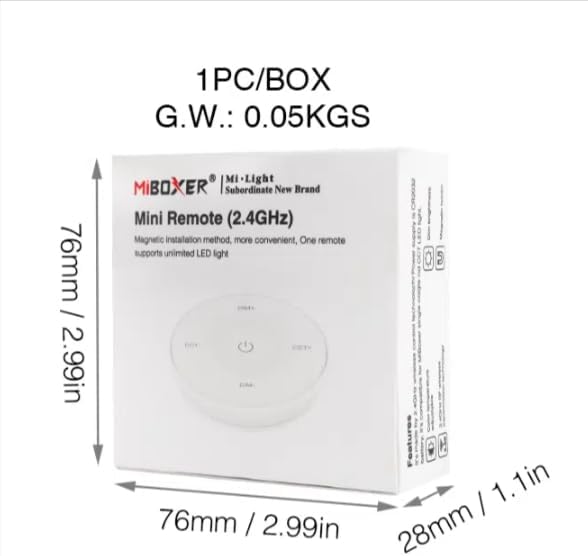
Image 7.2: Packaging Dimensions
This image displays the dimensions of the product packaging, indicating it is 76mm x 76mm x 28mm with a gross weight of 0.05 KGS.
8. Mantenimiento
- Mantenga limpio el control remoto limpiándolo con un paño suave y seco.
- Avoid exposing the remote to moisture, extreme temperatures, or direct sunlight.
- If the remote is not used for an extended period, remove the battery to prevent leakage.
- Replace the battery when the remote's performance degrades or it stops responding.
9. Solución de problemas
| Problema | Posible causa | Solución |
|---|---|---|
| El control remoto no responde | Batería baja o muerta | Reemplace la batería CR2032. |
| Light not linking | Incorrect linking procedure or light not compatible | Ensure the light is powered on within 3 seconds of pressing the link button. Verify light compatibility with MiBOXER 2.4G RF remotes. |
| Rango limitado | Obstrucciones o interferencias | Reduce distance between remote and light. Remove obstructions. Avoid areas with strong 2.4GHz interference. |
| Brightness/Color Temp adjustment not working | Control remoto en modo incorrecto | Long press the ON/OFF button for 3 seconds to switch between brightness and color temperature adjustment modes. |
10. Garantía y soporte
The product comes with a manufacturer's warranty. For specific warranty details and duration, please refer to the documentation included with your purchase or contact MiBOXER customer support.
For technical support or inquiries, please visit the official MiBOXER websitio o comuníquese con su departamento de servicio al cliente.
Fabricante: boxeador