
1. Introducción
This manual provides essential instructions for the setup, operation, and maintenance of your GOBOULT Drift+ Smart Watch. Please read this guide thoroughly to ensure proper use and to maximize the device's features.

Image 1.1: The GOBOULT Drift+ Smart Watch.
The GOBOULT Drift+ Smart Watch features a 1.85-inch HD display, Bluetooth calling capabilities, IP68 water resistance, and comprehensive health monitoring functions.

Imagen 1.2: Másview of GOBOULT Drift+ Smart Watch features.
2. ¿Qué hay en la caja?
Verifique que todos los siguientes elementos estén incluidos en el embalaje de su producto:
- GOBOULT Drift+ Smart Watch
- Cable de carga
- Manual de usuario (este documento)
- Tarjeta de garantía
3. Configuración
3.1 Carga inicial
Before first use, fully charge your GOBOULT Drift+ Smart Watch. Connect the provided charging cable to the charging port on the back of the watch and to a standard USB power adapter (not included). The watch typically takes approximately 2.5 hours to fully charge.

Image 3.1: Charging the GOBOULT Drift+ Smart Watch.
3.2 Emparejamiento con su teléfono inteligente
- Download the official GOBOULT application from your smartphone's app store (compatible with iOS and Android).
- Asegúrese de que Bluetooth esté habilitado en su teléfono inteligente.
- Open the GOBOULT app and follow the on-screen instructions to create an account or log in.
- Select 'Add Device' or a similar option within the app and choose 'Drift+' from the list of available devices.
- Confirme la solicitud de emparejamiento tanto en su teléfono inteligente como en el reloj inteligente.
4. Instrucciones de funcionamiento
4.1 Navegación básica
The GOBOULT Drift+ Smart Watch features a 1.85-inch HD touchscreen display. Swipe left, right, up, or down to navigate through menus and functions. Press the side button to return to the home screen or access the app list.
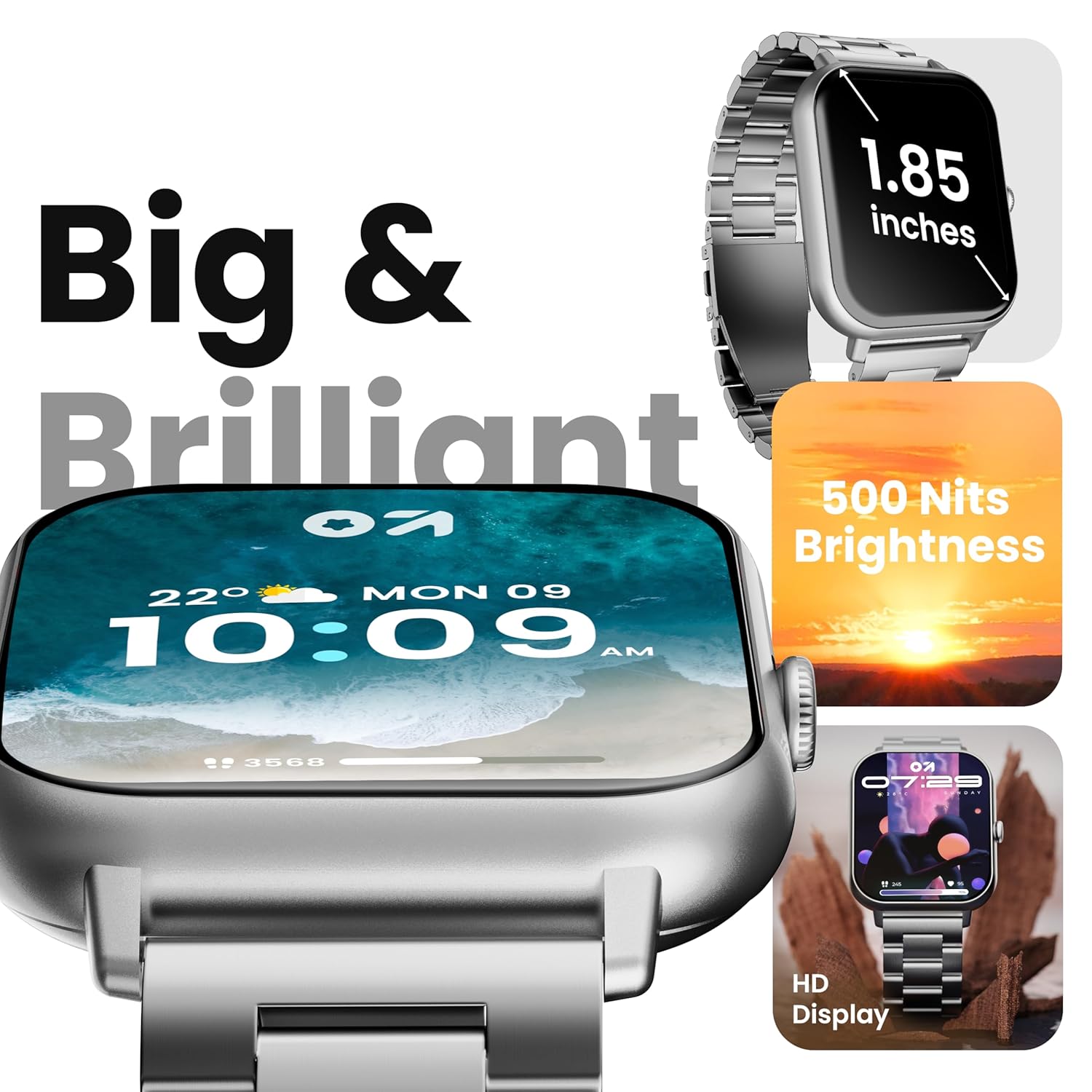
Image 4.1: The 1.85-inch HD display of the smart watch.
Llamadas Bluetooth 4.2
Once paired with your smartphone, the Drift+ Smart Watch allows you to make and receive calls directly from your wrist. The watch is equipped with a built-in speaker and microphone for clear audio communication.
- Responder llamadas: Cuando entre una llamada, toque el ícono de respuesta verde en la pantalla del reloj.
- Haciendo llamadas: Access the dialer or contacts through the watch menu to initiate a call.

Image 4.2: Bluetooth calling feature in use.
4.3 Personalización de las esferas del reloj
The watch supports over 150 cloud-based watch faces and custom watch face options. To change your watch face:
- Long-press on the current watch face on your watch.
- Desliza el dedo hacia la izquierda o hacia la derecha para explorar las esferas de reloj preinstaladas.
- For more options, open the GOBOULT app on your smartphone and navigate to the 'Watch Faces' section to download and apply new designs.

Image 4.3: Customizing watch faces.
4.4 modos deportivos
The GOBOULT Drift+ offers over 100 sports modes to track various physical activities. To access and use sports modes:
- From the watch's main menu, select the 'Sports' or 'Workout' icon.
- Choose your desired activity from the list (e.g., running, cycling, walking).
- Tap to start tracking. The watch will record data such as steps, distance, calories burned, and heart rate.
- To end a workout, swipe right or press the side button and select 'End'.

Image 4.4: Tracking activities with sports modes.
4.5 Monitoreo de Salud
The watch provides comprehensive health insights, including:
- Monitoreo de frecuencia cardíaca 24 horas al día, 7 días a la semana: Realiza un seguimiento continuo de tu frecuencia cardíaca.
- SpO2 Blood Oxygen Tracking: Mide los niveles de saturación de oxígeno en sangre.
- Monitoreo de la presión arterial: Proporciona lecturas estimadas de la presión arterial.
- Seguimiento del ciclo menstrual femenino: Ayuda a rastrear y predecir los ciclos menstruales.
- Drink Water Reminders: Te incita a mantenerte hidratado.
- Recordatorios sedentarios: Fomenta el movimiento después de períodos de inactividad.
Acceda a estas funciones a través del menú de salud del reloj o view detailed data in the GOBOULT app.

Imagen 4.5: Funciones de monitoreo de salud.
4.6 Asistente de voz con IA
Activate the AI voice assistant on your watch for hands-free assistance. This feature allows you to perform tasks, ask questions, and control certain functions using voice commands. Ensure your watch is connected to your smartphone for full functionality.
4.7 Notificaciones inteligentes
Receive notifications from your favorite social apps, messages, and calls directly on your watch. Configure notification settings within the GOBOULT app on your smartphone.
5. Mantenimiento
5.1 Resistencia al agua
The GOBOULT Drift+ Smart Watch is IP68 water resistant, meaning it is protected against dust and can withstand immersion in water up to 1.5 meters for up to 30 minutes. It is suitable for daily use, such as hand washing or light rain exposure. However, it is not recommended for swimming, diving, or exposure to hot water/steam.

Imagen 5.1: Resistencia al agua IP68.
5.2 Limpieza
Para limpiar su reloj inteligente, limpie suavemente la pantalla y la correa con un paño suave.amp, lint-free cloth. Avoid using harsh chemicals or abrasive materials, as these can damage the device.
5.3 Cuidado de la batería
Para prolongar la vida útil de la batería:
- Evite temperaturas extremas.
- Cargue el reloj periódicamente, pero evite dejarlo completamente cargado o completamente agotado durante períodos prolongados.
- Reduce screen brightness and disable unnecessary features when not in use.
The watch offers up to 7 days of battery life in regular mode, 2-3 days with heavy Bluetooth calling, and an impressive 25 days in standby mode.
6. Solución de problemas
| Asunto | Posible solución |
|---|---|
| El reloj no enciende | Asegúrese de que el reloj esté completamente cargado. Conéctelo al cargador durante al menos 30 minutos. |
| No se puede emparejar con el teléfono inteligente | Check if Bluetooth is enabled on your phone. Restart both the watch and phone. Ensure the GOBOULT app is updated. |
| Las llamadas por Bluetooth no funcionan | Verify that the watch is properly connected for both media and call audio in your phone's Bluetooth settings. Check app permissions. |
| Datos de salud inexactos | Ensure the watch is worn snugly on your wrist, not too tight or too loose. Clean the sensors on the back of the watch. Note that smart watch data is for reference and not for medical diagnosis. |
| Duración corta de la batería | Reduce screen brightness, disable 'Always-On Display' if active, limit frequent heart rate monitoring, and turn off unnecessary notifications. |
7. Especificaciones
| Característica | Detalle |
|---|---|
| Nombre del modelo | Drift+ |
| Tamaño de la pantalla | 1.85 pulgadas HD |
| Brillo | 500 Nits |
| Resistencia al agua | IP68 |
| Tipo inalámbrico | Bluetooth 5.1 |
| Compatibilidad del sistema operativo | iOS, Android |
| Tipo de batería | Polímero de litio |
| Tiempo de carga de la batería | Aproximadamente 2.5 horas |
| Duración típica de la batería | Hasta 7 días |
| Heavy Usage (BT Calling) Battery Life | 2-3 días |
| Tiempo de espera | Hasta 25 días |
| Peso del artículo | 38 gramos |
| Componentes incluidos | Reloj inteligente, cable de carga, manual de usuario, tarjeta de garantía |
8. Garantía y soporte
Your GOBOULT Drift+ Smart Watch comes with a manufacturer's warranty. Please refer to the included Warranty Card for detailed terms and conditions, including warranty period and coverage.
For technical support, service, or further inquiries, please visit the official GOBOULT website or contact customer service using the information provided on your Warranty Card or the product packaging.
Manufacturer: Exotic Mile Private Limited, Boult Audio, B-67 Wazirpur Industrial Area, New Delhi 110052, India.