
1. Introducción
Thank you for choosing the FOFUN T-Fun NC95 Hybrid Active Noise Cancelling Headphones. This manual provides essential information for the safe and efficient use of your headphones. Please read it thoroughly before use and retain it for future reference.

Image 1.1: T-Fun NC95 Hybrid Active Noise Cancelling Headphones.
2. Contenido del paquete
Verifique que todos los artículos estén presentes en el paquete:
- NC95 ANC Headphones
- Cable de audio de 3.5 mm
- Type A-C Charging Cable
- PU Bag (Carrying Case)
- Guía de inicio rápido
- Digital Manual (Downloadable)

Image 2.1: Included accessories and headphones.
3. Producto terminadoview
3.1 Componentes de los auriculares

Imagen 3.1: Másview of headphone ports and buttons.
3.2 Fit and Adjustability
- Diadema ajustable: The headband can be extended or retracted to fit various head sizes, ensuring a personalized and comfortable fit.
- Auriculares giratorios de 90°: The earcups rotate more than 90 degrees, allowing for a comfortable fit and easy storage when not in use.
- Almohadillas suaves para los oídos: Made with quality protein memory foam for extended comfort.
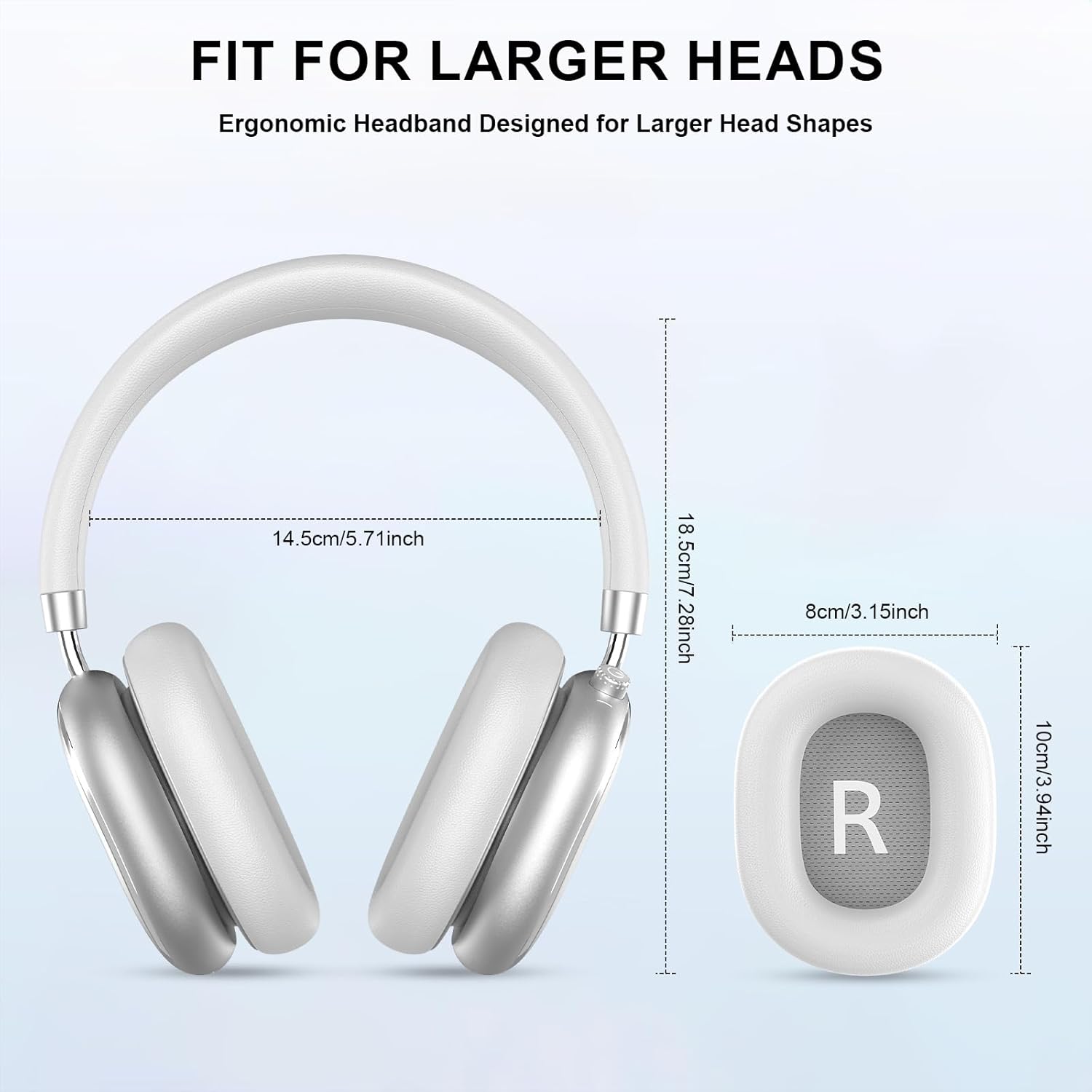
Image 3.2: Headphone dimensions for fit reference.
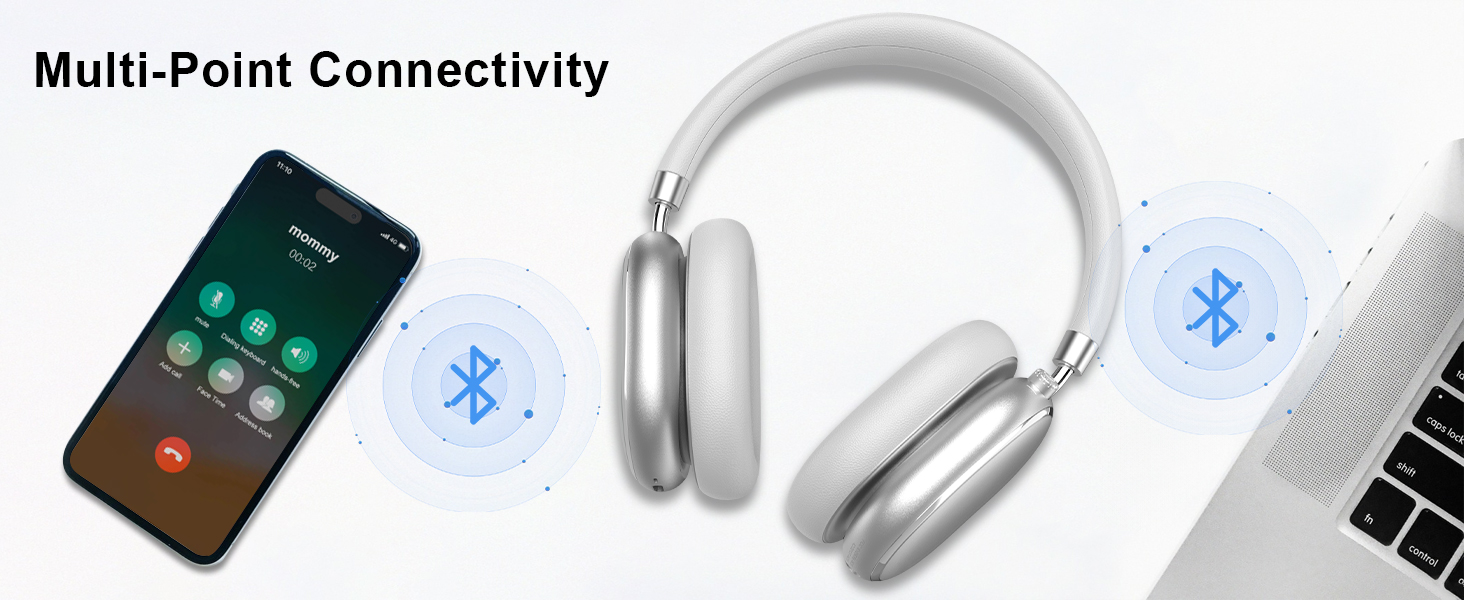
Image 3.3: Adjustable headband for personalized comfort.
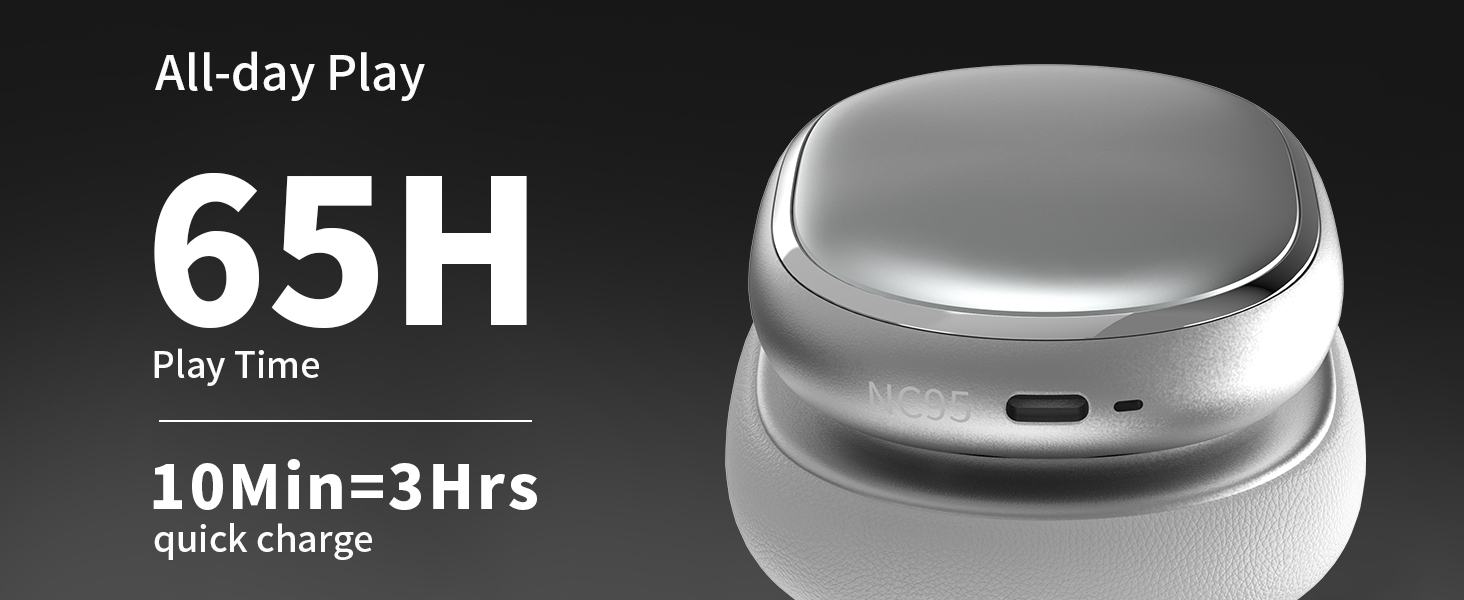
Image 3.4: Earcups rotate for comfort and storage.

Image 3.5: Ultra-soft protein leather ear cushions for comfort.
4. Configuración
4.1 Preparación inicial
- Quitar la pegatina protectora: Before first use, gently remove the protective sticker from the sides of the headphones. You may warm the area with a hairdryer (low heat) for easier removal. Peel slowly and remove any sticky residue with warm water or rubbing alcohol.

Image 4.1: Steps for removing the protective sticker.
4.2 Carga de los auriculares
Before initial use, fully charge the headphones. Use the provided Type A-C charging cable.
- Conecte el extremo USB-C del cable al puerto de carga de los auriculares.
- Conecte el extremo USB-A a una fuente de alimentación USB compatible (por ejemplo, adaptador de pared, puerto USB de computadora).
- El indicador LED mostrará el estado de carga. Una carga completa tarda aproximadamente 2.5 horas.
- Una carga rápida de 10 minutos proporciona aproximadamente 3 horas de reproducción.

Image 4.2: Battery life and charging information.
4.3 Emparejamiento Bluetooth
- Asegúrese de que los auriculares estén cargados y apagados.
- Press and hold the power button (located on the knob control) for 3-5 seconds until the LED indicator flashes, indicating pairing mode.
- En su dispositivo (teléfono inteligente, tableta, computadora portátil), habilite Bluetooth y busque los dispositivos disponibles.
- Select "T-Fun NC95" from the list of devices.
- Una vez conectado, el indicador LED cambiará a una luz fija o parpadeará lentamente.
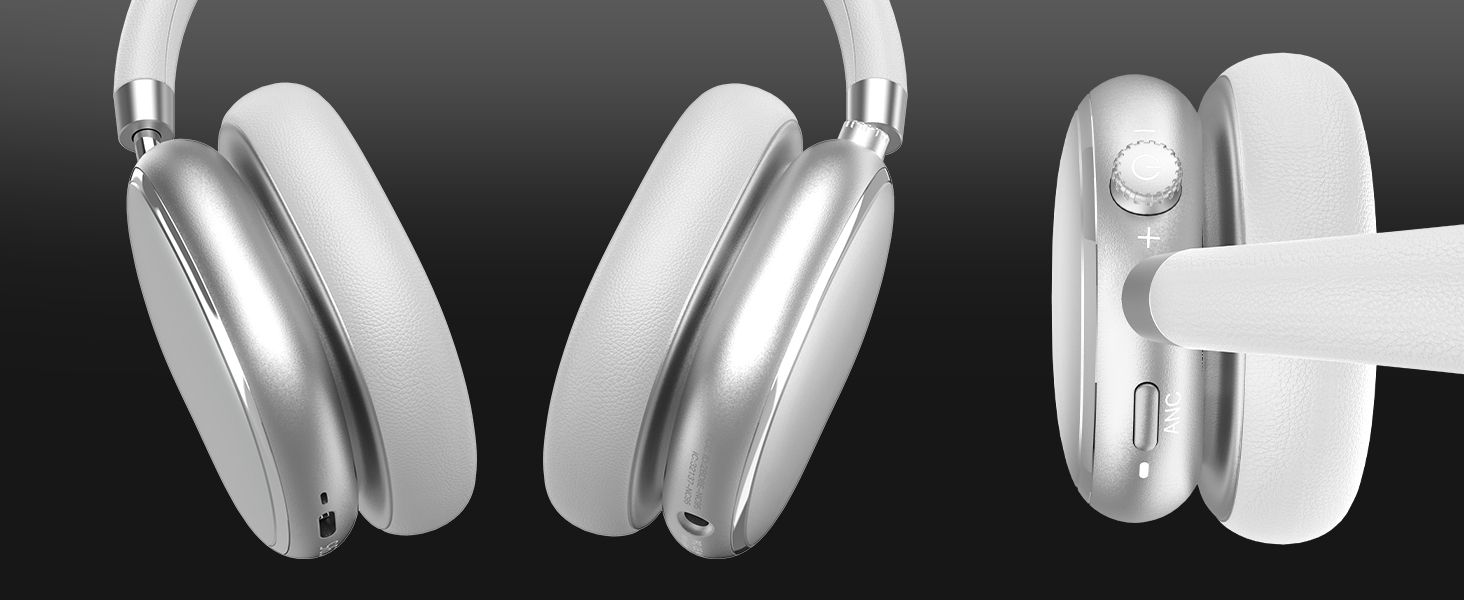
Image 4.3: Multipoint Bluetooth connectivity.
4.4 T-Fun App Installation
For enhanced control and customization, download the official "T-fun" app.
- Buscar "T-fun" on the Apple App Store or Google Play Store.
- Descargue e instale la aplicación.
- Open the app and follow the on-screen instructions to connect your NC95 headphones.

Image 4.4: T-Fun app customization features.

Image 4.5: App download and connection process.
5. Instrucciones de funcionamiento
5.1 Encendido y apagado
- Encendido: Press and hold the power button (on the knob) for 3-5 seconds.
- Apagado: Press and hold the power button (on the knob) for 3-5 seconds.
5.2 Knob Control Functions
The multi-functional knob control allows for intuitive operation:
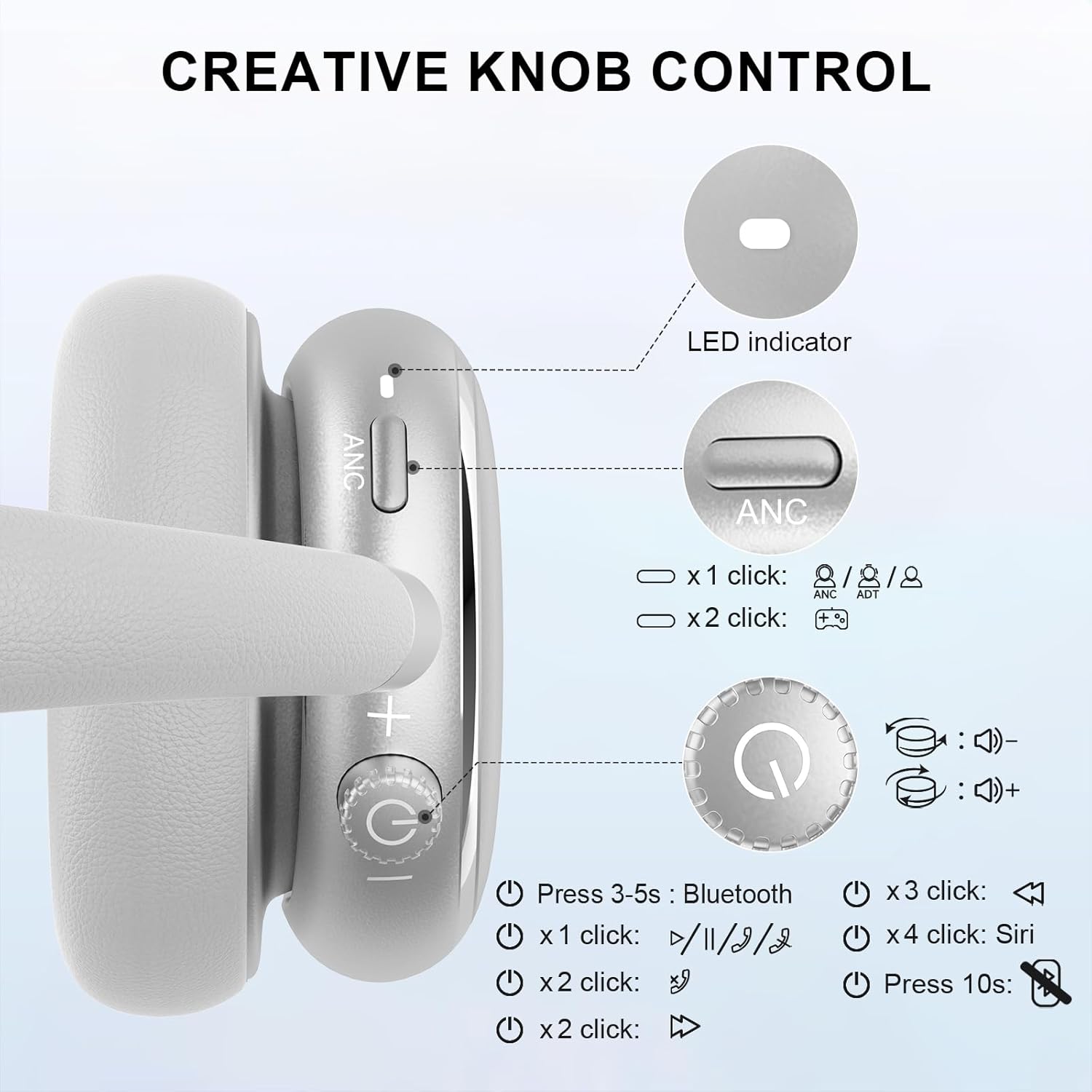
Image 5.1: Creative Knob Control functions.
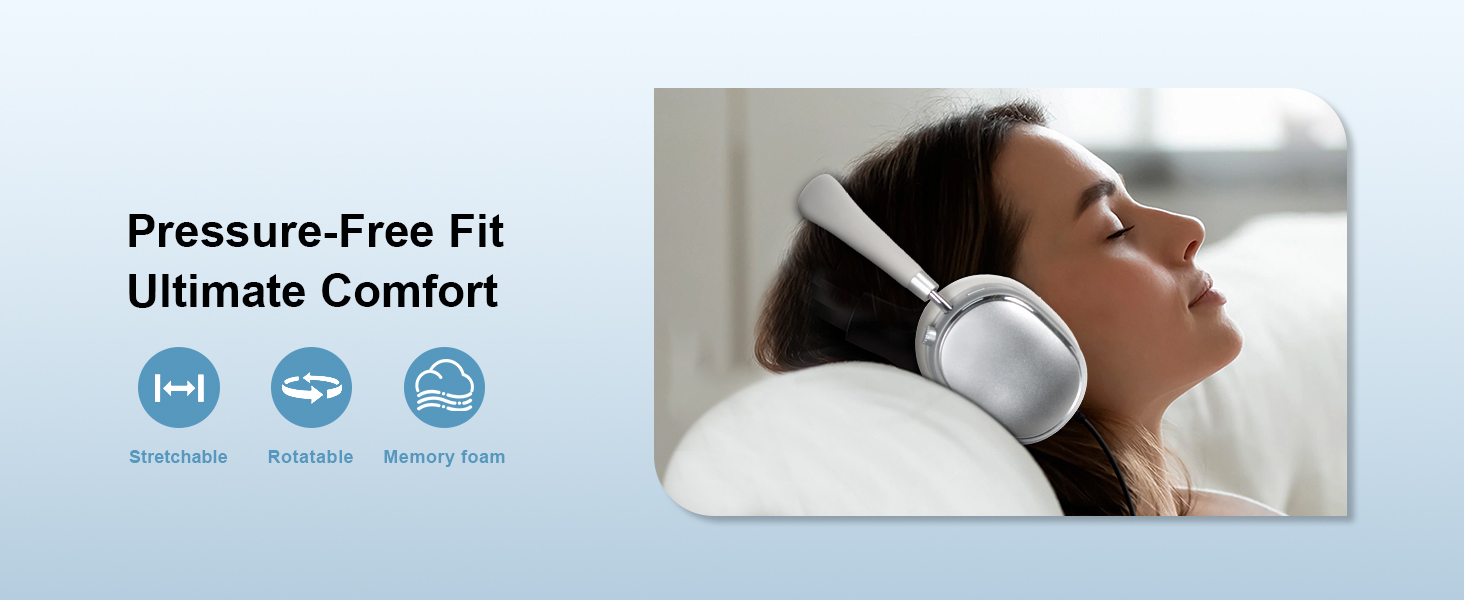
Image 5.2: Multi-functional Knob Control for volume adjustment.
- Ajuste de volumen: Gire la perilla en el sentido de las agujas del reloj para aumentar el volumen y en el sentido contrario a las agujas del reloj para disminuirlo.
- Reproducir/Pausa: Presione la perilla una vez.
- Responder/Finalizar llamada: Presione la perilla una vez.
- Pista siguiente: Press the knob twice.
- Pista anterior: Press the knob three times.
- Activar Asistente de Voz (Siri): Press the knob four times.
- Reset: Mantenga presionada la perilla durante 10 segundos.
Note: Knob functions are only available in wireless connection mode.
5.3 Cancelación activa de ruido (ANC) y modo de transparencia
The NC95 headphones feature Hybrid Active Noise Cancellation and Transparency Mode, controlled by a dedicated button.
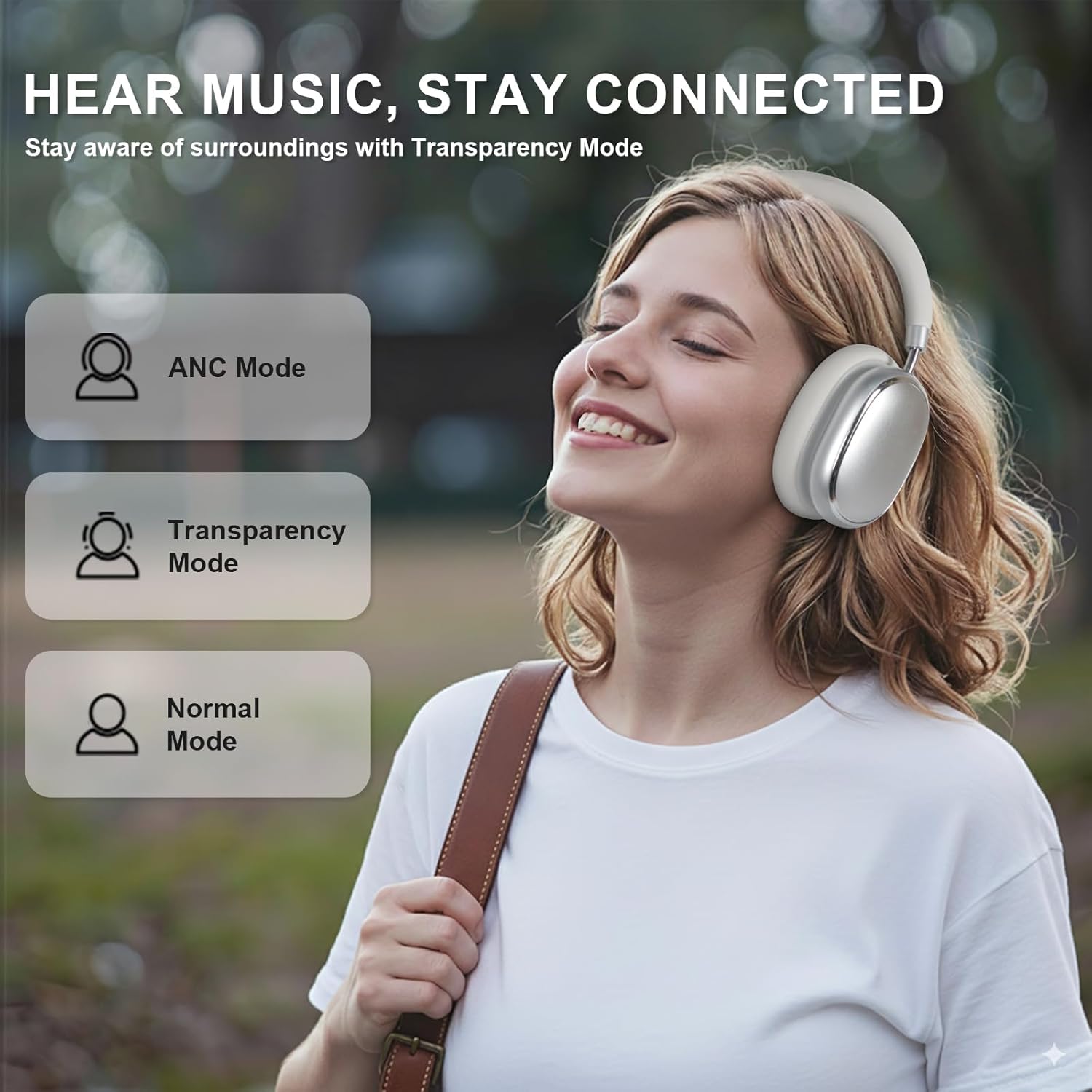
Image 5.3: ANC, Transparency, and Normal modes.

Image 5.4: Noise reduction effectiveness.
- Modo ANC: Press the ANC button once to activate Hybrid Active Noise Cancellation, reducing ambient noise by up to 35dB.
- Modo de transparencia: Press the ANC button again to switch to Transparency Mode, allowing you to hear your surroundings without removing the headphones.
- Modo normal: Press the ANC button a third time to return to Normal Mode, with ANC and Transparency off.
Note: ANC mode is only available in wireless connection mode.
5.4 conexiones cableadas
For a wired audio experience or when battery is low, use the 3.5mm audio cable.
- Conecte un extremo del cable de audio de 3.5 mm al conector de audio de los auriculares.
- Conecte el otro extremo a la salida de audio de 3.5 mm de su dispositivo.
- In wired mode, the knob control functions for volume, playback, and calls are not available.
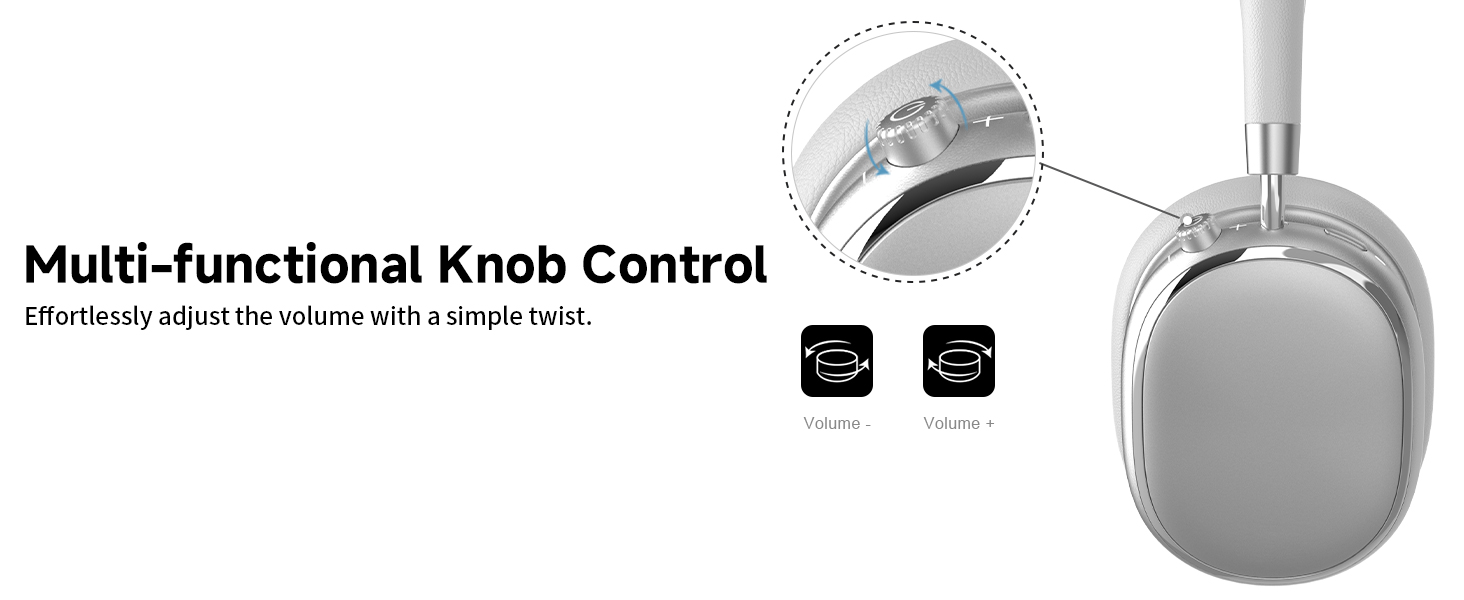
Image 5.5: Wired connection with 3.5mm audio cable.
5.5 Gestión de llamadas
When connected via Bluetooth, you can manage calls using the knob control.
- Responder/Finalizar llamada: Presione la perilla una vez.
- Rechazar llamada: Mantenga presionada la perilla durante 2 segundos.

Image 5.6: Clear hands-free calls with built-in microphones.
6. Mantenimiento
6.1 Limpieza
- Limpie los auriculares con un paño suave y seco.
- No utilice productos químicos agresivos ni materiales abrasivos.
- Evite que entre humedad en las aberturas.
6.2 Almacenamiento
- Store the headphones in the provided PU bag when not in use to protect them from dust and scratches.
- Evite almacenarlo en temperaturas extremas o en lugares con alta humedad.
6.3 Detachable Ear Cushions
The ear cushions are detachable for easy cleaning and replacement, ensuring long-term use.

Image 6.1: Detachable ear cushions for easy care.
7. Solución de problemas
If you encounter issues with your NC95 headphones, refer to the following common solutions:
| Problema | Posible causa | Solución |
|---|---|---|
| Los auriculares no se encienden | Batería baja | Cargue completamente los auriculares. |
| No se puede emparejar a través de Bluetooth | Los auriculares no están en modo de emparejamiento; Bluetooth del dispositivo desactivado; Interferencia | Ensure headphones are in pairing mode (flashing LED). Turn device Bluetooth off and on. Move closer to the device. |
| Sin sonido | Volumen demasiado bajo; Fuente de audio incorrecta; Conexión de cable suelta | Increase volume on headphones and device. Check audio output settings on your device. Re-insert 3.5mm cable firmly. |
| El Congreso Nacional Africano no funciona eficazmente | ANC not activated; Environmental noise too high | Press the ANC button to cycle through modes. ANC is most effective against low-frequency noise. |
| Problemas de conexión de la aplicación | Bluetooth not connected; App glitch | Ensure headphones are connected via Bluetooth. Restart the app or your phone. |
Si el problema persiste, póngase en contacto con el servicio de atención al cliente.
8. Especificaciones
| Característica | Detalle |
|---|---|
| Nombre del modelo | NC95 |
| Control de ruido | Cancelación de ruido híbrida |
| Respuesta de frecuencia | 20 Hz - 20 kHz |
| Sensibilidad | 105 dB |
| Impedancia | 32 ohmios |
| Toma de auriculares | 3.5 mm Jack |
| Tecnología de conectividad | Inalámbrico (Bluetooth), con cable |
| Tecnología de comunicación inalámbrica | Bluetooth 5.3 |
| Alcance de Bluetooth | 15 metros |
| Latencia de audio | 50 milisegundos |
| Tamaño del controlador de audio | 40 milímetros |
| Tipo de control | App Control, Push Button, Knob |
| Duración de la batería | Up to 65 Hours (ANC playback) |
| Tiempo de carga | 2.5 horas |
| Nivel de resistencia al agua | No resistente al agua |
| Peso del artículo | 1.28 libras |
| Fabricante | FOFUN |
9. Garantía y soporte
9.1 Información de garantía
For detailed warranty information, please refer to the documentation included with your purchase or contact FOFUN customer service directly. Warranty terms may vary by region and retailer.
9.2 Atención al cliente
If you require further assistance or have questions not covered in this manual, please contact FOFUN customer support through their official channels. You can also visit the T-Fun Store on Amazon para encontrar recursos adicionales.


