
1. Introducción
This manual provides detailed instructions for the safe and proper installation, operation, and maintenance of your MOUNTUP MU0057-L Full Motion TV Wall Mount. Please read all instructions carefully before installation to ensure correct setup and to prevent damage or injury. Keep this manual for future reference.
The MOUNTUP MU0057-L is designed to securely mount most 42-75 inch flat or curved screen televisions weighing up to 99 lbs (45 kg). It features a 30-inch extension arm, +/-90° swivel, +5°/-10° tilt, and +/-3° leveling for optimal viewflexibilidad.
2. Información de seguridad
WARNING: Failure to read and follow these instructions may result in serious personal injury, property damage, or voiding of warranty.
- Capacidad de peso: No exceda la capacidad máxima de peso de 45 kg (99 lb). Este soporte está diseñado para usarse únicamente con los pesos máximos indicados. El uso con productos que superen los pesos máximos indicados puede causar inestabilidad y posibles lesiones.
- Tamaño de TV: This mount is compatible with TVs from 42 to 75 inches.
- Compatibilidad VESA: Ensure your TV's VESA pattern (mounting hole spacing) is within the range of 150x100mm to 600x400mm.
- Tipo de pared: This mount is designed for installation on solid concrete/brick walls or single wood studs. NO lo instale solo en paneles de yeso.
- Instalación profesional: If you have any doubts about your ability to safely install this mount, consult a qualified professional.
- Verificación de componentes: Before installation, verify that all components are present and undamaged. Do not use damaged or defective parts.
- Herramientas: Utilice herramientas adecuadas para la instalación.
3. Contenido del paquete
Please check the package to ensure all parts are included and undamaged. If any parts are missing or damaged, contact MOUNTUP customer service.
- Conjunto de placa de pared
- Soportes de TV (2)
- Kit de hardware de montaje (varios tornillos, arandelas, espaciadores, anclajes)
- Nivel de burbuja
- Plantilla de perforación
- Manual de instrucciones
4. Especificaciones
| Especificación | Valor |
|---|---|
| Modelo | MU0057-L |
| Compatibilidad de tamaño de TV | 42 - 75 pulgadas |
| Capacidad de peso | Hasta 99 libras (45 kg) |
| Compatibilidad VESA | 150x100mm hasta 600x400mm |
| Extensión desde la pared | 3 pulgadas (retraído) a 30 pulgadas (extendido) |
| Rango giratorio | +/-90° |
| Rango de inclinación | +5° / -10° |
| Ajuste de nivel | +/-3° |
| Material | Metal |
| Color | Negro |
| Peso del artículo | 13.77 libras |
Nota: The TV plate is offset approximately 8.5 inches (215mm) from the wall plate center. Consider this when positioning your TV on the wall.

Image: TV Plate Offset Diagram
5. Instrucciones de instalación
5.1 Comprobaciones previas a la instalación
- Verificar la compatibilidad del televisor: Check your TV's size, weight, and VESA mounting pattern. The VESA pattern refers to the four mounting holes on the back of your TV.
- Identificar el tipo de pared: Determine if your wall is solid concrete/brick or a single wood stud.
- Check TV Ports: Ensure the mount will not block any necessary ports on your TV.

Image: Available VESA Patterns and TV Mounting Holes

Image: Diverse Wall Compatibility

Image: Ensure Mount Won't Block Ports
5.2 Instalación paso a paso
The installation process involves three main steps:
- Mount Brackets to TV: Attach the TV brackets to the back of your television using the appropriate screws, washers, and spacers from the hardware kit. Ensure they are securely fastened.
- Instale la placa de pared: Using the provided drilling template and bubble level, mark and drill pilot holes in your wall. Secure the wall plate assembly to the wall with the appropriate anchors and lag bolts.
- Cuelgue el televisor en la placa de pared: Carefully lift your TV with the attached brackets and hook them onto the wall plate. Secure the TV to the wall plate using the safety screws or locking mechanisms.


Image: Easy & Quick 3-Step Installation Overview
6. Operación y ajustes
6.1 Extensión y retracción
The mount allows your TV to extend up to 30 inches from the wall and retract to approximately 3 inches, providing flexibility for various viewing positions and saving space when not in use.
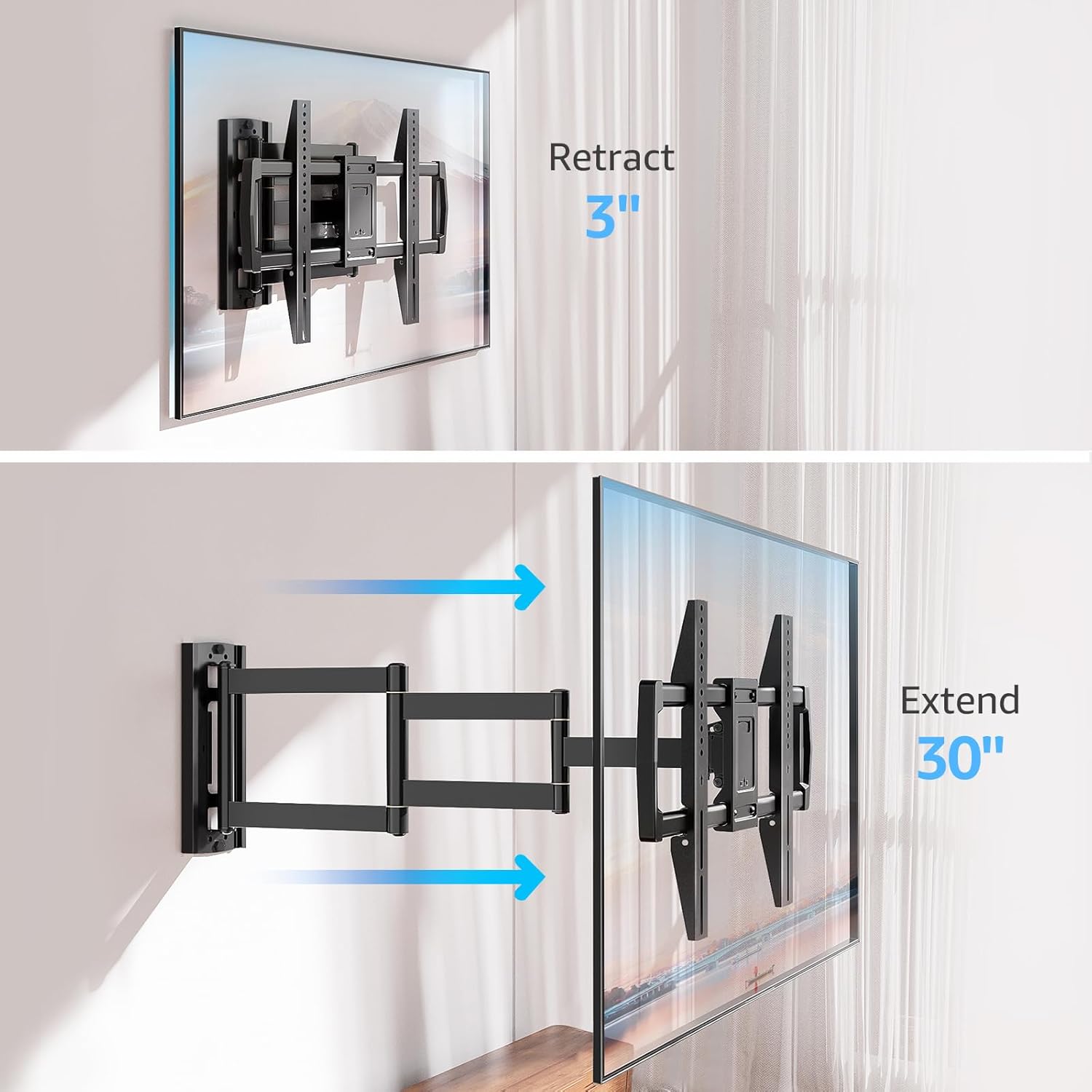
Image: Mount Extension and Retraction
6.2 Ajuste giratorio
The articulating arm allows for a smooth +/-90° swivel, enabling you to adjust the TV's angle to suit different viewing areas within a room, including corner mounting scenarios.
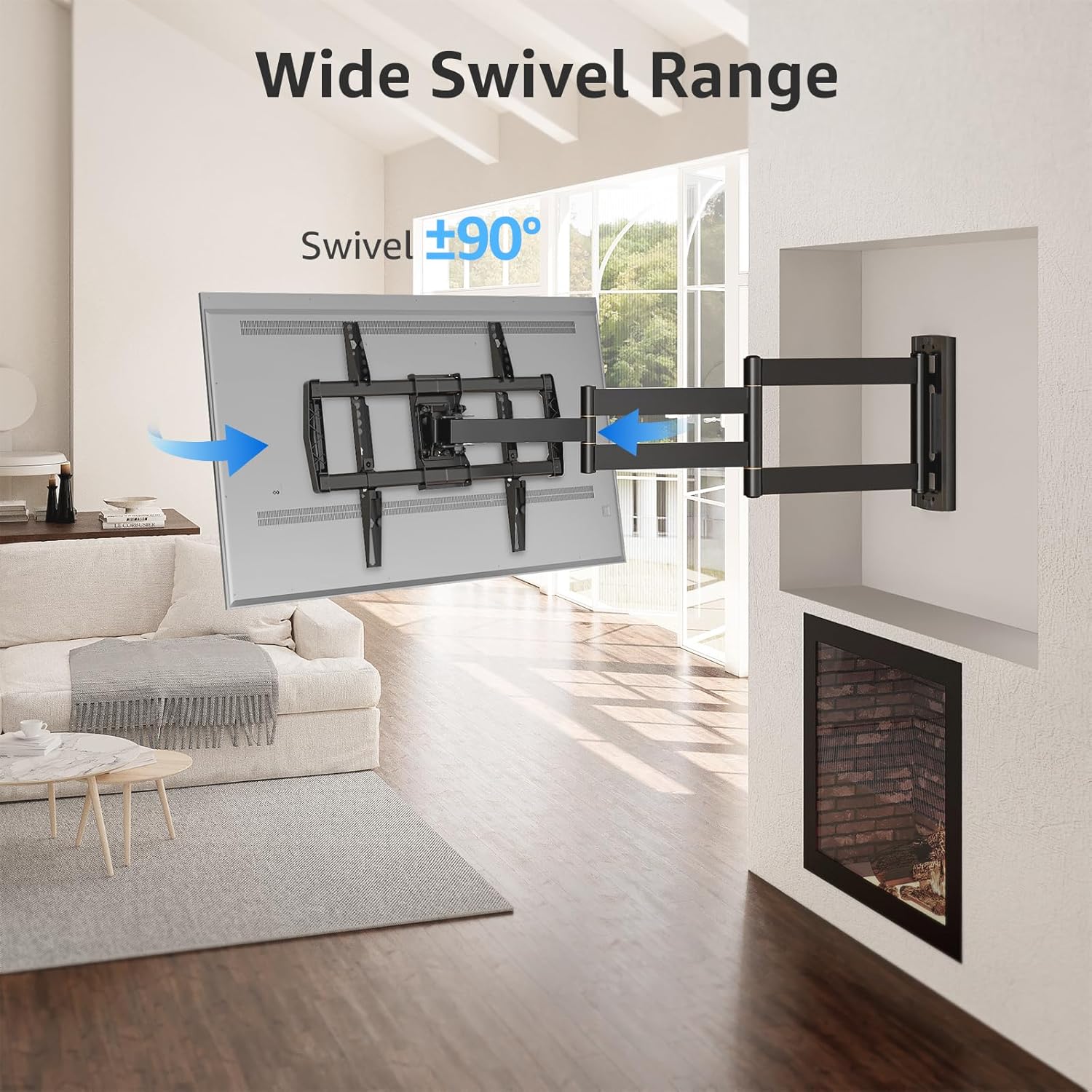
Image: Wide Swivel Range for Corner Mounting
6.3 Ajuste de inclinación
Adjust the TV's vertical angle with a +5°/-10° tilt range. This feature helps reduce glare from lights or windows and provides a comfortable viewángulo de ing.
6.4 Ajuste de nivelación
After installation, you can make minor horizontal adjustments of +/-3° to ensure the TV is perfectly level.

Image: Level and Tilt Adjustments
7. Mantenimiento
El mantenimiento regular garantiza la longevidad y el funcionamiento seguro de su soporte de pared para TV.
- Limpieza: Limpie el soporte con un paño suave y seco. Evite usar limpiadores abrasivos o disolventes que puedan dañar el acabado.
- Comprobación del sujetador: Revise periódicamente todos los tornillos y pernos para asegurarse de que estén bien apretados y seguros. Vuelva a apretarlos si es necesario.
- Verificación de movimiento: Test the mount's full range of motion (extension, retraction, swivel, tilt) occasionally to ensure smooth operation.
8. Solución de problemas
Si encuentra problemas durante o después de la instalación, consulte los siguientes problemas y soluciones comunes:
- El televisor no está nivelado: Use the +/-3° post-installation leveling feature to adjust the TV's horizontal position.
- El monte se siente suelto: Re-check all wall and TV fasteners to ensure they are securely tightened. Do not overtighten.
- Dificultad para mover el brazo: The mount's joints may be stiff initially. Apply gentle force. If persistent, ensure no cables are snagged.
- TV not fitting VESA pattern: Double-check your TV's VESA pattern against the mount's specifications (150x100mm to 600x400mm). If incompatible, the mount cannot be used.
9. Garantía y soporte
MOUNTUP is dedicated to providing quality products and customer satisfaction. While specific warranty details are not provided in this document, MOUNTUP offers comprehensive support.
If you have any questions, require assistance with installation, or need to report a missing/damaged part, please contact MOUNTUP customer service. Experts are available 7 days a week to provide support and advanced technology solutions.
For more information or to contact support, please visit the official MOUNTUP store or websitio.