
Introducción
Thank you for choosing the Glocusent Classic Clip on Light & 72LED Clip on Light. This manual provides essential information for the safe and efficient operation of your new lighting device. Please read it thoroughly before use and retain it for future reference.
This product line offers versatile clip-on lights designed for various lighting needs, including reading, focusing, and sleeping. Depending on your specific model, features may include adjustable brightness, color temperature, and convenient control options via remote or on-device buttons.
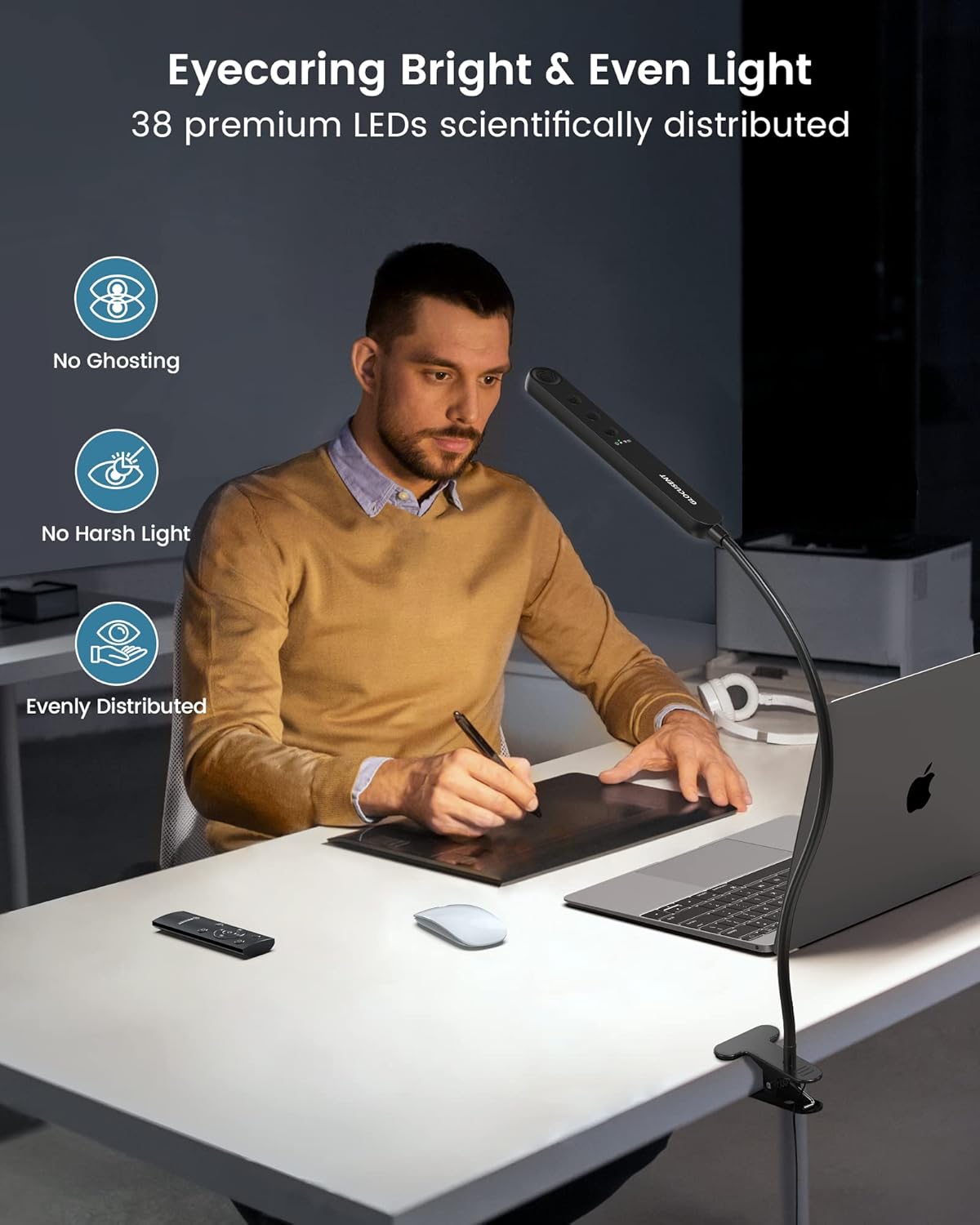
Image: The Glocusent Classic Clip on Light (bar-style) providing even and bright illumination, highlighting its eye-caring features.
Key Features (Classic Clip on Light - 38 LEDs):
- 38 LED Premium: Dual-row design for even and bright illumination without flickering or dazzling.
- Eye-Caring Amber Mode (1800K): Protects eyes from strain and fatigue, ideal for bedtime reading.
- Múltiples modos de iluminación: Reading (3200K, 20 LM), Focusing (6000K, 220 LM), and Sleeping (1800K, 5 LM).
- Temporizador de apagado automático de 30 minutos: Convenient for timed usage.
- Iluminación personalizable: Adjustable color temperatures (1800K-6000K) and brightness levels (5-220 LM).
- Opciones de control doble: Remote control and integrated buttons on the light head.
- Cl resistenteamp: Securely attaches to surfaces up to 2.36 inches thick, with soft pads to prevent scratches.
- Cuello de cisne flexible: 360° adjustable metal and silicone gooseneck for precise light positioning.
Additional Features (72LED Clip on Light Variant):

Image: Internal components of the 72LED Clip on Light (round-style), detailing the LED arrangement and design for comfortable light.
- 72 LED avanzados: For enhanced brightness and comfortable light.
- Múltiples temperaturas de color: Typically includes 2700K (eyecaring), 4000K (relaxing), and 6000K (better focusing).
- Brillo ajustable: Often features 5 distinct brightness levels, in addition to stepless dimming.
Instrucciones de instalación
- Deshacer: Retire con cuidado todos los componentes del embalaje.
- Adjuntar el Clamp: The light comes with an integrated sturdy clamp. Identify a suitable surface (desk, headboard, shelf) with a thickness of up to 2.36 inches.
- Asegure la luz: Abre la clamp and firmly attach it to your chosen surface. Ensure the clamp is stable and the light is securely positioned. The clamp includes soft pads to protect surfaces from scratches.
- Coloque el cuello de cisne: Adjust the flexible 360° gooseneck to direct the light precisely where needed. The gooseneck is designed to hold its position without bouncing back.
- Conecte la electricidad: Plug the USB power cable into a compatible USB power adapter (not included) and then into a power outlet.

Image: Illustration of the sturdy clamp and flexible gooseneck, demonstrating its secure attachment and adjustable design.
Operating Instructions (Classic Clip on Light - 38 LEDs)
The Glocusent Classic Clip on Light (38 LEDs) can be operated using either the remote control or the buttons located on the light head.
Using the Light Head Buttons:

Imagen: Detallada view of the light head buttons and remote control, indicating their respective functions.
- Encendido/apagado: Press the power button (usually indicated by a circle with a vertical line) to turn the light on or off.
- Selección de modo: Press the mode button (often labeled with a light bulb or 'M') to cycle through the three preset lighting modes:
- Modo de lectura: 3200K, 20 LM (Warm white, suitable for reading).
- Modo de enfoque: 6000K, 220 LM (Cool white, ideal for concentration).
- Modo de dormir: 1800K, 5 LM (Amber, for eye protection and relaxation).
- Temporizador de apagado automático de 30 minutos: A dedicated button (often with a clock icon) activates the 30-minute timer. The light will automatically turn off after 30 minutes.
- Ajuste de brillo: Use the brightness dimming buttons (often '+' and '-' or an up/down arrow) to adjust the light intensity from 5 LM to 220 LM. This is a stepless adjustment.
- Ajuste de temperatura de color: Use the color temperature buttons (often sun/moon icons or 'C') to adjust the color temperature from 1800K (warm amber) to 6000K (cool white). This is a stepless adjustment.
Usando el control remoto:
The remote control allows for convenient operation from a distance. Ensure the remote is pointed towards the IR receiver on the light head (located on the front edge).
- The remote control features buttons corresponding to the functions on the light head: Power, Mode Selection, Timer, Brightness Up/Down, and Color Temperature Up/Down.
- Refer to the button labels on your remote for specific functions.

Image: Visual representation of the three lighting modes (Reading, Focusing, Sleeping) and the 30-minute timer function for the Classic Clip on Light.

Image: Illustration of the stepless dimming and color temperature adjustment capabilities of the Classic Clip on Light, helping to prevent eye fatigue.
Operating Instructions (72LED Clip on Light Variant)
If you have the 72LED Clip on Light variant, its operation may differ slightly. This model typically features a different set of controls for brightness and color temperature adjustment.

Imagen: Examples of three adjustable color temperatures (2700K, 4000K, 6000K) for the 72LED Clip on Light variant and their recommended uses.

Image: Demonstration of the 5-level brightness adjustment for the 72LED Clip on Light variant, illustrating the stepless dimmable feature.
Please refer to the specific instructions provided with your 72LED Clip on Light variant for detailed operational guidance, as controls for brightness and color temperature may vary.
Mantenimiento
- Limpieza: Ensure the light is unplugged before cleaning. Use a soft, dry cloth to wipe the light head, gooseneck, and clamp. No utilice limpiadores abrasivos ni disolventes.
- Almacenamiento: Cuando no utilice la luz durante períodos prolongados, guárdela en un lugar fresco y seco, lejos de la luz solar directa.
- Cuidado de cables: Evite doblar o doblar excesivamente el cable de alimentación. No tire del cable para desenchufar el dispositivo; sujételo siempre por el enchufe.
Solución de problemas
| Problema | Posible causa | Solución |
|---|---|---|
| La luz no se enciende. |
|
|
| El control remoto no responde. |
|
|
| La luz parpadea o se atenúa inesperadamente. |
|
|
Presupuesto
| Característica | Detalle |
|---|---|
| Marca | glocusente |
| Nombre del modelo | Classic Clip on Light & 72LED Clip on Light |
| ASIN | B0DMWFZ2MP |
| LED Quantity (Classic) | 38 LED premium |
| Color Temps (Classic) | 1800K - 6000K (Stepless Adjustment) |
| Brightness (Classic) | 5 LM - 220 LM (Stepless Adjustment) |
| Lighting Modes (Classic) | Reading (3200K, 20 LM), Focusing (6000K, 220 LM), Sleeping (1800K, 5 LM) |
| Control Method (Classic) | Control remoto, botones en el dispositivo |
| LED Quantity (72LED Variant) | 72 Advanced LEDs |
| Color Temps (72LED Variant) | Typically 2700K, 4000K, 6000K |
| Brightness (72LED Variant) | Typically 5 levels (e.g., 10 LM to 400 LM) |
| Timer Function (Common) | 30-minute auto-off (Classic model) |
| Clamp Opening Height (Common) | Hasta 2.36 pulgadas |
| Gooseneck (Common) | 360° Adjustable (Metal & Silicone) |
Garantía y soporte
No specific warranty or support information is provided in the product data. For warranty claims or technical assistance, please refer to the product packaging or contact Glocusent customer service directly through their official websitio o el minorista donde se compró el producto.
You can visit the Glocusent store on Amazon for more information: Glocusent Store