
1. Producto terminadoview
The Morpheus 360 Sanctuary ANC Wireless UC Headset is designed for professional communication and audio playback. It features Active Noise Canceling (ANC), a noise-canceling boom microphone, and Bluetooth connectivity with an included USB dongle for unified communication platforms.
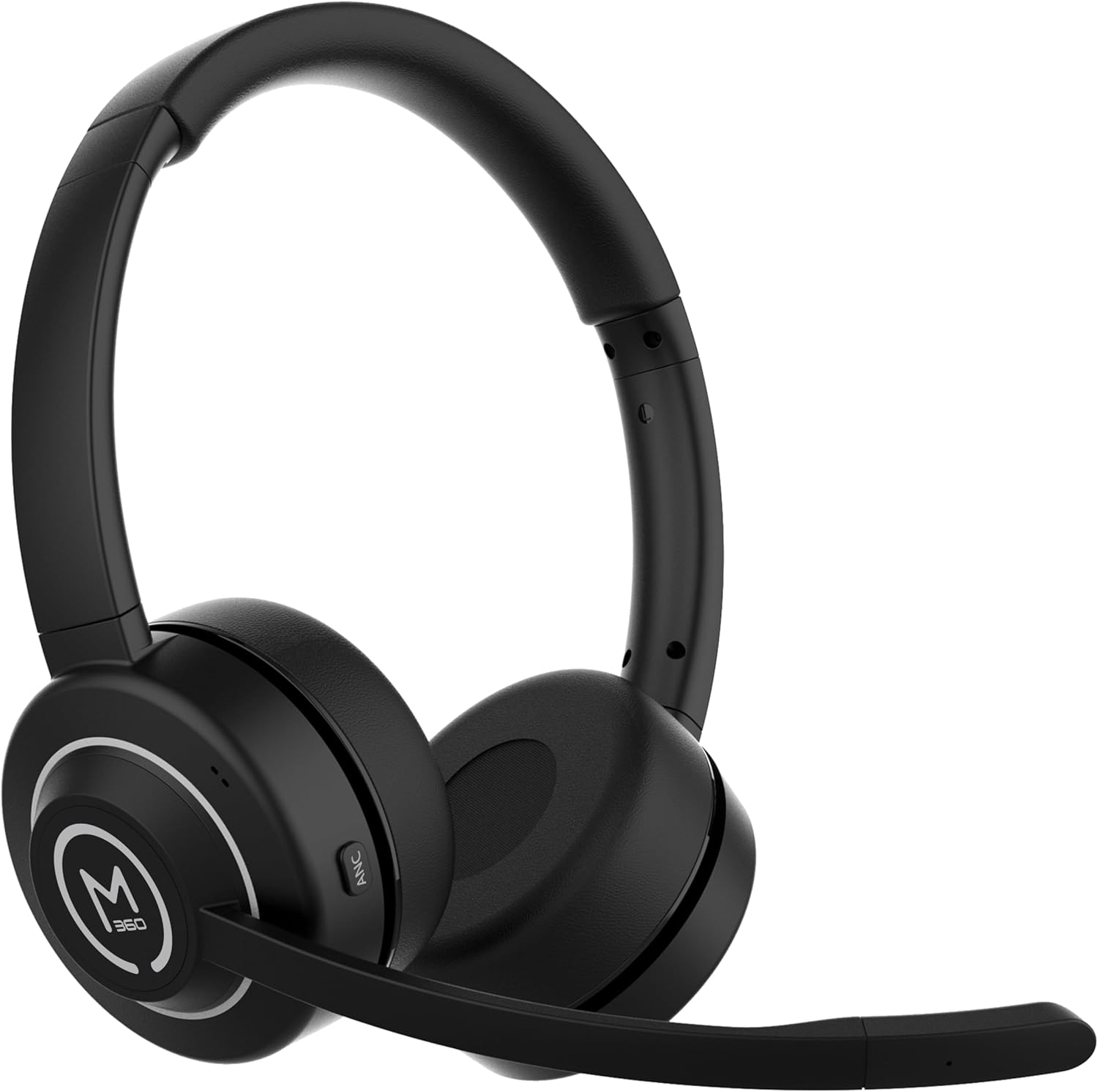
Imagen 1.1: Frente view of the Morpheus 360 Sanctuary ANC Wireless UC Headset.
2. ¿Qué hay en la caja?
- Morpheus 360 Sanctuary ANC Wireless UC Headset
- Dongle USB Bluetooth
- Soporte de carga
- Cable de carga USB-C

Image 2.1: The dedicated charging stand for the headset.
3. Configuración
3.1 Carga de los auriculares
- Connect the USB-C charging cable to the charging stand and a power source.
- Place the headset onto the charging stand, ensuring proper alignment. The headset will begin charging.
- Una carga completa proporciona aproximadamente 55 horas de duración de la batería.
Nota: The headset cannot be used while it is charging on the stand.
3.2 Emparejamiento con dispositivos
The headset can be paired via Bluetooth or using the included USB dongle.
Emparejamiento Bluetooth:
- Asegúrese de que los auriculares estén apagados.
- Mantenga presionado el botón de encendido hasta que el indicador LED parpadee en azul y rojo, lo que indica el modo de emparejamiento.
- On your device (smartphone, tablet), go to Bluetooth settings and select "Morpheus 360 Sanctuary" from the list of available devices.
- Una vez conectado, el indicador LED mostrará una luz azul fija.
USB Dongle Pairing (for PC/Mac):
- Plug the USB Bluetooth dongle into an available USB port on your computer.
- Power on the headset. It should automatically connect to the dongle. The LED on the dongle will indicate a successful connection.
- Asegúrese de que los auriculares estén seleccionados como dispositivo de entrada y salida de audio en la configuración de sonido de su computadora.
Precaución: Handle the USB dongle with care. Repeated insertion and removal, or improper handling, may cause the dongle to separate.
3.3 Cómo usar los auriculares
- Ajuste la diadema para que se ajuste cómodamente sobre su cabeza.
- Position the earcups so they sit gently on your ears. The eco-leather ear cushions are designed for comfort.
- Adjust the flexible boom microphone to be near your mouth for optimal voice pickup.

Imagen 3.1: Lateral view of the headset highlighting the boom microphone and control buttons.
4. Funcionamiento de los auriculares
4.1 Encendido y apagado
- Encendido: Mantenga presionado el botón de encendido durante 3 segundos.
- Apagado: Mantenga presionado el botón de encendido durante 5 segundos.
4.2 Cancelación activa de ruido (ANC)
The ANC feature detects and reduces background noise by up to 20dB, helping you focus. This is effective against consistent low-frequency sounds like office chatter or keyboard noise.
- Activar ANC: Press the ANC button located on the earcup.
- Desactivar ANC: Press the ANC button again.
4.3 Modo de transparencia
Transparency Mode allows you to hear your surroundings without removing the headset, useful for quick conversations or awareness.
- Activar/Desactivar el modo de transparencia: Refer to the specific button on your headset (often shared with ANC or a dedicated button).
4.4 Gestión de llamadas
- Responder/Finalizar llamada: Presione el botón multifunción una vez.
- Rechazar llamada: Mantenga presionado el botón multifunción durante 2 segundos.
- Silenciar/activar micrófono: Use the dedicated mute button on the boom microphone or earcup.
The noise-canceling boom microphone uses specialized technology to filter out background noise from your voice during calls.
4.5 Reproducción de música
- Reproducir/Pausa: Presione el botón multifunción una vez.
- Pista siguiente: Mantenga presionado el botón para subir el volumen.
- Pista anterior: Mantenga presionado el botón para bajar el volumen.
4.6 Control de volumen
- Aumenta el volumen: Presione el botón para subir el volumen.
- Disminuir volumen: Presione el botón para bajar el volumen.
5. Mantenimiento
5.1 Limpieza
- Limpie los auriculares y las almohadillas con un paño suave, seco y que no suelte pelusa.
- No utilice productos químicos agresivos, disolventes de limpieza ni detergentes fuertes.
- Evite que entre humedad en las aberturas.
5.2 Almacenamiento
- Guarde los auriculares en un lugar fresco y seco, alejado de la luz solar directa y de temperaturas extremas.
- When not in use, placing the headset on its charging stand can help keep it organized and ready for use.
5.3 Cuidado de la batería
- Para prolongar la vida útil de la batería, evite descargar completamente los auriculares con frecuencia.
- Cargue los auriculares periódicamente, incluso si no los utiliza durante períodos prolongados.
6. Solución de problemas
6.1 Problemas de conectividad
- Los auriculares no se emparejan: Ensure the headset is in pairing mode (flashing blue/red LED). Check your device's Bluetooth settings.
- USB Dongle not connecting: Ensure the dongle is fully inserted into the USB port. Try a different USB port. Re-pair the headset if necessary.
- Conexión intermitente: Ensure no major obstructions are between the headset and your device/dongle. Move closer to the connected device.
6.2 Problemas de audio
- Sin sonido: Check volume levels on both the headset and your connected device. Ensure the headset is selected as the audio output device.
- El micrófono no funciona: Ensure the microphone is not muted. Check that the headset is selected as the audio input device in your computer's sound settings.
6.3 Active Noise Canceling (ANC) Performance
- ANC is most effective against consistent low-frequency sounds. It may not completely block out human speech or sudden loud noises.
- Ensure the earcups are properly seated on your ears for optimal ANC performance.
6.4 USB Dongle Durability
Some users have reported the USB dongle separating. To prevent this, handle the dongle gently when inserting or removing it from USB ports or the charging stand. Avoid pulling it out by the plastic casing alone.
6.5 Battery Alerts
The headset may issue 'Charge headset' warnings when the battery level is around 30%. This is normal behavior to prompt early recharging.
7. Especificaciones
| Número de modelo | HS6750ANC |
| Marca | Morfeo 360 |
| Color | Negro |
| Material | Faux Leather, Plastic, Stainless Steel |
| Duración de la batería | Hasta 55 horas |
| Cancelación activa de ruido | Up to 20dB reduction |
| Micrófono | Noise Canceling Boom Microphone |
| Conectividad | Bluetooth, llave USB |
| Código Postal | 856816008590 |
8. Información de garantía
The Morpheus 360 Sanctuary ANC Wireless UC Headset (Model HS6750ANC) comes with a 1 año en piezas y mano de obra Garantía desde la fecha de compra. Conserve el comprobante de compra para reclamaciones de garantía.
9. Soporte
For further assistance, technical support, or warranty inquiries, please refer to the official Morpheus 360 webSitio web o contacte con su departamento de atención al cliente. La información de contacto suele encontrarse en el empaque del producto o en la página web oficial de la marca.