
Introducción
The GameSir G8 Plus Thanos Edition is a versatile mobile game controller designed to provide a console-like gaming experience across multiple platforms. This manual provides essential information for setting up, operating, maintaining, and troubleshooting your controller.
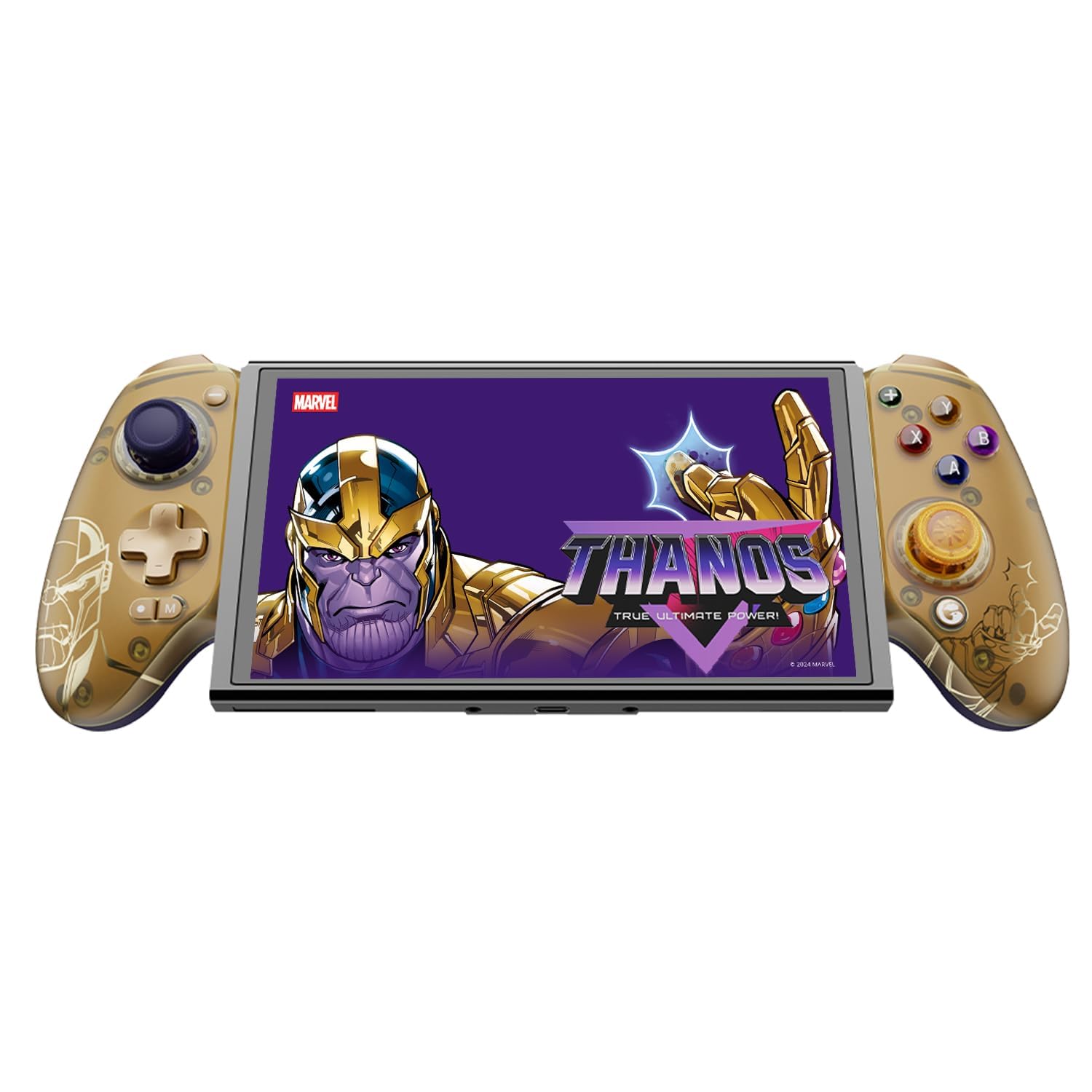
Figure 1: GameSir G8 Plus Thanos Edition Mobile Game Controller.
Configuración
Contenido del paquete
Verifique que todos los artículos estén presentes en el paquete:
- GameSir G8 Plus Thanos Edition Mobile Game Controller
- Interchangeable Thumbstick Caps (3 pairs)
- Cable USB-C
- Manual de usuario (este documento)

Figure 2: Contents of the GameSir G8 Plus Thanos Edition package.
Compatibilidad del dispositivo
The GameSir G8 Plus is compatible with a wide range of devices:
- Android devices (Android 8.0 or later)
- Dispositivos iOS
- Interruptor de Nintendo
- Tablets (4.7 to 8.4 inches)
- PC (via 2.4G receiver, sold separately, or wired)

Figure 3: Universal compatibility of the GameSir G8 Plus.
Conexión inicial
To connect your GameSir G8 Plus controller to a device:
- Para dispositivos móviles (Bluetooth): Extend the controller to fit your smartphone or tablet. Ensure Bluetooth is enabled on your device. Press and hold the pairing button on the controller until the indicator light flashes, then select "GameSir G8 Plus" from your device's Bluetooth settings.
- Para Nintendo Switch: Insert the Switch console into the controller. The controller should automatically connect.
- Para PC (con cable): Conecte el controlador a su PC usando el cable USB-C provisto.
- For PC (2.4G Wireless): Insert the 2.4G receiver (sold separately) into your PC's USB port. The controller should connect automatically.
Vídeo 1: Terminadoview of the Gamesir G8 Plus Bluetooth Marvel Licensed controller, demonstrating its design and features.
Operante
Características y controles clave
- Joysticks de efecto Hall: Experience precise 360° control with anti-drift technology, ensuring longevity and accuracy.
- Desencadenantes de efecto Hall: Optimized triggers provide smooth and quick response, ideal for various game genres.
- Botones traseros asignables: Two additional back buttons (L4/R4) allow for instant button mapping, enhancing gameplay customization.
- Detección de movimiento: A built-in 6-axis gyroscope enhances motion control, particularly useful for compatible Switch games and motion-sensitive gameplay.
- Retroalimentación háptica: Console-level haptic feedback provides realistic and immersive sensations during gameplay.

Figure 4: Explanation of GameSir Hall Effect Sticks.

Figura 5: Alternar modos de activación para diferentes tipos de juegos.

Figure 6: Motion Control capabilities with built-in 6-axis gyro.

Figure 7: Realistic and immersive haptic sensation.
Personalización
- Magnetic Faceplates: The controller features magnetic faceplates that can be easily removed and swapped for personalized aesthetics or maintenance.
- Interchangeable Thumbstick Caps: Three pairs of thumbstick caps with varying heights are included, allowing users to customize control feel.
- Aplicación GameSir: The GameSir app (Android exclusive) allows for real-time customization, including button mapping and sensitivity adjustments, for personalized gameplay.

Figure 8: Free customization options for the controller.

Figure 9: Advanced features of the GameSir G8 Plus.
Video 2: Introduction to the GameHub App, showcasing its features for game management and controller customization.
Cambio de modo
The controller supports various modes for different platforms. To switch between modes, press the corresponding key combination:
| Modo | Indicador de inicio | Método de conexión | Plataforma compatible |
|---|---|---|---|
| Androide | Verde | Controller + A | Android 8.0 o versiones posteriores |
| DS4 | Azul | Controller + B | iOS |
| Cambiar | Rojo | Controller + X | Cambiar |
| G-Touch | Cian | Controller + Y | Aplicación GameSir |
*En estado de funcionamiento, presione la combinación de teclas correspondiente para cambiar al modo deseado.
Mantenimiento
Para garantizar la longevidad y el rendimiento óptimo de su controlador GameSir G8 Plus, siga estas pautas de mantenimiento:
- Limpieza: Utilice un paño suave y seco para limpiar la superficie del mando. Para suciedad difícil de eliminar, limpie ligeramenteampLave el paño con agua o una solución limpiadora suave. Evite productos químicos agresivos o materiales abrasivos.
- Almacenamiento: Guarde el controlador en un lugar fresco y seco, alejado de la luz solar directa y de temperaturas extremas. Si no lo usa durante un período prolongado, asegúrese de que esté completamente cargado antes de guardarlo.
- Manejo: Avoid dropping the controller or subjecting it to strong impacts. Do not attempt to disassemble the controller beyond removing the magnetic faceplates and thumbstick caps.
Solución de problemas
If you encounter issues with your GameSir G8 Plus controller, refer to the following common troubleshooting steps:
- El controlador no se conecta: Ensure Bluetooth is enabled on your device and the controller is in the correct mode (Android, DS4, Switch). Try restarting both the controller and your device. For wired connections, ensure the USB-C cable is securely connected.
- Botones o joysticks que no responden: Check if the controller's battery is charged. If using the GameSir App, verify that button mappings are correctly configured. For Hall Effect Joysticks, recalibration might be necessary if drift occurs (refer to GameSir App for calibration options).
- Dispositivo no encaja: Ensure your device's dimensions are within the supported range of 4.7 to 8.4 inches. The controller's design accommodates devices with larger cameras.
- GameSir App Issues: Ensure your GameSir App is updated to the latest version. The app is currently exclusive to Android devices.
Para obtener más ayuda, comuníquese con el servicio de atención al cliente de GameSir.
Presupuesto
Detailed specifications for the GameSir G8 Plus Thanos Edition Mobile Game Controller:
| Característica | Detalle |
|---|---|
| Dispositivos compatibles | Android, iOS, Nintendo Switch, PC |
| Tipo de controlador | Mando para juegos |
| Tecnología de conectividad | Bluetooth 5.3, USB, 2.4G (receiver sold separately) |
| Características adicionales | Multiuse, Wireless, Hall Effect Joysticks & Triggers, 6-axis Gyroscope, Mappable Back Buttons, Magnetic Faceplates, Interchangeable Thumbstick Caps, Pass-through Charging |
| Cantidad de botones | 6 (standard face buttons) + D-pad, shoulder buttons, triggers, menu buttons, 2 back buttons |
| Plataforma de hardware | Smartphone, Tablet, Nintendo Switch, PC |
| Fuente de poder | Battery Powered (500mAh per side) |
| Peso del artículo | 620 gramos |
| Nombre del modelo | G8 Más |
| Fabricante | Señor del juego |
| Color | Gamesir G8 Plus Thanos Edition (Gold/Purple) |
Garantía y soporte
Información de garantía
The GameSir G8 Plus Thanos Edition Mobile Game Controller comes with a Garantía de 1 años. GameSir provides 12 months replacement service for product issues.
Atención al cliente
If you experience any problems with your product or require further assistance, please feel free to send a message through Amazon. GameSir aims to reply within 24 hours.