
TOWODE SKHBA
TOWODE Light Bulb Security Camera User Manual
Model: SKHBA
Marca: TOWODE
Introducción
The TOWODE Light Bulb Security Camera combines high-intensity LED lighting with advanced surveillance capabilities. Designed for easy installation into standard E26 outlets, this device offers 3MP HD video, AI human detection, two-way audio, and color night vision, providing comprehensive monitoring for your garage or other indoor spaces. It integrates seamlessly with smart home systems like Alexa for convenient voice control.
¿Qué hay en la caja?
- 1 x TOWODE Light Bulb Security Camera
- 1 tarjeta TF de 128 GB
- 1 x adaptador de corriente
- Manual de usuario (este documento)

Figura 1: Producto y accesorios incluidos.
Presupuesto
| Característica | Detalle |
|---|---|
| Número de modelo | SKHBA |
| Uso en interiores y exteriores | Interior |
| Dispositivos compatibles | iOS, Smartphone |
| Fuente de poder | Eléctrico con cable |
| Protocolo de conectividad | Wi-Fi (2.4G/5G supported) |
| Tipo de controlador | APP (AJCloud) |
| Tipo de montaje | Light Socket (E26) |
| Resolución de captura de video | 3MP HD (2K) |
| Color | Blanco |
| Componentes incluidos | 128G TFcard, 1*light bulb camera |
| Viewángulo de ing | 360 grados (355° de giro, 90° de inclinación) |
| Rango de visión nocturna | 20 pies (visión nocturna en color disponible) |
| Material | Plástico |
| Dimensiones (L x An x Al) | 6 x 3 x 3 pulgadas |
| Peso del artículo | 15.8 onzas |
| Tipo de fuente de luz | LED (30W, 3000 Lumens) |
| Características especiales | 2-Way Audio, Night Vision, Motion Sensor, AI Human Detection, Works with Alexa |

Figura 2: detallada view de componentes y dimensiones de la cámara.
Guía de configuración
1. Instalación Física
- Elegir la ubicación: Select an indoor location with a standard E26 light bulb socket. Ensure the area provides adequate Wi-Fi signal strength.
- Apagado: Antes de la instalación, asegúrese de que la alimentación de la toma de luz esté apagada en el disyuntor para evitar descargas eléctricas.
- Enroscar: Carefully screw the TOWODE Light Bulb Security Camera into the E26 light socket. Ensure it is securely fastened but do not overtighten. If using the included power adapter, connect the camera to the adapter first, then plug the adapter into a standard wall outlet.
- Encendido: Restablezca la alimentación de la luz. La cámara se encenderá e iniciará su secuencia de inicio.

Figure 3: Installation into an E27 (compatible with E26) light socket.
2. Descarga y conexión de la aplicación
- Descargar aplicación: Descarga la aplicación "AJCloud" desde la tienda de aplicaciones de tu teléfono inteligente (iOS o Android).
- Registrar Cuenta: Open the AJCloud app and follow the on-screen instructions to register a new account or log in if you already have one.
- Agregar dispositivo: In the app, tap the "+" icon to add a new device. Select "Light bulb camera" or similar option.
- Configuración wifi: Ensure your smartphone's Bluetooth is enabled. The app will guide you through connecting the camera to your Wi-Fi network. The camera supports 2.4G and 5G Wi-Fi. Enter your Wi-Fi password when prompted.
- Emparejamiento: The app will attempt to pair with the camera. This process may take 1-2 minutes. Once successful, you will receive a confirmation.
- Nombre del dispositivo: Assign a name to your camera (e.g., "Garage Camera," "Living Room Camera") for easy identification.
Video 1: Demonstrates the setup and connection process of the TOWODE Light Bulb Security Camera with the mobile application.
Instrucciones de funcionamiento
1. Vivir View y control de panorámica/inclinación
Once connected, open the AJCloud app and select your camera to access the live video feed. You can control the camera's viewing angle directly from the app:
- Pan: Desliza el dedo horizontalmente en vivo view screen to rotate the camera 355 degrees.
- Inclinación: Desliza el dedo verticalmente en vivo view screen to adjust the camera's vertical angle by 90 degrees.
- Posiciones preestablecidas: The app allows you to save specific viewing angles as presets for quick navigation.
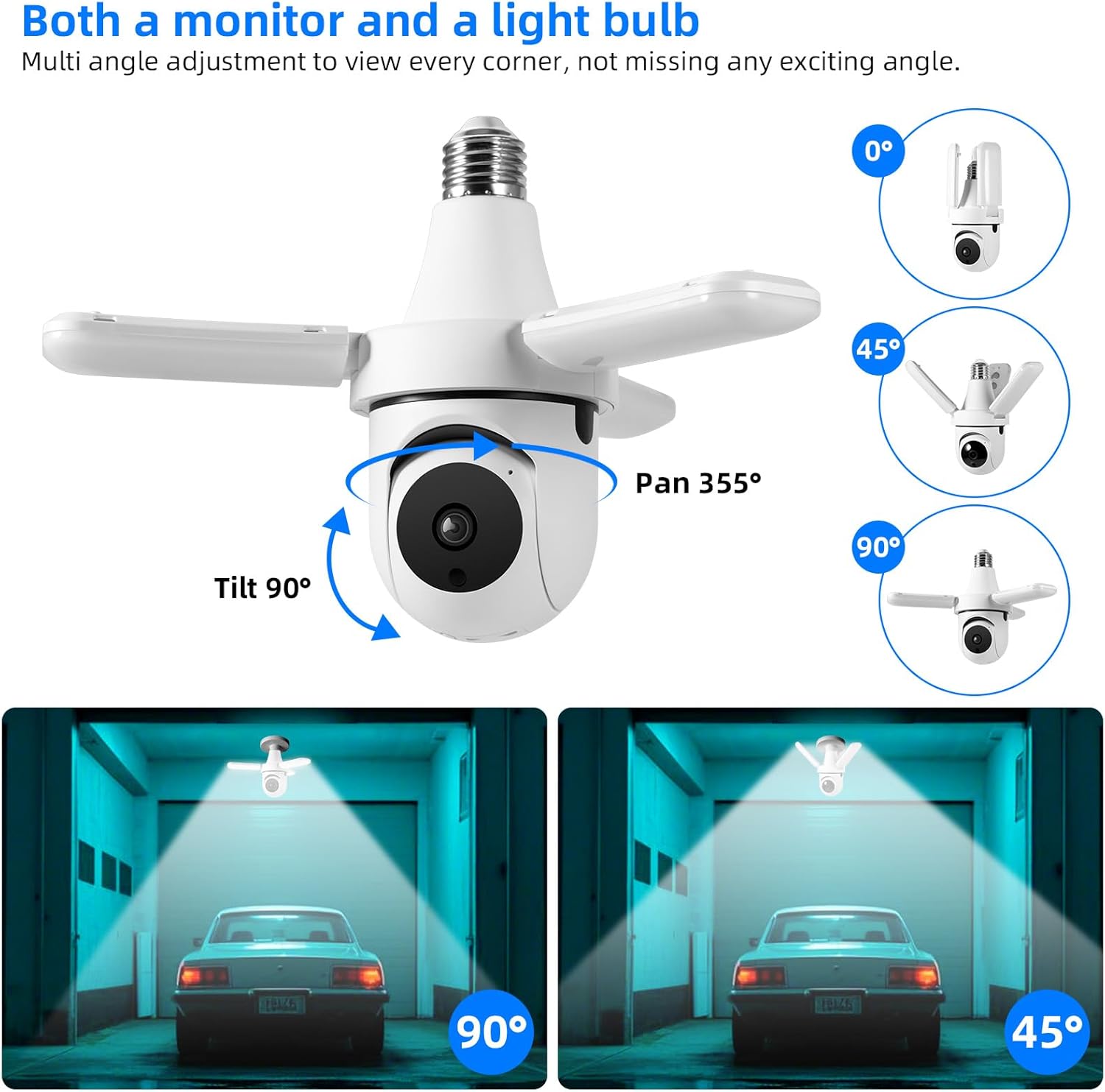
Figure 4: Camera pan and tilt functionality.
2. Audio bidireccional
The camera features a built-in microphone and speaker, enabling two-way communication. Tap the microphone icon in the app's live view hablar a través de la cámara y escuchar el audio desde la ubicación de la cámara.

Figura 5: Comunicación de audio bidireccional.
3. Detección y seguimiento de movimiento
The camera is equipped with intelligent motion detection and AI human detection. When motion or a human figure is detected, the camera can:
- Send instant push notifications to your mobile device.
- Automatically track the detected movement across its field of view.
- Trigger an audible alarm to deter intruders.
Adjust motion sensitivity and notification settings within the AJCloud app.
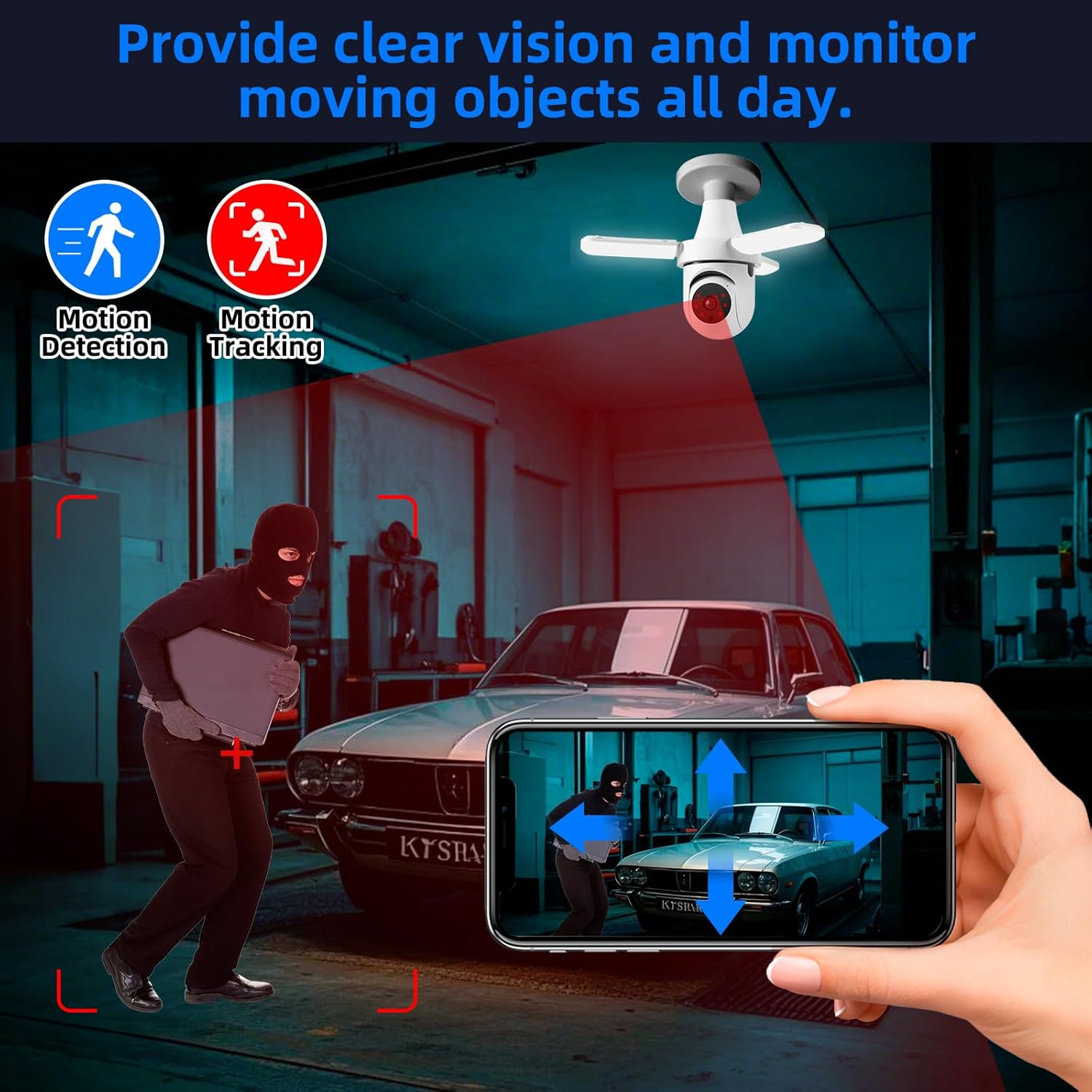
Figure 6: Motion detection and tracking in action.
4. Modos de visión nocturna
La cámara ofrece capacidades de visión nocturna versátiles:
- Visión nocturna infrarroja (IR): Proporciona vídeo nítido en blanco y negro en completa oscuridad.
- Visión nocturna en color: When the integrated LED lights are activated (manually or by motion), the camera can capture full-color video even at night.
You can configure the night vision mode and LED light activation settings in the app.

Figure 7: Comparison of color and infrared night vision.
5. Control de luz LED
The camera features powerful 30W LEDs providing 3000 lumens of illumination. You can control the light's brightness and on/off state via the AJCloud app. The light can also be set to activate upon motion detection.

Figure 8: Stepless adjustment of LED light brightness via app.
6. Almacenamiento y reproducción de vídeo
The camera supports local storage via the included 128G TF card. Recorded footage can be accessed and played back directly through the AJCloud app. Cloud storage options may also be available through the app (subscription may be required).
7. Integración con Alexa
The TOWODE Light Bulb Security Camera works with Alexa, allowing for voice control of certain functions. To enable this, link your AJCloud account with your Alexa app and discover devices. You can then use voice commands to view the camera feed on compatible Alexa-enabled devices with screens.
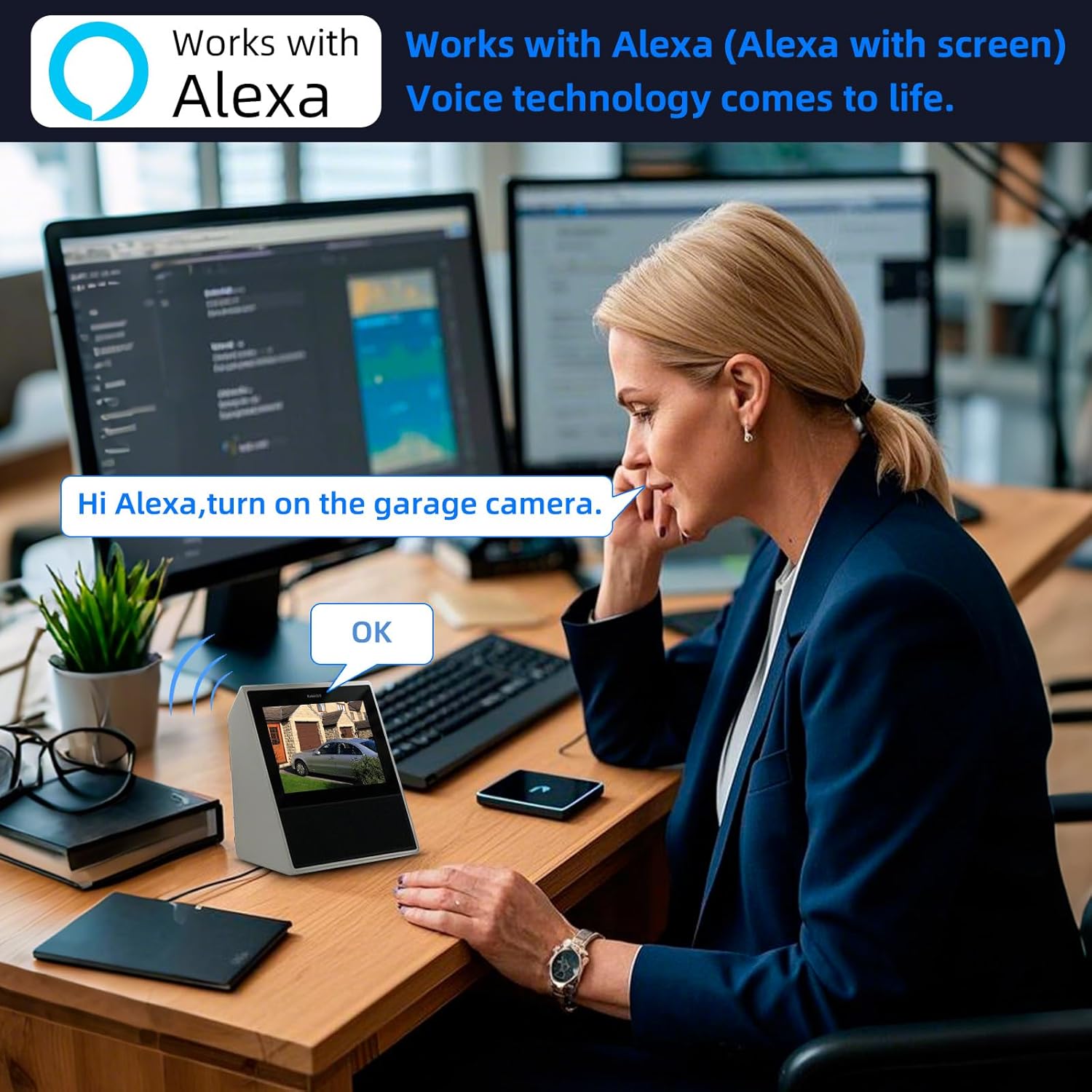
Figure 9: Alexa integration for voice control and viewEn.
Mantenimiento
- Limpieza: Limpie suavemente la lente y el cuerpo de la cámara con un paño suave y seco. No utilice productos químicos agresivos ni limpiadores abrasivos.
- Actualizaciones de firmware: Regularly check the AJCloud app for available firmware updates to ensure optimal performance and security.
- Administración de almacenamiento: Repita periódicamenteview comida grabadatage on the TF card and delete unnecessary files para liberar espacio.
Solución de problemas
| Problema | Posible causa | Solución |
|---|---|---|
| La cámara no se conecta al Wi-Fi. | Incorrect Wi-Fi password, weak signal, unsupported Wi-Fi band (5G only). | Double-check password. Move camera closer to router. Ensure your router supports 2.4G Wi-Fi (camera supports both 2.4G and 5G). Restart camera and router. |
| Sin vida view o pantalla negra. | Camera offline, network issue, app glitch. | Check camera's power and Wi-Fi connection. Restart the app. Restart the camera. |
| La detección de movimiento no funciona. | Sensitivity too low, detection zone not set, notifications disabled. | Adjust motion sensitivity in app settings. Define detection zones. Enable push notifications for the app. |
| Mala calidad de imagen por la noche. | Infrared mode active, insufficient ambient light for color night vision. | Ensure LED lights are on for color night vision. Clean the camera lens. |
| Problemas de audio bidireccional. | Microphone/speaker blocked, volume settings, network latency. | Ensure nothing is obstructing the microphone or speaker. Check volume levels in the app and on your phone. Ensure stable network connection. |
Garantía y soporte
For warranty information, technical support, or service inquiries, please contact TOWODE customer support through the contact details provided on the product packaging or the official TOWODE webSitio. Conserve su recibo de compra como comprobante para reclamaciones de garantía.
Es posible que haya planes de protección adicionales disponibles para comprar por separado para ampliar la cobertura más allá de la garantía estándar del fabricante.
Ask a question about this manual
Ask about setup, troubleshooting, compatibility, parts, safety, or missing instructions. Manuals+ will review the question and use this page’s manual context to help answer it.