
Introducción
Gracias por la compraasing the Docooler GT77 BT5.4 2-in-1 Wireless Audio Adapter. This device functions as both a Bluetooth transmitter and receiver, allowing you to wirelessly stream audio to and from various devices. It features BT5.4 technology, NFC quick pairing, TF card playback, and RGB ambiance lighting. Please read this manual carefully before use to ensure proper operation and to maximize your experience with the product.
Producto terminadoview
The Docooler GT77 is a versatile audio adapter designed to enhance your audio connectivity. It can upgrade non-Bluetooth devices to be Bluetooth-compatible, offering seamless audio streaming. The device supports multiple audio input/output options including 3.5mm AUX and RCA.

Image: The Docooler GT77 adapter connected to a speaker and a smartphone, illustrating its use for upgrading wired speakers to wireless.
Características principales:
- Funcionalidad 2 en 1: Cambie fácilmente entre los modos Transmisor (TX) y Receptor (RX) Bluetooth.
- Bluetooth 5.4: Provides stable and high-quality audio transmission with a range of up to 10 meters.
- Emparejamiento rápido NFC: Simplifies connection with NFC-enabled devices.
- Reproducción de tarjeta TF: Supports direct music playback from a TF card (up to 64GB).
- Múltiples interfaces de audio: Includes 3.5mm AUX and RCA ports for broad compatibility.
- RGB Ambiance Lighting: Customizable lighting to enhance your listening environment.

Image: The Docooler GT77 adapter shown with its various cables, including 3.5mm AUX and RCA, highlighting its rich interface compatibility.
Configuración
Contenido del paquete:
- 1 x Docooler GT77 BT Audio Adapter
- 1 cable de audio de 3.5 mm
- Cable 1 x RCA
- 1 x cable de alimentación tipo C
- 1 x Manual de usuario
Encendido del dispositivo:
- Connect the provided Type-C power cable to the adapter's USB C port.
- Plug the other end of the Type-C power cable into a 5V USB power source (e.g., USB wall adapter, computer USB port).
- The device will power on automatically, indicated by the RGB lighting.
Instrucciones de funcionamiento
Mode Switching (Transmitter/Receiver):
The Docooler GT77 features a single button to switch between Transmitter (TX) and Receiver (RX) modes.
- Presione el M/☀ button briefly to toggle between TX and RX modes.
- The device's indicator light will change to reflect the current mode.
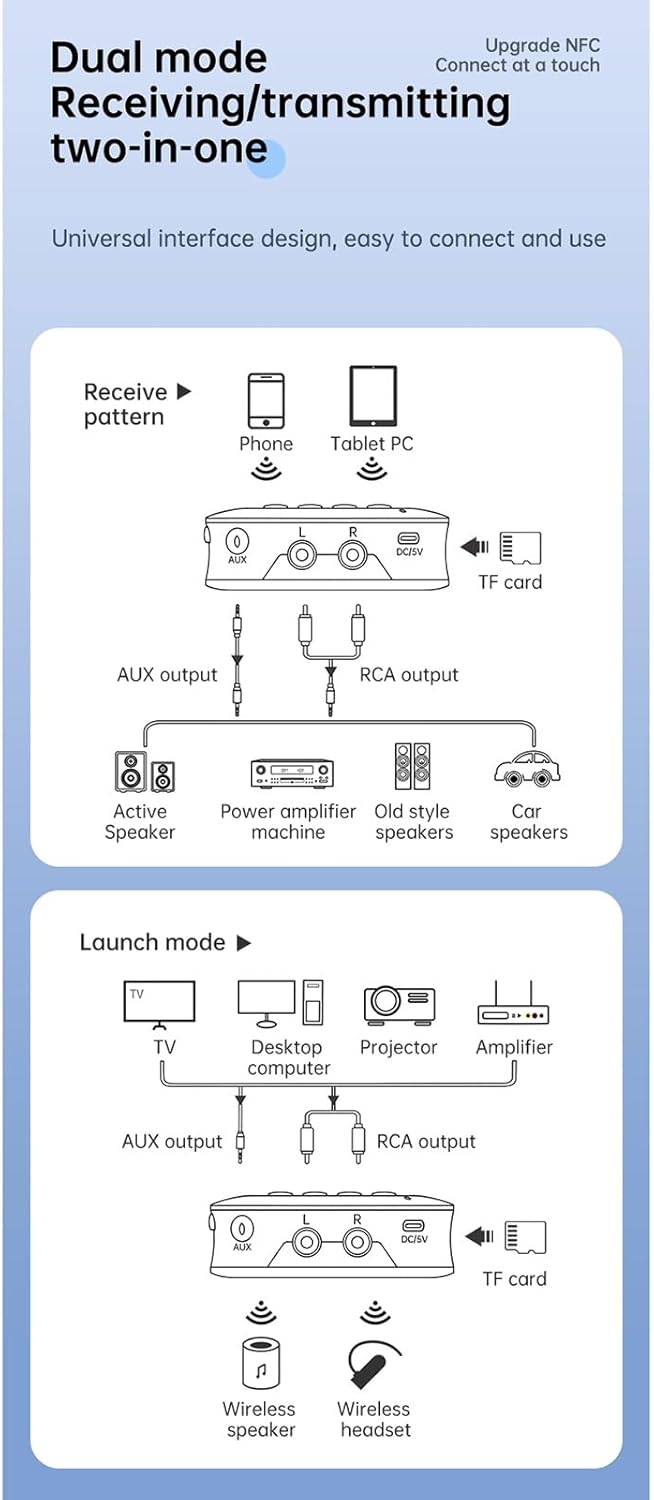
Image: A diagram illustrating the receive (RX) and launch (TX) modes, showing how the adapter connects to various devices like phones, tablets, TVs, speakers, and headphones.
Modo receptor (RX):
In RX mode, the adapter receives Bluetooth audio from your smartphone, tablet, or other Bluetooth-enabled device and outputs it to a wired speaker, amplifier, or car stereo system.
- Ensure the adapter is in RX mode.
- Connect the adapter's SALIDA AUX or SALIDA RCA port to your non-Bluetooth audio device (e.g., speaker, amplifier) using the appropriate cable.
- On your smartphone or tablet, enable Bluetooth and search for "GT77" in the list of available devices.
- Select "GT77" to pair. Once paired, audio from your device will stream wirelessly to your connected speaker.
Image: The Docooler GT77 adapter in Receiver (RX) mode, connected to a traditional speaker, receiving audio wirelessly from a smartphone.
Modo transmisor (TX):
In TX mode, the adapter transmits audio from a non-Bluetooth device (like a TV or PC) to Bluetooth headphones or speakers.
- Ensure the adapter is in TX mode.
- Connect your audio source (e.g., TV, desktop computer, projector) to the adapter's AUX IN or ENTRADA RCA puerto utilizando el cable apropiado.
- Coloque sus auriculares o altavoz Bluetooth en modo de emparejamiento.
- The adapter will automatically search for and connect to nearby Bluetooth audio devices. Once connected, audio from your source will be transmitted wirelessly.

Image: The Docooler GT77 adapter in Transmitter (TX) mode, connected to a television, sending audio wirelessly to a user's headphones for private listening.
Emparejamiento rápido NFC:
For NFC-enabled devices, pairing is even faster.
- Asegúrese de que NFC esté habilitado en su teléfono inteligente o tableta.
- Hold your NFC-enabled device close to the NFC area on the Docooler GT77 adapter.
- Confirme la solicitud de emparejamiento en su dispositivo.
Note: NFC pairing is primarily for Receiver (RX) mode.
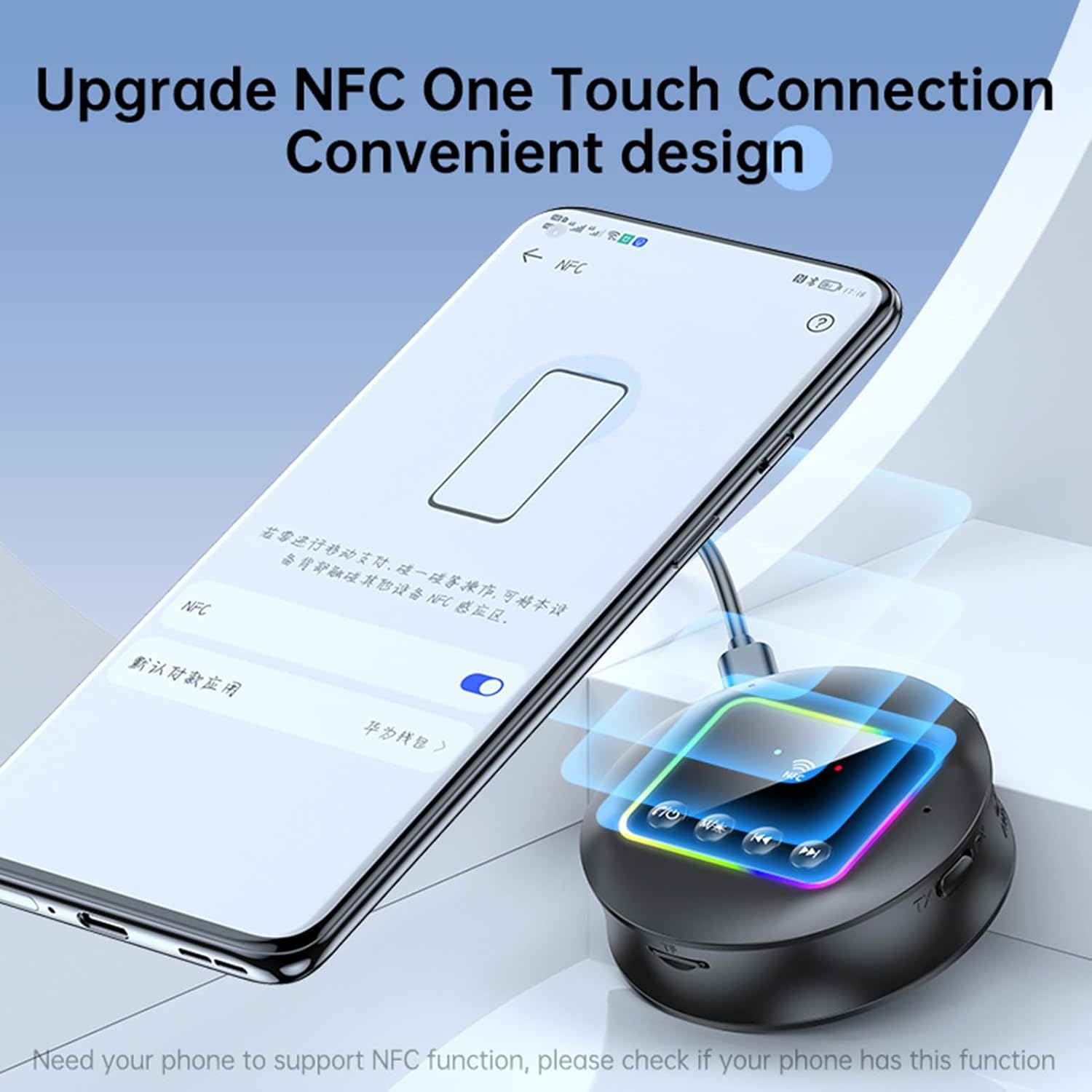
Image: A smartphone displaying an NFC connection prompt, positioned near the Docooler GT77 adapter, demonstrating the NFC quick pairing feature.
Reproducción de tarjeta TF:
The adapter supports direct music playback from a TF (MicroSD) card.
- Insert a TF card (up to 64GB, not included) loaded with MP3, FLAC, WMA, MAV, or APE audio files into the TF card slot on the adapter.
- Mantenga pulsado el M/☀ button to switch between wireless and TF card playback modes.
- Use the previous/next track buttons on the adapter to navigate your music.

Image: The Docooler GT77 adapter with a TF card being inserted into its dedicated slot, highlighting the TF card playback functionality.
RGB Ambiance Lighting:
The adapter features RGB lighting that can be adjusted to suit your preference. Refer to the device's controls for specific RGB adjustment options (e.g., short press M/☀ button for color cycle, long press for off/on).
Mantenimiento
- Mantenga el dispositivo seco. La humedad puede dañar los circuitos internos.
- No exponga el dispositivo a temperaturas extremas.
- Limpie el dispositivo con un paño suave y seco. No utilice productos químicos ni detergentes agresivos.
- Evite dejar caer o someter el dispositivo a impactos fuertes.
Solución de problemas
Sin energía:
- Ensure the Type-C power cable is securely connected to both the adapter and a working 5V power source.
- Pruebe con un adaptador de corriente USB o puerto USB diferente.
No se puede emparejar/conectar:
- Asegúrese de que el adaptador esté en el modo correcto (RX para recibir, TX para transmitir).
- Ensure your Bluetooth device (for RX mode) or Bluetooth headphones/speaker (for TX mode) is in pairing mode.
- Acerque los dispositivos entre sí (dentro de 10 metros).
- Borre el historial de emparejamiento de Bluetooth en su dispositivo e intente emparejarlo nuevamente.
- If using NFC, ensure NFC is enabled on your phone and you are tapping the correct area.
Sin sonido:
- Check all audio cable connections (3.5mm AUX, RCA) are secure and correctly plugged into the input/output ports.
- Asegúrese de que el volumen tanto del adaptador como del dispositivo de audio conectado esté alto.
- Verify that the adapter is successfully paired and connected to the audio source/receiver.
- If using TF card, ensure the card is inserted correctly and the adapter is in TF card playback mode.
Mala calidad de audio/interferencia:
- Reduzca la distancia entre el adaptador y el dispositivo Bluetooth conectado.
- Avoid physical obstructions (walls, large objects) between the devices.
- Move away from other wireless devices that might cause interference (e.g., Wi-Fi routers, microwaves).
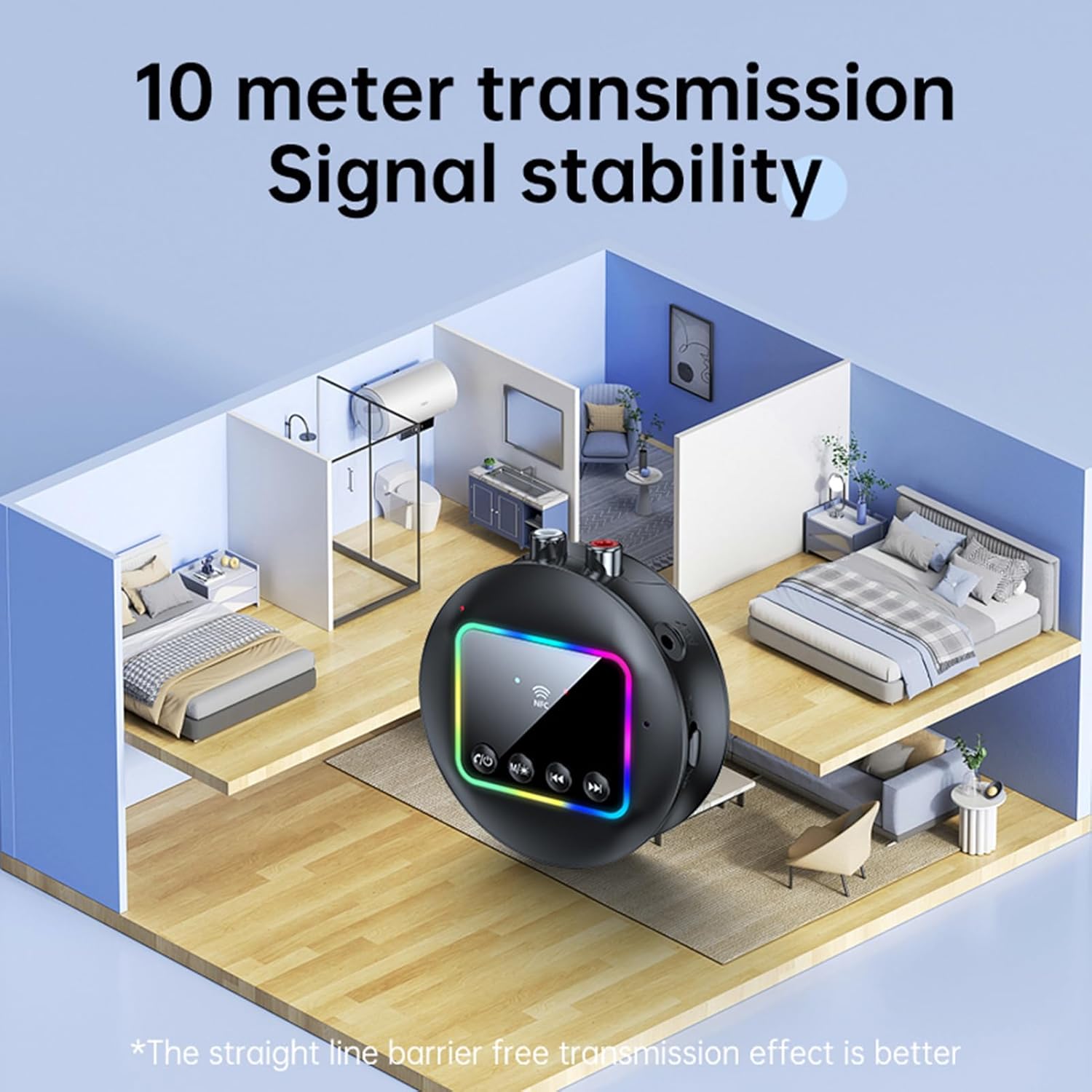
Image: A visual representation of the Docooler GT77's 10-meter transmission range, showing stable signal coverage within a typical home environment.
Presupuesto
| Número de modelo | ZRV0656844287655XH |
| Versión de Bluetooth | V5.4 |
| Protocolos Bluetooth | A2DP, AVRCP |
| Distancia de funcionamiento | Hasta 10 metros (área abierta) |
| Compatibilidad con NFC | Sí |
| Respuesta de frecuencia | 10 Hz - 20 kHz |
| Relación señal a ruido | > 90 dB |
| Soporte para tarjeta TF | Máximo 64 GB (no incluido) |
| Formatos de tarjetas TF | MP3, FLAC, WMA, MAV, APE |
| Códecs de audio | CBC |
| Puerto de carga | USB tipo C |
| Vol de entradatage / Actual | 5 V CC, 500 mA |
| Color | Negro |
| Dimensions (ϕ x H) | 7.3 cm x 2.2 cm (2.87 pulgadas x 0.86 pulgadas) |
| Peso | 44 gramos |
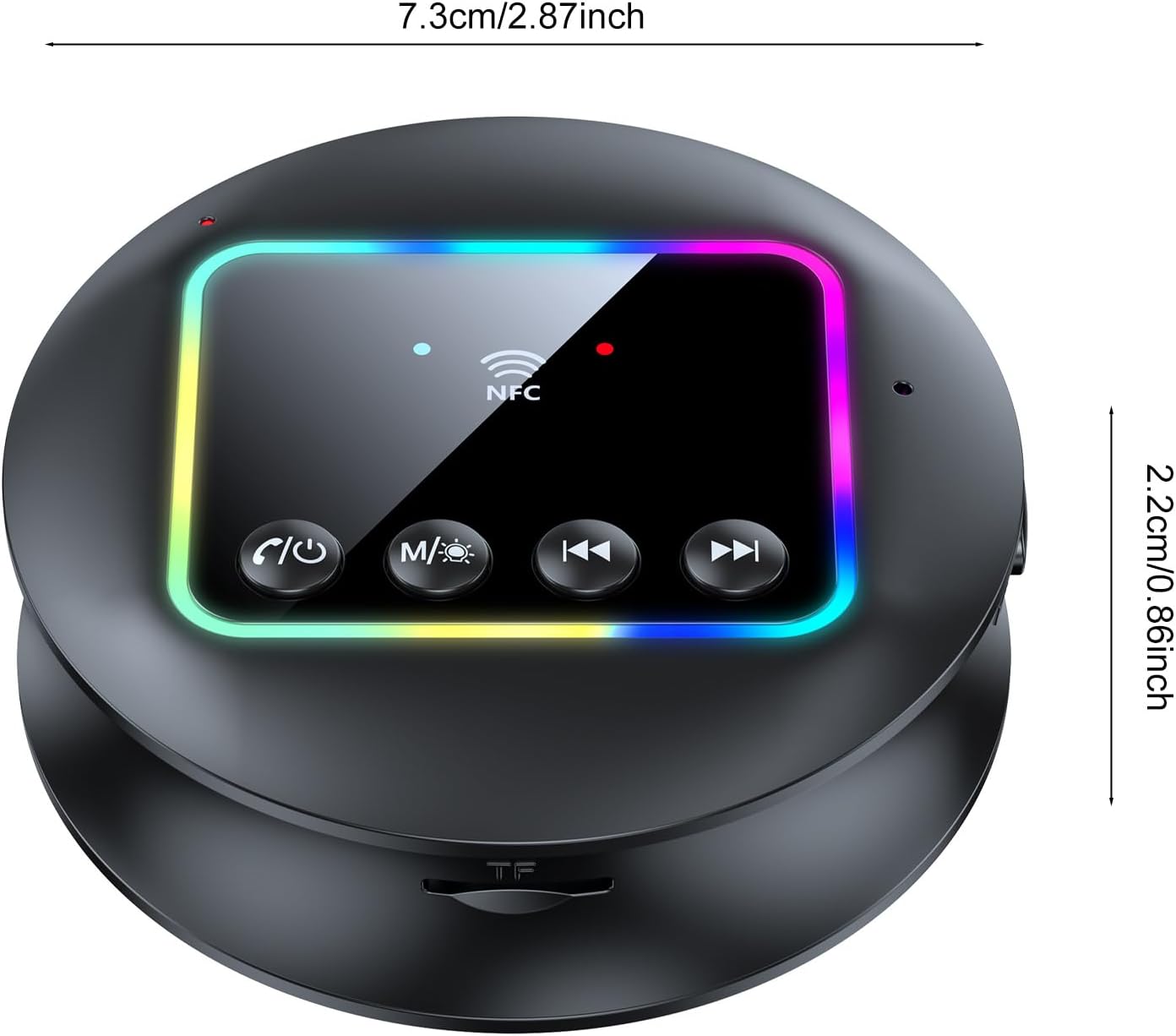
Imagen: Una vista de arriba hacia abajo view of the Docooler GT77 adapter, showing its compact dimensions of 7.3 cm diameter and 2.2 cm height.
Garantía y soporte
Para obtener información sobre la garantía y asistencia técnica, consulte la documentación incluida con su compra o póngase en contacto con su distribuidor. Conserve el comprobante de compra para reclamaciones de garantía.