
Introducción
Thank you for choosing the CREATE Speaker Retro. This portable Bluetooth speaker combines a classic retro design with modern audio technology, offering versatile connectivity and powerful sound. This manual will guide you through the setup, operation, and maintenance of your new speaker to ensure optimal performance and longevity.

Image: The CREATE Speaker Retro, highlighting its elegant retro aesthetic and compact form factor.
Instrucciones de seguridad importantes
- Lea atentamente todas las instrucciones antes de utilizar el producto.
- Conserve este manual para futuras consultas.
- No exponga el altavoz al agua ni a la humedad excesiva. Este producto es No impermeable.
- No lo coloque cerca de fuentes de calor como radiadores, rejillas de calefacción, estufas u otros aparatos (incluidos ampificadores) que producen calor.
- Utilice únicamente accesorios especificados por el fabricante.
- Desenchufe este aparato durante tormentas eléctricas o cuando no lo utilice durante períodos prolongados.
- Deje todo servicio a personal de servicio calificado.
Contenido del paquete
The CREATE Speaker Retro package includes:
- CREATE Speaker Retro Portable Bluetooth Speaker (1 unit)
- Cable de carga USB-C
- Manual de usuario (este documento)
Controles y puertos sobreview
Familiarícese con los controles del altavoz y los puertos de conexión:

Imagen: Detallada view del panel de control superior del altavoz.
- Perilla de volumen: Ajusta el volumen general del sonido.
- Perilla de graves: Ajusta el nivel de graves.
- Perilla de agudos: Ajusta el nivel de agudos.
- Interruptor selector de entrada: Toggles between AUX, Bluetooth (BT), and USB input modes.
- Interruptor de alimentación: Enciende y apaga el altavoz.
- Entrada AUX (3.5 mm): Para conectar dispositivos de audio externos mediante un cable de audio.
- Puerto USB: Para reproducción de unidad USB.
- Puerto DC-IN 5V: Para cargar el altavoz.
- Luz indicadora: Muestra el estado de energía, el estado de carga y el estado de emparejamiento de Bluetooth.
Configuración
1. Carga del altavoz
Before first use, fully charge the speaker. Connect the provided USB-C charging cable to the DC-IN 5V port on the speaker and the other end to a compatible USB power adapter (not included) or a computer's USB port. The indicator light will show the charging status. A full charge takes approximately 4-5 hours.
- Cargando: Indicator light glows (color may vary).
- Completamente cargado: Indicator light turns off or changes color.
2. Encendido / apagado
To power on the speaker, flip the Interruptor de encendido to the "ON" position. To power off, flip the switch to the "OFF" position.
Instrucciones de funcionamiento
1. Modo Bluetooth
The speaker features Bluetooth 5.2 for wireless audio streaming with a range of up to 10 meters.
- Encienda el altavoz.
- Establecer el Interruptor selector de entrada to "BT/AUX" and then ensure it's in Bluetooth mode (indicator light will blink, indicating pairing mode).
- En su teléfono inteligente, tableta u otro dispositivo con Bluetooth, habilite Bluetooth y busque los dispositivos disponibles.
- Select "CREATE Speaker Retro" from the list.
- Once paired, the indicator light will stop blinking and remain solid. You can now play music wirelessly.
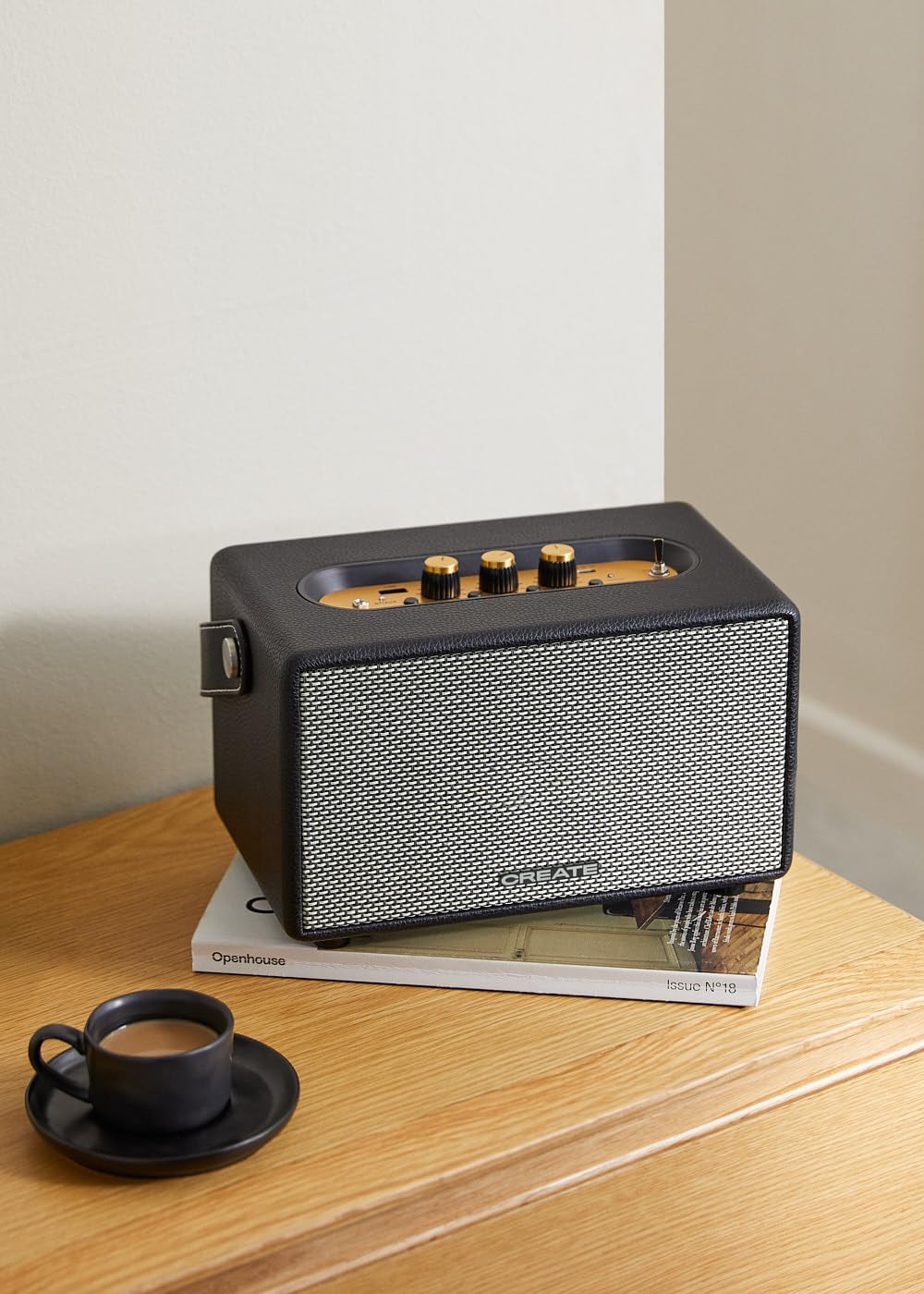
Image: Connecting to the speaker via Bluetooth from a mobile device.
2. Modo de reproducción USB
Reproducir audio files directamente desde una unidad flash USB.
- Encienda el altavoz.
- Inserte una unidad flash USB que contenga audio files en el Puerto USB.
- Establecer el Interruptor selector de entrada to "USB". The speaker will automatically begin playing music from the USB drive.

Image: Inserting a USB drive for direct audio playback.
3. Modo de entrada AUX
Conecte dispositivos de audio externos mediante un cable de audio de 3.5 mm.
- Encienda el altavoz.
- Conecte un extremo de un cable de audio de 3.5 mm (no incluido) al Entrada auxiliar puerto del altavoz.
- Connect the other end of the cable to the headphone jack or audio output of your external device (e.g., MP3 player, laptop).
- Establecer el Interruptor selector de entrada to "AUX". The speaker will now play audio from your connected device.
4. Ajuste del sonido
Utilice las perillas dedicadas en el panel de control para ajustar su experiencia de audio:
- Girar el Perilla de volumen to increase or decrease the overall sound level.
- Girar el Perilla de graves to adjust the low-frequency sounds.
- Girar el Perilla de agudos to adjust the high-frequency sounds.
Mantenimiento
Limpieza
To clean the speaker, use a soft, dry cloth. Do not use abrasive cleaners, waxes, or solvents as they may damage the finish. Avoid spraying liquids directly onto the speaker.
Almacenamiento
Cuando no lo use durante un período prolongado, guarde el altavoz en un lugar fresco y seco, alejado de la luz solar directa y de temperaturas extremas. Asegúrese de que esté completamente cargado antes de guardarlo para conservar la batería.
Cuidado de la batería
The speaker is equipped with a built-in rechargeable battery. To maximize battery life:
- Evite descargar completamente la batería con frecuencia.
- Recharge the battery regularly, even if the speaker is not used often.
- No exponga el altavoz a temperaturas superiores a 45 °C (113 °F) o inferiores a 0 °C (32 °F).
Solución de problemas
If you encounter any issues with your CREATE Speaker Retro, please refer to the following common problems and solutions:
| Problema | Posible causa | Solución |
|---|---|---|
| El altavoz no se enciende. | La batería está agotada. | Charge the speaker for 4-5 hours using the USB-C cable. |
| No sale sonido del altavoz. | El volumen es demasiado bajo; modo de entrada incorrecto; dispositivo no conectado correctamente. | Increase volume. Ensure the correct input mode (BT, USB, AUX) is selected. Reconnect Bluetooth device or AUX cable. |
| El emparejamiento de Bluetooth falla. | El altavoz no está en modo de emparejamiento; el dispositivo está fuera de alcance; hay interferencia. | Ensure speaker is in Bluetooth pairing mode (blinking indicator). Move device closer to speaker (within 10m). Turn off other Bluetooth devices. |
| La reproducción USB no funciona. | Incorrect input mode; USB drive not formatted correctly or no compatible files. | Ensure "USB" input mode is selected. Check USB drive for compatible audio files (e.g., MP3). Try a different USB drive. |
| Play/Pause button not responding. | Posible problema de hardware o falla de software. | Restart the speaker. If the issue persists, contact customer support. (Nota: Un usuario review mentioned this issue.) |
Presupuesto
| Nombre del modelo | SPEAKER RETRO |
| Número de modelo | 181643_452174 |
| Dimensiones (D x W x H) | 17 x 26 x 15 cm |
| Peso | 2.5 kilogramos |
| Max. Speaker Output Power | 40 W |
| Modo de salida de audio | Estéreo (2.0 canales) |
| Tecnología de conectividad | Bluetooth 5.2, USB, AUX (3.5 mm) |
| Alcance de Bluetooth | Hasta 10 metros |
| Capacidad de la batería | 3000 mAh |
| Duración de la batería | Hasta 5 horas (dependiendo del uso) |
| Tiempo de carga | Aprox. 4-5 horas |
| Método de control | Touch (knobs and switches) |
| Color | Negro |
| Impermeable | No |
Garantía y soporte
Información de garantía
The CREATE Speaker Retro comes with a standard manufacturer's warranty. Please retain your proof of purchase for warranty claims. The warranty covers defects in materials and workmanship under normal use. It does not cover damage caused by misuse, accidents, unauthorized modifications, or exposure to water.
For specific warranty terms and conditions, please refer to the warranty card included with your product or contact CREATE customer service.
Atención al cliente
If you have any questions, require technical assistance, or need to report an issue that cannot be resolved using the troubleshooting guide, please contact CREATE customer support.
Puede encontrar más información y datos de contacto en el sitio web oficial de CREATE websitio o a través de su tienda de marca Amazon: