
FoMaKo K20UHx3+KC608 Pro
FoMaKo 4K 20X PTZ Camera System (K20UHx3+KC608 Pro) User Manual
Model: K20UHx3+KC608 Pro
1. Introducción
This manual provides comprehensive instructions for the installation, operation, and maintenance of your FoMaKo 4K 20X PTZ Camera system. This system includes three K20UH 4K PTZ Cameras and one KC608 Pro NDI PTZ Controller. Please read this manual thoroughly before using the product to ensure proper functionality and to prevent damage.
2. Producto terminadoview
The FoMaKo 4K 20X PTZ Camera system is an all-in-one professional video solution designed for various applications including churches, classrooms, live events, and conferences. It features 4K UHD resolution, 20x optical zoom, AI auto-tracking, and NDI 6 & NDI HX3 certification for seamless multi-camera workflows.
2.1 Características principales
- 4K UHD Clarity (3840x2160): Capture crisp, true-to-life 4K video with a high-end 1/2.8" CMOS sensor (8.42MP) and 20x optical zoom.
- AI Auto-Tracking (3rd Generation): Customizable tracking modes, sensitivity, figure size, character position, and lost target action. Supports real-time and regional tracking.
- NDI 6 & NDI HX3 Certified: Seamless integration with NewTek’s NDI ecosystem for ultra-low-latency, high-quality video over standard networks. NDI HX3 ensures stable streaming with limited bandwidth.
- Soporte PoE: Power over Ethernet simplifies setup with a single cable for both power and data.
- Múltiples interfaces: Supports HDMI 2.0, USB 3.0, LAN, RS232, RS422, RS485.
- KC608 Pro NDI PTZ Controller: PoE PTZ IP Controller Keyboard with 4D Joystick, compatible with VISCA, PELCO-P & D protocols.
2.2 Contenido del paquete
El paquete incluye los siguientes artículos:
- 3 x FoMaKo K20UH 4K PTZ Camera
- 1 x FoMaKo KC608 Pro NDI PTZ Controller
- Cables de alimentación
- Cable USB 3.0
- Cable RS232/RS485
- Soporte de montaje en pared
- Soporte de montaje en techo
- Herrajes de montaje
- IR Wireless Remote Control
- Manual de usuario
Vídeo 1: Unboxing y másview of the FoMaKo 4K PTZ Camera and included accessories. This video demonstrates the contents of the package, including the camera, cables, mounting options, and remote control.
3. Configuración
3.1 Colocación y montaje de la cámara
The camera can be placed on a flat surface, mounted on a wall, or suspended from the ceiling. Ensure the camera is positioned to capture the desired area without obstruction.
- Montaje en pared: Use the provided metal wall bracket and hardware. Secure the bracket firmly to a sturdy wall surface before attaching the camera.
- Montaje en techo: Use the provided metal ceiling mount and hardware. Ensure the ceiling can support the camera's weight.

Imagen 1: FoMaKo K20UH 4K NDI PTZ Camera mounted on a wall, demonstrating its pan and tilt range in a church environment.
3.2 Conexiones
Connect the camera using the appropriate cables for your setup:
- Fuerza: Connect the power adapter to the DC12V port and plug it into a power outlet. If using PoE, connect an Ethernet cable from a PoE-enabled switch to the LAN port.
- Salida de vídeo:
- HDMI: Connect an HDMI cable from the camera's HDMI port to a display or video switcher.
- USB 3.0: Connect the USB 3.0 cable from the camera to a computer for video capture and control.
- LAN (NDI/IP Streaming): Connect an Ethernet cable to the LAN port for NDI streaming and IP control.
- Entrada de audio: Connect an audio source to the LINE IN port.
- Control:
- RS232/RS485: Use the provided cable to connect to a PTZ controller or control system.
- LAN (IP Control): Control the camera via its IP address using the KC608 Pro controller or web interfaz.

Imagen 2: Rear panel of the FoMaKo K20UH camera, highlighting the various input and output ports for connectivity.

Imagen 3: Example connection diagram for a multi-camera setup using FoMaKo PTZ cameras, illustrating how to integrate with a video mixer, PoE switch, and computer for live streaming.
4. Instrucciones de funcionamiento
4.1 Encendido / Apagado
After connecting the power supply, toggle the ON/OFF switch on the rear of the camera to power it on. The camera will perform a self-test and initialize.
4.2 Using the KC608 Pro NDI PTZ Controller
The KC608 Pro controller provides comprehensive control over your PTZ cameras. Connect the controller to your network via Ethernet. Ensure the cameras are also connected to the same network.
- Selección de cámara: Use the camera selection buttons (CAM 1-7) to choose which camera to control.
- Joystick 4D: Use the joystick for precise pan, tilt, and zoom control.
- PTZ Speed Adjustment: Adjust the pan/tilt/zoom speed using the dedicated knobs or buttons on the controller.
- Gestión preestablecida: Store and recall camera positions using the preset buttons.
- Control de enfoque: Adjust focus manually or use the auto-focus function.
- Control de exposicion: Adjust exposure settings as needed.
Vídeo 2: FoMaKo KC608 Pro web control panel operation workflow. This video demonstrates how to configure and manage camera settings through the controller's web interfaz.

Imagen 4: The FoMaKo KC608 Pro PTZ controller in use, displaying its 4D joystick and LCD screen with a camera feed.
4.3 Seguimiento automático de IA
The 3rd generation AI Auto-Tracking feature allows the camera to automatically follow a presenter or subject. This feature can be activated and configured via the remote control or the web interfaz.
- Activar seguimiento: Press F2 on the remote control to turn on automatic tracking.
- Objetivo de seguimiento del interruptor: Press F4 on the remote control to switch between tracking targets.
- Personalización: Acceder a la web interface to adjust tracking modes (Presenter/Zone), tracking sensitivity, figure size (Close, Half, Full), character position, and action upon lost target.

Imagen 5: The FoMaKo 4K PTZ Camera demonstrating its AI auto-tracking feature, with a speaker highlighted by a green tracking box.

Imagen 6: Web interface settings for AI tracking, illustrating options for adjusting target size (Full, Half, Close) and other advanced tracking parameters.
4.4 Funciones de control remoto
The IR wireless remote control provides quick access to essential camera functions:
- Fuerza: Enciende o apaga la cámara.
- Camera Select: Switch between multiple cameras (Cam 1-4).
- Panorámica/Inclinación/Zoom: Adjust camera direction and zoom level.
- Enfocar: Manual and auto-focus controls.
- Programar: Set and recall preset positions.
- F1/F2/F3/F4: Customizable function keys, pre-assigned for AI tracking on/off.
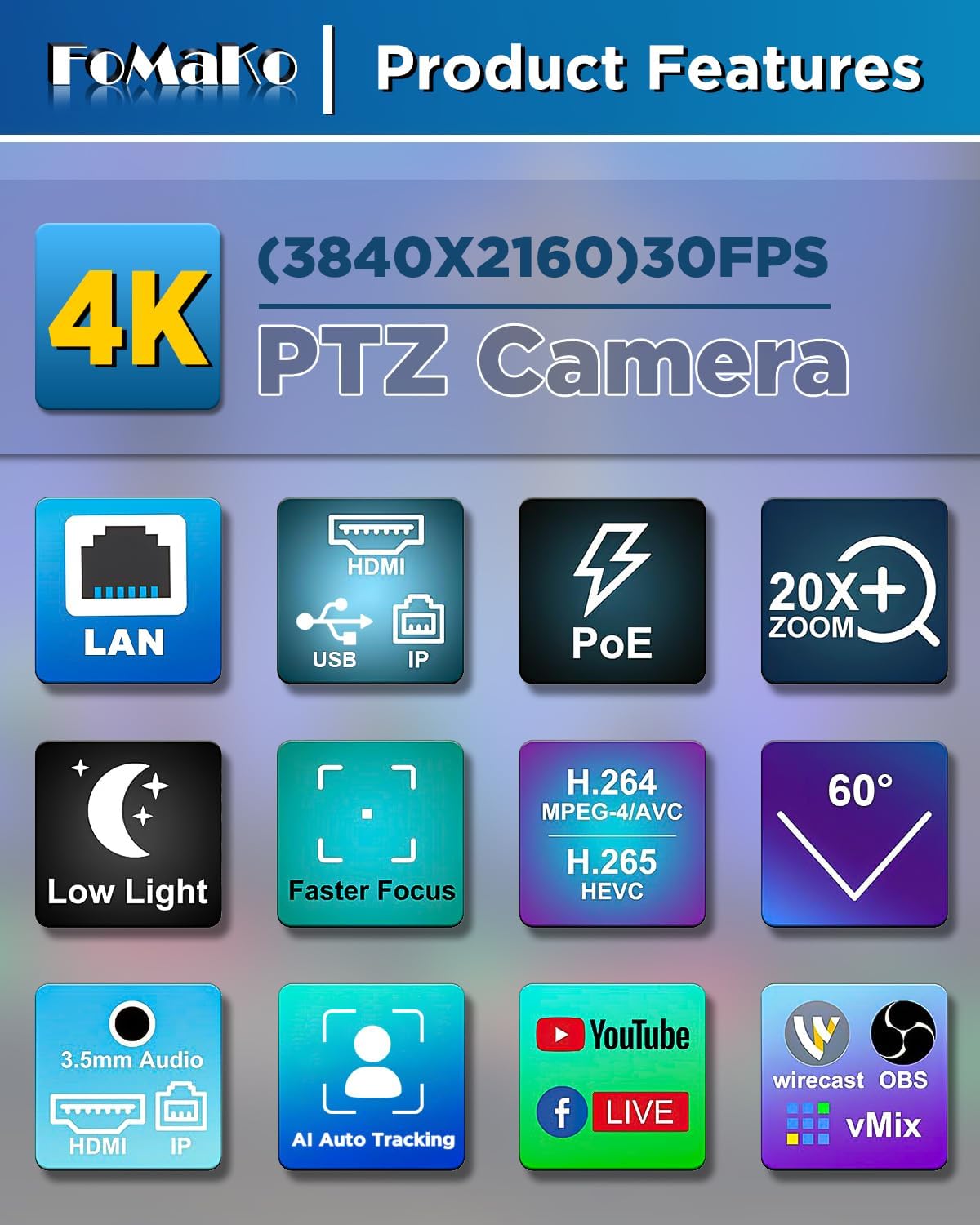
Imagen 7: The IR wireless remote control for the FoMaKo PTZ camera, showing its layout and key functions.
5. Mantenimiento
- Limpieza: Utilice un paño suave y seco para limpiar el cuerpo de la cámara. Para la lente, utilice un paño y una solución especiales para limpiar lentes. Evite productos químicos agresivos.
- Actualizaciones de firmware: Revise periódicamente las instrucciones del fabricante. website for firmware updates to ensure optimal performance and access to new features. Firmware can be updated via the web interfaz.
- Almacenamiento: Cuando no utilice la cámara durante períodos prolongados, guárdela en un entorno seco y sin polvo.
6. Solución de problemas
| Problema | Posible causa | Solución |
|---|---|---|
| No hay salida de vídeo. | Incorrect cable connection, camera not powered on, incorrect input selected on display. | Check all cable connections (HDMI, USB, LAN). Ensure camera is powered on. Select the correct input source on your display/switcher. |
| Camera not responding to controller. | Incorrect network settings, wrong camera selected, remote control batteries low. | Verify IP addresses and network settings for both camera and controller. Ensure the correct camera is selected on the controller. Replace remote control batteries. |
| El seguimiento de IA no funciona. | Tracking feature disabled, subject out of range, incorrect tracking settings. | Activate AI tracking using F2 on the remote or via the web interface. Ensure the subject is within the camera's field of view. Adjust tracking sensitivity and mode in the web interfaz. |
| Mala calidad de vídeo. | Insufficient lighting, dirty lens, incorrect resolution settings. | Ensure adequate lighting. Clean the camera lens. Check video output resolution settings on the camera and receiving device. |
7. Especificaciones
| Característica | Detalle |
|---|---|
| Marca | FoMaKo |
| Número de modelo | K20UHx3+KC608 Pro |
| Tecnología de fotosensor | CMOS (1/2.8 inch, 8.42MP Effective Pixels) |
| Resolución de captura de video | 4K (3840x2160) @ 30fps, 1080P @ 60fps |
| Zoom óptico | 20x |
| Características especiales | 4K Resolution, AI Auto-Tracking (3rd Gen), PoE Capability, NDI 6 & NDI HX3 Certified |
| Tecnología de conectividad | Ethernet, HDMI 2.0, USB 3.0, RS232, RS422, RS485 |
| Formato de audio compatible | PCM, AAC, MP3 |
| Screen Size (Controller) | 3 pulgadas |
8. Garantía y soporte
FoMaKo provides the following warranty and support for this product:
- Garantía limitada de 3 años: Cubre defectos de fabricación y mal funcionamiento en condiciones normales de uso.
- Garantía de devolución de dinero de 30 días: Compra sin riesgos.
- Capacitación gratuita en línea: Resources available to help you get started.
- Asistencia experta 24/7: Respuestas en 24 horas. Incluya el número de su pedido para un servicio más rápido.
- Soporte técnico al cliente de por vida: Ongoing support for the product's lifespan. Remote assistance can be provided if necessary.

Imagen 8: FoMaKo customer support information, detailing warranty, money-back guarantee, and technical assistance.
Documentos relacionados - K20UHx3+KC608 Pro
 |
FoMaKo K600N 20X PTZ IP Camera User Manual V1.0 Official User Manual (V1.0) for the FoMaKo K600N 20X PTZ IP Camera. Features NDI, SDI, HDMI, USB outputs for professional live streaming and broadcast production. Covers setup, network configuration, remote control, and technical specifications. |
 |
Manual del usuario de la cámara IP PTZ FoMaKo NDI/HDMI/USB Este manual del usuario proporciona información detallada sobre las funciones, la instalación y el funcionamiento de la cámara IP PTZ FoMaKo NDI/HDMI/USB. Abarca la configuración, la configuración de red, el control remoto, la resolución de problemas y la transmisión.amples para plataformas como Facebook y YouTube. |
 |
Manual del usuario de la cámara PTZ 4K FoMaKo V1.0 Este manual del usuario proporciona detalles completos sobre las funciones, la instalación y el funcionamiento de la cámara PTZ FoMaKo 4K. Incluye una guía de inicio rápido y una descripción general del producto.view, especificaciones técnicas, control remoto, conexión de red, comunicación serial, mantenimiento, resolución de problemas y ejemplos de usoampLes. |
 |
Manual del usuario de la cámara PTZ 4K FoMaKo K820S: características, configuración y seguimiento con IA Manual de usuario completo de la cámara PTZ FoMaKo K820S 4K. Conozca sus características, especificaciones, instalación, control remoto, seguimiento con IA y solución de problemas. |
 |
Manual de usuario de la cámara de transmisión PTZ FoMaKo 4K NDI/SDI/HDMI/USB V1.0 Este manual de usuario proporciona instrucciones completas para la cámara de transmisión PTZ FoMaKo 4K NDI/SDI/HDMI/USB (modelo K820/K820N). Incluye precauciones de seguridad, lista de contenido del paquete, guía de inicio rápido, características y especificaciones del producto, instalación, funcionamiento del control remoto y configuración de la interfaz gráfica de usuario (GUI). web controles de interfaz y solución de problemas. |
 |
FoMaKo NDI/HDMI/USB IP PTZ Camera User Manual V1.2 - Setup, Operation, and Technical Guide Comprehensive user manual for the FoMaKo NDI/HDMI/USB IP PTZ Camera (V1.2). This guide covers installation, network configuration, video output methods, remote control operations, streaming setup (RTSP, RTMP, SRT), NDI capabilities, technical specifications, maintenance, troubleshooting, and examples for streaming to platforms like Facebook, YouTube, and Vmix. |