
Introducción
The hygger Sun Moon LED Aquarium Light Model HG178 is designed to provide optimal lighting for planted and freshwater aquariums. This full-spectrum LED light features a day-night dual timer, adjustable brightness, and multiple color options to simulate natural light cycles and promote healthy plant growth. Please read this manual thoroughly before installation and operation to ensure proper use and longevity of your product.
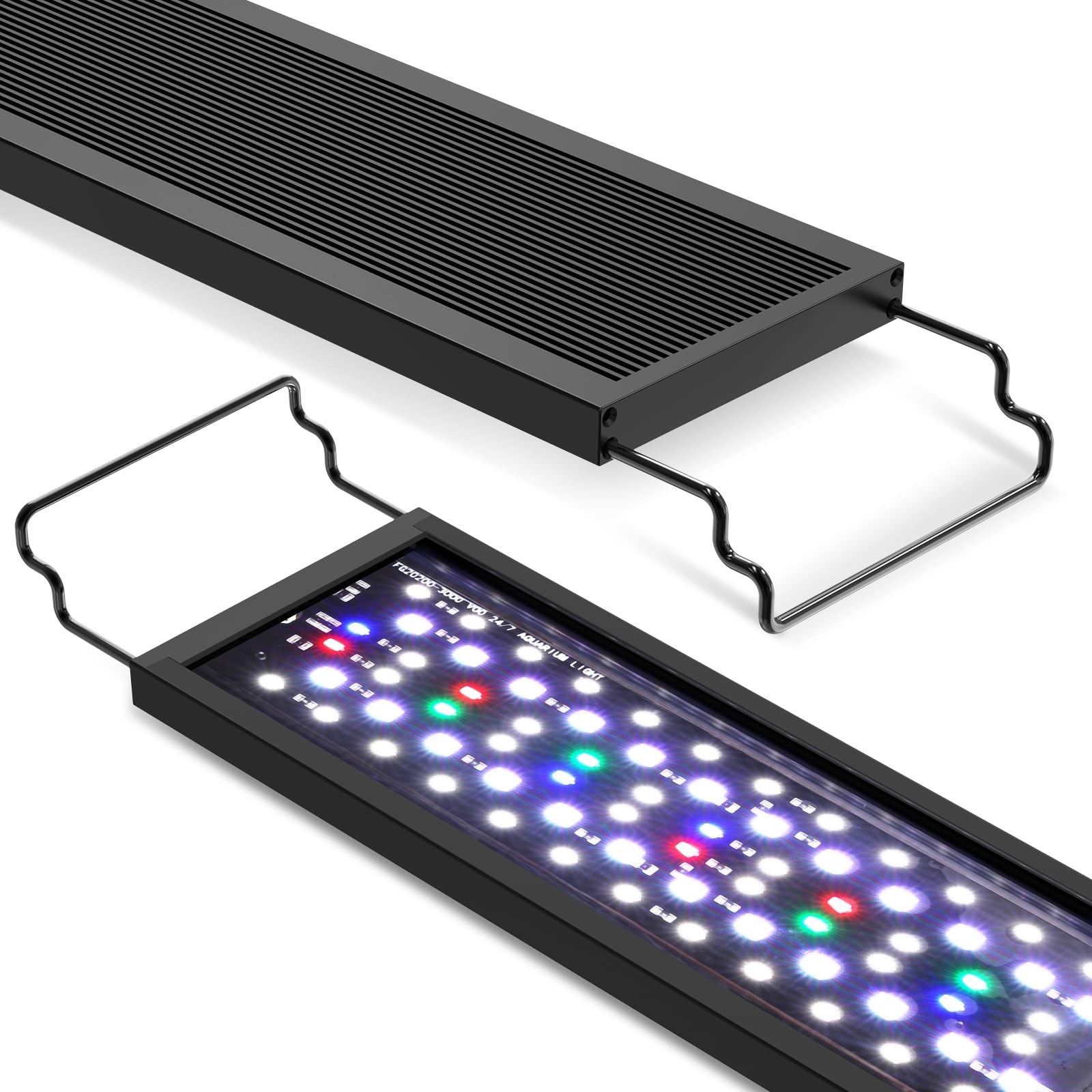
Image: hygger Sun Moon LED Aquarium Light installed on an aquarium.
Instrucciones de seguridad
- Desconecte siempre la fuente de alimentación antes de realizar cualquier mantenimiento o limpieza en la luz o el acuario.
- Do not immerse the power adapter or controller in water. The light fixture itself is splash-resistant but not submersible.
- Ensure the power cord is not damaged or pinched. Do not operate the light with a damaged cord or plug.
- Mantener fuera del alcance de los niños.
- This product is designed for indoor use only, specifically for aquariums. Do not use for other purposes.
- Avoid direct eye exposure to the LED lights, as intense light can be harmful.
Contenido del paquete
Verifique que todos los artículos estén presentes en el paquete:
- hygger Sun Moon LED Aquarium Light
- Controlador externo
- Adaptador de corriente
- Soportes ajustables
- Manual de instrucciones (este documento)
Características del producto
- Iluminación de espectro completo: Features blue, green, and red light beads to promote plant growth, restore natural colors, and enhance photosynthesis, suitable for planted and freshwater aquariums.
- Múltiples modos de funcionamiento: Choose from Daylight Only, Moonlight Only, Combined Daylight and Moonlight, or Manual (always-on) control.
- Daylight Lighting with Timer: Offers 3 timer options (6H/10H/12H) with a simulated sunrise-sunset gradient (orange to full spectrum white and back to orange). Brightness and color are fixed in this mode.
- Adjustable Moonlight Lighting: Provides 3 timer options (3H/5H/12H), 10 brightness levels (10%-100%), and 9 color choices (red, orange, yellow, green, cyan, blue, purple, full spectrum white, or cycle colors).
- 24/7 Timer Function: Each time period of daylight lighting includes a 24/7 light gradient process, offering a dynamic light cycle.
- Diseño duradero e impermeable: Fully sealed and waterproof LED lamp beads prevent water ingress, rust, short circuits, and damage, ensuring long-term use in humid aquarium environments.
- Disipación de calor eficiente: The modern all-black aluminum lamp housing features a concave-convex surface design to increase heat dissipation and extend the lifespan of the lamp rosario.
- Controlador fácil de usar: An external controller with clear button functions and indicator lights simplifies setup and operation.
- Compatibilidad: Available in various sizes with extendable brackets to fit aquariums from 12 inches to 55 inches in length.

Image: Spectrogram illustrating the full spectrum light output, highlighting peaks for plant growth, natural color restoration, and photosynthesis.

Imagen: Ilustración de la lamp bead durability and splash resistance, showing sealed LEDs and water droplets.
Instrucciones de instalación
- Deshacer: Retire con cuidado todos los componentes del embalaje. Inspeccione si presentan daños.
- Fijar soportes: Slide the adjustable brackets onto the ends of the light fixture.
- Luz de posición: Place the light fixture on top of your aquarium, ensuring the brackets are securely resting on the tank edges. Adjust the brackets to fit your tank length.
- Conectar controlador: Connect the light fixture cable to the external controller.
- Conecte la electricidad: Plug the power adapter into the controller, then plug the power adapter into a suitable electrical outlet. Ensure a drip loop is formed with the power cord to prevent water from running into the outlet.

Image: Diagram showing the light fixture's dimensions and how it sits on an aquarium with extendable brackets.
Instrucciones de funcionamiento
The hygger Sun Moon LED Aquarium Light features an external controller for easy programming and adjustment. Familiarize yourself with the controller buttons:
- Sun Icon Button: Activates Daylight Lighting mode.
- Botón con icono de luna: Activates Moonlight Lighting mode.
- Sun/Moon Icon Button: Activates Combined Daylight + Moonlight mode.
- Botón de encendido/modo (U/M): Toggles between manual mode and programmed modes, and cycles through colors in Moonlight mode.
- Brightness Adjustment (+/-) Buttons: Adjusts brightness levels in Moonlight mode.

Image: Detailed diagram of the external controller, showing buttons for daylight, moonlight, combined mode, power/color adjustment, and brightness adjustment, along with a brightness indicator.
Daylight Lighting Mode
Presione el Sun Icon Button to enter Daylight Lighting mode. You can select one of three timer options:
- 6 horas: Light cycle runs for 6 hours.
- 10 horas: Light cycle runs for 10 hours.
- 12 horas: Light cycle runs for 12 hours.
In this mode, the light simulates a natural sunrise and sunset, transitioning from warm orange to full spectrum white light and back to warm orange. Brightness and color are preset and cannot be manually adjusted.

Image: Graphs showing the brightness progression for 6-hour, 10-hour, and 12-hour daylight cycles, including warm orange and full spectrum white phases.
Moonlight Lighting Mode
Presione el Moon Icon Button to enter Moonlight Lighting mode. You can set a timer, brightness, and color:
- Opciones de temporizador: 3H, 5H, or 12H.
- Brillo: Utilice el Brightness Adjustment (+/-) Buttons to select from 10 levels (10% to 100%). The brightness indicator lights will show the current level.
- Bandera: Presione el Power/Mode (U/M) Button to cycle through 9 color options: red, orange, yellow, green, cyan, blue, purple, full spectrum white, or a continuous color cycle.

Image: Graph illustrating the brightness curve for moonlight-only settings and a visual representation of the combined daylight and moonlight cycle.
Combined Daylight + Moonlight Mode
Presione el Sun/Moon Icon Button to activate this mode. The light will automatically run the selected daylight cycle followed by the selected moonlight cycle. This provides a complete 24-hour simulation of natural light conditions.
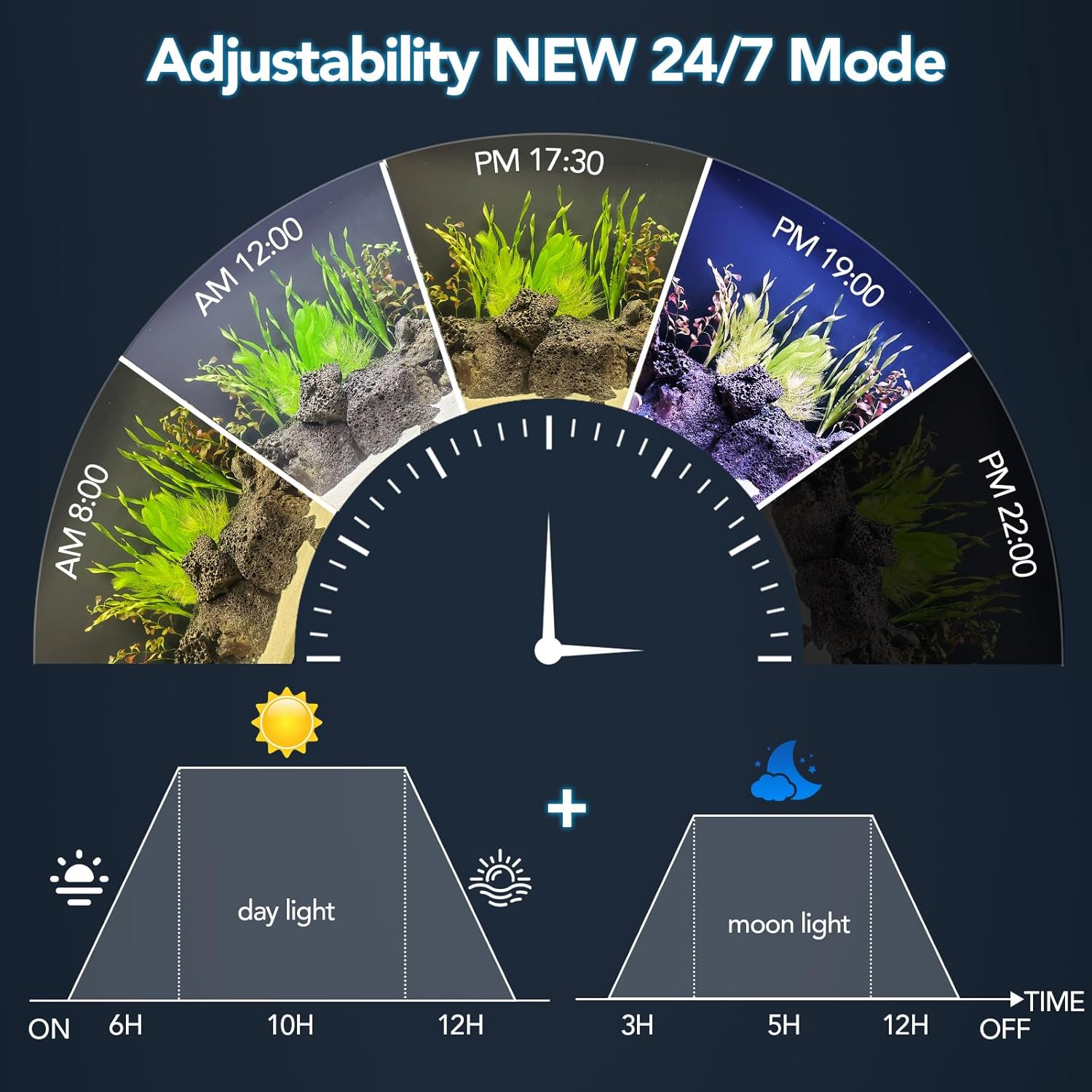
Image: A circular diagram illustrating the 24/7 light cycle, depicting transitions from sunrise, through daytime, to moonlight, with corresponding time markers.
Manual Control (Always-On Mode)
To manually control the light, press the Power/Mode (U/M) Button until the desired light setting is achieved. In manual mode, the light will remain on until manually turned off or a timed mode is selected. You can adjust brightness and color in this mode similar to Moonlight mode.
Video: An official product video demonstrating the features and operation of the hygger Sun Moon LED Aquarium Light, including various lighting modes and color adjustments.
Mantenimiento
- Limpieza: Limpie periódicamente la lámpara con un paño suave y seco.amp Paño para eliminar el polvo y las manchas de agua. Asegúrese de que la lámpara esté desenchufada antes de limpiarla. No utilice limpiadores abrasivos ni disolventes.
- Inspección: Periodically check the power cord and connections for any signs of wear or damage. Replace immediately if damage is found.
- Exposición al agua: Mientras que el lamp beads are waterproof, avoid submerging the entire fixture or the controller. If water splashes on the controller, wipe it dry immediately.
Solución de problemas
| Problema | Posible causa | Solución |
|---|---|---|
| La luz no se enciende. | Sin fuente de alimentación; conexión suelta; adaptador defectuoso. | Revise la toma de corriente y asegúrese de que todas las conexiones estén bien conectadas. Pruebe con otra toma. |
| La función del temporizador no funciona correctamente. | Configuración incorrecta del temporizador; interrupción de energía. | Re-program the desired timer mode. Ensure consistent power supply. |
| Brightness or color cannot be adjusted. | Operating in Daylight mode (fixed settings); controller malfunction. | Ensure you are in Moonlight or Manual mode for adjustments. If issue persists, contact support. |
| Light gets hot during operation. | Funcionamiento normal; ventilación insuficiente. | Some heat is normal due to LED operation. Ensure the light is not covered and has adequate airflow around its housing. |
Presupuesto
| Característica | Detalle |
|---|---|
| Número de modelo | HG178 |
| Quétage | 20 Watts (for 18-24in tank variant) |
| Tipo de fuente de luz | LED (espectro completo) |
| Número de fuentes de luz | 6 rows of lamp rosario |
| Vol de entradatage | CA 100-240 V |
| Vol de salidatage | 20 V CC |
| Temperatura de color | 6500-10000K |
| Lúmenes | 1260 (for 20W variant) |
| Longitud del cable de alimentación | 4.7 pies + 2.1 pies |
| Material | Aluminum (housing), Plastic (shade) |
| Tipo de montaje | Table Mount (with extendable brackets) |
Garantía y soporte
The hygger Sun Moon LED Aquarium Light Model HG178 comes with a Garantía del fabricante de 1 añosEsta garantía cubre defectos de materiales y mano de obra en condiciones normales de uso.
Para reclamos de garantía, soporte técnico o cualquier pregunta sobre su producto, comuníquese con el servicio de atención al cliente de Hygger a través del minorista donde compró el producto o visite el sitio web oficial de Hygger. websitio para información de contacto.
Conserve su comprobante de compra para validar la garantía.