
1. Producto terminadoview
The Adin S8BT Bone Conduction Vibration Speaker is an innovative audio device that transmits sound through vibrations, allowing any flat surface to become a speaker. Its compact and portable design makes it ideal for various indoor and outdoor environments.
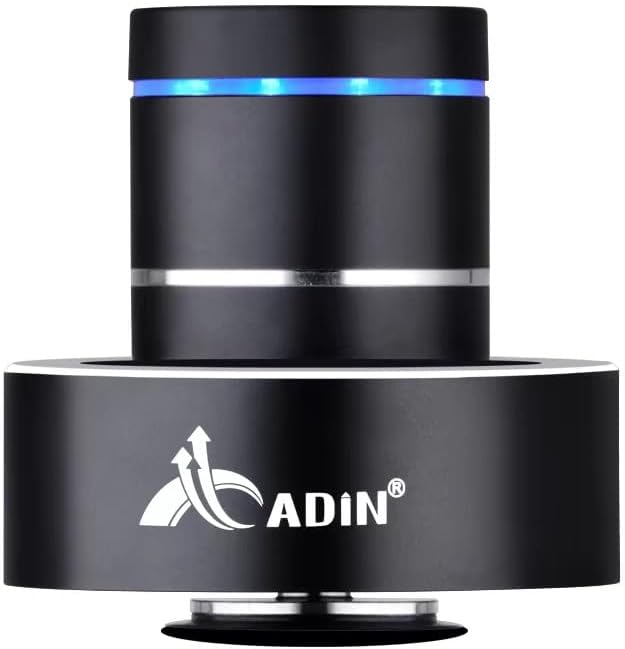
Figure 1: Adin S8BT Bone Conduction Vibration Speaker. This image displays the main unit of the speaker, showcasing its sleek black cylindrical design with a luminous blue accent ring and silver band. The speaker is designed to sit on a surface, utilizing bone conduction technology.

Figure 2: Adin S8BT Speaker and Included Accessories. This image shows the Adin S8BT speaker alongside its retail packaging, a USB charging cable, and an auxiliary audio cable, indicating the complete product package.
2. Características principales
- Tecnología de conducción ósea: Transforms any flat surface into a speaker, delivering immersive audio.
- Conectividad inalámbrica: Seamlessly stream audio via Bluetooth from compatible devices.
- Compacto y portátil: Lightweight and small form factor for easy transport and placement.
- Controles intuitivos: Simple touch controls for volume adjustment, track switching, and playback management.
- Diseño multiusos: Can function as a speaker, ambient lamp, or decorative item.
- Batería de larga duración: Built-in high-performance battery with Type-C socket charging.
3. Contenido del paquete
Por favor verifique que todos los artículos estén presentes en su paquete:
- Adin S8BT Bone Conduction Vibration Speaker
- Cable de carga USB (1 m)
- Auxiliary Audio Cable (1m)
- Manual de instrucciones (versión PDF disponible en línea)
4. Especificaciones técnicas
| Característica | Especificación |
|---|---|
| Nombre del modelo | Adin S8BT Bone Conduction Speaker |
| Tipo de altavoz | Conducción ósea |
| Tecnología de conectividad | Bluetooth |
| Alcance de Bluetooth | 10 metros |
| Método de control | Tocar |
| Fuente de poder | Funciona con pilas |
| Potencia máxima de salida del altavoz | 26 vatios |
| Respuesta de frecuencia | 18 kHz |
| Modo de salida de audio | Estéreo |
| Material | Aluminio |
| Color | Negro |
| Dimensiones del producto | 3.35" de profundidad x 3.35" de ancho x 3.35" de alto |
| Peso del artículo | 2.2 libras |
| Uso en interiores y exteriores | Interior, exterior |
| es resistente al agua | No |
5. Guía de configuración
5.1 Carga inicial
Before first use, fully charge the speaker. Connect the provided USB charging cable to the speaker's DC 5V port and the other end to a USB power adapter (not included) or a computer's USB port.

Figure 3: Adin S8BT Speaker Ports. This image shows the side of the speaker with the DC 5V charging port, ON/OFF/BT switch, and AUX input, indicating connectivity options.
5.2 Encendido / Apagado
Locate the ON/OFF switch on the side of the speaker. Slide it to the "ON" position to power on the device. Slide it to the "OFF" position to power off.
5.3 Placement for Optimal Sound
For the best audio experience, place the speaker on a flat, solid surface. Different surfaces will produce varying sound qualities and volumes due to the bone conduction technology. Experiment with surfaces like wood, glass, metal, or cardboard to find your preferred sound.
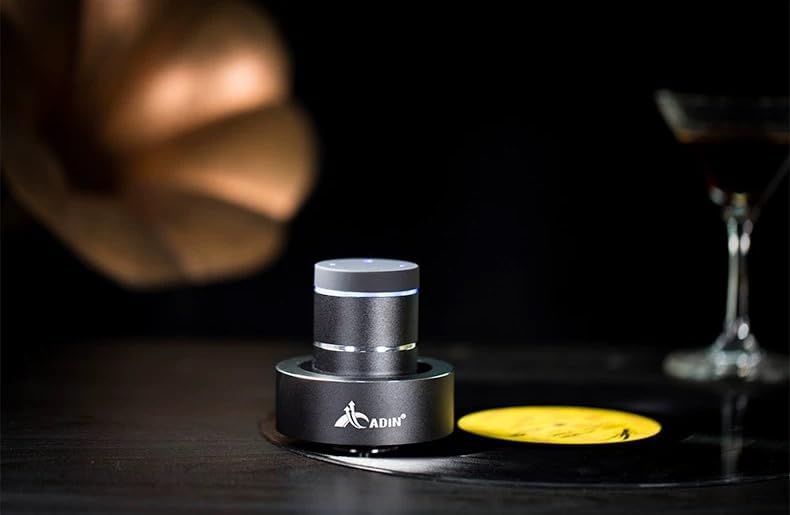
Figure 4: Adin S8BT Speaker in Use. This image depicts the Adin S8BT speaker placed on a flat surface, demonstrating its compact size and how it integrates into an environment for audio playback.
6. Instrucciones de funcionamiento
6.1 Emparejamiento Bluetooth
- Ensure the speaker is powered on and in Bluetooth mode. The blue accent ring will likely flash, indicating it's ready for pairing.
- En su teléfono inteligente u otro dispositivo con Bluetooth habilitado, vaya a la configuración de Bluetooth.
- Buscar available devices. The speaker should appear as "Adin S8BT" or similar.
- Select the speaker from the list to pair. Once paired, the blue light may become solid or change its flashing pattern.
6.2 Reproducción de audio
Once connected via Bluetooth, you can play audio from your device. Use the touch controls on the top of the speaker to manage playback:
- Grifo: Reproducir/Pausa.
- Deslizar hacia la izquierda/derecha: Previous/Next Track.
- Sostener: Volume Up/Down (specific gesture may vary, refer to quick start guide for precise touch controls).
6.3 entrada auxiliar
For devices without Bluetooth, use the provided auxiliary cable. Connect one end to the speaker's "Link In" port and the other end to your audio source's headphone jack.
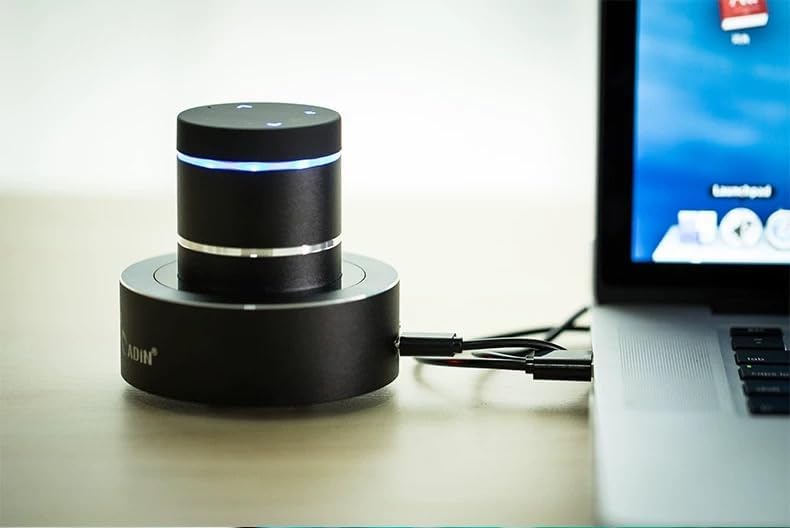
Figure 5: Adin S8BT Speaker with AUX Connection. This image illustrates the Adin S8BT speaker connected to a laptop via an auxiliary cable, demonstrating its wired connectivity option for audio input.
7. Mantenimiento y cuidado
- Limpieza: Utilice un paño suave y seco para limpiar la superficie del altavoz. No utilice limpiadores abrasivos ni disolventes.
- Almacenamiento: Guarde el altavoz en un lugar fresco y seco, alejado de la luz solar directa y de temperaturas extremas.
- Exposición al agua: El orador es No impermeable. Evite la exposición al agua o humedad excesiva.
- Cuidado de la batería: Para prolongar la vida útil de la batería, evite descargarla por completo con frecuencia. Cárguela regularmente, incluso si no la usa durante períodos prolongados.
8. Solución de problemas
| Problema | Posible causa | Solución |
|---|---|---|
| No hay sonido desde el altavoz. | Speaker is off, not paired, or volume is too low. | Ensure speaker is ON. Re-pair Bluetooth. Increase speaker and device volume. Check surface contact. |
| No se puede emparejar a través de Bluetooth. | El altavoz no está en modo de emparejamiento, el Bluetooth del dispositivo está desactivado o está demasiado lejos. | Ensure speaker is in pairing mode (flashing blue light). Turn device Bluetooth off/on. Move device closer to speaker (within 10m). |
| Mala calidad de sonido. | Unsuitable surface, low battery, or interference. | Try placing on a different, more solid surface. Charge the speaker. Move away from other electronic devices. |
| El altavoz no se carga. | Cable issue, power source issue, or dirty port. | Check USB cable connection. Try a different USB port or power adapter. Ensure charging port is clean. |
9. Garantía y soporte
For information regarding warranty coverage, please refer to the warranty card included with your purchase or contact the manufacturer directly. Keep your proof of purchase for any warranty claims.
If you encounter issues not covered in this manual or require further assistance, please contact Adin customer support through their official websitio o el minorista al que le compró el producto.