
SelfieShow C15
Manual de instrucciones del trípode para teléfono SelfieShow C15 de aluminio para selfies
Model: C15 | Brand: SelfieShow
1. Introducción
This manual provides detailed instructions for the proper setup, operation, and maintenance of your SelfieShow C15 Aluminum Selfie Stick Phone Tripod. Please read this manual thoroughly before using the product to ensure optimal performance and longevity.
Contenido del paquete
- Trípode para teléfono con palo selfie
- Wireless Remote Control (with 1 CR2032 battery included)
- Manual de instrucciones

Figure 1: The SelfieShow C15 Aluminum Selfie Stick Phone Tripod shown collapsed, extended as a selfie stick, and set up as a tripod with the remote control.
2. Componentes sobreview
Familiarize yourself with the main parts of your SelfieShow C15 device:
- Extendable Aluminum Pole: The main shaft that extends for selfie stick use or tripod height adjustment.
- Base del trípode: Foldable legs at the bottom for stable freestanding use. Features anti-slip silicone pads.
- Soporte para teléfono: Cl ajustableamp to secure your smartphone. Detachable.
- Cabezal de bola giratorio de 360°: Allows for flexible angle adjustments of the phone holder. Includes a 1/4" screw for other accessories and a cold shoe interface.
- Control remoto inalámbrico: Bluetooth-enabled remote for capturing photos or starting videos from a distance. Stores securely in the handle.
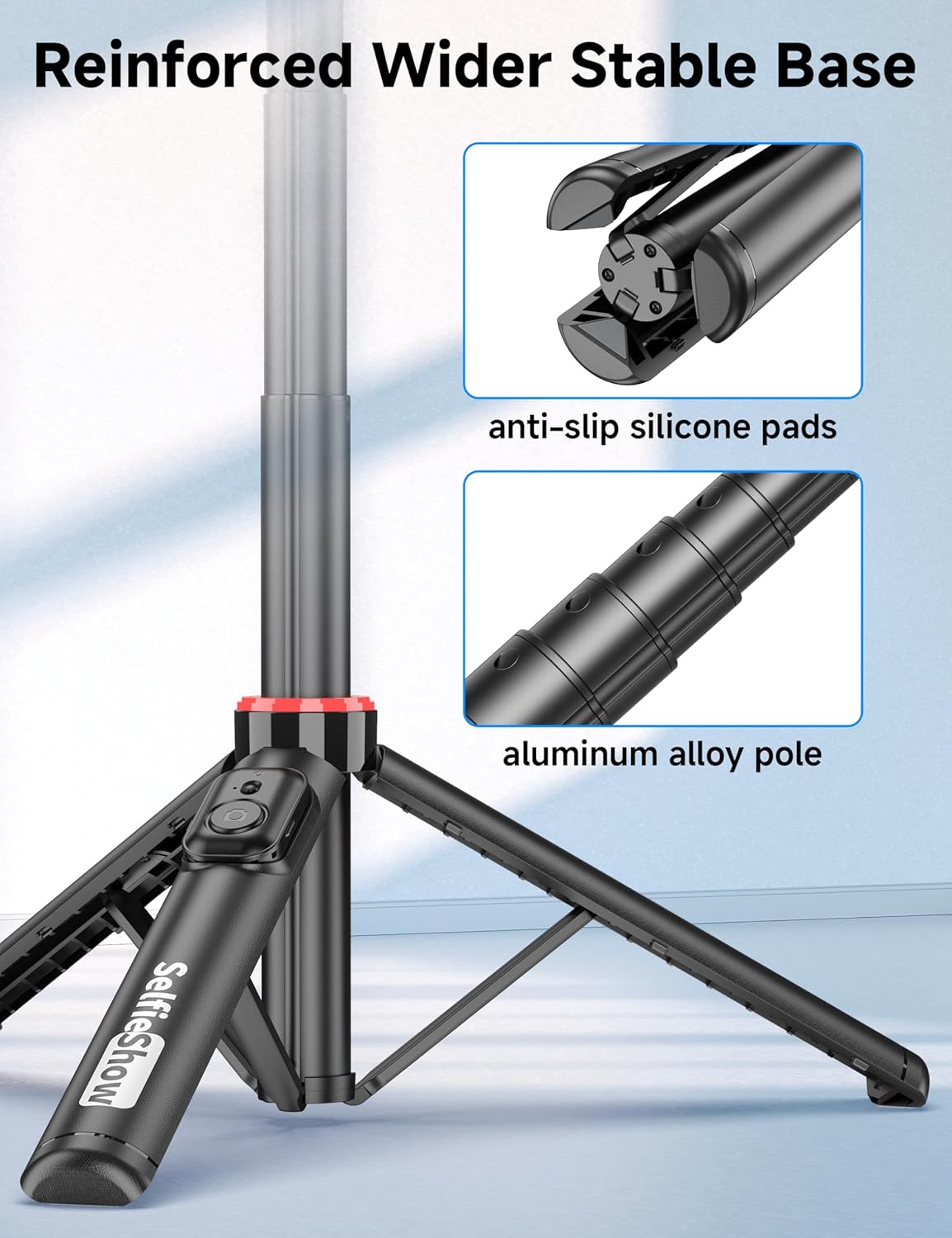
Figura 2: Primer plano view of the reinforced tripod base, highlighting the anti-slip silicone pads and the durable aluminum alloy pole construction.
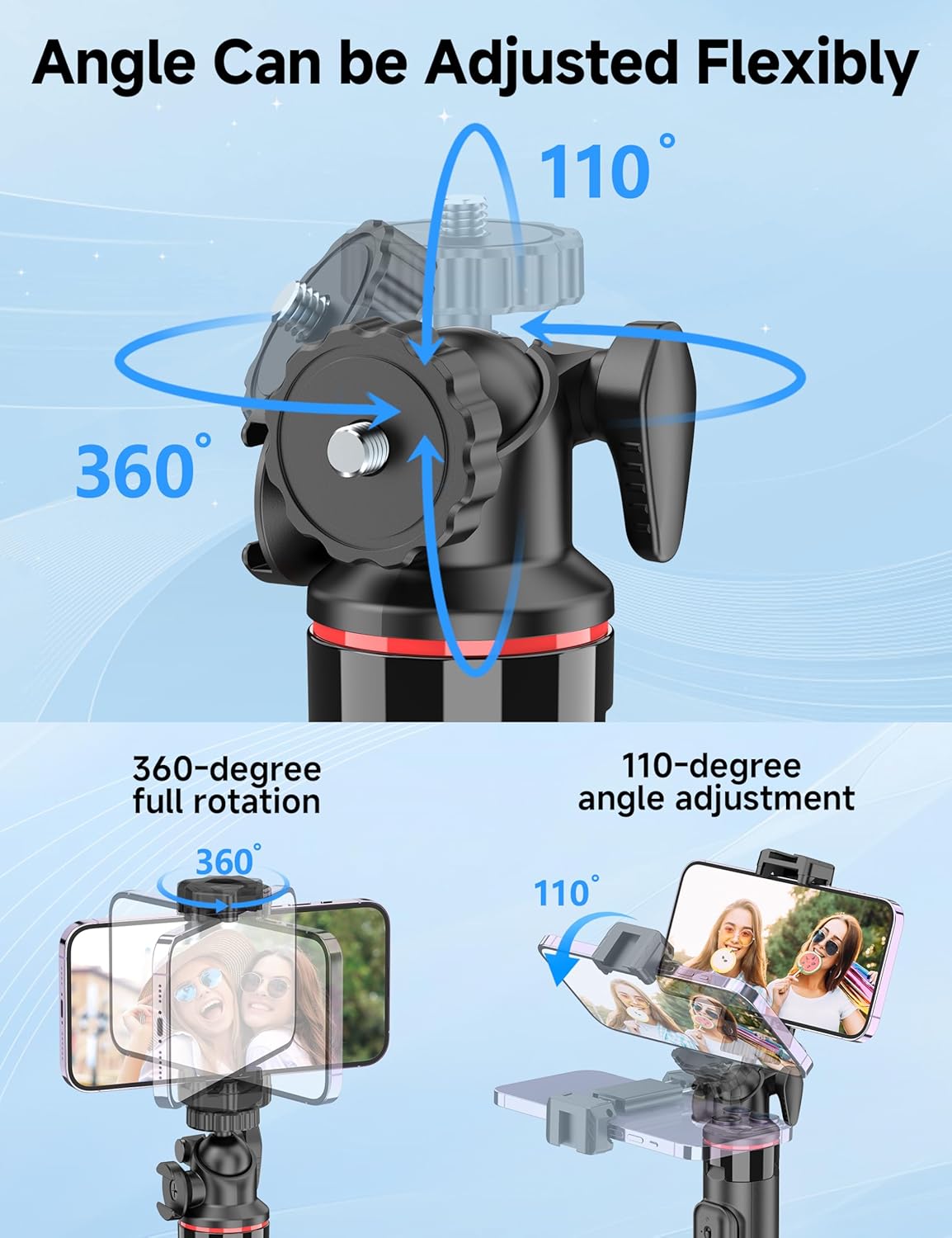
Figure 3: Illustration of the 360-degree full rotation and 110-degree angle adjustment capabilities of the ball head for flexible phone positioning.
3. Instrucciones de configuración
3.1 Emparejamiento de control remoto
- Ensure the remote control has a working CR2032 battery.
- Mantenga presionado el botón del control remoto hasta que la luz indicadora parpadee, lo que indica que está en modo de emparejamiento.
- En su teléfono inteligente, vaya a la configuración de Bluetooth y busque los dispositivos disponibles.
- Select "SelfieShow" from the list to pair. The indicator light on the remote will stop flashing once successfully paired.
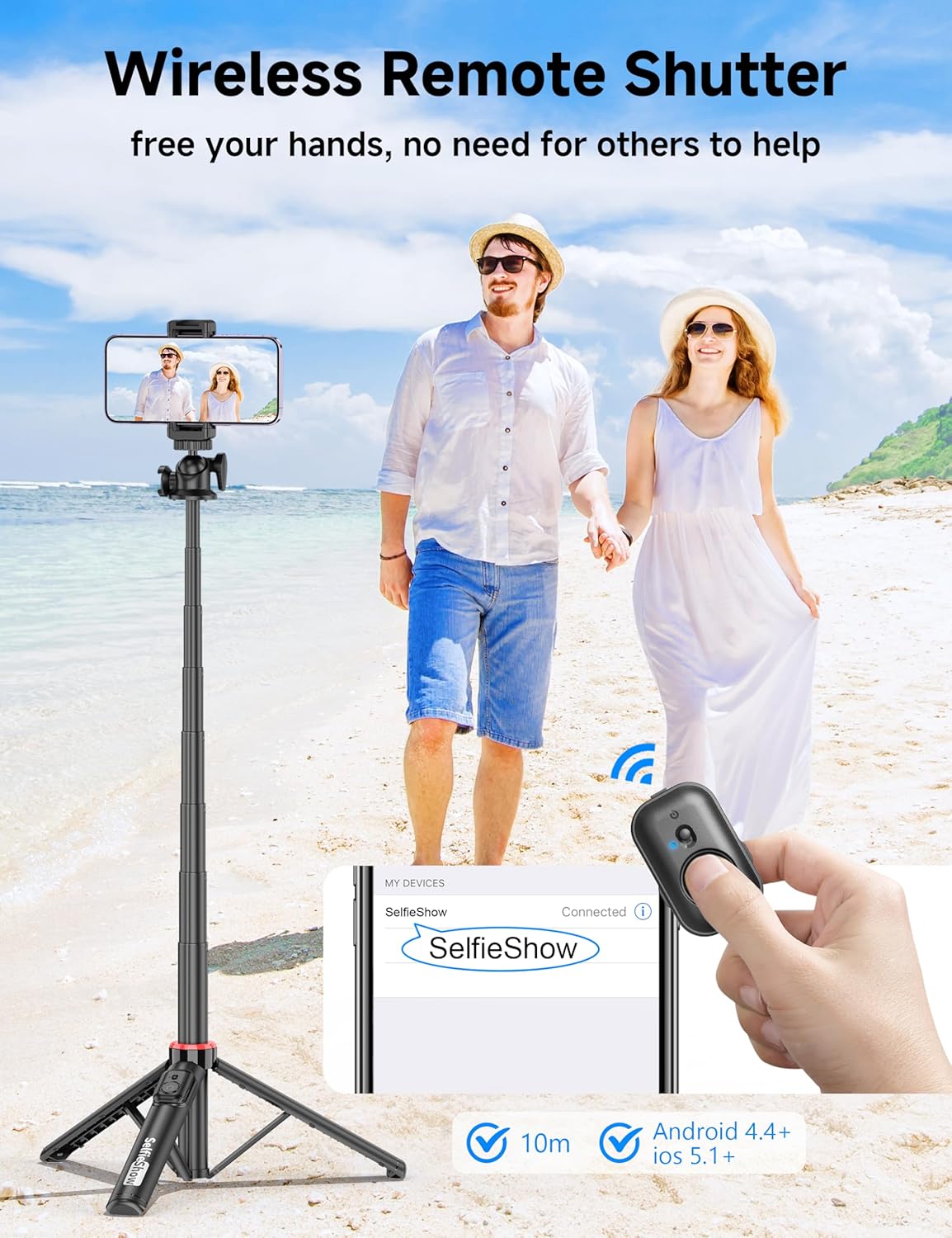
Figure 4: Visual guide for pairing the wireless remote shutter via Bluetooth, showing the remote and a phone screen with 'SelfieShow' connected.
3.2 Cómo conectar su teléfono inteligente
- Separe con cuidado el soporte del teléfono.amps para expandirlos.
- Inserte su teléfono inteligente en el soporte, asegurándose de que esté bien sujeto por ambos extremos.amps. The holder accommodates phones between 2.5 to 3.7 inches (6.5 to 9.5 cm) in width.
- Ensure your phone's buttons are not obstructed or pressed by the clamps.
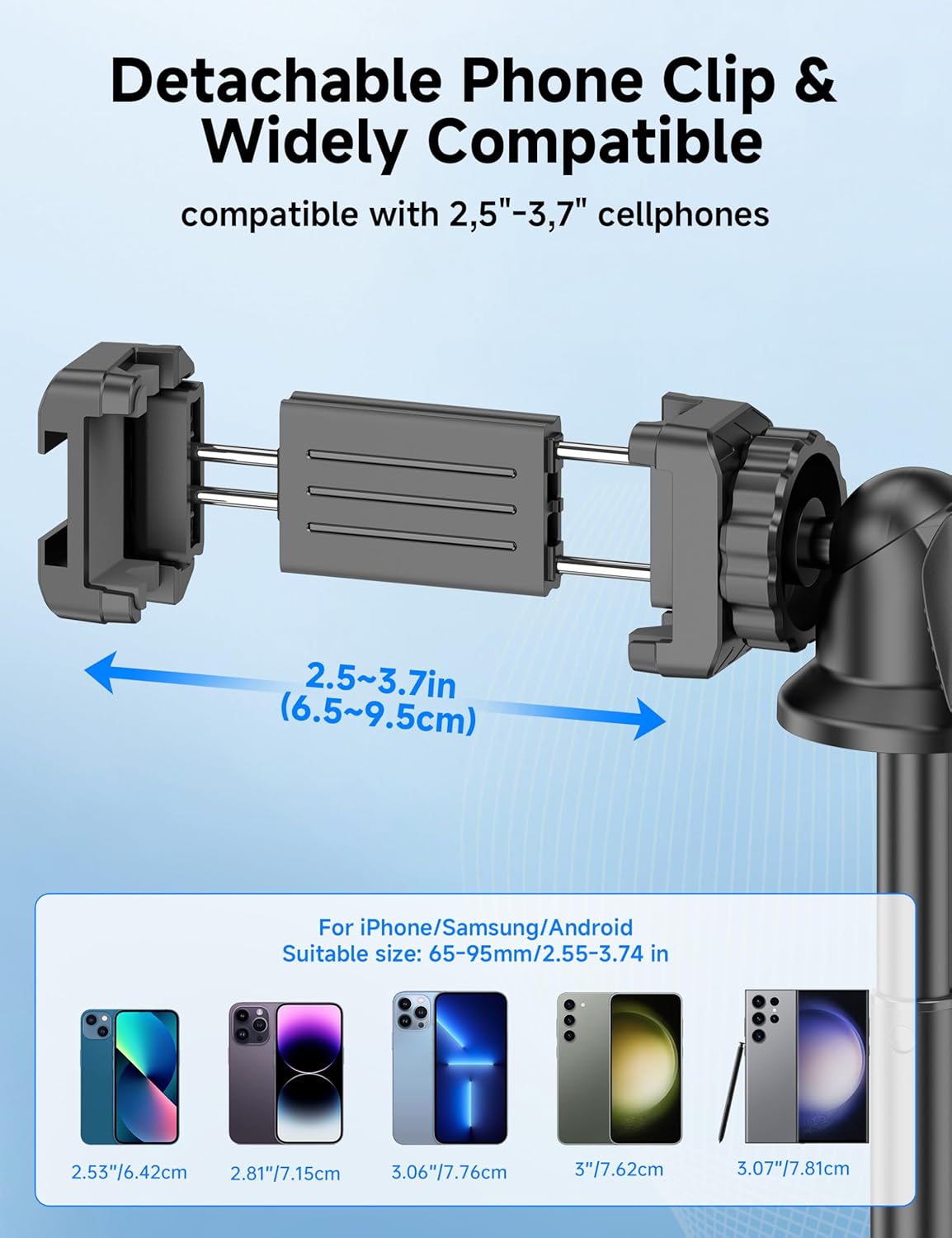
Figure 5: Diagram illustrating the adjustable width of the phone clip (2.5-3.7 inches) and its compatibility with various smartphone models.
4. Instrucciones de funcionamiento
4.1 Uso como palo para selfies
- Sostenga el mango firmemente.
- Extend the aluminum pole to your desired length. The pole can extend from 9.8 inches (25 cm) to 49 inches (126 cm).
- Adjust the phone holder's angle using the ball head to achieve the desired shot.
- Utilice el control remoto inalámbrico emparejado para capturar fotografías o iniciar/detener la grabación de videos.
4.2 Uso como trípode
- From the collapsed position, gently pull the bottom handle downwards to deploy the tripod legs. Ensure the legs are fully spread for maximum stability.
- Coloque el trípode sobre una superficie plana y estable.
- Extend the aluminum pole to your desired height.
- Adjust the phone holder's angle using the ball head.
- Utilice el control remoto inalámbrico emparejado para capturar fotografías o iniciar/detener la grabación de videos.
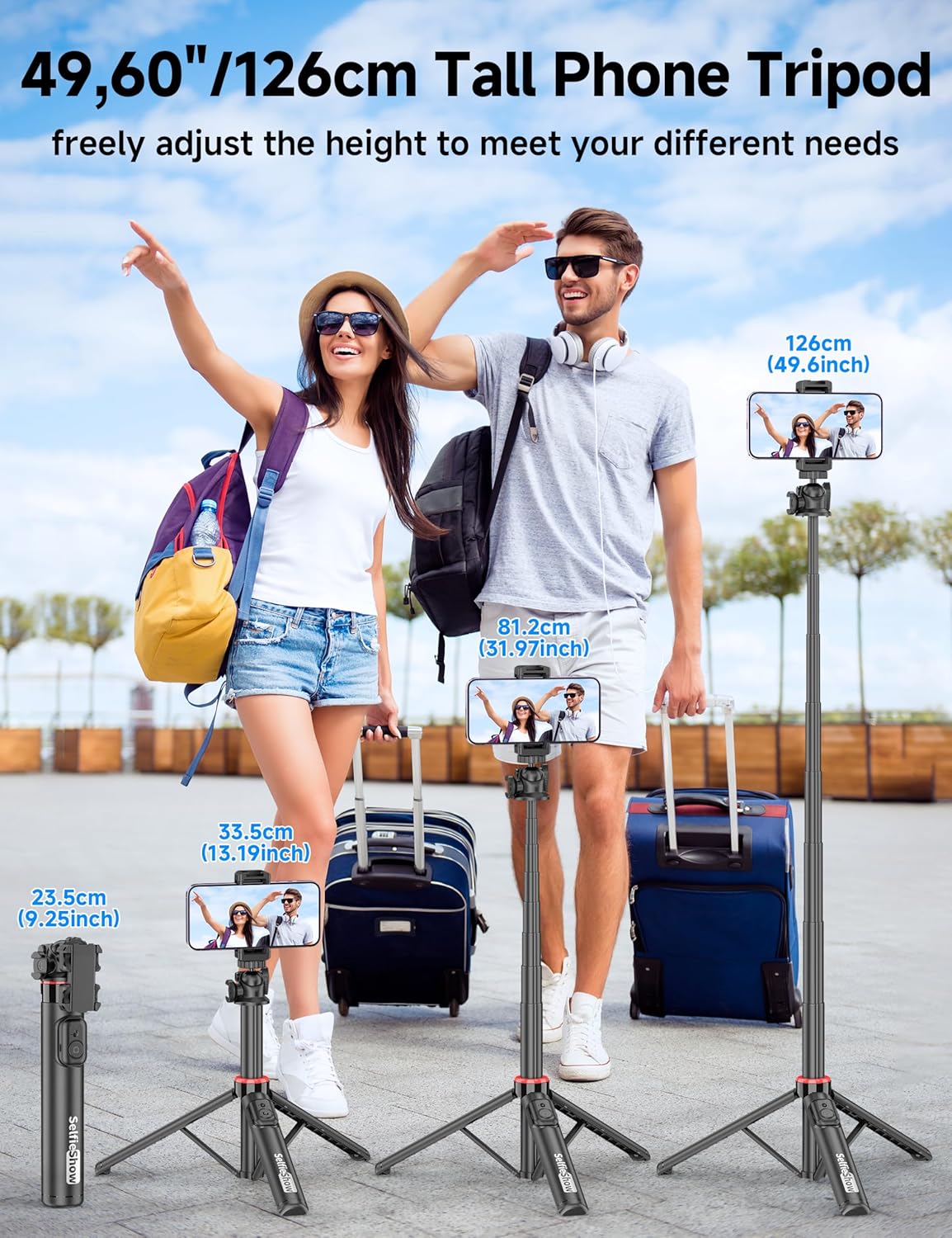
Figure 6: Visual guide demonstrating the adjustable height of the tripod from its folded state to various extended heights, up to 49 inches (126 cm).
4.3 Using the Cold Shoe and 1/4" Screw Mount
The SelfieShow C15 features a cold shoe interface and a standard 1/4" screw mount for expanded functionality:
- Zapato frío: Located on top of the phone holder, this allows you to attach accessories such as external microphones or LED fill lights.
- Montaje con tornillo de 1/4": The ball head features a universal 1/4" screw, allowing direct attachment of compact cameras, action cameras (like GoPro), or other compatible accessories when the phone holder is detached.
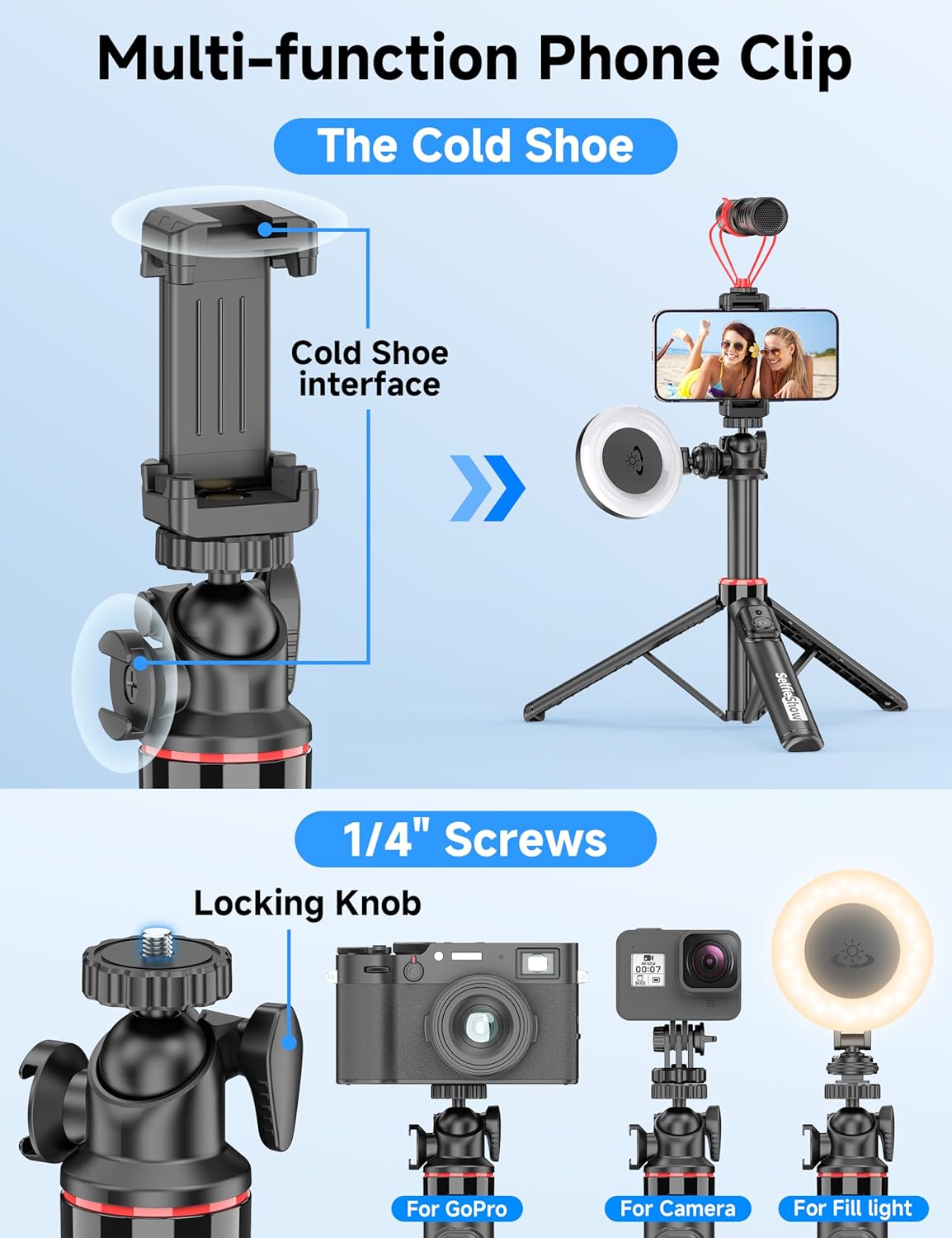
Figura 7: detallada view of the multi-function phone clip, highlighting the cold shoe interface for attaching external accessories.
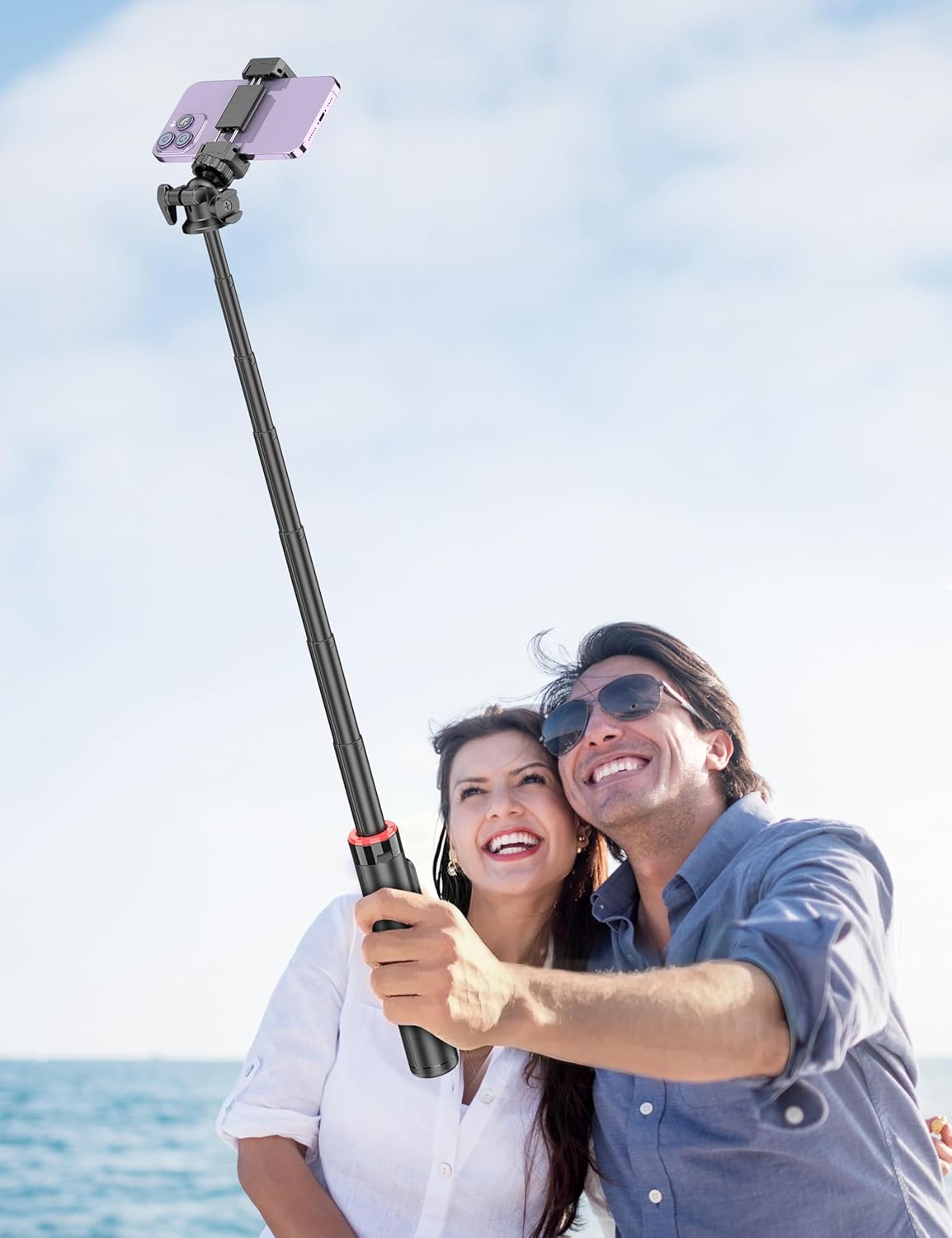
Figure 8: Image demonstrating the 1/4 inch screw mount for connecting cameras, GoPros, or fill lights, showcasing the versatility of the tripod head.
5. Mantenimiento
5.1 Limpieza
- Limpie el dispositivo con un paño suave y seco.
- No utilice productos químicos agresivos ni limpiadores abrasivos.
- Evite exponer el dispositivo a una humedad excesiva.
5.2 Almacenamiento
- Guarde el palo para selfies en un lugar fresco y seco cuando no lo utilice.
- Ensure the remote control is securely placed in its designated slot to prevent loss.
5.3 Reemplazo de la batería del control remoto
The remote control uses a CR2032 coin cell battery. To replace:
- Localice el compartimiento de la batería en el control remoto.
- Use a small coin or tool to open the compartment.
- Retire la batería vieja e inserte una nueva batería CR2032 con el lado positivo (+) hacia arriba.
- Cierre bien el compartimento de la batería.
6. Solución de problemas
6.1 El control remoto no se conecta
- Asegúrese de que la batería del control remoto no esté agotada. Reemplácela si es necesario.
- Asegúrese de que Bluetooth esté habilitado en su teléfono inteligente.
- Intente desvincular y volver a vincular el control remoto en la configuración de Bluetooth de su teléfono.
- Ensure the remote is within the 30 ft (10 m) operating range of your phone.
6.2 Inestabilidad del trípode
- Asegúrese de que las patas del trípode estén completamente extendidas y bloqueadas en su posición sobre una superficie plana y estable.
- Evite extender el poste a su altura máxima en condiciones de viento o en terrenos irregulares.
- Verify that your smartphone is securely seated in the phone holder and balanced.
6.3 El teléfono no encaja en el soporte
- Check that your phone's width is within the compatible range of 2.5 to 3.7 inches (6.5 to 9.5 cm).
- Retire cualquier funda voluminosa del teléfono si impide que se ajuste de forma segura.
7. Especificaciones
| Característica | Detalle |
|---|---|
| Nombre del modelo | C15 |
| Marca | Espectáculo de selfies |
| Material | Aluminio |
| Peso del artículo | 10.5 onzas (297.67 gramos) |
| Tamaño plegado | 9.8 pulgadas (25 cm) |
| Altura mínima | 9.8 pulgadas (25 cm) |
| Altura máxima | 49 pulgadas (124.5 cm) |
| Ancho del soporte del teléfono | 2.5 - 3.7 pulgadas (6.5 - 9.5 cm) |
| Tipo de cabeza de trípode | Ball Head (360° rotation) |
| Alcance del control remoto | Hasta 30 pies (10 m) |
| Batería del control remoto | 1 x CR2032 (incluido) |
| Dispositivos compatibles | Teléfonos inteligentes (iPhone, Android) |
| Características adicionales | Cold Shoe, 1/4" Screw Mount |
8. Información de garantía
SelfieShow products are manufactured to high-quality standards. For specific warranty details, please refer to the warranty card included with your purchase or contact customer support. Typically, products are covered against manufacturing defects for a period specified at the time of purchase.
9. Atención al cliente
If you encounter any issues or have questions regarding your SelfieShow C15 Aluminum Selfie Stick Phone Tripod that are not addressed in this manual, please contact our customer support team. Refer to your product packaging or the SelfieShow official websitio para información de contacto.
Ask a question about this manual
Ask about setup, troubleshooting, compatibility, parts, safety, or missing instructions. Manuals+ will review the question and use this page’s manual context to help answer it.