
1. Producto terminadoview
This manual provides instructions for the Hikity Android Car Stereo, Model 4 Core 2+64G, designed for Honda CRV vehicles manufactured between 2002 and 2006. This unit features a 9-inch touchscreen, Android operating system, Wireless Carplay, Android Auto, GPS navigation, Bluetooth, DSP, FM RDS radio, and includes a backup camera.
Características principales:
- Sistema operativo: Latest Android System with 4-core CPU, 2GB RAM + 64GB ROM for smooth performance.
- Conectividad: Wireless/Wired Carplay & Android Auto, WiFi, Bluetooth.
- Navegación: GPS with support for online and offline maps.
- Audio: Built-in DSP (Digital Sound Processor) for audio tuning, FM/RDS radio.
- Mostrar: 9-inch Touchscreen with Split Screen Function and customizable UI Themes.
- Seguridad: AHD Backup Camera with 170-degree night vision.
2. Contenido del paquete
Verifique que todos los componentes estén presentes en el paquete:
- 1 x estéreo para coche Android
- 1 cámara de respaldo AHD
- 1 x micrófono externo
- 1 x cable de alimentación
- 1 x herramienta de instalación
- 1 x Antena GPS
- 2 x cable USB
- Cable 1 x RCA
- 1 x cable de entrada de cámara trasera
- 1 x Manual de usuario
3. Configuración e instalación
This car stereo is specifically designed for Honda CRV models from 2002 to 2006. Ensure your vehicle's dashboard configuration matches the compatible models before proceeding with installation. Refer to the included wiring harness for proper connections.
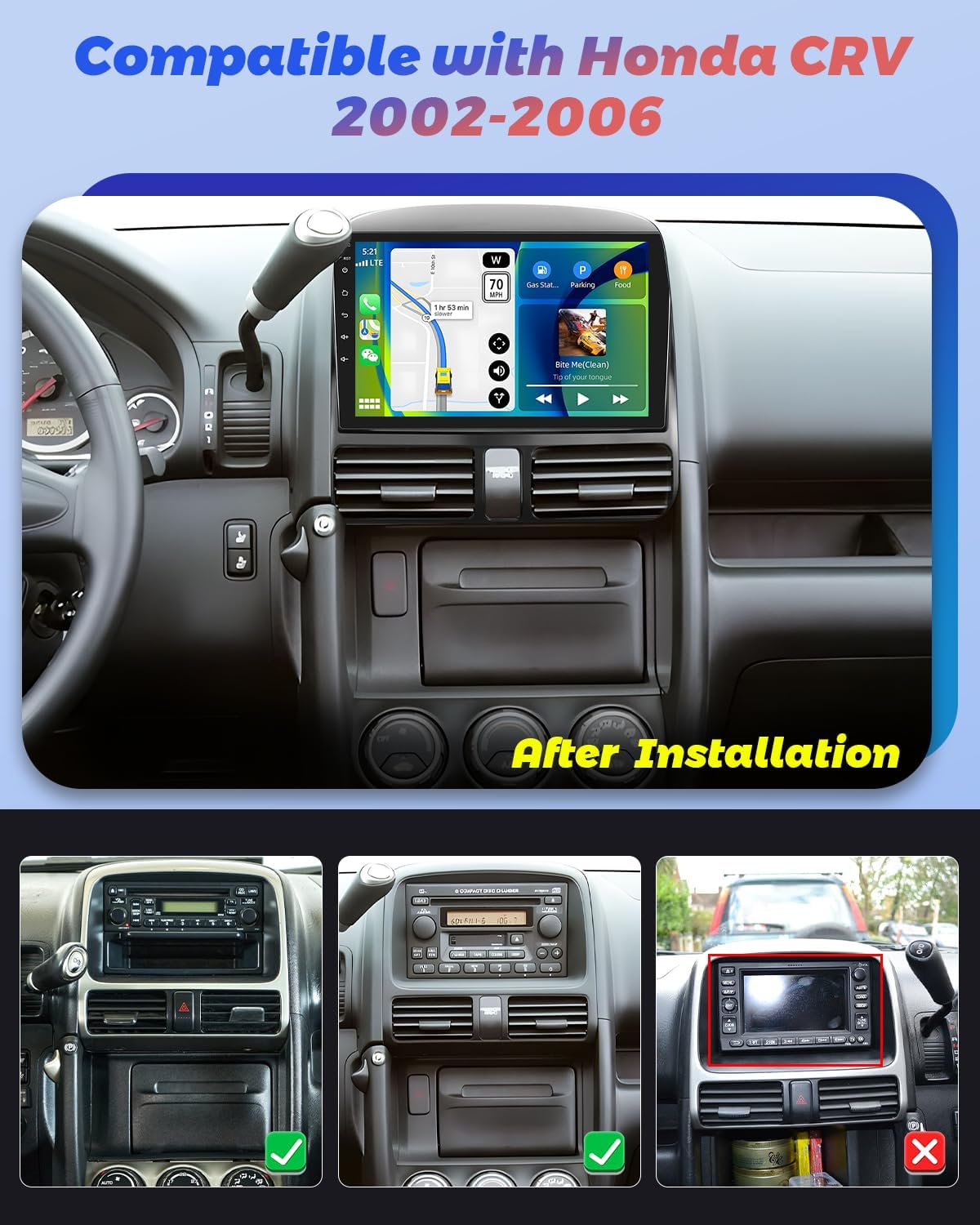
Image: The Hikity Android Car Stereo after installation in a compatible Honda CRV (2002-2006) dashboard. The image also illustrates compatible and incompatible original car stereo setups.
3.1 Diagrama de cableado
Consult the detailed wiring diagram provided in the separate installation guide for specific connections. Ensure all cables are securely connected to prevent malfunctions.
3.2 Encendido inicial
Después de la instalación, encienda el motor de su vehículo. El estéreo debería encenderse automáticamente. Siga las instrucciones en pantalla para la configuración inicial, como la selección de idioma y zona horaria.
4. Instrucciones de funcionamiento
4.1 Navegación del sistema Android
The unit runs on an Android operating system. Navigate through menus and applications using the 9-inch capacitive touchscreen. Swipe gestures and taps are used for interaction. You can download additional applications from the pre-installed app market.
4.2 Carplay inalámbrico y Android Auto
Connect your smartphone wirelessly or via USB to access Carplay or Android Auto. This allows seamless integration of your phone's apps, navigation, music, and voice assistants (Siri or Google Assistant) directly on the car stereo display.

Image: Visual representation of Wireless Carplay, Android Auto, and Mirror Link functionalities, showing connectivity options via Bluetooth, USB, and WiFi.
4.3 Navegación GPS y conectividad WiFi
The stereo supports both online and offline GPS navigation. Connect to a WiFi hotspot (e.g., from your smartphone) to access online maps, real-time traffic updates, and browse the internet. You can also download offline maps for navigation without an internet connection.
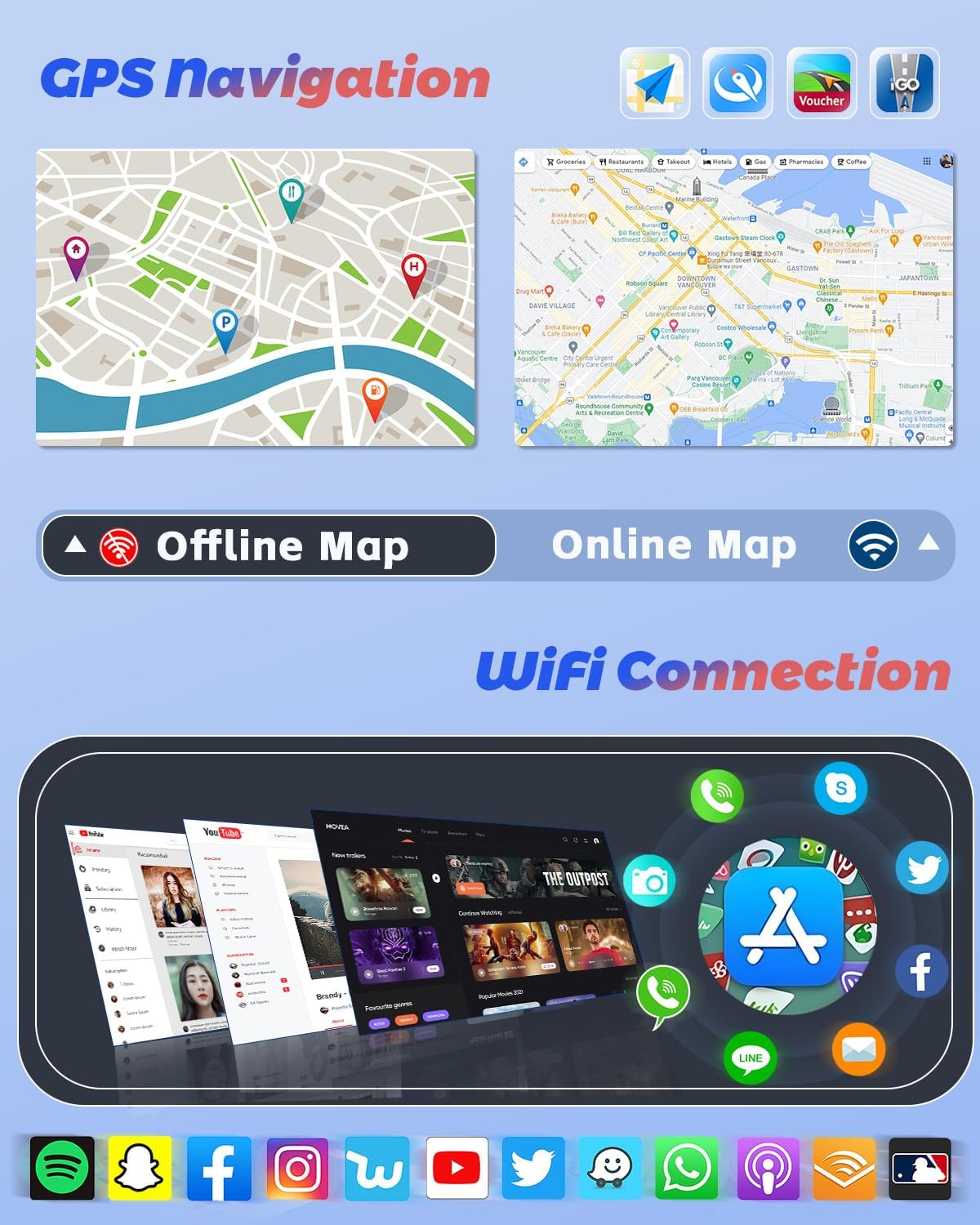
Image: GPS navigation interface displaying online and offline map capabilities, alongside a selection of applications accessible through WiFi connectivity.
4.4 funciones bluetooth
Pair your mobile phone via Bluetooth for hands-free calling, phonebook synchronization, and audio streaming. Access your music library directly from your phone through the stereo.
4.5 DSP, FM & RDS Radio
The built-in Digital Sound Processor (DSP) allows for precise audio tuning. Adjust frequencies and sound effects to customize your listening experience. The FM/RDS radio provides access to local stations, displaying station information, traffic updates, and weather forecasts where available.
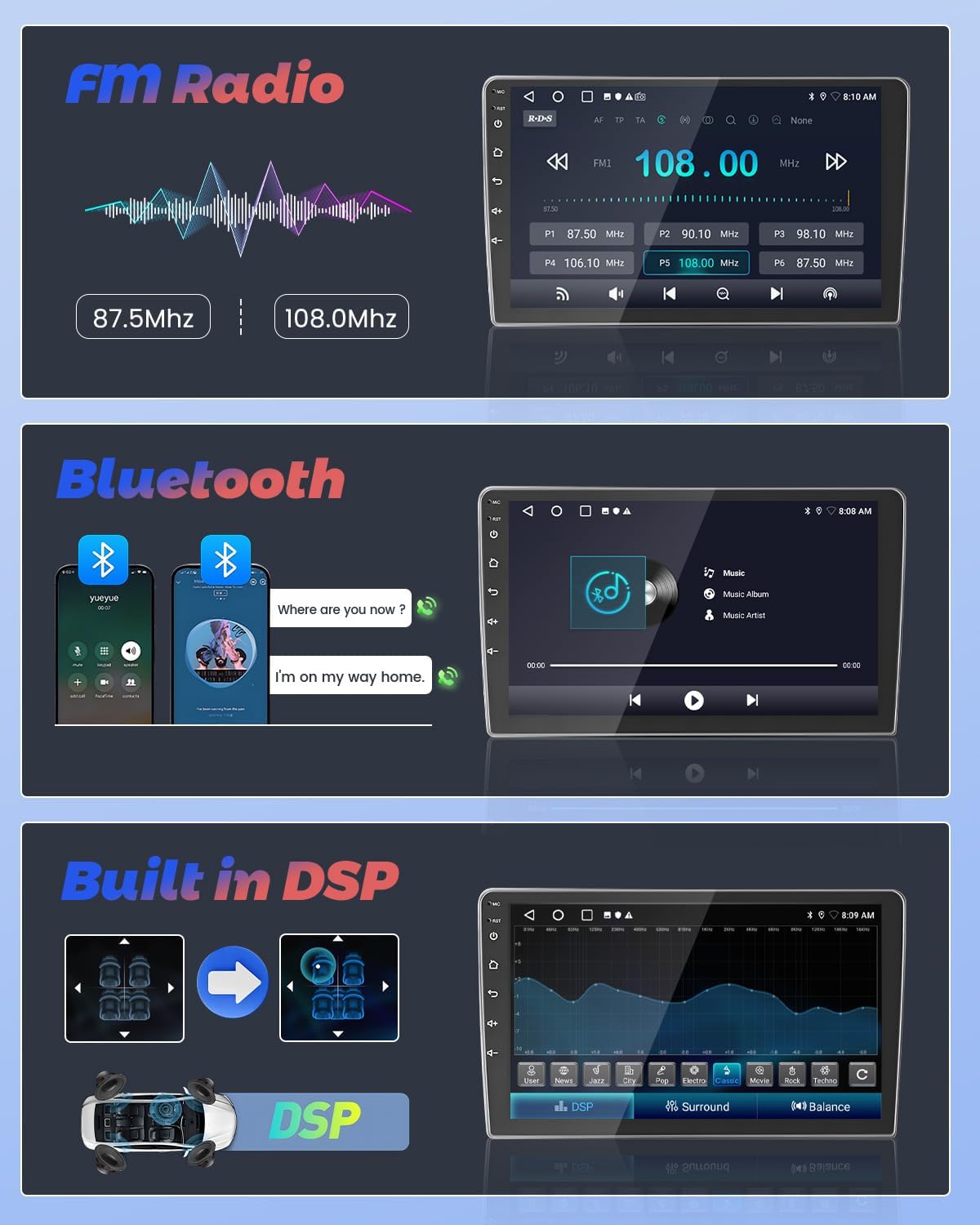
Image: User interfaces for FM Radio tuning, Bluetooth music streaming, and the Digital Sound Processor (DSP) for audio customization.
4.6 Control del volante
The unit supports steering wheel controls, allowing you to manage audio playback, volume, and other functions without taking your hands off the wheel. Configuration may be required in the system settings.
Cámara de respaldo AHD de 4.7 pulgadas
When reversing your vehicle, the included AHD backup camera automatically displays a 170-degree wide-angle view on the stereo screen. This feature enhances parking safety, even in low-light conditions.
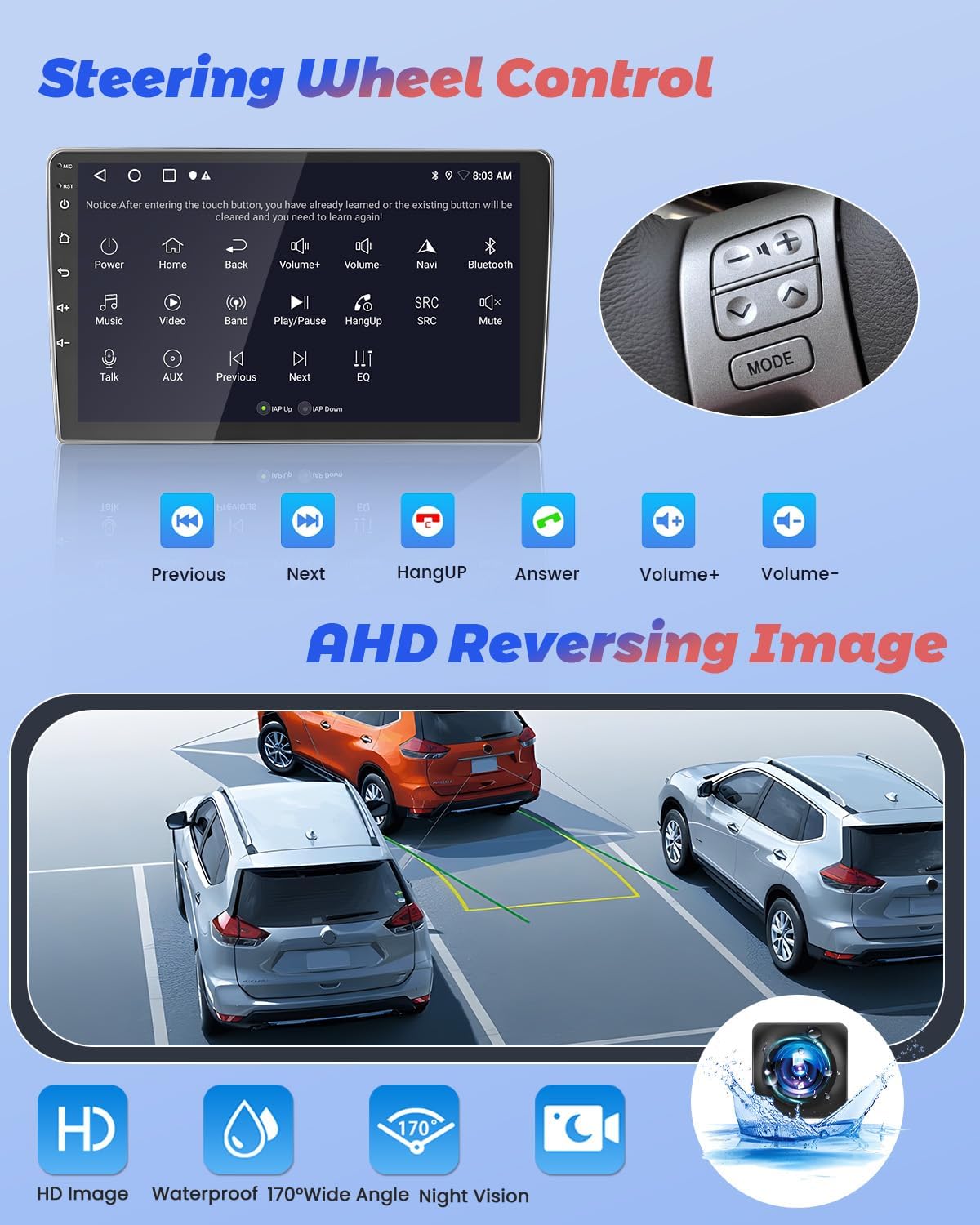
Image: Display of steering wheel control functions on the car stereo and the clear, wide-angle view proporcionada por la cámara de marcha atrás AHD.
4.8 Función de pantalla dividida y temas de interfaz de usuario
Utilize the split-screen function to run two applications simultaneously, such as navigation and music playback. Customize the stereo's appearance with various pre-installed UI themes to match your preference.
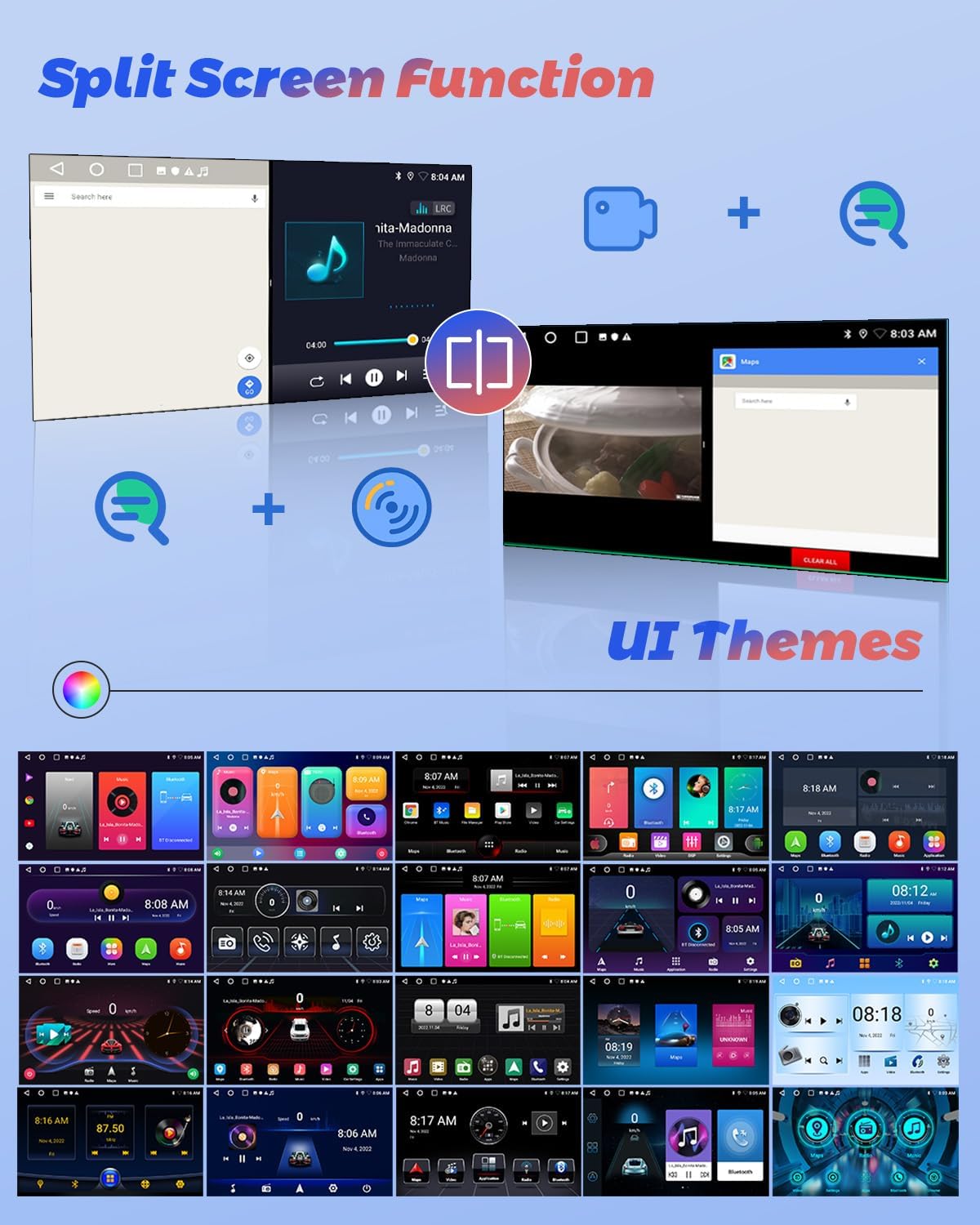
Image: Illustration of the split-screen feature, allowing simultaneous use of two applications, and a selection of customizable user interface themes.
4.9 Vídeo del producto terminadoview
For a visual guide on the Hikity Android Car Stereo's features and operation, please watch the official product video below.
Vídeo: Un funcionario sobreview of the Hikity Android Car Stereo, demonstrating its key features including Carplay, Android Auto, and the MT8163 processor.
5. Mantenimiento
Para garantizar la longevidad y el rendimiento óptimo de su estéreo para automóvil Android Hikity, siga estas pautas de mantenimiento:
- Limpieza: Utilice un paño suave y seco para limpiar la pantalla táctil y el exterior. Evite limpiadores abrasivos o disolventes.
- Actualizaciones de software: Periodically check for system software updates through the unit's settings menu to ensure you have the latest features and bug fixes.
- Temperatura: Evite exponer la unidad a temperaturas extremas.
- Fuerza: Asegúrese de que haya un suministro de energía estable para evitar daños eléctricos.
6. Solución de problemas
Si tiene problemas con el estéreo de su automóvil, consulte los siguientes pasos de solución de problemas comunes:
- Sin energía: Revise todas las conexiones eléctricas y los fusibles. Asegúrese de que el encendido del vehículo esté activado.
- Sin sonido: Verify speaker connections, volume levels, and audio settings (EQ, DSP).
- La pantalla táctil no responde: Intente reiniciar la unidad. Si el problema persiste, podría ser necesario restablecer la configuración de fábrica (consulte la configuración del sistema).
- Pérdida de señal GPS: Asegúrese de que la antena GPS esté correctamente instalada y tenga una vista clara. view del cielo.
- Problemas de emparejamiento de Bluetooth: Delete previous pairings on both the stereo and your phone, then attempt to pair again.
- La cámara de respaldo no se muestra: Verifique las conexiones de entrada de vídeo y de alimentación de la cámara.
Para problemas persistentes, comuníquese con el servicio de atención al cliente.
7. Especificaciones
| Característica | Especificación |
|---|---|
| Marca | Caminata |
| Nombre del modelo | 4 núcleos 2+64G (DSP) |
| Sistema operativo | Androide |
| Tamaño de pantalla | 9 pulgadas |
| Capacidad de almacenamiento de memoria | 64 GB |
| Tecnología de conectividad | Bluetooth, USB, FM, AUX, Inalámbrico, Wi-Fi |
| Características especiales | Touchscreen, Carplay, Android Auto, GPS Navigation, DSP, FM RDS, Mirror Link, Split Screen |
| Sistema de navegación por satélite compatible | GPS |
| Modo de salida de audio | Estéreo |
| Tipo de vehículo compatible | Honda CRV 2002-2006 |
| Dimensiones del artículo L x W x H | 9.3" de largo x 9.1" de ancho x 4.2" de alto |
8. Garantía y soporte
Hikity offers a 15-day Money-Back guarantee, 12-month Replacement warranty, and life-time Technical Support for this product.
For technical assistance or warranty claims, please contact Hikity electronic directly through their seller page on Amazon or via the contact information provided with your purchase.
Vendedor: Hikity electrónica