
1. Introducción
This manual provides detailed instructions for the installation, operation, and maintenance of your TMEZON MZ-IP-V728TW IP 4-Wire Intercom Monitor. Please read this manual thoroughly before using the product to ensure proper function and to prevent damage.
The TMEZON MZ-IP-V728TW is an advanced IP-enabled 4-wire intercom monitor designed for home and office security systems, offering reliable communication and video monitoring capabilities.
2. Información de seguridad
- Asegúrese de que todas las conexiones eléctricas sean realizadas por un electricista calificado y cumplan con los códigos eléctricos locales.
- No exponga el monitor al agua, la humedad o temperaturas extremas.
- Avoid placing the monitor near strong magnetic fields or sources of interference.
- Desconecte la alimentación antes de realizar cualquier procedimiento de mantenimiento o instalación.
- Use only the power adapter and accessories supplied or recommended by TMEZON.
- Mantenga el dispositivo fuera del alcance de los niños.
3. Contenido del paquete
Verifique que todos los artículos que se enumeran a continuación estén presentes en su paquete:
- TMEZON MZ-IP-V728TW IP 4-Wire Intercom Monitor
- Soporte de montaje
- Adaptador de corriente (CA/CC)
- Connection Cables (4-wire, network cable)
- Tornillos de montaje y tacos de pared
- Manual de usuario (este documento)
4. Producto terminadoview
4.1. Componentes del monitor
The TMEZON MZ-IP-V728TW monitor features a high-resolution display, touch-sensitive buttons, and various ports for connectivity.
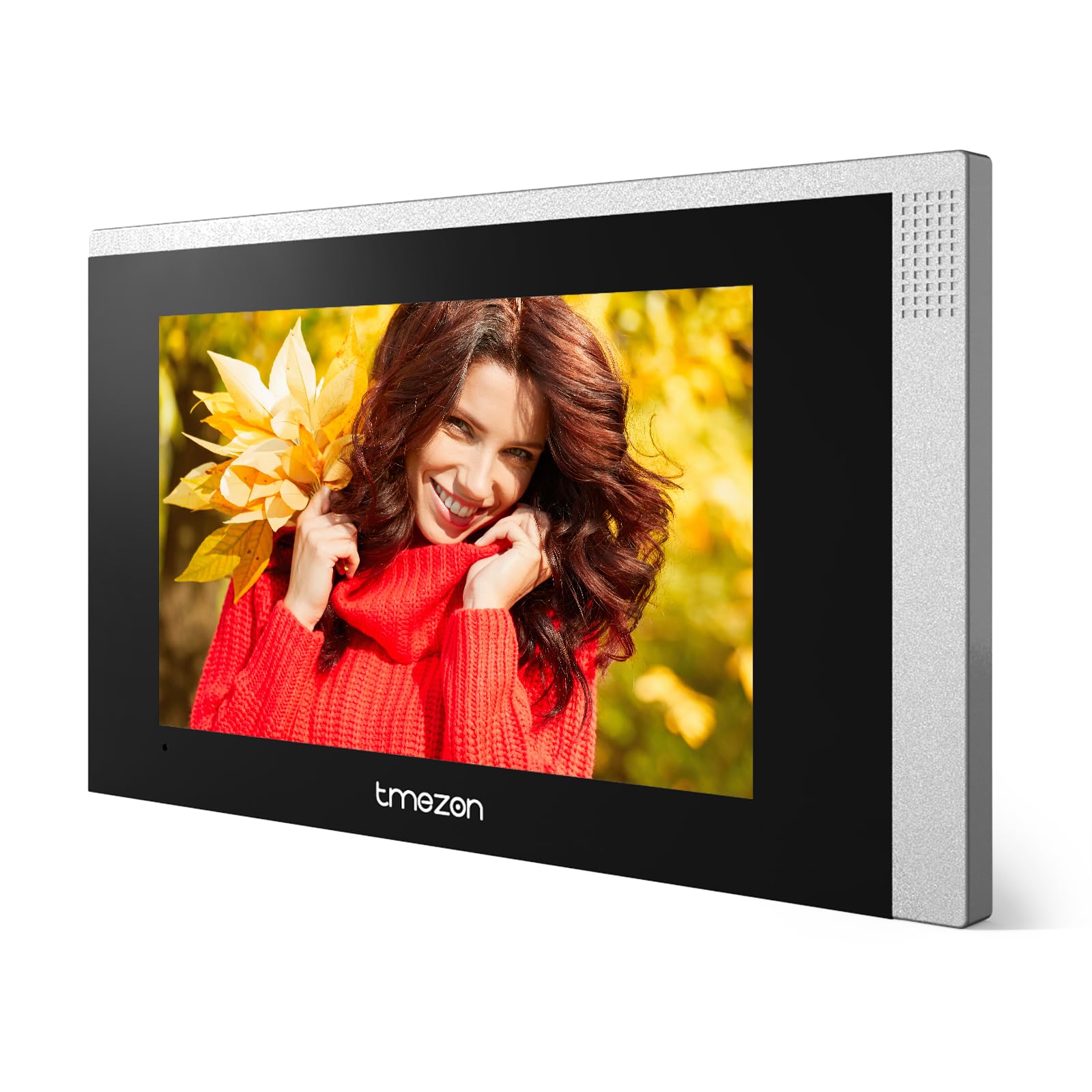
Imagen 1: Frente view of the TMEZON MZ-IP-V728TW IP 4-Wire Intercom Monitor, showing the display and control buttons.
- Pantalla de visualización: Main interface for video and menu navigation.
- Botones de función: (e.g., Answer, Door Release, Monitor, Menu, Talk) - specific functions may vary slightly based on firmware.
- Micrófono: Para comunicación de audio bidireccional.
- Vocero: Para salida de audio.
- Puertos traseros: Power input, 4-wire terminal, Ethernet port (RJ45), alarm inputs/outputs (if applicable).
4.2. Características principales
- IP-enabled for remote access and integration with smart home systems.
- 4-wire connection for reliable power and data transmission.
- High-resolution color display for clear video.
- Comunicación de audio bidireccional.
- Función de liberación de puerta.
- Multiple indoor monitor support.
- Recording and snapshot capabilities (if equipped with storage).
5. Configuración
5.1. Ubicación de la instalación
Choose a suitable indoor location for the monitor, typically at eye level, away from direct sunlight, heat sources, and areas with high humidity. Ensure there is sufficient space for wiring and ventilation.
5.2. Montaje del monitor
- Marque la posición de montaje deseada en la pared.
- Utilice el soporte de montaje como plantilla para marcar los orificios de los tornillos.
- Perfore agujeros en las posiciones marcadas e inserte los tacos de pared.
- Fije el soporte de montaje a la pared utilizando los tornillos proporcionados.
- Asegúrese de que el soporte esté nivelado y fijado de forma segura.
5.3. Conexiones de cableado
The MZ-IP-V728TW uses a 4-wire connection system. Proper wiring is crucial for system functionality. Refer to the wiring diagram provided with your outdoor station and other system components.
- Wire 1 (Video): Connects to the video signal output of the outdoor station.
- Wire 2 (Audio): Connects to the audio signal output/input of the outdoor station.
- Wire 3 (Power +): Connects to the positive power supply from the outdoor station or power distributor.
- Wire 4 (Ground -): Connects to the ground/negative power supply.
- Ethernet (RJ45): Connect to your local network router for IP functionality and remote access.
- Entrada de energía: Connect the AC/DC power adapter to the monitor's power input port.
Note: A detailed wiring diagram specific to your complete intercom system (including outdoor station, additional monitors, and power supply) should be consulted. If you are unsure, consult a professional installer.
5.4. Encendido inicial
- After all wiring is complete and secure, plug in the power adapter.
- The monitor will power on and display the TMEZON logo.
- Follow the on-screen prompts for initial setup, including language selection, date/time, and network configuration.
6. Instrucciones de funcionamiento
6.1. Contestar una llamada
When a visitor presses the call button on the outdoor station, the monitor will ring and display the visitor's video. Press the Respuesta button to establish two-way audio communication.
6.2. Apertura de la puerta
Durante una llamada o mientras se monitorea, presione el botón Liberación de la puerta button to unlock the connected electronic lock. Ensure the door is clear before activating the release.
6.3. Seguimiento
Presione el Monitor botón para view the live video feed from the outdoor station without an incoming call. Press it again to end monitoring.
6.4. Navegación por el menú
Presione el Menú button to access the monitor's settings. Use the arrow buttons (if physical) or touch screen gestures to navigate through options. Common settings include:
- Configuración del sistema: Language, Date/Time, Ringtone, Volume.
- Configuración de red: Wi-Fi configuration, IP address.
- Grabación/Reproducción: View recorded videos or snapshots (if storage is installed).
- Configuración de alarma: Configure external alarm sensors (if connected).
7. Mantenimiento
- Limpieza: Utilice un paño suave y seco para limpiar la pantalla y el cuerpo del monitor. No utilice limpiadores abrasivos ni disolventes.
- Actualizaciones de firmware: Periodically check the TMEZON official webSitio para actualizaciones de firmware para garantizar un rendimiento y seguridad óptimos.
- Ciclo de energía: If the monitor becomes unresponsive, disconnect the power adapter for 10 seconds and then reconnect it.
8. Solución de problemas
| Problema | Posible causa | Solución |
|---|---|---|
| El monitor no se enciende. | Sin fuente de alimentación; adaptador defectuoso; conexión suelta. | Check power adapter connection; ensure outlet has power; try a different adapter if available. |
| No video from outdoor station. | Incorrect wiring; faulty outdoor station; damaged cable. | Verify 4-wire connections; check outdoor station power; inspect cable for damage. |
| No hay audio durante la llamada. | Volume too low; incorrect wiring; faulty microphone/speaker. | Adjust monitor volume; check audio wire connection; test with another monitor if possible. |
| La apertura de la puerta no funciona. | Incorrect wiring to electric lock; faulty lock; insufficient power. | Verify door release wiring; check electric lock functionality; ensure adequate power supply to the lock. |
| Cannot connect to network (IP function). | Incorrect network settings; faulty Ethernet cable; router issue. | Check network cable connection; verify IP settings (DHCP/Static IP); restart router. |
9. Especificaciones
| Característica | Especificación |
|---|---|
| Número de modelo | MZ-IP-V728TW |
| Fabricante | TMEZÓN |
| Tipo de energía | AC/DC |
| Conectividad | 4-Wire, IP (Ethernet) |
| Componentes incluidos | Monitor (schermo) |
| ASIN | B0DRJJFFP8 |
10. Garantía y soporte
TMEZON products are designed for reliability and performance. This product comes with a standard manufacturer's warranty. Please refer to the warranty card included in your package or visit the official TMEZON webSitio para conocer los términos y condiciones detallados de la garantía.
Para obtener asistencia técnica, asistencia para la resolución de problemas o reclamos de garantía, comuníquese con el servicio de atención al cliente de TMEZON a través de su sitio web oficial. website or the contact information provided with your purchase. When contacting support, please have your product model number (MZ-IP-V728TW) and purchase details ready.
Para obtener más información, visite el Tienda TMEZON en Amazon.


