
Introducción
Thank you for choosing the Grandder 47x24 Inch Electric Standing Desk with Keyboard Tray. This manual provides detailed instructions for assembly, operation, maintenance, and troubleshooting to ensure safe and efficient use of your new desk. This electric height-adjustable desk is designed to promote a healthier work environment by allowing seamless transitions between sitting and standing positions.
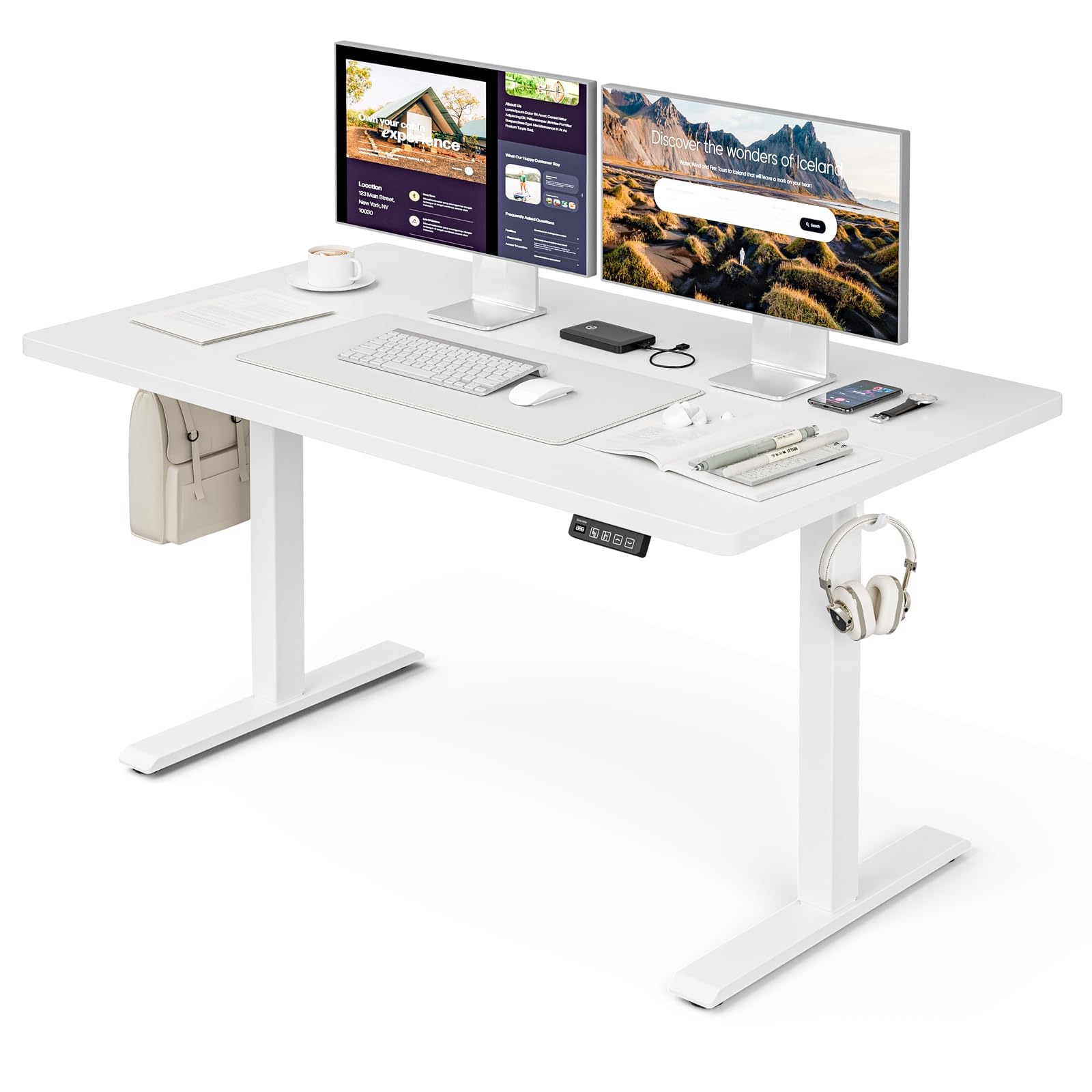
The Grandder 47x24 Inch Electric Standing Desk with Keyboard Tray, featuring a white desktop and frame, integrated keyboard tray, and a control panel for height adjustment.
Información de seguridad
Precauciones generales de seguridad
- No exceda el límite de peso máximo de 176 libras (80 kg) on the desktop. Overloading can cause damage or injury.
- Always use the motorized lift with caution. Ensure no obstructions are present during height adjustments to prevent injury or damage to property.
- Mantenga a los niños y a las mascotas alejados del escritorio durante su funcionamiento.
- Ensure all cables are properly managed and secured to prevent tripping hazards or entanglement with moving parts.
- No se siente ni se pare sobre el escritorio.
- Desconecte la alimentación antes de limpiar o realizar cualquier mantenimiento.
Contenido del paquete
Verifique que todos los componentes estén presentes antes de comenzar el ensamblaje. Si alguna pieza falta o está dañada, comuníquese con atención al cliente.
- Escritorio (placa de empalme)
- Patas de escritorio (2)
- Almohadillas para los pies (4)
- Motor y caja de control
- Panel de control
- Bandeja y rieles para teclado
- Earphone Hooks (2)
- Bridas para cables (3)
- Adaptador de corriente y cable
- Herrajes de montaje (tornillos, pernos, etc.)
- L-shaped Allen Wrench
- Manual de instrucciones
Configuración y montaje
Assembly typically takes approximately 30 minutes. All parts are labeled, and an L-shaped Allen wrench is included for convenience. Follow the step-by-step instructions provided in the separate assembly guide for detailed visual instructions.
Pre-Assembly Considerations
- Elija un área despejada y espaciosa para la reunión.
- Lay out all components and hardware, matching them against the package contents list.
- Ensure the power outlet is easily accessible once the desk is in its final position.

Desk dimensions: 47 inches wide, 24 inches deep, with a height range of 28 to 45.6 inches.
Pasos clave de montaje
- Attach the desk legs to the desktop using the provided hardware.
- Install the motor and control box according to the assembly guide.
- Monte el panel de control en la parte inferior del escritorio en una ubicación accesible.
- Assemble and attach the keyboard tray rails and the keyboard tray itself.
- Install the adjustable foot pads on the bottom of the desk legs to ensure stability on uneven floors.
- Attach the earphone hooks to the side of the desk for convenient storage.
- Use the included cable ties to manage and secure power and peripheral cables, maintaining a tidy workspace.

Included accessories: two earphone hooks for organization, four adjustable foot pads for stability, and three cable ties for cable management.
Instrucciones de funcionamiento
Powering On and Initial Use
- Connect the power adapter to the control box and plug it into a wall outlet.
- The LED display on the control panel will illuminate, indicating the current desk height.
Ajuste de altura
The desk can be adjusted electrically from a minimum height of 28.3 inches to a maximum height of 47.2 inches. The motorized lift operates smoothly and quietly (less than 45dB).
- Presione el Up arrow (↑) Botón para subir el escritorio.
- Presione el Down arrow (↓) Botón para bajar el escritorio.
- Release the button at your desired height. The LED display shows the real-time height.

The control panel features an LED display for real-time height tracking, memory buttons for preset heights, and up/down adjustment buttons.

The desk operates with a smooth and quiet motor, maintaining noise levels below 45dB during height adjustments.
Preajustes de memoria
The control panel includes memory buttons to save and quickly recall your preferred sitting and standing heights.
- Ajusta el escritorio a la altura deseada.
- Presione el M button (or similar memory set button, indicated by a person sitting/standing icon) until the display flashes.
- Presione uno de los botones preestablecidos numerados (por ejemplo, 1 or 2) para guardar la altura actual en ese ajuste preestablecido.
- To recall a saved height, simply press the corresponding preset button. The desk will automatically move to the saved position.
Uso de la bandeja del teclado
The integrated keyboard tray provides additional space and ergonomic benefits. It has a maximum load capacity of 10 kg (22 libras).

The sturdy keyboard tray is designed to save working space and enhance typing comfort, supporting a maximum load of 10 kg.
Sistema anticolisión
The desk is equipped with an anti-collision system that automatically stops and slightly reverses the desk's movement if it encounters an obstruction during height adjustment. This feature protects against damage and injury.
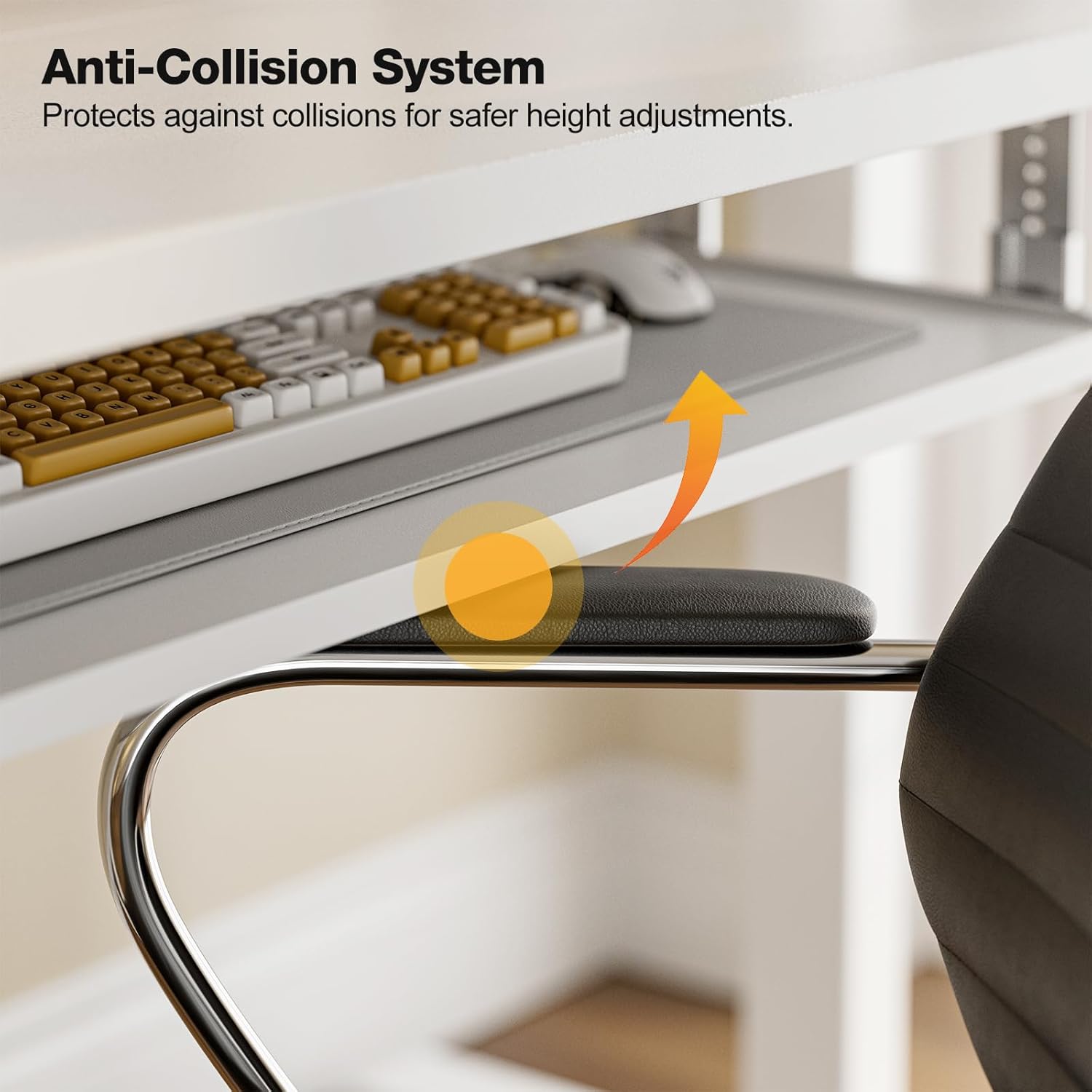
The anti-collision system protects against impacts by stopping and reversing desk movement when an obstruction is detected.
Mantenimiento
Limpieza
- Limpie el escritorio y el marco con un paño suave.amp Paño. Evite limpiadores abrasivos o productos químicos fuertes.
- Ensure the desk is unplugged before cleaning.
Controles regulares
- Revise periódicamente todos los tornillos y pernos para asegurarse de que estén bien apretados. Vuelva a apretarlos si es necesario.
- Inspect the power cable for any signs of damage. If damaged, discontinue use and contact support.
Solución de problemas
If you encounter any issues with your Grandder standing desk, please refer to the following common troubleshooting steps:
| Problema | Posible causa | Solución |
|---|---|---|
| El escritorio no se mueve / No hay energía | Power cable disconnected; Power outlet malfunction; Control box issue. | Check if the power cable is securely plugged into both the desk and the wall outlet. Try a different outlet. Ensure all connections to the control box are secure. |
| El escritorio se mueve de forma desigual o hace un ruido inusual | Carga desigual; Conexiones sueltas; Obstrucción. | Ensure weight is evenly distributed on the desktop. Check all assembly screws and bolts for tightness. Inspect for any obstructions in the lifting mechanism. |
| El sistema anticolisión se activa con frecuencia | Obstruction in path; Sensitivity setting. | Clear any objects from the desk's path. Refer to the full assembly guide for instructions on adjusting anti-collision sensitivity, if available. |
| Los ajustes preestablecidos de memoria no funcionan | Los ajustes preestablecidos no se guardaron correctamente. | Re-save your desired heights by following the memory preset instructions in the Operating Instructions section. |
If the problem persists after attempting these solutions, please contact Grandder customer support for further assistance.
Presupuesto
| Característica | Detalle |
|---|---|
| Marca | Grandder |
| Modelo | Escritorio derecho eléctrico de 47x24 pulgadas |
| Diseño de escritorio | Escritorio de pie |
| Forma | Rectangular |
| Dimensiones del producto (Pr. x An. x Al.) | 60D x 120W x 74H Centimetres (approx. 23.6D x 47.2W x 29.1H Inches) |
| Altura mínima | 28.3 pulgadas |
| Altura máxima | 47.2 pulgadas |
| Color | Blanco |
| Tipo de material superior | Melamina |
| Material base | Metal |
| Recomendación de peso máximo | 176 libras (80 kg) |
| Motorized Lift Speed | 25 mm/s |
| Nivel de ruido | Menos de 45dB |
| Características especiales | Ergonomic, Electric Height Adjustable, Keyboard Tray Included, Anti-Collision System |
| Requiere ensamblaje | Sí (herramientas incluidas) |
Garantía y soporte
Información de garantía
Grandder products are manufactured with quality and durability in mind. For specific warranty details regarding your electric standing desk, please refer to the warranty card included in your package or visit the official Grandder website. Typically, warranty covers manufacturing defects and motor malfunctions under normal use.
Atención al cliente
Should you require assistance with assembly, operation, or troubleshooting that is not covered in this manual, please contact Grandder customer support. Have your product model number and purchase date ready when contacting support.
- Soporte en línea: Visit the Grandder official webSitio de preguntas frecuentes y formularios de contacto.
- Soporte por correo electrónico: Consulte el embalaje de su producto o la tarjeta de garantía para obtener la dirección de correo electrónico de atención al cliente.