
Aputure Ace 25c
Aputure Amaran Ace 25c RGB Video Light User Manual
Model: Ace 25c | Brand: Aputure
1. Introducción
The Amaran Ace 25c is a compact and versatile RGB video light designed for creators. It offers powerful illumination with adjustable CCT from 2300K to 10000K, full RGB color control, and various built-in lighting effects. Featuring a rechargeable battery with PD charging and magnetic mounting options, this pocket-sized light is suitable for a wide range of creative applications.
2. ¿Qué hay en la caja?
- Amaran Ace 25c RGB Video Light
- Difusor de cúpula
- Ace Lock to Cold Shoe Adapter
- Cable de carga USB-C (50 cm)
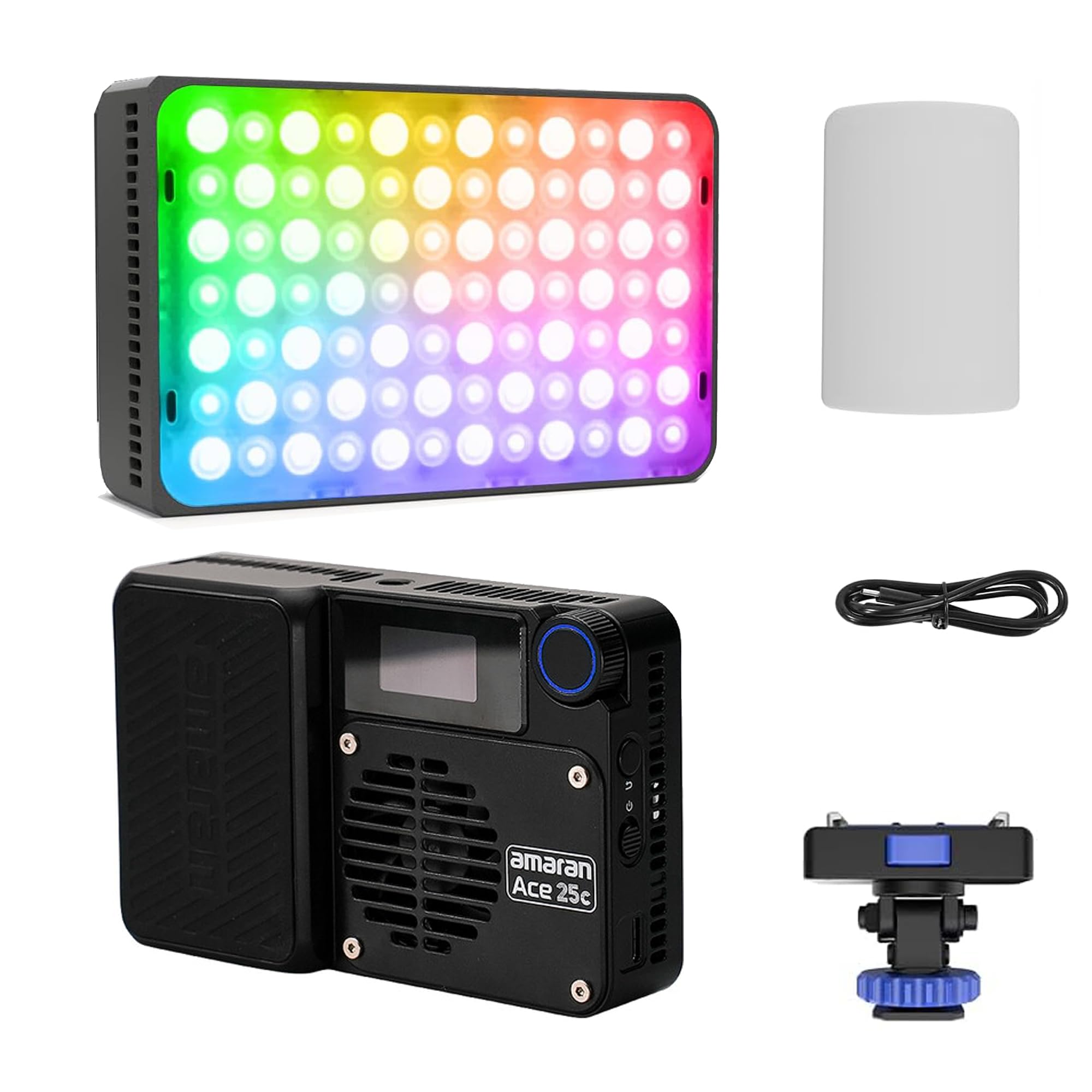
Image: The Amaran Ace 25c RGB Video Light with its included accessories.
3. Configuración
3.1 Desembalaje e inspección inicial
Carefully remove all components from the packaging. Inspect the light and accessories for any signs of damage. The package includes the Amaran Ace 25c light, a dome diffuser, an Ace Lock to cold shoe adapter, and a USB-C charging cable.
Vídeo: Un overview of the Amaran Ace 25c, demonstrating its features and accessories.
3.2 Attaching the Dome Diffuser
The dome diffuser can be magnetically attached to the front of the light to soften and spread the light output. Align the diffuser with the front panel of the light and allow the magnets to secure it in place.
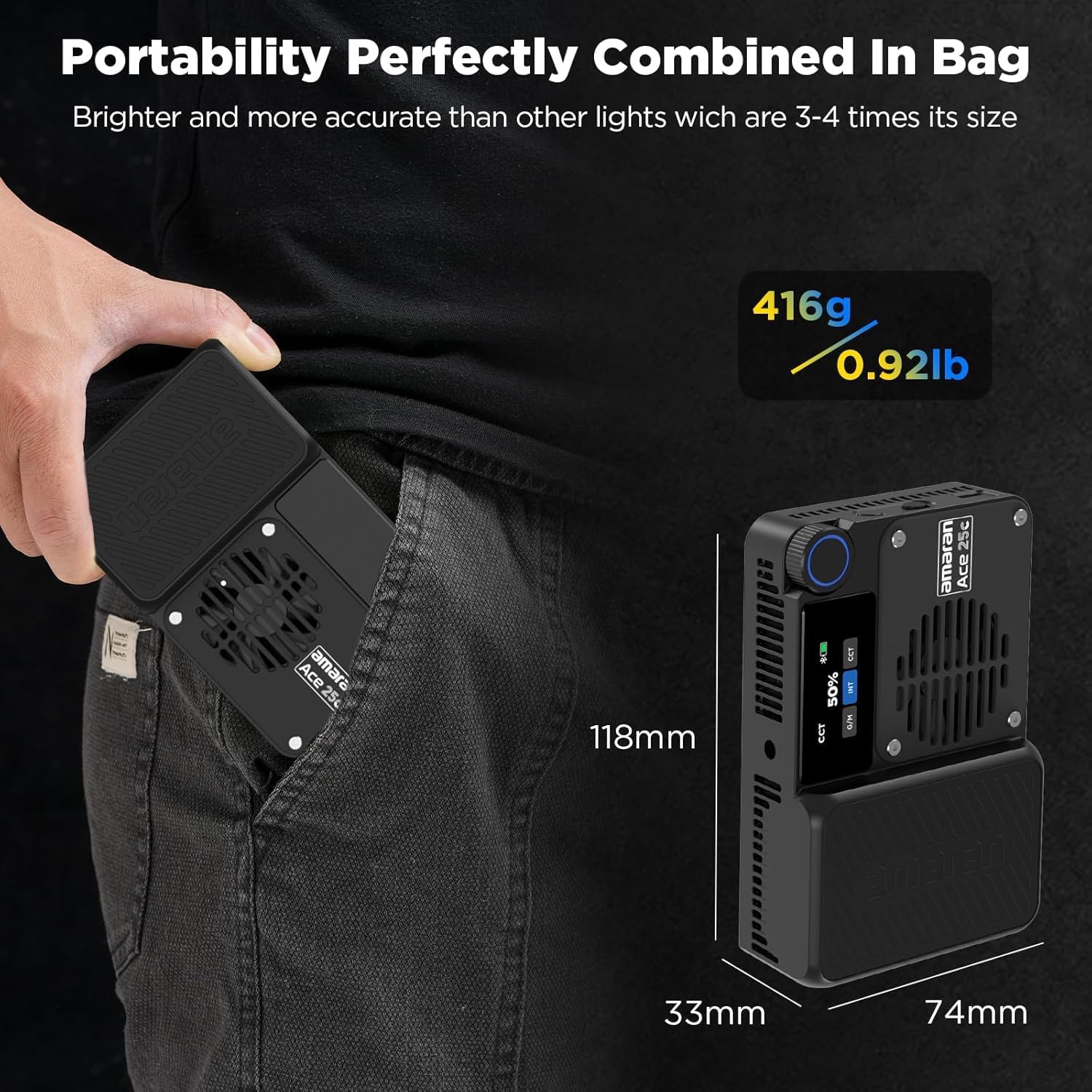
Image: The magnetic dome diffuser being attached to the Amaran Ace 25c for softer light.
3.3 Attaching the Ace Lock to Cold Shoe Adapter
To mount the light onto a camera hot shoe or a light stand, attach the Ace Lock to Cold Shoe Adapter to the bottom of the light. Secure it by tightening the blue knob. This adapter allows for quick and secure attachment and detachment.
3.4 Carga del dispositivo
Connect the provided USB-C charging cable to the USB-C port on the side of the light and to a compatible PD charger. The light supports fast charging, reaching 80% in approximately 1 hour and 90% in 40 minutes. The display will indicate charging status.

Image: The Amaran Ace 25c demonstrating its reverse charging capability for mobile devices.
4. Instrucciones de funcionamiento
4.1 Encendido y apagado
Mantenga presionado el botón de encendido ubicado en el costado de la unidad para encender o apagar la luz.
4.2 Interfaz de control
The Amaran Ace 25c features an intuitive on-board control interface with a display screen and a multi-function knob. The knob allows for navigation through menus and adjustment of parameters such as brightness, color temperature, hue, and saturation.

Imagen: Detallada view of the Amaran Ace 25c's control panel, showing the menu selection, back/custom button, power/switch, and USB-C port.

Image: The Amaran Ace 25c being controlled wirelessly via the amaran app on a smartphone, showing color temperature, hue, brightness, and saturation adjustments.
4.3 modos de iluminación
- Modo CCT: Adjust color temperature from 2300K (warm) to 10000K (cool) for precise white balance.
- Modo HSI: Control Hue, Saturation, and Intensity to achieve any desired color.
- Modo RGB: Direct control over Red, Green, and Blue values.
- Modo de efectos: Access 13 built-in lighting effects including Fireworks, Faulty Bulb, Lightning, TV, Pulsing, Strobe, Explosion, Fire, Paparazzi, Welding, Cop Car, and Party Lights.
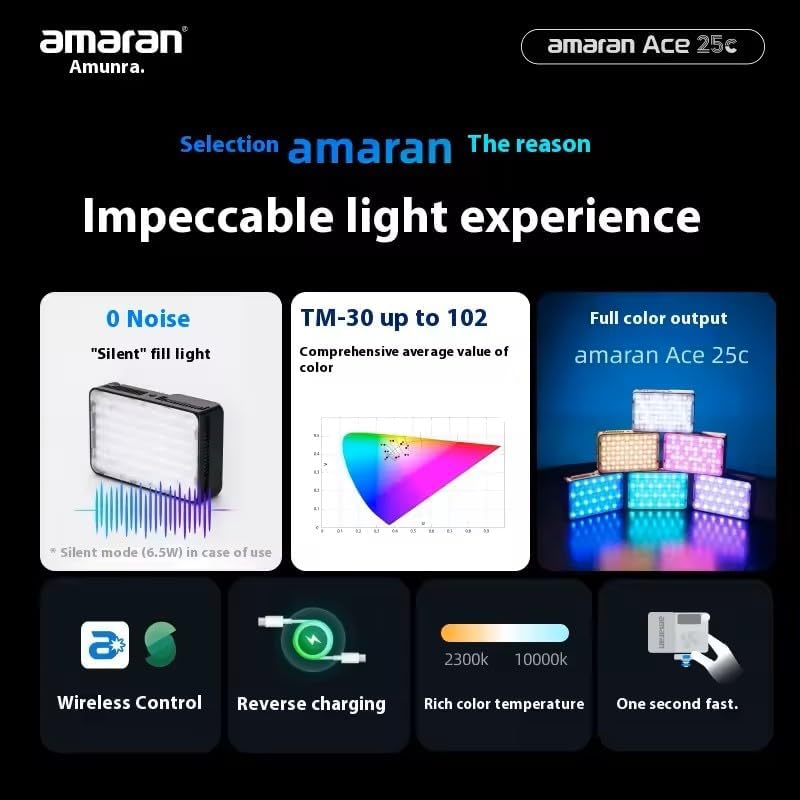
Image: The Amaran Ace 25c showcasing its 13 built-in lighting effects, suitable for various creative scenarios.

Image: Visual representation of the Amaran Ace 25c's powerful illumination and the effect of Boost mode, increasing output from 25W to 32W.
4.4 Modo BOOST
Activate BOOST mode with a single click to temporarily increase the light's power from 25W to 32W, providing up to 5,908 lux @ 0.5m (4300K) for maximum brightness when needed.
4.5 Wireless Control (Sidus Link App)
The Amaran Ace 25c can be controlled wirelessly via the Sidus Link App. Download the app on your smartphone or tablet to access advanced controls, custom settings, and lighting effects remotely.
4.6 Fijación magnética
The light features a magnetic back for easy attachment to metal surfaces, offering flexible placement options without additional mounting hardware.
Image: The Amaran Ace 25c demonstrating its magnetic fixation feature, allowing it to be easily attached to metal surfaces.
4.7 Reverse Output Function
The Amaran Ace 25c can function as a power bank, providing reverse charging to mobile phones and other USB-C compatible devices, making it a versatile tool on location.
5. Mantenimiento
- Limpieza: Use a soft, dry cloth to clean the light. Avoid abrasive cleaners or solvents.
- Almacenamiento: Guarde la luz en un lugar fresco y seco, alejado de la luz solar directa y de temperaturas extremas.
- Cuidado de la batería: For optimal battery life, fully charge the device before long periods of storage and recharge it every three months.
- Sistema de enfriamiento: Ensure the fan vents are clear of obstructions to maintain efficient cooling. The light features a super quiet cooling system with a maximum noise of 28dB within 1m.
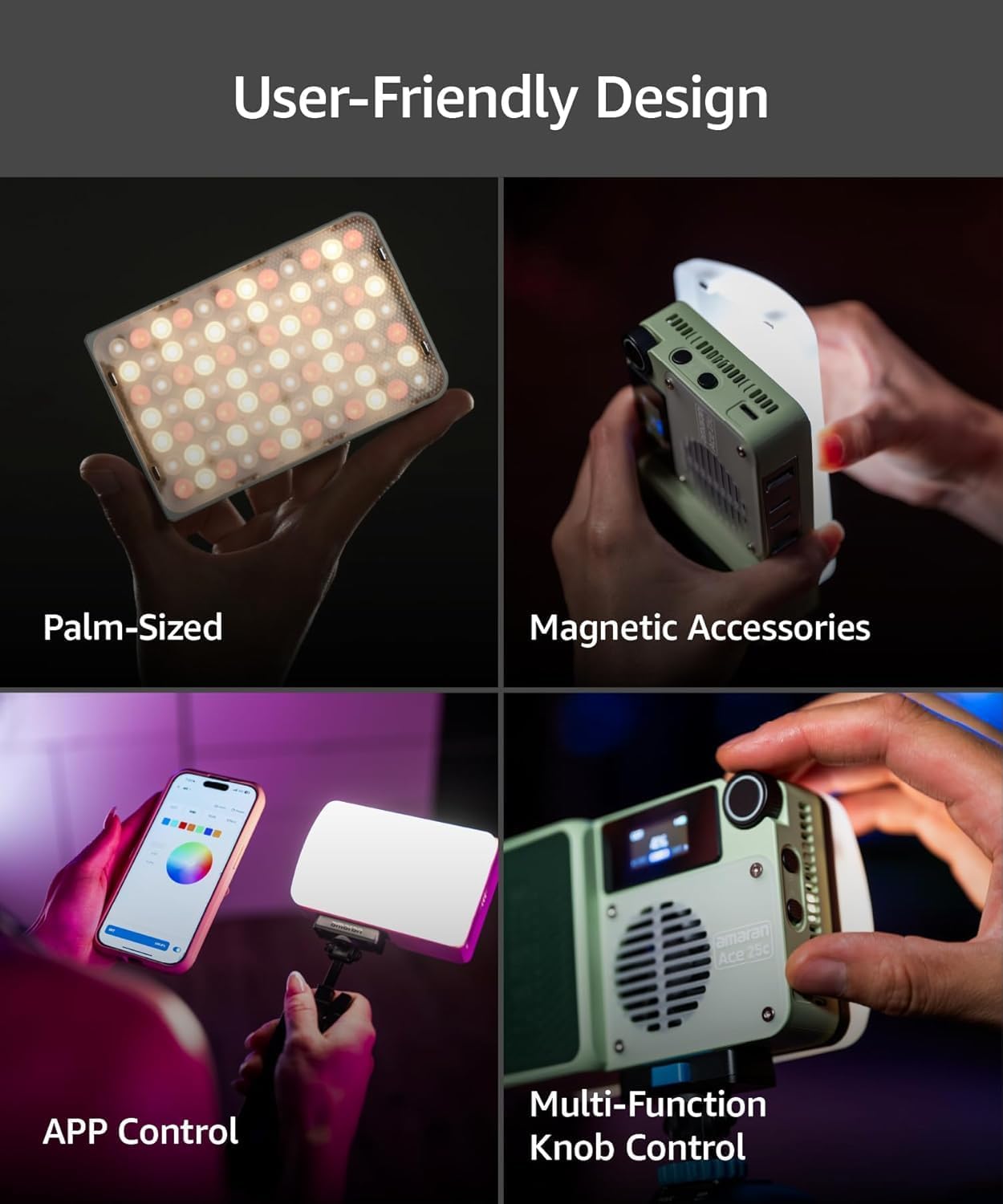
Image: Diagram illustrating the super quiet cooling system of the Amaran Ace 25c, designed for long-lasting durability and minimal noise.
6. Solución de problemas
- La luz no se enciende: Asegúrese de que la batería esté cargada. Conéctela a una fuente de alimentación mediante el cable USB-C.
- Problemas de conectividad de la aplicación: Check Bluetooth settings on your device and ensure the light is within range. Restart both the light and the app.
- Salida de luz inconsistente: Verify that the light is not in a special effect mode. Check for any physical obstructions on the light panel.
- Calentamiento excesivo: Ensure the cooling vents are not blocked. Operate the light in a well-ventilated area.
7. Especificaciones
| Característica | Especificación |
|---|---|
| Marca | Aputura |
| Nombre del modelo | As 25c |
| Illumination (Bare Light) | Up to 5,908 lux @ 0.5m (4,300K) |
| Rango de TMC | 2,300K - 10,000K |
| Potencia de salida | 25W (Standard Mode), 32W (BOOST Mode) |
| Duración de la batería (modo silencioso) | Up to 4 hours 40 minutes (6.5W) |
| Duración de la batería (modo estándar) | 70 minutos (25 W) |
| Battery Life (Boost Mode) | 50 minutos (30 W) |
| Charging Time (0%-80%) | 1 horas |
| Charging Time (0%-90%) | 40 minutos |
| Conectividad | Bluetooth (Sidus Link App) |
| Interfaz de hardware | USB-C |
| Características especiales | Magnetic attachment, Reverse output function, 13 built-in light effects |
| Color | Carbón |
| Número de pieza del fabricante | HS2024123103 |
8. Garantía
The Amaran Ace 25c RGB Video Light comes with a 1-year manufacturer's warranty. Please retain your proof of purchase for warranty claims. For detailed terms and conditions, refer to the official Aputure websitio o póngase en contacto con el servicio de atención al cliente.
9. Soporte
For further assistance, technical support, or inquiries regarding your Amaran Ace 25c, please visit the official Aputure website or contact their customer service department. Online resources, FAQs, and software updates may also be available.
Ask a question about this manual
Ask about setup, troubleshooting, compatibility, parts, safety, or missing instructions. Manuals+ will review the question and use this page’s manual context to help answer it.