
Introducción
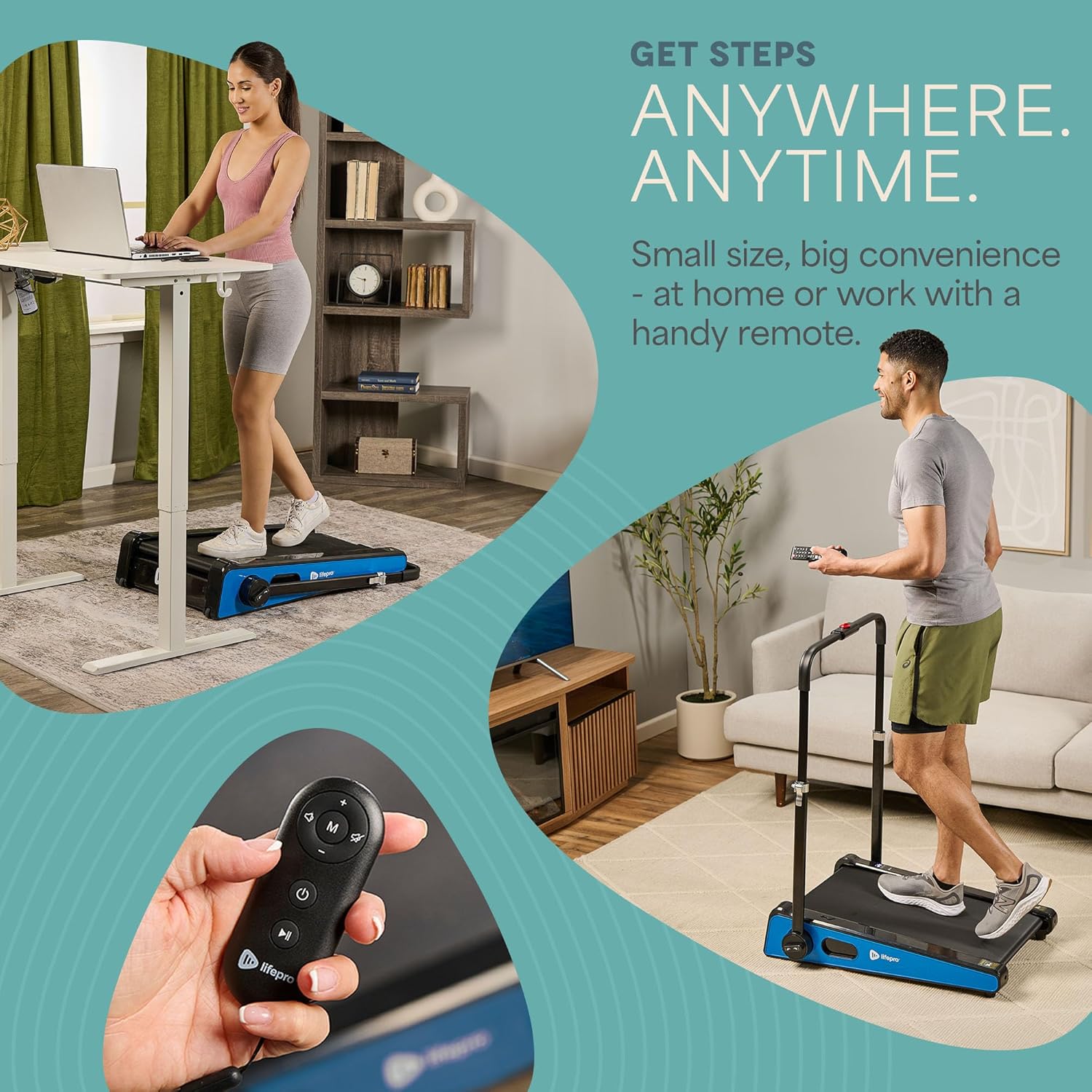
The LifePro Pacer Mini Pro Treadmill is a compact and versatile walking pad designed for light exercise and fitness in both home and office environments. Its adjustable incline and variable speed settings allow for a customized workout experience, helping you stay active throughout your day. This manual provides essential information for the safe and effective use, setup, operation, and maintenance of your Pacer Mini Pro Treadmill.
Información importante de seguridad
Please read and understand all instructions before operating the treadmill. Failure to follow these instructions may result in injury or damage to the product.
- Coloque siempre la cinta de correr sobre una superficie plana y estable.
- Mantenga a los niños y las mascotas alejados de la máquina para correr durante su funcionamiento.
- No utilice la cinta de correr si está dañada o no funciona correctamente.
- Consulte a un médico antes de comenzar cualquier nuevo programa de ejercicios.
- Asegúrese de que el cable de alimentación no esté pellizcado ni dañado.
- No intente reparar la cinta de correr usted mismo. Contacte con atención al cliente para obtener ayuda.
Contenido del paquete
Verifique que todos los componentes estén presentes en el paquete:
- LifePro Pacer Mini Pro Treadmill Unit
- Mando a distancia
- Cable de alimentación
- Lubricante
- Manillar ajustable
- Titular de la tableta
Configuración
Follow these steps to set up your LifePro Pacer Mini Pro Treadmill:
- Desembalaje: Retire con cuidado la cinta de correr y todos los componentes del embalaje.
- Colocación: Choose a flat, stable surface for the treadmill. Ensure there is adequate space around the unit for safe operation.
- Handlebar and Feet Assembly: While the main unit comes pre-assembled, minimal assembly is required. Attach the adjustable handlebar and the incline feet as instructed in the included quick start guide. Ensure all screws are tightened securely.
- Lubricación inicial: The treadmill may come with some initial lubrication. Refer to the maintenance section for instructions on how to check and apply lubricant if needed before first use.
- Conexión de energía: Conecte el cable de alimentación a la cinta de correr y luego a una toma eléctrica con conexión a tierra.

Instrucciones de funcionamiento
Operating your Pacer Mini Pro Treadmill is straightforward:
- Encendido: Plug in the treadmill and press the power button on the unit or the remote control. The LED display will illuminate.
- Ajuste de velocidad: Use the remote control to increase or decrease the walking speed. The maximum speed is 3 MPH. The current speed will be shown on the LED display.
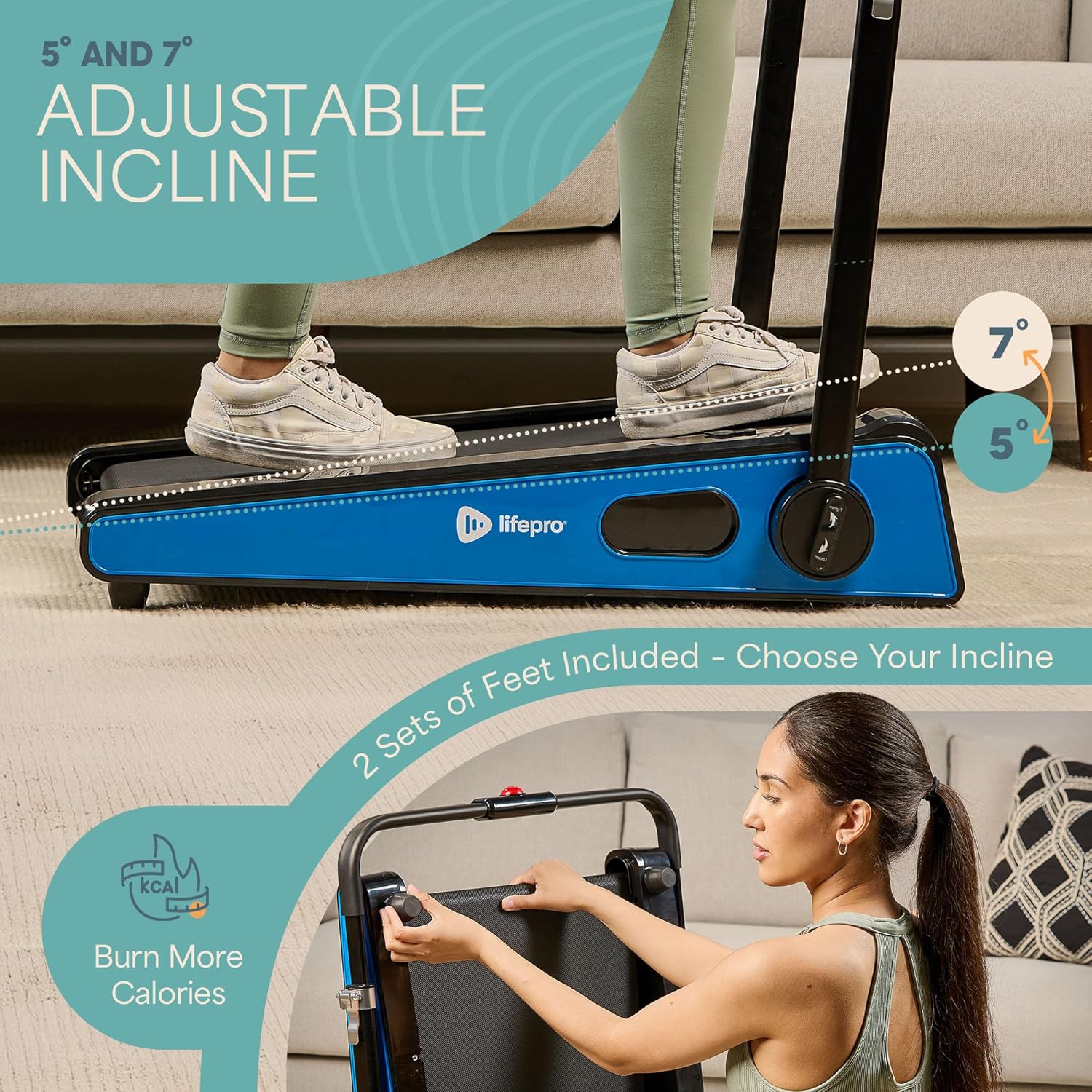
- Ajuste de la inclinación: The treadmill offers adjustable incline settings of 5 or 7 degrees. To change the incline, manually adjust the feet at the rear of the treadmill. Refer to the setup section and product diagrams for visual guidance.
- Seguimiento de su entrenamiento: The LED display shows important workout metrics such as speed, calories burned, and distance covered. This helps you track your progress and stay motivated.
- Apagado: To stop your workout, press the stop button on the remote control or the unit. For complete power off, unplug the treadmill from the power outlet.

Mantenimiento
El mantenimiento regular garantiza la longevidad y el rendimiento óptimo de su cinta de correr:
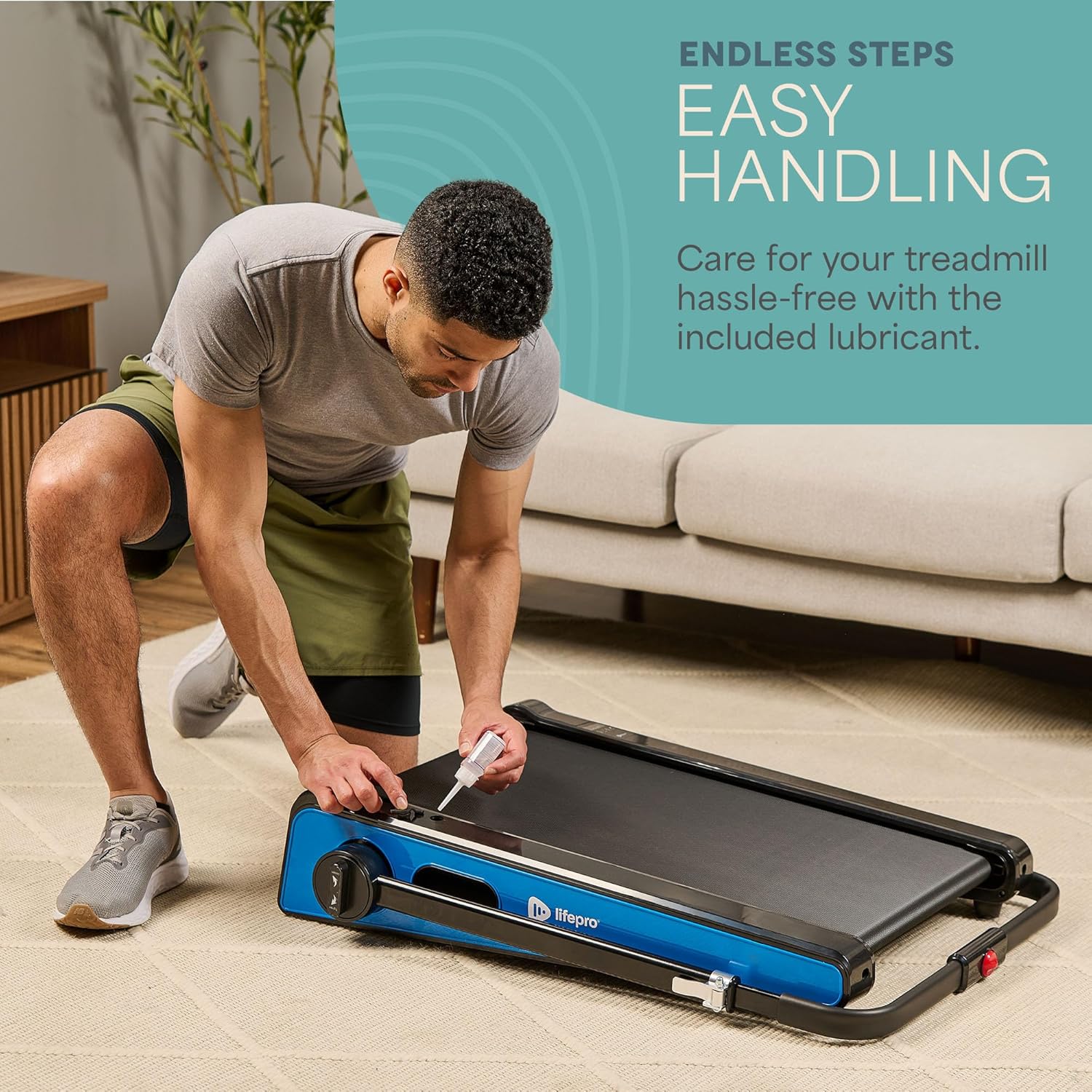
- Lubricación: The walking belt requires periodic lubrication to reduce friction and wear. A dedicated slot on the upper left side of the treadmill allows for easy injection of the provided lubricant. Lubricate as needed, typically every few months depending on usage.
- Limpieza: Limpie la superficie de la cinta de correr con un paño húmedo.amp Limpie el paño después de cada uso para eliminar el sudor y el polvo. No utilice limpiadores abrasivos.
- Almacenamiento: The Pacer Mini Pro is designed for compact storage. It can be easily stored under a couch, desk, or in a closet thanks to its small footprint and built-in wheels for portability.
Solución de problemas
Si tiene algún problema con su cinta de correr, consulte las siguientes soluciones comunes:
- La cinta de correr no se enciende: Ensure the power cord is securely plugged into both the treadmill and a working electrical outlet. Check the power switch on the unit.
- Correa resbaladiza o desigual: The walking belt may require adjustment or lubrication. Refer to the maintenance section for lubrication instructions. For belt tension adjustment, consult the detailed manual or contact customer support.
- Ruidos inusuales: Stop using the treadmill immediately and inspect for any loose parts or obstructions. If the noise persists, contact customer support.
For issues not covered here, please contact LifePro customer support for assistance.
Presupuesto
| Marca | vidapro |
| Número de modelo | LP-PCRMP-BLU-VC |
| Color | Azul con manillar |
| Dimensiones del producto (Pr. x An. x Al.) | 83.1 cm x 63.5 cm x 104.1 cm |
| Peso del artículo | 53.9 libras |
| Material | Acero inoxidable |
| Velocidad máxima | 3 mph |
| Inclinación ajustable | 5 o 7 grados |
| Característica especial | Diseño compacto |
| Usos recomendados | Light exercise, walking, home and office use |
| Público objetivo | Adulto |
| Potencia máxima | 1.75 CV |
| Tipo de pantalla | CONDUJO |
| Fuente de poder | Eléctrico con cable |
| Tecnología de conectividad | Ethernet |
| Tipo de contador | Digital |
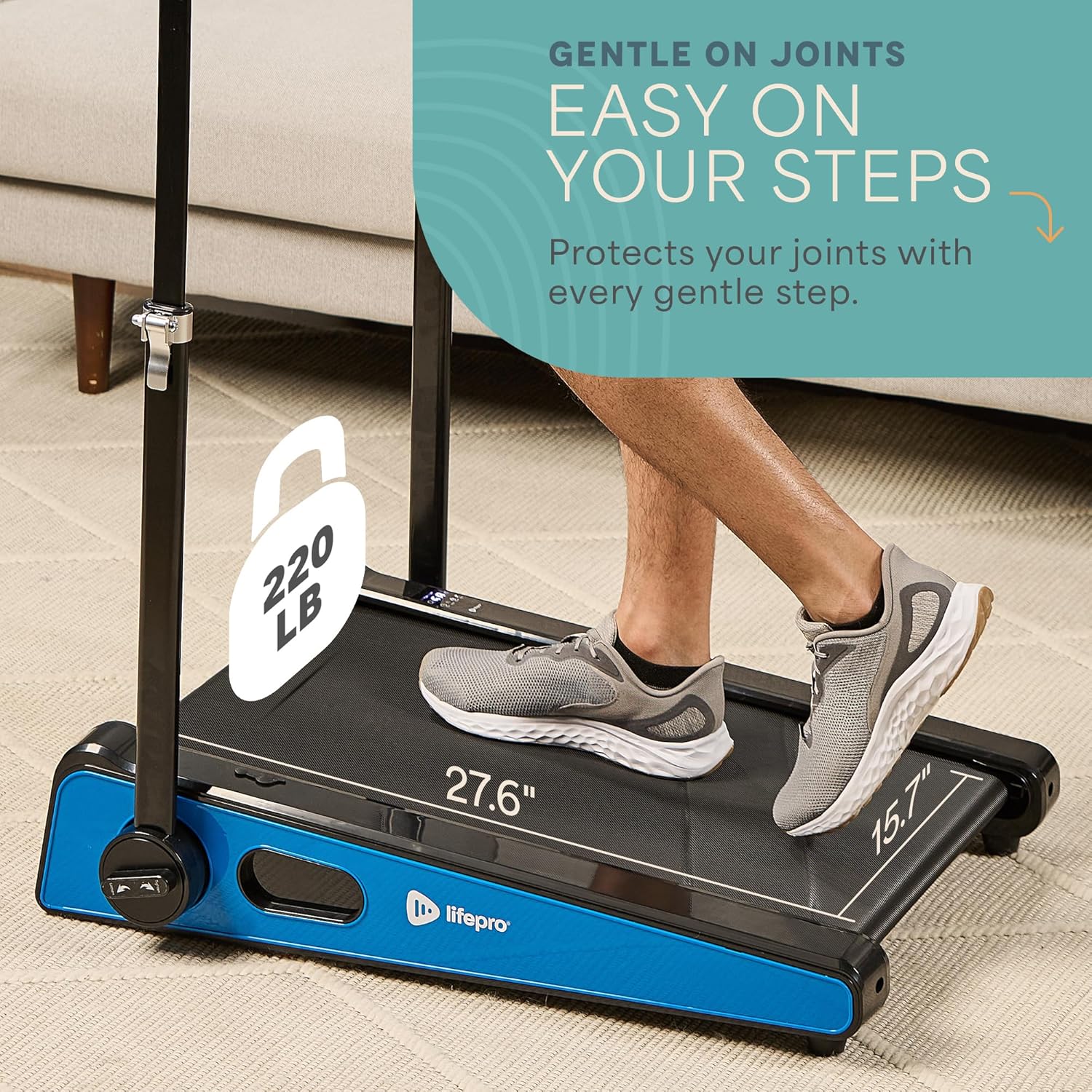
| Recomendación de peso máximo | 220 libras |
| Número de programas | 1 |
| Running Surface Length | 40 pulgadas |
| Running Surface Width | 15.7 pulgadas |
| Tamaño de pantalla | 30 pulgadas |
| Requiere ensamblaje | Minimal (Handlebar and feet attachment) |
| Código Postal | 810161332328 |
Garantía y soporte
LifePro is committed to providing high-quality products and customer satisfaction. The LifePro Pacer Mini Pro Treadmill comes with a garantía de por vida, garantizando tranquilidad para su inversión.
For any questions, concerns, or technical support, please contact LifePro customer service:
- Websitio: www.lifeprofitness.com (Example link, please replace with actual support link if available)
- Correo electrónico: soporte@lifeprofitness.com (Example email, please replace with actual support email if available)
- Teléfono: [Insertar número de teléfono aquí]
Please have your model number (LP-PCRMP-BLU-VC) and proof of purchase ready when contacting support.