
Introducción
The LAMAX BFit Call is a versatile smartwatch designed to enhance your daily life with smart notifications, comprehensive health monitoring, and various fitness features. This manual provides essential information for setting up, operating, and maintaining your device.
Configuración
1. Desempaquetado y carga inicial
Carefully unpack your LAMAX BFit Call smartwatch. The package includes the smartwatch, a charging cable, an additional strap, and safety tips. Before first use, fully charge the device using the provided charging cable.
2. Encendido / apagado
To power on, press and hold the side button until the screen illuminates. To power off, navigate to the settings menu on the watch, select 'Power Off', and confirm.
3. Emparejamiento con su teléfono inteligente
- Download the official LAMAX BFit Call application from your smartphone's app store.
- Asegúrese de que Bluetooth esté habilitado en su teléfono inteligente.
- Open the LAMAX BFit Call app and follow the on-screen instructions to search for and connect to your smartwatch via Bluetooth 5.3.
- Confirme la solicitud de emparejamiento tanto en su teléfono como en el reloj inteligente.
Successful pairing enables call, SMS, and selected application notifications directly on your watch.
Instrucciones de funcionamiento
1. Navegación básica
The LAMAX BFit Call features a responsive touch screen. Swipe left, right, up, or down to navigate through menus and access different functions. Press the side button to return to the home screen or wake the device.
2. Funciones de comunicación
- Llamadas Bluetooth: Once paired, you can answer or reject incoming calls directly from your watch.
- Notificaciones: Receive SMS messages and notifications from selected applications on your wrist.
3. Monitoreo de la salud
El reloj inteligente monitorea continuamente varias métricas de salud:
- Frecuencia cardíaca: 24-hour heart rate tracking.
- Oxígeno en sangre (SpO2): Monitors blood oxygen supply.
- Presión arterial: Proporciona lecturas de presión arterial.
- Nivel de estrés: Realiza un seguimiento de tus niveles de estrés a lo largo del día.
- Calidad del sueño: Monitorea los patrones y la calidad del sueño.
- Ciclo menstrual: Offers tracking for the menstrual cycle.
Note: This device is not a medical instrument. Health data is for reference only and should not be used for medical diagnosis or treatment.
4. Fitness and Sport Modes
Access over 100 sport modes to track your workouts. The watch records training results, including calorie consumption, and features a pedometer for daily step counting. Relaxation exercises are also available.
5. Características adicionales
- Control Multimedia: Controle la reproducción de música en su teléfono inteligente emparejado.
- Esferas de reloj personalizadas: Personalize your watch face through the app.
- Pronóstico del tiempo: Obtenga actualizaciones meteorológicas en tiempo real.
- Remote Timer: Use the watch as a remote timer.
- Juegos: Enjoy two built-in games.
- Despertador: Configure alarmas directamente desde el reloj.
Mantenimiento
1. Limpieza
Limpie la pantalla y la correa del reloj regularmente con un paño suave y seco. Para la suciedad difícil, utilice un paño ligeramente seco.amp Paño y séquelo bien. Evite productos químicos agresivos o materiales abrasivos.
2. Cuidado de la batería
To maximize battery life (up to 7 days on average), avoid extreme temperatures and fully charge the device before it completely drains. If storing for an extended period, charge it to about 50%.
3. Material Care
The watch is made from safe, non-irritating materials. If you experience any skin irritation, discontinue use and consult a doctor. Ensure the strap is not too tight to allow for proper air circulation.
Solución de problemas
- El reloj no enciende: Asegúrese de que el reloj esté completamente cargado. Conéctelo al cargador durante al menos 30 minutos.
- No se puede emparejar con el teléfono: Check if Bluetooth is enabled on your phone and the watch. Ensure the watch is within range and not paired with another device. Restart both the watch and phone.
- Notificaciones no recibidas: Verify that app notifications are enabled in your phone's settings and within the LAMAX BFit Call app. Ensure the watch is properly connected via Bluetooth.
- Datos de salud inexactos: Asegúrese de que el reloj esté ajustado a su muñeca, pero no demasiado apretado. Limpie el sensor de la parte trasera del reloj.
- Duración de la batería corta: Reduzca el brillo de la pantalla, desactive las notificaciones innecesarias y limite el monitoreo continuo de la salud si no es necesario.
Presupuesto
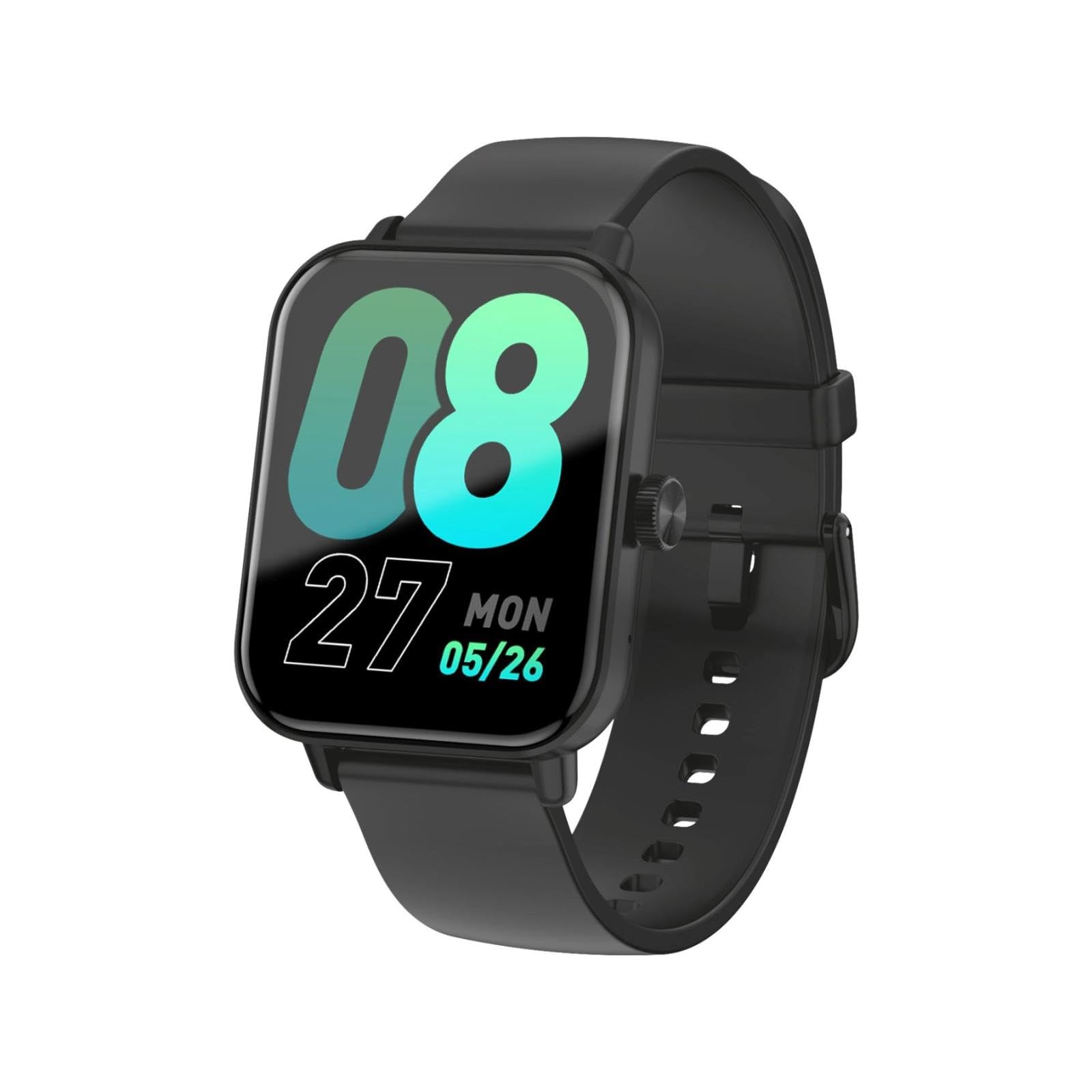
This image shows the LAMAX BFit Call smartwatch worn on the wrist of a child who is engaged in writing. The watch face displays digital time and other metrics, highlighting its comfortable fit and clear display during daily activities.
| Marca | LAMAX |
| Nombre del modelo | BFit Call |
| Tamaño de la pantalla | 1.83 pulgadas |
| Tipo de pantalla | TFT |
| Capacidad de la batería | 300 mAh |
| Duración media de la batería | Hasta 7 días |
| Conectividad | Bluetooth |
| Características especiales | Alarm clock, Touch screen, Cycle tracking, Time display |
| Peso | 35 gramos |
Garantía y soporte
For warranty information and technical support, please refer to the official LAMAX webVisite el sitio web o contacte a su distribuidor local. Conserve el recibo de compra como comprobante para reclamaciones de garantía.