
Introducción
Gracias por la compraasing the POFOTO 15.6-inch Portable DVD Player. This device is designed to provide versatile entertainment with its high-definition swivel screen, long-lasting battery, and multi-format support. This manual will guide you through the setup, operation, maintenance, and troubleshooting of your new portable DVD player to ensure optimal performance and enjoyment.
¿Qué hay en la caja?
Please check the contents of your package. If any items are missing or damaged, please contact POFOTO customer support.
- POFOTO 15.6-inch Portable DVD Player
- Adaptador de CA
- Cargador de coche
- Cable AV 3 en 1
- Mando a distancia
- Guía rápida
Producto terminadoview
The POFOTO portable DVD player features a 15.6-inch HD screen with a resolution of 1280 x 800 pixels. The screen can rotate 270 degrees and fold 180 degrees, offering flexible viewing angles. It includes dual stereo speakers for clear audio output and supports various media formats via disc, USB, and SD card.

Image: The POFOTO 15.6-inch Portable DVD Player showcasing its large display with a scenic view.
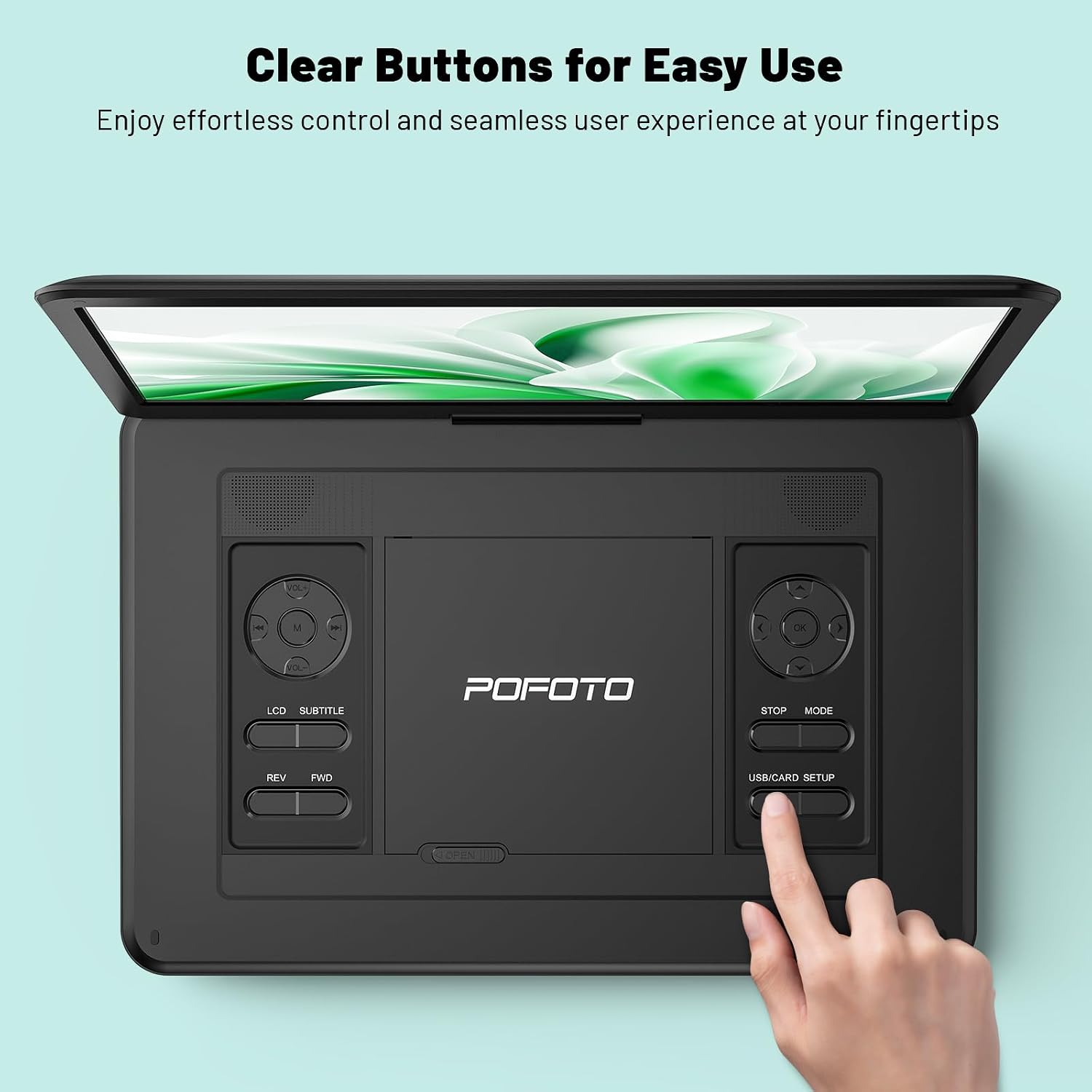
Image: A close-up of the player's control panel, highlighting the clearly labeled buttons for easy operation.
Configuración
1. Carga inicial
Before first use, fully charge the device. Connect the AC adapter to the DC IN port on the player and plug it into a power outlet. The charging indicator light will illuminate. A full charge provides up to 6 hours of playback.

Image: Illustration of the player's power sources, including the 5000mAh battery, AC adapter, and car charger.
2. Encendido / apagado
- To power on: Slide the POWER switch to the ON position.
- To power off: Slide the POWER switch to the OFF position.
3. Ajuste de pantalla
The screen can be rotated 270 degrees horizontally and folded 180 degrees vertically to achieve the desired viewing angle. Handle the screen gently during adjustment.
Instrucciones de funcionamiento
1. Playing DVDs/CDs
- Gently slide the OPEN latch to open the disc cover.
- Place a compatible DVD or CD onto the disc spindle with the label side facing up.
- Close the disc cover until it clicks securely.
- The player will automatically detect and begin playing the disc. If not, press the PLAY button.
Formatos de disco compatibles: DVD/CD, DVD±R/RW, CD-R(RW), SVCD-R(RW), VCD (Blu-ray discs are not supported).

Image: A hand demonstrating how to open the disc cover and insert a DVD into the player.
2. Uso de tarjeta USB/SD
- Insert a USB flash drive (up to 32GB) into the USB port or an SD card (up to 32GB) into the SD card slot.
- Use the MODE button on the player or remote to select USB or SD mode.
- Navegar por tu files using the directional buttons and press PLAY to select and play media.
Apoyado File Formatos: VOB, AVI, MPEG, MP3, WMA, JPEG.
3. Connecting to TV/Projector
To enjoy content on a larger screen, use the included 3-in-1 AV cable:
- Conecte un extremo del cable AV al puerto AV OUT del reproductor de DVD.
- Conecte el otro extremo del cable AV a los puertos AV IN correspondientes (amarillo para video, rojo para audio derecho, blanco para audio izquierdo) en su televisor o proyector.
- Seleccione la fuente de entrada AV correcta en su televisor o proyector.
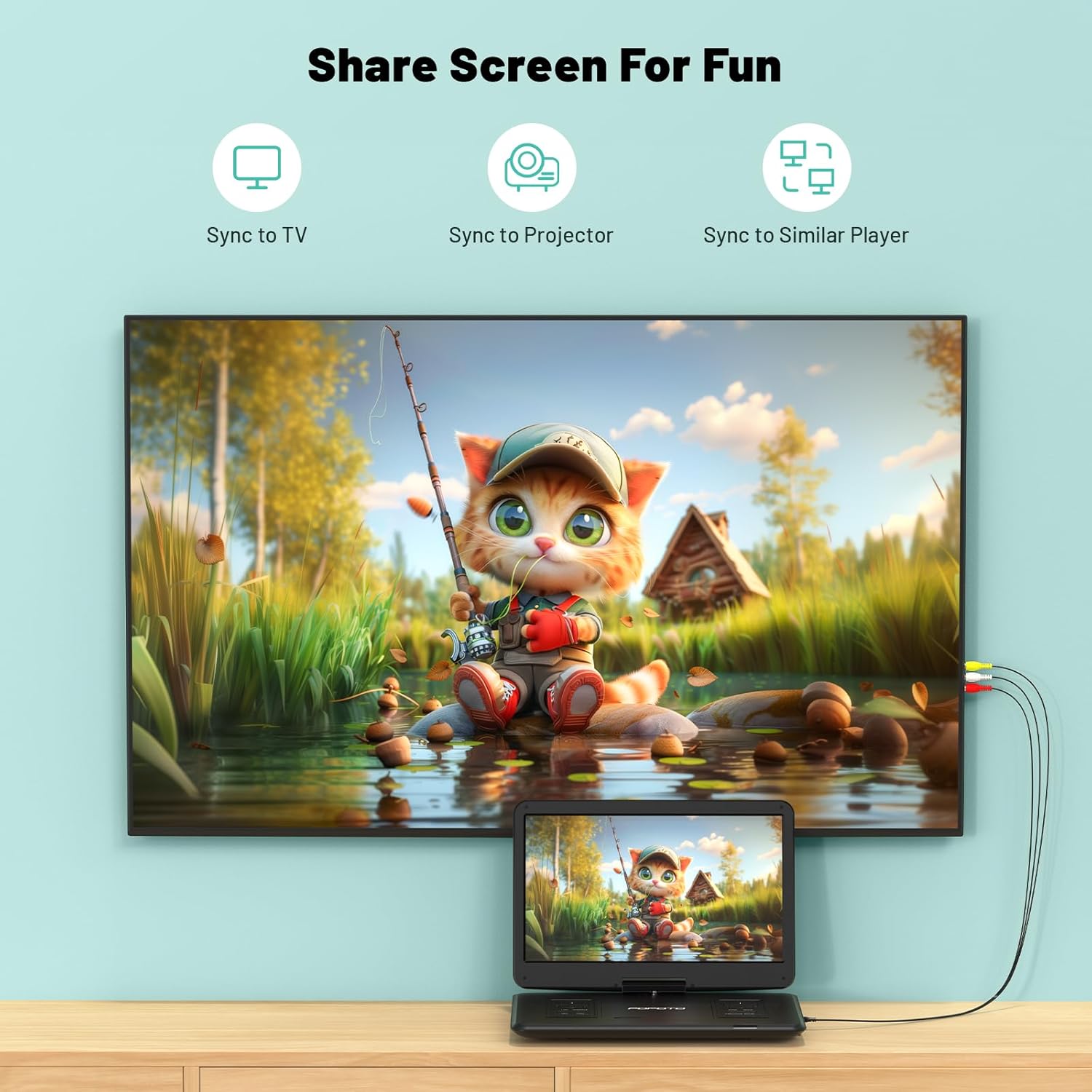
Image: The portable DVD player connected to a television, demonstrating the screen sharing capability.
4 Salida de audio
- Altavoces estéreo duales: The player features built-in dual stereo speakers for direct audio playback. Adjust volume using the VOL+/- buttons.
- Toma de auriculares: For private listening, connect 3.5mm headphones to the headphone jack. The built-in speakers will automatically mute.
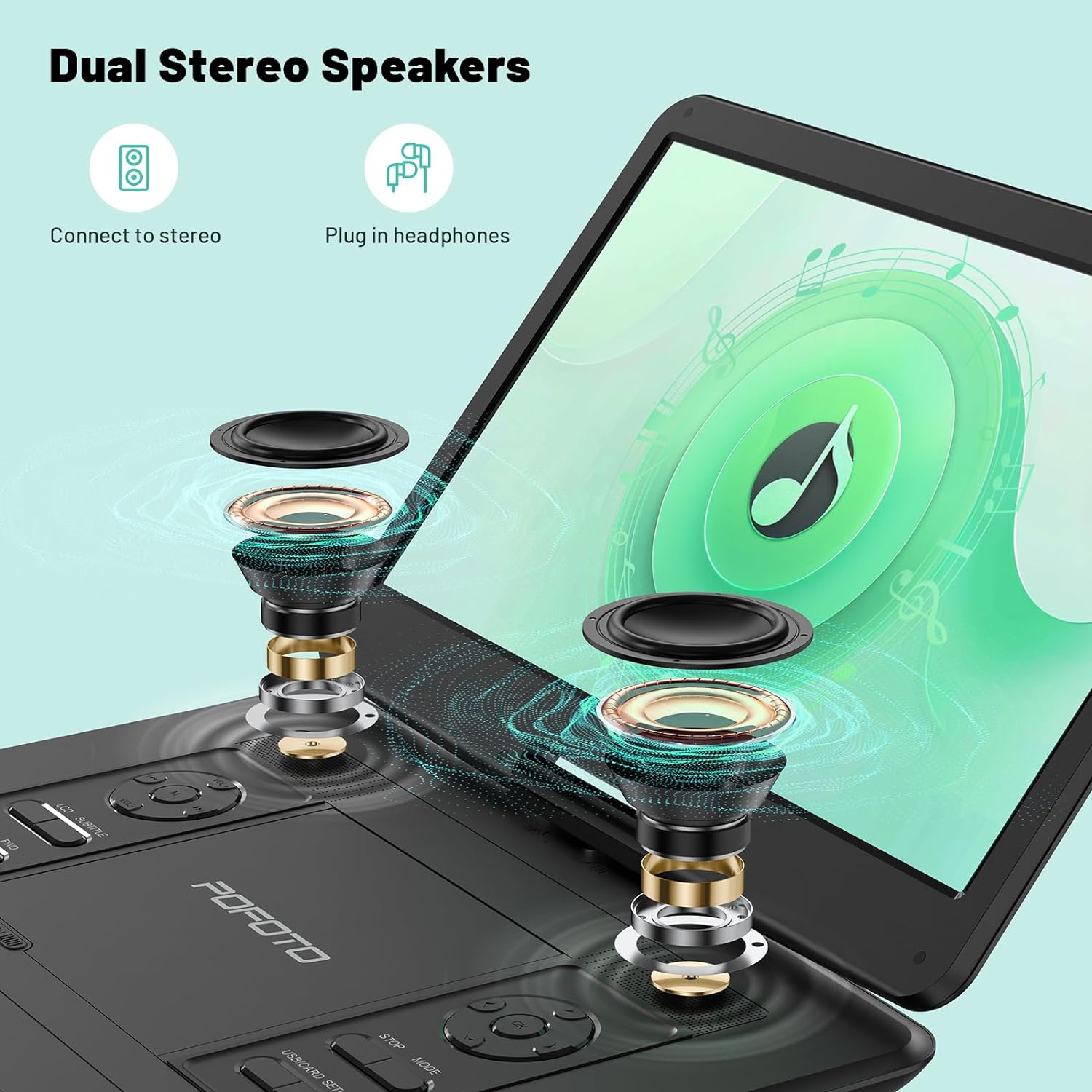
Imagen: Una explosión view highlighting the internal dual stereo speakers and the option to connect external headphones.
5. Last Memory Function (Resume Play)
The player is equipped with a last memory function. If the device is powered off or playback is interrupted, it will automatically resume from the last stopped point when powered on again. This feature is particularly useful for long journeys or when taking breaks.

Image: A visual representation of the player's ability to resume playback from the last watched scene.
Mantenimiento
1. Limpieza del dispositivo
- Utilice un paño suave y seco para limpiar el exterior del reproductor.
- Para la pantalla, utilice un paño suave y sin pelusa, especialmente diseñado para pantallas electrónicas. No utilice limpiadores abrasivos ni disolventes.
- Keep the disc tray and lens clean. Use a specialized DVD/CD lens cleaner if necessary.
2. Cuidado de la batería
- Para prolongar la vida útil de la batería, evite descargarla por completo con frecuencia.
- If storing the device for an extended period, charge it to about 50% every few months.
- Evite exponer el dispositivo a temperaturas extremas, que pueden degradar el rendimiento de la batería.
3. Almacenamiento
Store the player in a cool, dry place away from direct sunlight and excessive dust. Ensure the disc tray is empty and closed before storage.
Solución de problemas
If you encounter any issues with your POFOTO Portable DVD Player, please refer to the following common problems and solutions:
Sin poder
- Asegúrese de que el interruptor de ENCENDIDO esté en la posición ENCENDIDO.
- Check if the AC adapter is securely connected to both the player and a working power outlet.
- Verify that the battery is charged. If not, charge the device for at least 30 minutes.
El disco no se reproduce/Error de disco
- Ensure the disc is clean and free of scratches or smudges. Wipe gently with a soft cloth from the center outwards.
- Verifique que el disco esté insertado correctamente con la etiqueta hacia arriba.
- Check if the disc format is supported (e.g., Blu-ray discs are not supported).
- Pruebe con un disco diferente para determinar si el problema está en el reproductor o en el disco.
Sin sonido
- Increase the volume using the VOL+ button on the player or remote control.
- If headphones are connected, disconnect them to enable the built-in speakers.
- If connected to a TV/projector, ensure the TV/projector's volume is up and the correct audio input is selected.
Problemas de calidad de la imagen
- Adjust the screen brightness, contrast, and color settings in the player's menu.
- Asegúrese de que el disco o medio file Es de buena calidad.
- If connected to an external display, check the AV cable connection and the display's settings.
For further assistance, please contact POFOTO customer support.
Presupuesto
| Característica | Detalle |
|---|---|
| Número de modelo | PD14-Black-DE-14.1 |
| Tamaño de pantalla | 15.6 Inches (Note: Some specifications may list 14.1 inches) |
| Resolución de pantalla | 1280x800 |
| Tipo de pantalla | Pantalla LCD |
| Batería | 1 Lithium-polymer (included), 5000 mAh, up to 6 hours playback |
| Medios de disco compatibles | CD, DVD, CD-R/RW, DVD±R/±RW, VCD/SVCD (Blu-ray not supported) |
| Medios digitales compatibles | AVI, VOB, MP3, WMA, OGG, ACC, JPG (via USB/SD up to 32GB) |
| Conectividad | USB, SD Card, AV Out (for TV/Projector) |
| Dispositivos compatibles | Headphones, Projector, Television |
| Dimensiones del producto | 38L x 27W x 5H centímetros |
| Peso del artículo | 2500 gramos |
| Color | Negro |
| Fabricante | POFOTO |
Garantía y soporte
POFOTO is committed to providing reliable products and excellent customer service.
Información de garantía
Este producto viene con un Garantía de 24 meses Desde la fecha de compra. La garantía cubre defectos de fabricación y mal funcionamiento en condiciones normales de uso. No cubre daños causados por mal uso, accidentes, modificaciones no autorizadas ni desastres naturales.

Image: POFOTO's service guarantee highlights, including a 24-month warranty.
Atención al cliente
If you have any questions, require technical assistance, or need to claim warranty service, please contact the POFOTO support center. We offer professional and technical support with a commitment to a 24-hour response time to resolve any issues you may encounter.