
IMIKI D2 GREEN
IMIKI XPLORER SCOUT D2 Smartwatch
Manual de usuario
Producto terminadoview
The IMIKI XPLORER SCOUT D2 is a versatile smartwatch designed for both men and women, featuring a vibrant 1.43-inch AMOLED display. It offers seamless Bluetooth connectivity for calls and smart assistant integration, comprehensive health monitoring capabilities including blood oxygen and heart rate tracking, and support for over 100 sports modes. Its robust design is IP68 waterproof, making it suitable for various activities, and it boasts exceptional battery life with fast charging.
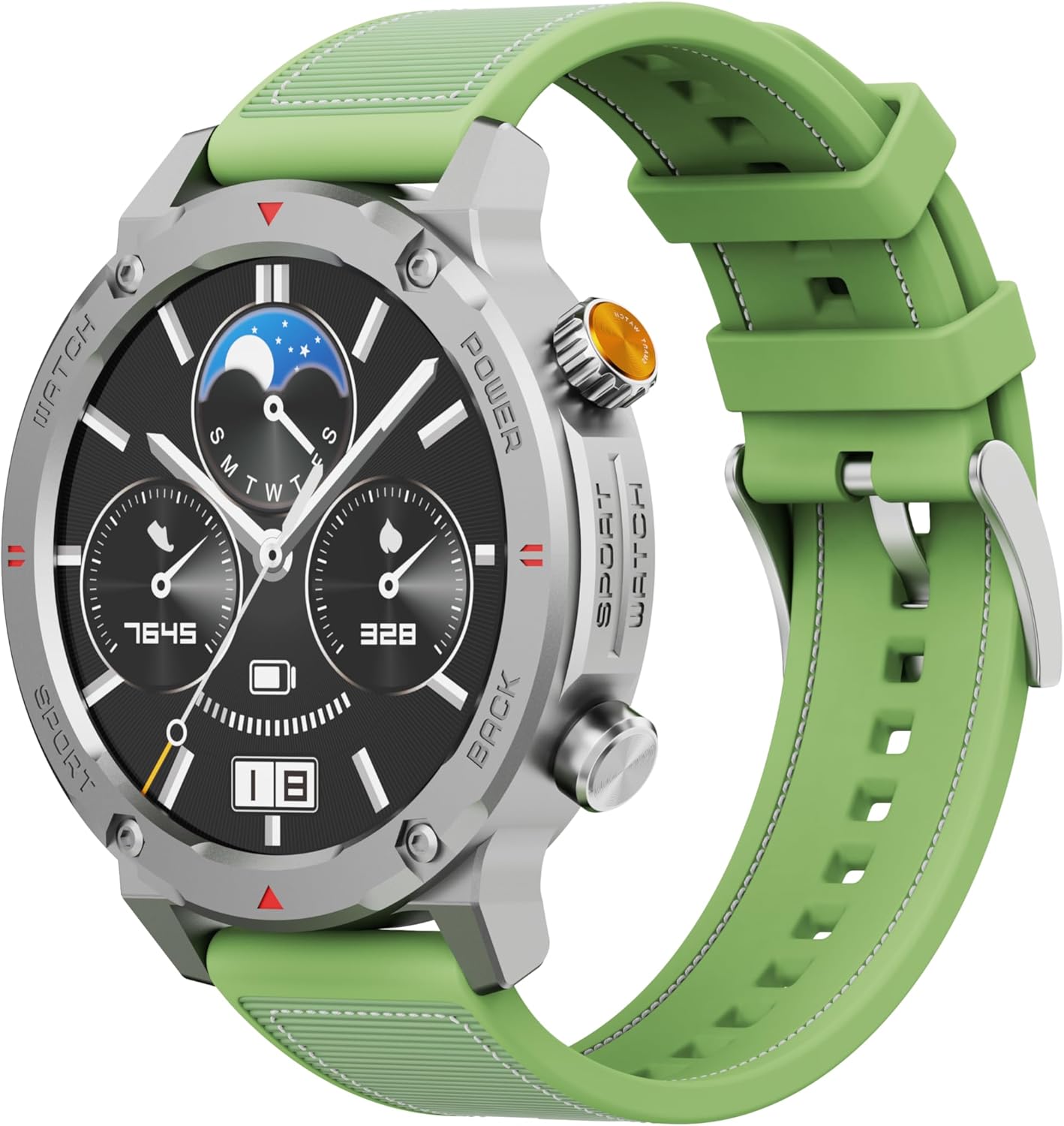
Figura 1: Frente view of the IMIKI XPLORER SCOUT D2 Smartwatch with its green strap.
Guía de configuración
1. ¿Qué hay en la caja?
Upon unboxing your IMIKI XPLORER SCOUT D2 Smartwatch, ensure all components are present:
- IMIKI XPLORER SCOUT D2 Smartwatch
- Cable de carga

Figure 2: The IMIKI XPLORER SCOUT D2 Smartwatch module separated from its bezel and strap, illustrating its modular design.
2. Carga del reloj inteligente
Before first use, fully charge your smartwatch. The 400 mAh battery provides up to 30 days of autonomy on a single charge, and it supports fast charging for quick power-ups.
- Conecte el cable de carga al puerto de carga en la parte posterior del reloj inteligente.
- Conecte el otro extremo del cable a un adaptador de corriente USB (no incluido) o al puerto USB de una computadora.
- La pantalla del reloj indicará el estado de carga. Espere el tiempo suficiente para que se cargue por completo.

Figura 3: Posterior view of the IMIKI XPLORER SCOUT D2 Smartwatch, highlighting the charging contacts and health sensors.
3. Configuración inicial y emparejamiento
Para liberar todo el potencial de tu reloj inteligente, vincúlalo con tu teléfono inteligente a través de Bluetooth.
- Descargar la aplicación: Buscar the official IMIKI companion app on the Apple App Store (for iOS) or Google Play Store (for Android) and install it on your smartphone.
- Habilitar Bluetooth: Asegúrese de que Bluetooth esté habilitado en su teléfono inteligente.
- Power On Watch: Press and hold the power button on the smartwatch to turn it on.
- Abre la app: Launch the IMIKI app on your smartphone and follow the on-screen instructions to add a new device.
- Emparejamiento: Select "IMIKI XPLORER SCOUT D2" from the list of available devices in the app. Confirm the pairing request on both your phone and the smartwatch if prompted.
Una vez emparejado, puedes personalizar la configuración, view health data, and receive notifications directly on your smartwatch.
Instrucciones de funcionamiento
1. Visualización y navegación
The IMIKI XPLORER SCOUT D2 features a 1.43-inch AMOLED display with a high resolution of 466x466 pixels, protected by tempered glass. Navigate the watch interface using touch gestures and the physical buttons.
- Deslizar hacia arriba/abajo: Desplácese por los menús y las notificaciones.
- Deslizar hacia la izquierda/derecha: Accede a widgets rápidos o diferentes esferas de reloj.
- Grifo: Seleccione un elemento o abra una aplicación.
- Botones físicos: Use the side buttons for power on/off, returning to the home screen, or quick access to sports modes.

Figure 4: Close-up of the smartwatch display, illustrating the clear AMOLED screen and various data points.
2. Monitoreo de la salud
The smartwatch is equipped with an optical sensor to monitor key health metrics:
- Frecuencia cardíaca (FC): Realiza un seguimiento continuo de tu frecuencia cardíaca durante todo el día.
- Oxígeno en sangre (SpO2): Mide tus niveles de saturación de oxígeno en sangre.
- Calidad del sueño: Monitors your sleep patterns and provides insights into sleep quality.
Access detailed health reports and historical data through the companion app.
3. Modos de entrenamiento
With over 100 integrated sports modes, the XPLORER SCOUT D2 accurately records your exercise statistics. Select your desired activity from the watch's sports menu to begin tracking.

Figure 5: Visual representation of the smartwatch's diverse functionalities, including health tracking and sports modes.
4. Llamadas Bluetooth y Asistente de voz
The single-chipset Bluetooth 5.3 ensures stable and high-quality connectivity, allowing you to answer calls directly from your wrist. The integrated voice assistant enables hands-free control of your device with simple voice commands.
5. Notificaciones
Receive real-time notifications for calls, SMS messages, and app alerts directly on your smartwatch. Manage notification settings through the companion app.
6. Resistencia al agua (IP68)
The IMIKI XPLORER SCOUT D2 is IP68 rated, meaning it is resistant to dust and water. This allows it to withstand splashes, rain, and brief immersion in shallow water. Nota: While IP68 rated, it is not recommended for swimming, diving, or high-pressure water activities.

Figure 6: Illustration of the smartwatch's IP68 water resistance and exceptional battery autonomy.
Mantenimiento
Proper care and maintenance will extend the lifespan of your IMIKI XPLORER SCOUT D2 Smartwatch.
- Limpieza: Regularly wipe the watch and strap with a soft, dry, lint-free cloth. For stubborn dirt, slightly dampEnjuague el paño con agua. Evite usar productos químicos agresivos o materiales abrasivos.
- Cuidado del sensor: Mantenga limpios los sensores ópticos en la parte posterior del reloj para un control preciso de la salud.
- Almacenamiento: Guarde el reloj inteligente en un lugar fresco y seco, alejado de la luz solar directa y de temperaturas extremas.
- Longevidad de la batería: To maximize battery life, avoid fully discharging the battery frequently. Charge it before it completely runs out.
- Componentes intercambiables: The watch features a removable central case and interchangeable straps (Oyster, Active, Scout styles). Handle these components with care when changing them.

Figure 7: The IMIKI XPLORER series showcasing interchangeable straps and case styles.
Solución de problemas
If you encounter issues with your IMIKI XPLORER SCOUT D2 Smartwatch, try the following solutions:
| Problema | Posible solución |
|---|---|
| El reloj no se enciende. | Asegúrese de que el reloj esté completamente cargado. Conéctelo al cargador y espere unos minutos antes de volver a encenderlo. |
| No se puede emparejar con el teléfono inteligente. |
|
| Lecturas de salud inexactas. |
|
| Notificaciones no recibidas. |
|
Presupuesto
| Característica | Detalle |
|---|---|
| Marca | IMIKI |
| Nombre del modelo | IMIKI SMART WATCH XPLORER SCOUT D2 GREEN |
| Número de modelo del artículo | D2 GREEN |
| Tamaño de pantalla | 1.43 pulgadas |
| Tipo de pantalla | AMOLED |
| Tecnología de conectividad | Bluetooth 5.3 |
| Capacidad de la batería | 400 mAh |
| Duración media de la batería | Hasta 30 días |
| Resistencia al agua | IP68 |
| Vigilancia de la salud | Heart Rate, Blood Oxygen (SpO2), Sleep Quality |
| Modos de entrenamiento | Over 100+ integrated modes |
| Características especiales | Bluetooth Calling, Voice Assistant, Fast Charging, Removable Central Case, Tempered Glass Screen |
| Dispositivos compatibles | Teléfonos inteligentes (Android e iOS) |
| Peso del artículo | 68 gramos |
| Dimensiones del paquete | 10.5 x 10.5 x 6 cm |
Garantía y soporte
For warranty information and customer support, please refer to the documentation included with your purchase or visit the official IMIKI webSitio. Conserve su comprobante de compra para cualquier reclamación de garantía.
For further assistance, you may also contact the seller or Amazon customer service if purchased through Amazon.
Ask a question about this manual
Ask about setup, troubleshooting, compatibility, parts, safety, or missing instructions. Manuals+ will review the question and use this page’s manual context to help answer it.