
Introducción
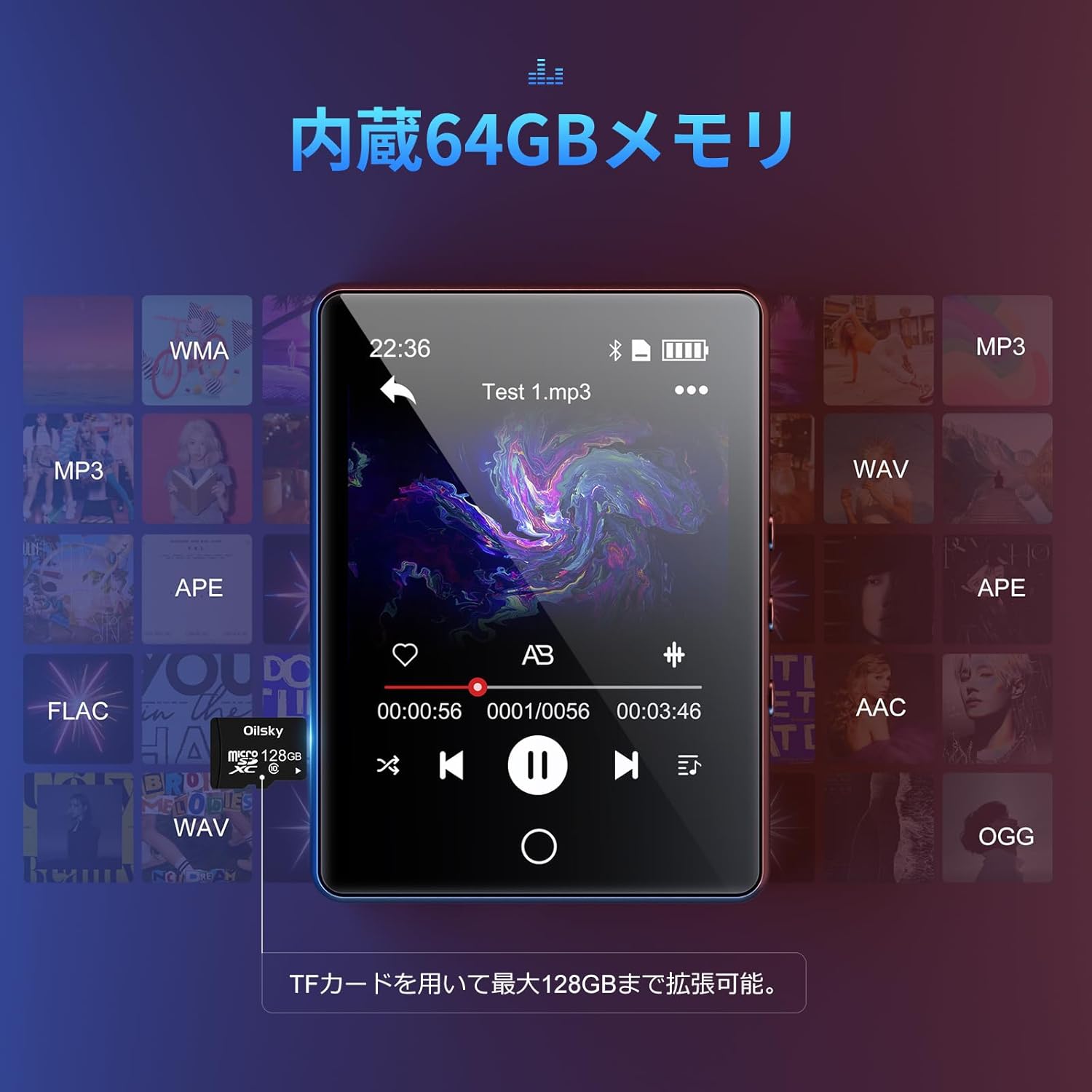
Gracias por la compraasing the Oilsky D26 MP3 Player. This device combines a 2.8-inch full touchscreen with Bluetooth 5.0 connectivity, a built-in speaker, and a robust alloy design. It offers 64GB of internal storage, expandable up to 128GB with a microSD card, and supports various audio formats. This manual provides essential information for setup, operation, and maintenance to ensure optimal performance.
Contenido del paquete
Por favor revise el paquete para ver los siguientes artículos:
- Oilsky D26 MP3 Player Unit
- Auriculares
- Cable USB tipo C
- Manual de instrucciones
- Estuche protector

Si falta algún artículo o está dañado, comuníquese con atención al cliente.
Producto terminadoview
The Oilsky D26 MP3 Player features a sleek alloy design with a 2.8-inch full touchscreen for intuitive navigation. It includes a home button for easy return to the main menu.

Configuración
1. Carga del dispositivo
Before first use, fully charge the MP3 player. Connect the provided Type-C USB cable to the player's charging port and the other end to a USB power adapter (not included) or a computer's USB port. The battery indicator on the screen will show charging status.
2. Inserción de una tarjeta microSD (opcional)
The device has 64GB of internal storage. To expand storage up to 128GB, insert a microSD card into the designated slot. Ensure the card is inserted correctly until it clicks into place.

3. Transferencia Files
Connect the MP3 player to your computer using the Type-C USB cable. The device will appear as a removable disk. You can then drag and drop audio files (MP3, WMA, APE, FLAC, AAC, WAV, OGG) into the player's internal storage or the inserted microSD card.
Instrucciones de funcionamiento
1. Navegación básica
The D26 features a 2.8-inch full touchscreen. Tap icons to select functions and swipe to navigate menus. The physical home button at the bottom allows you to return to the main menu from any application.

2. Reproducción de música
Tap the 'Music' icon on the main screen to access your audio library. The player supports various formats including MP3, WMA, APE, FLAC, AAC, WAV, and OGG, ensuring high-quality audio playback with minimal loss.
3. Conectividad Bluetooth
The D26 features Bluetooth 5.0 for stable wireless connections. To pair with Bluetooth headphones or speakers:
- Vaya a ‘Configuración’ y seleccione ‘Bluetooth’.
- Active Bluetooth y busque los dispositivos disponibles.
- Seleccione sus auriculares o altavoz Bluetooth de la lista para emparejarlos.
Nota: This device can only pair with Bluetooth headsets or speakers. It cannot pair with mobile phones, cars, or computers. Ensure you are in an area free from strong electromagnetic interference to maintain a stable Bluetooth connection.

4. Radio FM
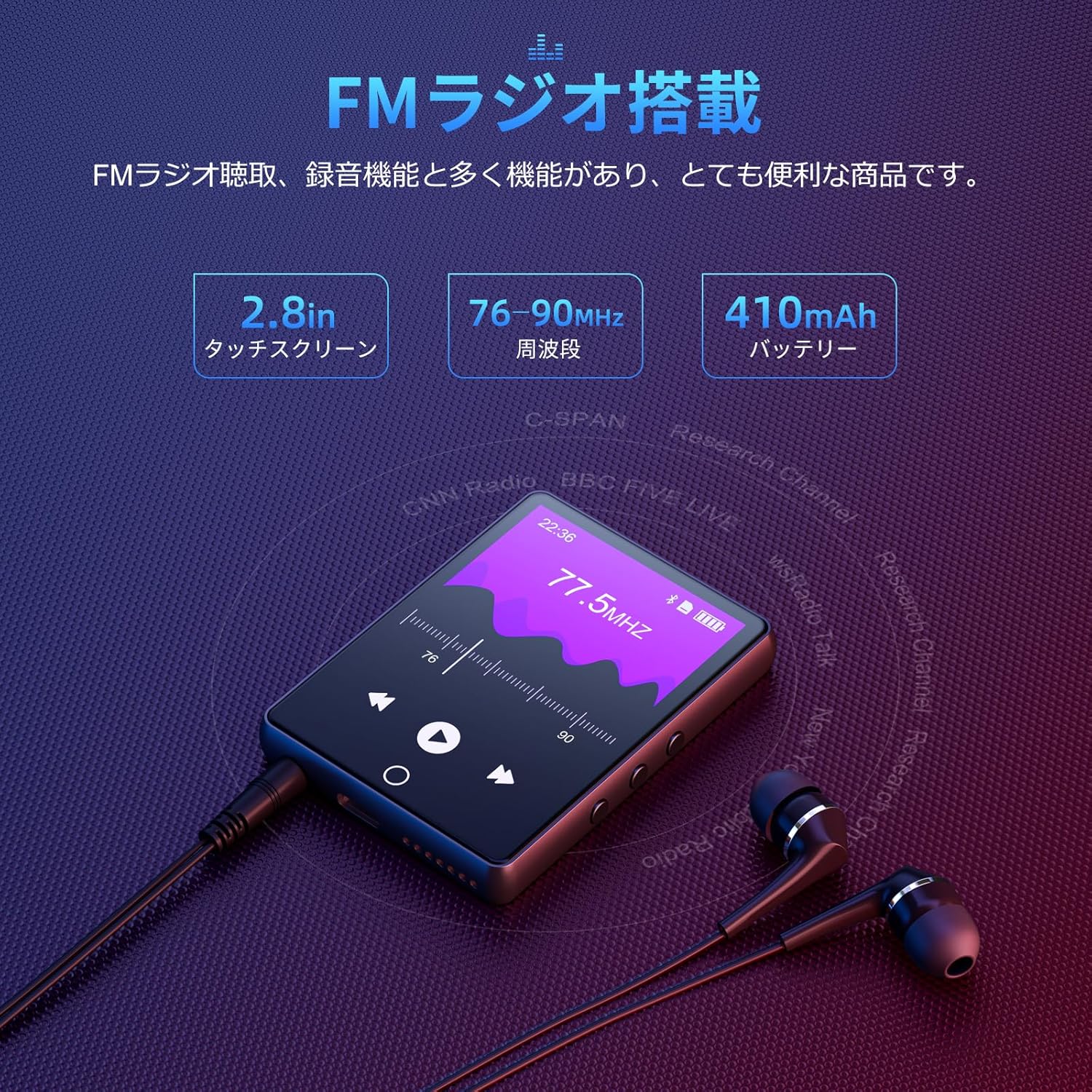
To use the FM radio function, connect the wired earphones (included) as they act as the antenna. Tap the 'FM Radio' icon on the main screen. You can then scan for stations and listen to broadcasts.
5. Función de grabación
The D26 includes a recording function, useful for lectures, meetings, or personal notes. Tap the 'Record' icon to start and stop recordings. Recorded files are saved on the device.

6. Otras funciones
The device also includes additional utilities such as a timer, calendar, and calculator. Access these features from the main menu.

Mantenimiento
- Mantenga el dispositivo seco. Evite la exposición a la humedad o a líquidos.
- Limpie la pantalla y el cuerpo con un paño suave y seco. No utilice limpiadores abrasivos.
- Evite temperaturas extremas.
- No intente desmontar ni reparar el dispositivo usted mismo.
Solución de problemas
El dispositivo no enciende:
- Asegúrese de que el dispositivo esté completamente cargado.
- Mantenga presionado el botón de encendido durante unos segundos.
No se puede conectar a través de Bluetooth:
- Ensure Bluetooth is enabled on both the player and the receiving device (headphones/speaker).
- Make sure the receiving device is in pairing mode.
- Confirm that you are attempting to pair with a compatible device (Bluetooth headphones or speakers only).
- Aléjese de posibles fuentes de interferencia electromagnética.
Sin sonido:
- Verifique el nivel de volumen.
- Ensure earphones are properly connected or Bluetooth device is paired and connected.
- Test with different earphones or Bluetooth device.
FileNo está jugando:
- Verifique que el audio file format is supported (MP3, WMA, APE, FLAC, AAC, WAV, OGG).
- Asegúrese de que files no están dañados.
Presupuesto
| Característica | Especificación |
|---|---|
| Número de modelo | D26 |
| Marca | aceitesky |
| Tamaño de pantalla | 2.8 pulgadas |
| Tecnología de visualización | Pantalla LCD |
| Almacenamiento interno | 64 GB |
| Almacenamiento expandible | Hasta 128 GB mediante tarjeta microSD |
| Conectividad | Bluetooth 5.0 |
| Formatos de audio compatibles | MP3, WMA, APE, FLAC, AAC, WAV, OGG |
| Otras funciones | FM Radio, Built-in Speaker, Recording, Calculator, Timer, Calendar |
| Dimensiones | 14.7 x 14.6 x 1.9 cm |
| Peso | 200 gramos |
Garantía y soporte
This product comes with a standard manufacturer's warranty. For specific warranty details, please refer to the warranty card included in your package or contact the seller directly. If you encounter any issues or have questions regarding your Oilsky D26 MP3 Player, please reach out to our customer support team for assistance.
Información del contacto: Please refer to the contact details provided on the product packaging or the seller's information page.