
1. Introducción
Gracias por la compraasing the ELECOM LBT-ECOWS01MBK Open-Ear Bluetooth 5.4 Wireless Headphones. These headphones are designed to allow you to enjoy audio content while remaining aware of your surroundings. This manual provides essential information for the safe and effective use of your new device.

Image: The ELECOM LBT-ECOWS01MBK open-ear wireless headphones and their transparent charging case.
2. Contenido del paquete
- ELECOM LBT-ECOWS01MBK Open-Ear Wireless Headphones (Left and Right)
- Estuche de carga
- USB Charging Cable (USB-A to USB Type-C™)
- Guía de inicio rápido
3. Características del producto
- Diseño de oído abierto: Listen to music or videos while simultaneously hearing ambient sounds, ensuring awareness of your surroundings.
- Comodidad ligera: Each earbud weighs approximately 9.8g, providing a comfortable fit for extended wear without pressure or stuffiness.
- Audio de alta calidad: Equipped with a large 16mm diameter driver for clear sound and supports AAC codec for high-quality audio on compatible devices like iPhones.
- Modo de voz: Optimizes audio frequencies to make human voices clearer, ideal for radio, audiobooks, and conversations.
- Modo de baja latencia: Reduces audio-visual delay, enhancing the experience for videos and games.
- Reproducción extendida: Up to 10 hours of continuous playback on a single charge, and up to 25 hours with the charging case.
- Controles del sensor táctil: Conveniently manage music playback, volume, and calls directly from the earbuds.
- Soporte de asistente de voz: Compatible con Siri y Google Assistant para control manos libres.
- Uso de un solo auricular: Cualquiera de los auriculares se puede utilizar de forma independiente.
- USB Type-C™ Charging: The charging case features a USB Type-C™ port for convenient charging.

Image: A man wearing the open-ear headphones, demonstrating the ability to hear ambient sounds while enjoying media.
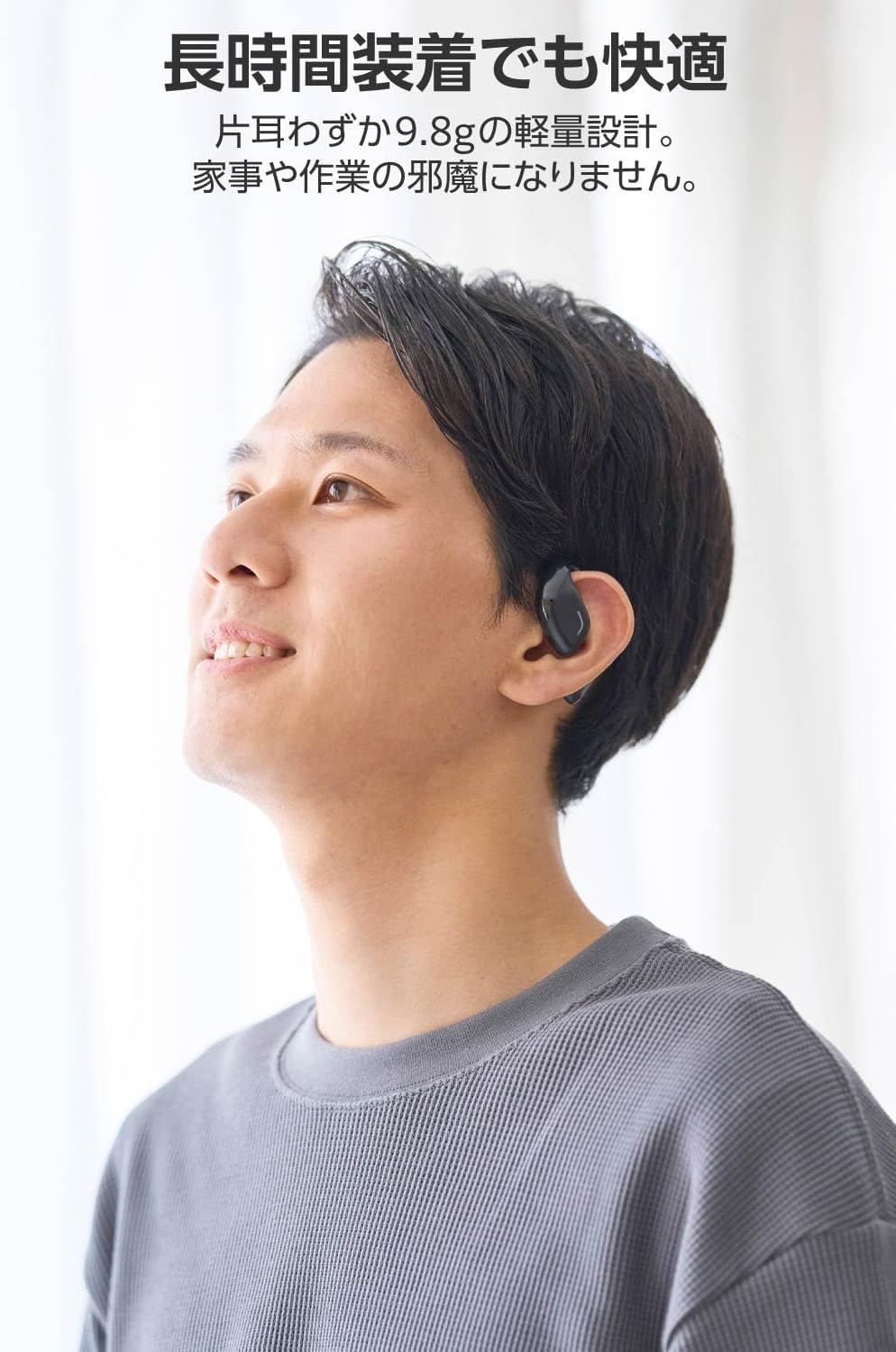
Image: A man wearing the lightweight open-ear headphones, highlighting their comfortable design for long-term use.
4. Configuración
4.1. Carga de los auriculares y el estuche
Antes del primer uso, cargue completamente los auriculares y el estuche de carga.
- Coloque ambos auriculares en el estuche de carga.
- Connect the supplied USB Type-C™ cable to the charging port on the case and a USB power adapter (not included).
- El indicador LED en el estuche de carga mostrará el estado de carga.
Tiempo de carga:
- Headphones: Approximately 1.5 hours
- Estuche de carga: aproximadamente 1.5 horas

Image: Illustration of the charging process for the headphones and case, showing the USB-C port and LED indicators.
4.2. Emparejamiento con un dispositivo Bluetooth
- Asegúrese de que los auriculares estén cargados.
- Open the charging case. The headphones will automatically enter pairing mode. The LED indicator on the earbuds will flash.
- On your device (smartphone, PC, tablet), enable Bluetooth and search for available devices.
- Select "LBT-ECOWS01MBK" from the list of found devices.
- Una vez conectado, el indicador LED de los auriculares dejará de parpadear.
- After initial pairing, the headphones will automatically connect to the last paired device when removed from the case.
4.3. Uso de los auriculares
The headphones are designed to hook over your ears.
- Identifique los auriculares izquierdo (L) y derecho (R).
- With the LED facing outwards, hook the earbud over the top of your ear.
- Adjust the earbud for a comfortable and secure fit.

Image: Step-by-step guide on correctly wearing the open-ear headphones.
5. Instrucciones de funcionamiento
5.1. Touch Sensor Controls
The headphones feature touch sensors on each earbud for various functions.
| Función | Acción | Auricular |
|---|---|---|
| Reproducir/Pausa | Un solo toque | L o R |
| Pista siguiente | Doble toque | R |
| Pista anterior | Doble toque | L |
| Subir volumen | Pulsación larga (aprox. 2 segundos) | R |
| Bajar volumen | Pulsación larga (aprox. 2 segundos) | L |
| Responder/Finalizar llamada | Un solo toque | L o R |
| Rechazar llamada | Pulsación larga | L o R |
| Activar Asistente de Voz | Triple toque | L o R |

Image: Visual representation of the touch sensor areas and corresponding music and volume controls.
5.2. Cambio de modos de audio
The headphones offer three distinct audio modes:
- Modo normal: Reproducción de audio estándar.
- Modo de baja latencia: Reduces audio-visual delay, suitable for watching videos or playing games.
- Modo de voz: Enhances human voice frequencies for clearer dialogue, ideal for audiobooks, podcasts, or calls.
To switch between modes, refer to the quick start guide or the official product page for specific touch gestures, as these can sometimes be customized.

Imagen: Una sobreview of the three available audio modes and their recommended uses.
5.3. Uso de un solo auricular
You can use either the left or right earbud independently. When using only one earbud, ensure the other earbud is powered off or stored in the charging case.
6. Mantenimiento
Para garantizar la longevidad y el rendimiento óptimo de sus auriculares:
- Limpie los auriculares y el estuche de carga periódicamente con un paño suave y seco.
- No utilice limpiadores abrasivos ni disolventes.
- Evite exponer los auriculares a temperaturas extremas, humedad o luz solar directa.
- Mantenga los contactos de carga de los auriculares y el interior del estuche limpios y libres de residuos.
- Guarde los auriculares en su estuche de carga cuando no los utilice para protegerlos y mantenerlos cargados.
7. Solución de problemas
Si tiene problemas con sus auriculares, consulte las siguientes soluciones comunes:
- Sin sonido:
- Asegúrese de que los auriculares estén cargados.
- Compruebe que los auriculares estén correctamente emparejados y conectados a su dispositivo.
- Ajuste el volumen tanto de los auriculares como del dispositivo conectado.
- No se puede emparejar:
- Asegúrese de que los auriculares estén en modo de emparejamiento (LED parpadeando).
- Desactive el Bluetooth en otros dispositivos cercanos que puedan haberse conectado previamente.
- Reinicie su dispositivo e intente emparejarlo nuevamente.
- Conexión intermitente:
- Asegúrese de que no haya obstáculos entre los auriculares y el dispositivo.
- Move closer to your device (maximum communication distance is approximately 10m).
- Evite entornos con fuertes interferencias electromagnéticas.
- Los controles táctiles no responden:
- Asegúrese de que sus dedos estén limpios y secos.
- Try restarting the headphones by placing them in the case and then taking them out again.
- Low Battery Voice Prompt: If you hear a repeated "Low Battery, please charge" prompt, place the earbuds in the charging case immediately.
If the issue persists, please refer to the official ELECOM support websitio para obtener más ayuda.
8. Especificaciones
| Característica | Especificación |
|---|---|
| Nombre del modelo | LBT-ECOWS01MBK |
| Tecnología de conectividad | Wireless (Bluetooth® Version 5.4) |
| bluetooth profesionalfiles | A2DP, AVRCP, HFP |
| Códecs compatibles | CAA, SBC |
| Distancia máxima de comunicación | Approx. 10m (without obstacles) |
| Frequency Response (A2DP) | 20-20,000 Hz |
| Tiempo de reproducción continua | Approx. 10 hours (Approx. 25 hours with charging case) |
| Tiempo de carga (auriculares) | Aproximadamente 1.5 horas |
| Tiempo de carga (estuche) | Aproximadamente 1.5 horas |
| Tipo de micrófono | Tipo de MEMS |
| Unidad de controlador | φ16mm Full Range |
| Peso (por auricular) | Aprox. 9.8 g |
| Peso (estuche de carga) | Aprox. 59.0 g |
| Color | Negro mate |
| Resistencia al agua | No impermeable |
| Temperatura de funcionamiento | 5℃ a 35℃ |
| Humedad de funcionamiento | 20% a 80% (sin condensación) |
9. Garantía y soporte
9.1. Información de garantía
Este producto viene con un 1 año de garantía A partir de la fecha de compra. Conserve su comprobante de compra para cualquier reclamación de garantía. La garantía cubre defectos de fabricación, pero no cubre daños causados por mal uso, accidentes, modificaciones no autorizadas o desgaste normal.
9.2. Atención al cliente
For further assistance, technical support, or detailed product information, please visit the official ELECOM websitio:
You may also find additional FAQs and troubleshooting tips on the product support pages.