1. Introducción
This manual provides detailed instructions for the safe and effective use of your ClokoWe Mini Projector T800. Please read this manual thoroughly before operating the device and retain it for future reference.
Información de seguridad
- No mire directamente a la lente del proyector cuando la lamp Está encendido.
- Asegúrese de que haya una ventilación adecuada alrededor del proyector para evitar el sobrecalentamiento.
- Mantenga el proyector alejado del agua u otros líquidos.
- Utilice únicamente el adaptador de corriente proporcionado con el dispositivo.
- No intente desmontar ni reparar el proyector usted mismo. Contacte con el servicio de atención al cliente para obtener ayuda.
2. Contenido del paquete
Verifique que todos los artículos estén presentes en el paquete:
- ClokoWe Mini Projector T800
- Cable HDMI
- Mando a distancia
- Cable de alimentación
- Manual de usuario (este documento)
3. Producto terminadoview
Familiarícese con los componentes y características del proyector.
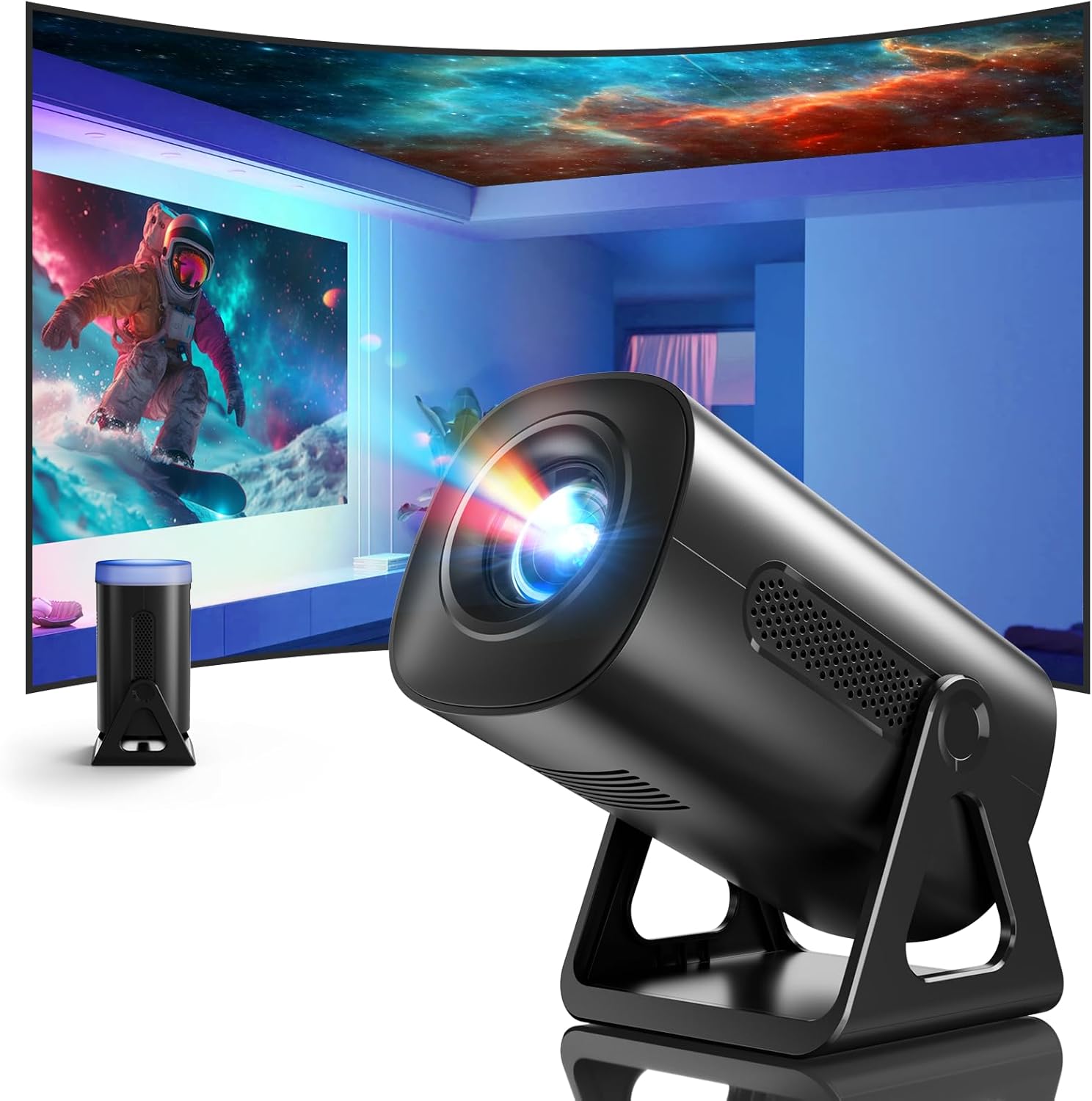
Imagen 3.1: Frente view of the ClokoWe Mini Projector T800, showcasing its compact design and projection capability.
Características principales:
- Native 1080p Resolution with 4K Support
- 270° Rotatable Stand for flexible projection angles
- Integrated Star Projector with 6 Galaxy Projection Modes and 7 Ambient Night Light Colors
- Dual Band WiFi 6 (2.4G/5G) for stable wireless connectivity
- Bluetooth 5.2 HiFi Speaker for enhanced audio
- Automatic Keystone Correction and 50%-100% Zoom function
- Multiple connectivity options: USB, HDMI, AV, Audio

Image 3.2: Dimensions and weight of the projector, highlighting the 270-degree rotatable stand.
4. Configuración
4.1 Conexión de alimentación
- Conecte el cable de alimentación al puerto de entrada de energía del proyector.
- Conecte el otro extremo del cable de alimentación a una toma eléctrica estándar.
- La luz indicadora de encendido se iluminará.
4.2 Colocación y ajuste
The 270° rotatable stand allows for flexible placement and projection.

Image 4.1: The projector's 270-degree rotation feature, enabling projection onto walls, floors, or ceilings.
- Posicionamiento: Coloque el proyector sobre una superficie plana y estable.
- Ajuste del ángulo: Rotate the projector body on its stand to achieve the desired projection angle (up to 270 degrees).
- Enfocar: Utilice el anillo de enfoque en la lente del proyector para enfocar la imagen.
- Corrección trapezoidal: The projector features automatic keystone correction. If the image appears trapezoidal, the device will automatically adjust it to a rectangular shape. Manual adjustments may also be available in the settings menu.

Image 4.2: Demonstration of automatic keystone correction and image zoom capabilities.
5. Instrucciones de funcionamiento
5.1 Encendido inicial
- Pulse el botón de encendido del proyector o del control remoto.
- The projector will start up and display the main interface.
5.2 Conectividad
The projector supports various input sources and wireless connections.

Imagen 5.1: Másview of supported device connections via HDMI, USB, and Audio interfaces.
5.2.1 WiFi Connection (Dual Band WiFi 6)
- Navegue hasta el menú 'Configuración' en el proyector.
- Seleccione “Red” o “Configuración WiFi”.
- Elija la red WiFi 2.4G o 5G que desee de la lista.
- Introduce la contraseña y conéctate.

Image 5.2: Demonstrating Dual Band WiFi 6 connectivity and wired screen mirroring with a smartphone.
5.2.2 Conexión Bluetooth (Bluetooth 5.2)
- Vaya a ‘Configuración’ y seleccione ‘Bluetooth’.
- Active Bluetooth y busque dispositivos disponibles.
- Seleccione su altavoz o auriculares Bluetooth de la lista para emparejarlos.

Image 5.3: The projector's Bluetooth 5.2 capability for connecting to external audio devices.
5.2.3 HDMI/USB/AV Connection
- Connect your device (e.g., laptop, TV stick, game console) to the corresponding HDMI, USB, or AV port on the projector.
- Select the correct input source from the projector's main menu using the remote control.
5.3 Projection Modes (Star Projector & Night Light)
The projector includes integrated ambient lighting features.

Image 5.4: The projector's ability to display 7 night light colors and 6 galaxy projection modes.
- Proyección de galaxia: Access the 'Star Projector' or 'Galaxy Modes' option in the menu to select from 6 different galaxy patterns.
- Luz nocturna ambiental: With the lens cover on, select from 7 ambient light colors to use the projector as a night light.
5.4 Ajuste de imagen
- Función de zoom: Adjust the projection size from 50% to 100% via the projector's menu settings.
- Calidad de imagen: The projector supports native 1080p resolution and 4K input. Ensure your source content is of high quality for the best viewExperiencia de aprendizaje.
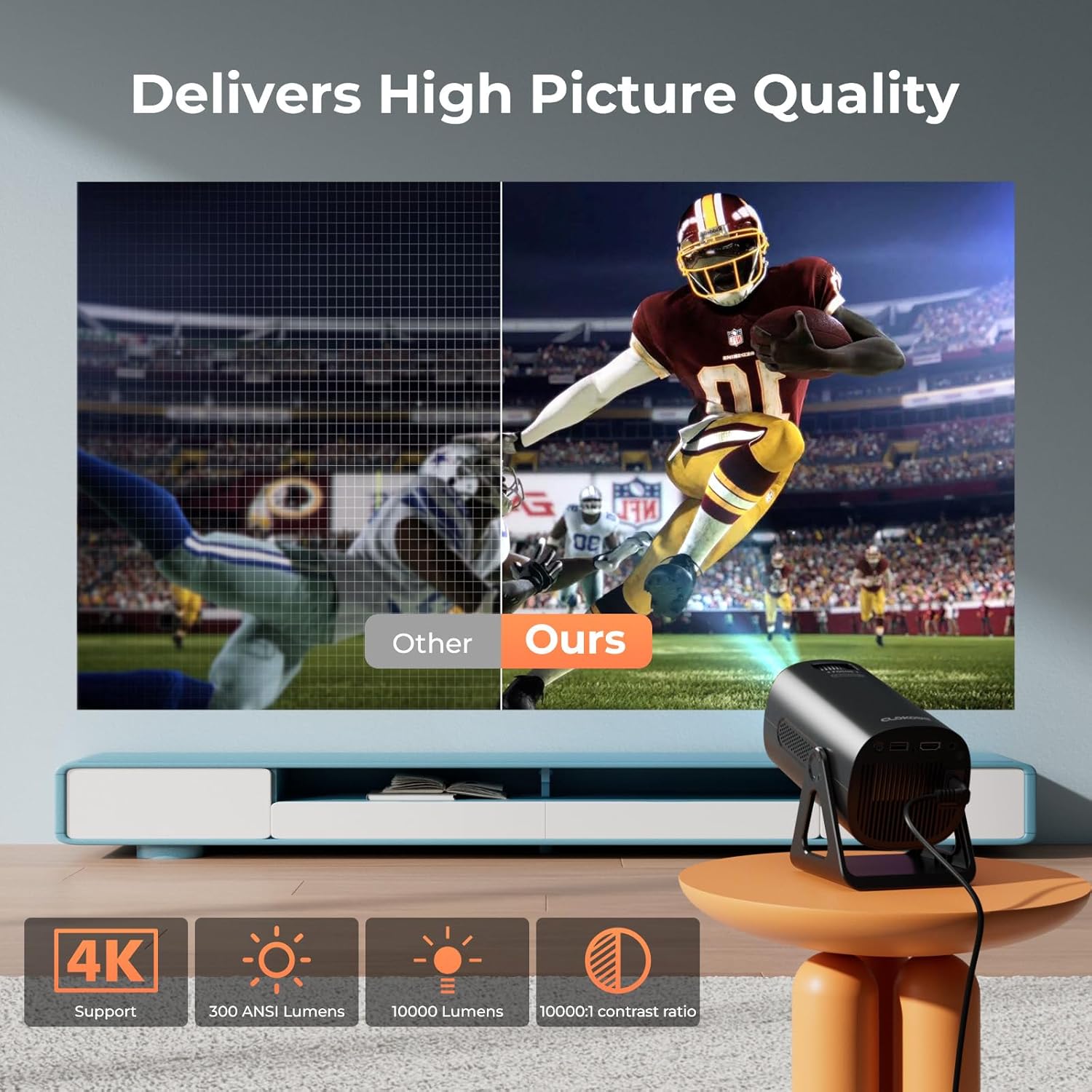
Image 5.5: Visual comparison of picture quality, emphasizing 4K support and brightness specifications.
6. Mantenimiento
- Limpieza de lentes: Utilice un paño suave y sin pelusa, especialmente diseñado para lentes ópticas, para limpiar suavemente la lente del proyector. No utilice limpiadores abrasivos.
- Eliminación de polvo: Limpie periódicamente las rejillas de ventilación del proyector con un cepillo suave o aire comprimido para evitar la acumulación de polvo, que puede afectar el rendimiento y la vida útil.
- Almacenamiento: Cuando no utilice el proyector durante períodos prolongados, guárdelo en un lugar fresco y seco, preferiblemente en su embalaje original o en un estuche protector.
- Apagado: Always power off the projector correctly and allow it to cool down before unplugging or moving it.
7. Solución de problemas
Problemas comunes y soluciones:
- Sin energía:
• Ensure the power cord is securely connected to both the projector and the power outlet.
• Compruebe si la toma de corriente funciona. - Sin imagen/señal:
• Verify that the correct input source (HDMI, USB, AV) is selected in the projector's menu.
• Check the connection cables between the projector and the source device.
• Ensure the source device is powered on and outputting a signal. - Imagen borrosa:
• Ajuste el anillo de enfoque en la lente del proyector.
• Asegúrese de que la superficie de proyección sea plana y que el proyector esté estable.
• Check if the lens is clean. - La imagen es trapezoidal:
• The automatic keystone correction should adjust this. If not, check for manual keystone adjustment options in the settings. - Sin sonido:
• Check the volume settings on both the projector and the source device.
• If using Bluetooth, ensure the external speaker/headphones are properly paired and connected.
• Si utiliza HDMI, asegúrese de que la salida de audio esté configurada correctamente en el dispositivo fuente. - Problemas de conexión WiFi/Bluetooth:
• Ensure the projector is within range of the WiFi router or Bluetooth device.
• Restart the projector and the network device.
• Re-enter WiFi passwords carefully.
8. Especificaciones
| Característica | Especificación |
|---|---|
| Número de modelo | T800 |
| Resolución de pantalla | 1280 x 720 (Native 1080p, 4K Support) |
| Tecnología de conectividad | Conector de 3.5 mm, Bluetooth 5.2, HDMI, USB, Wi-Fi 6 (2.4 G/5 G) |
| Característica especial | Portable, 270° Rotatable Stand, Star Projector, Ambient Night Light, Auto Keystone Correction, Zoom |
| Usos recomendados | Negocios, Educación, Juegos, Cine en casa |
| Peso del artículo | 2.38 libras |
| Dimensiones del paquete | 9.13 x 6.69 x 5.28 pulgadas |
9. Garantía y soporte
ClokoWe products are designed for reliability and performance. For warranty information, technical support, or service inquiries, please refer to the warranty card included in your package or visit the official ClokoWe webSitio. Tenga a mano el número de modelo (T800) y los detalles de compra al contactar con el soporte técnico.