
1. Introducción
This manual provides detailed instructions for the setup, operation, maintenance, and troubleshooting of your SMACKAPE WLMOUSE Beast X Mini Pro Ultra-Light Magnesium Gaming Mouse. Please read this manual thoroughly to ensure proper use and to maximize your gaming experience.
2. Contenido del paquete
Verifique que todos los artículos enumerados a continuación estén incluidos en su paquete:
- Ratón inalámbrico (1)
- Cable USB-C (1)
- 8K Dongle (1)
- Nano 1K Dongle (1)
- Manual de usuario (1)
- PTFE Skates (1 set)
- Mouse Grip Tape (1 set)
- Estuche de transporte (1)
3. Producto terminadoview
The WLMOUSE Beast X Mini Pro is an ultra-lightweight gaming mouse designed for high performance. It features a magnesium alloy chassis, a high-precision PAW3950 HS sensor, and offers both 2.4GHz wireless and USB-C wired connectivity.

Image: The WLMOUSE Beast X Mini Pro gaming mouse in Milky White, showcasing its lightweight, open-frame design.

Image: Infographic detailing key features including magnesium alloy, 34g weight, Nordic 52840 MCU, PAW3950HS sensor, 125-8000Hz adjustable polling rate, OM Optical switches, and 220mAh Lithium-Ion battery.

Image: A promotional banner highlighting the mouse's featherlight magnesium construction and speed capabilities.

Image: A graphic illustrating the PAW3950HS sensor, emphasizing its precision and zero-lag tracking capabilities.
4. Configuración
4.1 Carga del ratón
Before first use, connect the mouse to your computer using the provided USB-C cable to charge the internal battery. The mouse can be used in wired mode while charging.
4.2 Conexión inalámbrica (2.4 GHz)
- Locate the 8K Dongle or Nano 1K Dongle from the package.
- Conecte el dongle a un puerto USB disponible en su computadora.
- Encienda el mouse usando el interruptor de encendido ubicado en la parte inferior.
- El ratón debería conectarse automáticamente al adaptador. De lo contrario, consulte la sección de solución de problemas.
4.3 conexiones cableadas
Connect the USB-C end of the provided cable to the mouse and the USB-A end to your computer. The mouse will function in wired mode and charge simultaneously.

Imagen: Frente view of the WLMOUSE Beast X Mini Pro, showing the USB-C port for wired connection and charging.
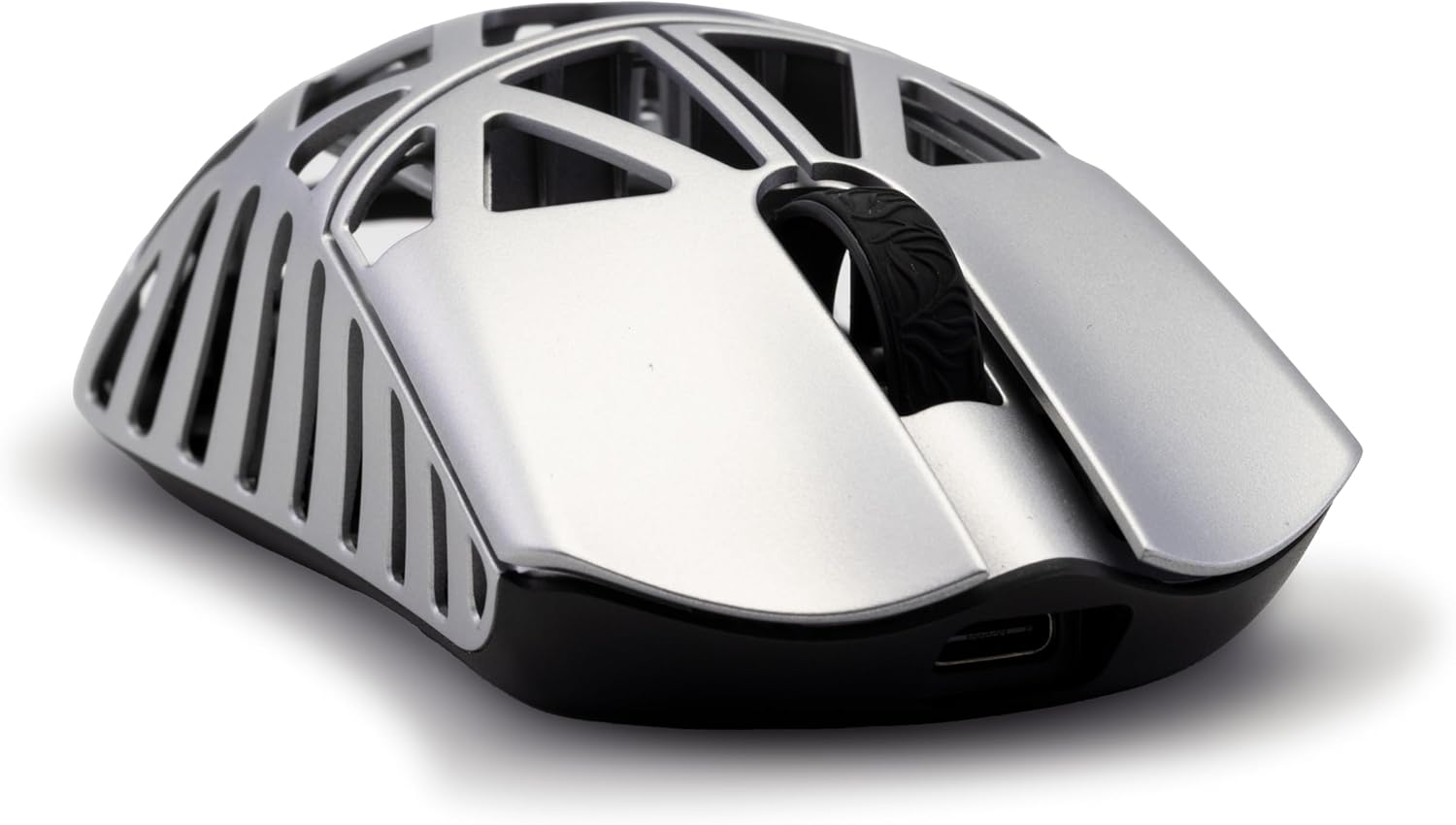
Imagen: Lateral view of the WLMOUSE Beast X Mini Pro, highlighting the USB-C port.
5. Instrucciones de funcionamiento
5.1 Funciones básicas
- Click izquierdo: Acción primaria.
- Botón derecho del ratón: Menú contextual/acción secundaria.
- Rueda de desplazamiento: Desplácese hacia arriba/abajo, haga clic con el botón central.
- Botones laterales: Forward/Backward navigation (default). Functions can be customized via software.
5.2 Ajuste de ppp
The mouse's DPI (Dots Per Inch) can be adjusted to change cursor sensitivity. Specific DPI levels and their cycling can be configured through the web-based customization software.
5.3 Tasa de sondeo
The polling rate determines how often the mouse reports its position to the computer. The Beast X Mini Pro supports up to 8KHz (8000Hz) polling rate in wireless mode and 1KHz (1000Hz) in wired mode. This setting is configurable via the websoftware basado en.

Image: A graphic displaying adjustable DPI (50-30000), 8000Hz wireless polling rate, 1000Hz wired polling rate, 750 IPS tracking rate, and 50G acceleration.
6. Personalización
6.1 Customizable Side Panels
The Beast X Mini Pro allows for interchangeable side panels. Your mouse may come with side slits for enhanced airflow or solid side panels for a smooth grip. These can be swapped to suit your preference.

Image: Illustration showing two customizable side panel options: side slits for airflow and solid sides for a smooth grip.
6.2 Switch Options
The mouse is available with two types of switches:
- OM Optical Switches: Offer light actuation for fast, responsive clicks and long-lasting durability.
- TTC Nihil Mechanical Switches: Provide crisp, tactile feedback with a higher actuation force for a precise, responsive feel.

Imagen: Una explosión view of the mouse highlighting the internal switches, with text describing the OM Optical and TTC Nihil Mechanical switch options.
6.3 Web-Based Customization Software
The Beast X Mini Pro utilizes a web-based software for comprehensive customization. This allows you to:
- Ajustar la configuración de DPI.
- Fine-tune lighting effects.
- Configurar macros para comandos complejos.
- Update firmware directly from your browser.
Access the software through your web browser (Edge or Chrome recommended) to personalize your mouse settings without needing to download and install desktop applications.

Image: Screenshots of the web-based customization software interface, showing options for adjusting mouse settings.
7. Mantenimiento
7.1 Limpieza
Para mantener un rendimiento óptimo, limpie el ratón con regularidad. Utilice un paño suave y seco para limpiar la superficie. Para la suciedad persistente, utilice un paño ligeramente seco.amp Se puede usar un paño, asegurándose de que no entre humedad en los componentes internos. Evite productos químicos agresivos o materiales abrasivos.
7.2 Cuidado de la batería
The mouse is equipped with a Lithium-Ion battery. For best battery life, avoid fully discharging the mouse frequently. Charge the mouse when the battery indicator suggests low power. Store the mouse in a cool, dry place when not in use for extended periods.
8. Solución de problemas
- El ratón no responde: Ensure the mouse is powered on. For wireless mode, check that the dongle is securely plugged in and the mouse is within range. For wired mode, ensure the USB-C cable is properly connected to both the mouse and the computer.
- Cursor erratic or not tracking: Clean the mouse sensor on the underside of the mouse. Ensure you are using the mouse on a suitable surface (e.g., a mouse pad).
- Problemas de conectividad: Try plugging the dongle into a different USB port. Ensure there are no strong wireless interference sources nearby.
- Los botones no funcionan: Check software settings to ensure buttons are not unbound or assigned to conflicting functions.
- La duración de la batería es más corta de lo esperado: Ensure the mouse is fully charged. High polling rates (e.g., 8KHz) consume more power. Adjust polling rate settings in the software if extended battery life is desired.
If issues persist, consult the manufacturer's support resources or contact customer service.
9. Especificaciones
| Característica | Detalle |
|---|---|
| Dimensiones del producto | 4.57 x 2.28 x 1.38 pulgadas (116 x 58 x 35 mm) |
| Peso del artículo | 1.2 onzas (34 g) |
| ASIN | B0DXFD86F5 |
| Número de modelo del artículo | Milky White(OM Switch-Side Slits) |
| Baterías | Se requiere 1 batería de iones de litio (incluida) |
| Marca | SMACKAPE |
| Color | Blanco |
| Tecnología de conectividad | 2.4 GHz inalámbrico, cable USB-C |
| Característica especial | Lightweight Magnesium Alloy Construction |
| Tecnología de detección de movimiento | Optical (PAW3950 HS Sensor) |
| Tasa de sondeo | Up to 8KHz (Wireless), 1KHz (Wired) |
| DPI | Ajustable 50-30000 |
| Interruptores | OM Optical & TTC Nihil Mechanical |

Image: A hand size guide illustrating how to measure hand length and determine the appropriate mouse size for the Beast X series.

Image: Detailed dimensions of the WLMOUSE Beast X Mini Pro mouse (4.57 inches / 116mm length, 2.28 inches / 58mm width, 1.38 inches / 35mm height).
10. Garantía y soporte
The WLMOUSE Beast X Mini Pro is covered by a manufacturer's warranty. Please refer to the warranty card included in your package or visit the official SMACKAPE webSitio para conocer los términos y condiciones detallados de la garantía.
For technical support, troubleshooting assistance, or warranty claims, please contact SMACKAPE customer service through their official channels. Contact information can typically be found on the product packaging or the brand's websitio.