
1. Introducción
This manual provides essential information for setting up, operating, maintaining, and troubleshooting your Acer Aspire C24 All-in-One Desktop PC. Please read this manual thoroughly before using your device to ensure proper operation and to prevent damage.
2. Información de seguridad
Observe the following safety precautions to ensure the longevity of your device and your personal safety:
- No exponga el dispositivo a la humedad, temperaturas extremas o luz solar directa.
- Utilice únicamente el adaptador de corriente suministrado con el dispositivo.
- Evite bloquear las aberturas de ventilación para evitar el sobrecalentamiento.
- No intente desmontar ni reparar el dispositivo usted mismo. Consulte a personal de servicio técnico cualificado.
- Mantenga el dispositivo alejado de campos magnéticos fuertes.
3. Contenido del paquete
Verifique que todos los artículos estén presentes en el paquete de su producto:
- Acer Aspire C24 All-in-One Desktop PC
- Teclado inalámbrico
- Ratón inalámbrico
- Adaptador de corriente
- Cable de alimentación

Image: Acer Aspire C24 All-in-One PC shown with its included wireless keyboard and mouse.
4. Configuración
4.1 Desembalaje y colocación
Carefully remove the computer from its packaging. Place the All-in-One PC on a stable, flat surface with adequate ventilation around the unit.
4.2 Conexión de la alimentación
- Connect the power adapter to the DC-in port on the rear of the computer.
- Plug the power cord into the power adapter, then into a grounded electrical outlet.
4.3 Conexión de periféricos
Connect the wireless keyboard and mouse. Ensure batteries are installed in both devices. The system typically detects these devices automatically upon first boot.
The Acer Aspire C24 offers various ports for connecting external devices:
- Puertos de E/S frontales: 1x USB 2.0 Type-C, 1x USB 2.0 Type-A, 1x Combo Audio Jack.
- Puertos de E/S traseros: 2x USB 2.0 Type-A, 2x USB 3.2 Gen2 10Gbps Type-A, 1x DisplayPort, 1x HDMI 1.4b, 1x Ethernet RJ-45.

Imagen: Primer plano view of the conveniently located front I/O ports on the Acer Aspire C24, including USB and audio jacks.

Imagen: Trasera view of the Acer Aspire C24 All-in-One PC, highlighting the various connectivity ports available.
5. Instrucciones de funcionamiento
5.1 Encendido / Apagado
To power on the computer, press the power button located on the front or side of the display. To power off, use the Windows Shut Down option or press and hold the power button for a few seconds.
5.2 Funciones de visualización
The Acer Aspire C24 features a 23.8-inch Full HD (1920x1080) IPS LED display with a 120Hz refresh rate. This provides smooth visuals and wide viewing angles (178 degrees). Acer VisionCare technology is integrated for comfortable viewing, including flicker-free, BluelightShield, and low dimming features.

Image: The Acer Aspire C24 display showcasing its wide 178-degree viewing angles and Full HD resolution.

Image: The Acer Aspire C24 display highlighting its 120Hz refresh rate for smooth motion.
5.3 Conectividad inalámbrica
The system supports dual-band Wi-Fi 6 (802.11ax) for fast and stable wireless internet connectivity, with speeds up to 9.6 Gbps and WPA3 encryption. Bluetooth 5.2 is also included for connecting wireless peripherals.

Image: The Acer Aspire C24 display with a Wi-Fi 6 graphic, indicating its advanced wireless capabilities.
5.4 Webcámara y audio
La cámara integrada de 2.0 MP webcam and dual microphones are suitable for video calls. A privacy shutter is included for the webcam to ensure privacy when not in use.
5.5 Windows 11 Home and Copilot
Your computer comes pre-installed with Windows 11 Home. Utilize the dedicated Copilot key for quick access to AI assistance within Windows.
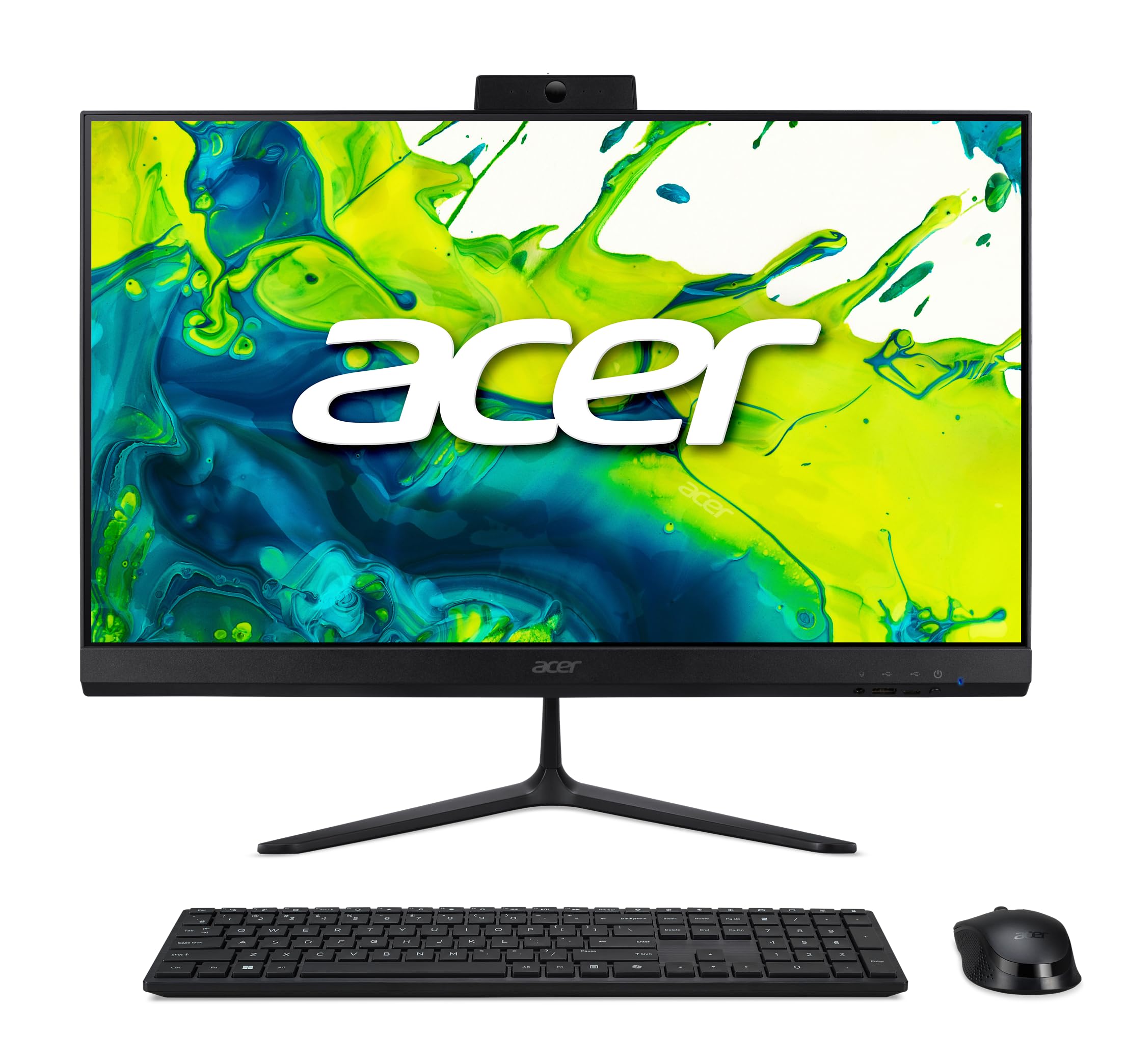
Image: The Acer Aspire C24 desktop displaying the Windows 11 operating system interface, including the Copilot feature.
6. Mantenimiento
6.1 Limpieza del dispositivo
Utilice un paño suave y sin pelusa para limpiar la pantalla y las superficies exteriores. Para manchas difíciles,ampen the cloth slightly with water or a mild, non-abrasive cleaner. Avoid spraying liquids directly onto the screen or into openings.
6.2 Actualizaciones de software
Regularly check for and install operating system updates via Windows Update to ensure optimal performance and security. Driver updates for hardware components can be found on the Acer support websitio.
7. Solución de problemas
If you encounter issues with your Acer Aspire C24, refer to the following common troubleshooting steps:
- Sin energía: Asegúrese de que el cable de alimentación esté bien conectado tanto a la computadora como a la toma de corriente. Pruebe la toma de corriente con otro dispositivo.
- Sin pantalla: Check that the computer is powered on. If an external monitor is connected, ensure it is properly connected and selected as the display output.
- Periférico no funciona: Verify that the keyboard and mouse have fresh batteries and are properly paired. For wired devices, ensure they are connected to the correct USB ports.
- Sin conexión a Internet: Check Wi-Fi settings and ensure you are connected to the correct network. If using an Ethernet cable, ensure it is securely plugged in. Restart your router if necessary.
- Ralentización del sistema: Close unnecessary applications. Check for background processes that may be consuming resources. Ensure your system is up-to-date with the latest software and drivers.
Para problemas más complejos, consulte el soporte de Acer. websitio o póngase en contacto con el servicio de atención al cliente.
8. Especificaciones
| Característica | Detalle |
|---|---|
| Número de modelo | C24-2G-UR12 |
| Procesador | AMD Ryzen 7 5700U Octa-Core (up to 4.3 GHz) |
| Gráficos | Gráficos AMD Radeon (integrados) |
| Mostrar | 23.8-inch Full HD (1920x1080) IPS LED, 120Hz Refresh Rate |
| RAM | 16 GB DDR4 3200 MHz SO-DIMM (Max 32 GB) |
| Almacenamiento | SSD PCIe NVMe de 1 TB |
| Sistema operativo | Inicio de Windows 11 |
| Conectividad inalámbrica | Wi-Fi 6 (802.11ax), Bluetooth 5.2 |
| Webleva | 2.0 MP (1920x1080) with Privacy Shutter and Dual Microphones |
| Puertos frontales | 1x USB 2.0 Type-C, 1x USB 2.0 Type-A, 1x Combo Audio Jack |
| Puertos traseros | 2x USB 2.0 Type-A, 2x USB 3.2 Gen2 10Gbps Type-A, 1x DisplayPort, 1x HDMI 1.4b, 1x Ethernet RJ-45 |
| Dimensiones (L x An x Al) | 54.03 x 16.33 x 41.55 cm (21.27 x 6.43 x 16.36 pulgadas) |
| Peso | 6.58 kg (14.51 libras) |
| Periféricos incluidos | Teclado inalámbrico, ratón inalámbrico |
9. Garantía y soporte
Para obtener información sobre la garantía y soporte técnico, consulte la documentación incluida con su producto o visite el soporte oficial de Acer. webSitio. Conserve su comprobante de compra para reclamaciones de garantía.
Soporte Acer Websitio: www.acer.com/support