
Introducción
Welcome to the ShiftCam SnapStudio Light user manual. This guide provides essential information for setting up, operating, and maintaining your magnetic LED ring light. Please read this manual thoroughly before using the product to ensure optimal performance and safety.
¿Qué hay en la caja?
- ShiftCam SnapStudio Light
- Mini Tripod/Handle
- Cable de carga USB-C (Nota: Adaptador de corriente no incluido)
Características principales
- Diseño compacto: Approximately 38% smaller than traditional circular ring lights, enhancing portability.
- Iluminación potente: Features 106 built-in LEDs, offering an adjustable output of 440-600 lumens for consistent lighting.
- Iluminación personalizable: 10-step brightness control and adjustable color temperature from 2500K (warm) to 6000K (cool).
- Versatile Angle Adjustment: A 180° rotatable magnetic puck allows seamless switching between front and rear camera illumination.
- Potencia integrada: Built-in battery provides up to 40 minutes of full brightness, rechargeable via USB-C.
- Montaje flexible: Includes a dual-purpose handle that functions as both a handgrip and a compact tripod stand.
- Compatibilidad MagSafe: Effortless magnetic attachment compatible with MagSafe-enabled devices and cases.
Configuración
- Cargando: Before first use, fully charge the SnapStudio Light using the provided USB-C cable. The charging port is located on the side of the device.
- Attaching the Tripod/Handle: Screw the mini tripod/handle into one of the four available mounting points on the SnapStudio Light. This allows for various orientations (portrait or landscape).

Image: The ShiftCam SnapStudio Light with its dual-purpose handle, which can be used as a handgrip or a compact tripod, demonstrating flexible mounting options.
- Montaje de su dispositivo:
- Ensure your device is MagSafe compatible or has a MagSafe-enabled case.
- Align your smartphone with the magnetic puck in the center of the SnapStudio Light until it securely snaps into place.
- The magnetic puck can be rotated 180 degrees to direct light towards either the front or rear camera.

Image: Illustration of MagSafe compatibility, showing how the SnapStudio Light attaches to an iPhone 12 or newer, and how to use it with other phones via a MagSafe sticker or case.
Instrucciones de funcionamiento
- Encendido/apagado: Press and hold the power button (indicated by a circle with a vertical line) on the side of the light to turn it on or off.
- Ajuste de la temperatura del color: Use the 'K-' and 'K+' buttons to cycle through 10 steps of color temperature, from warm (2500K) to cool (6000K).
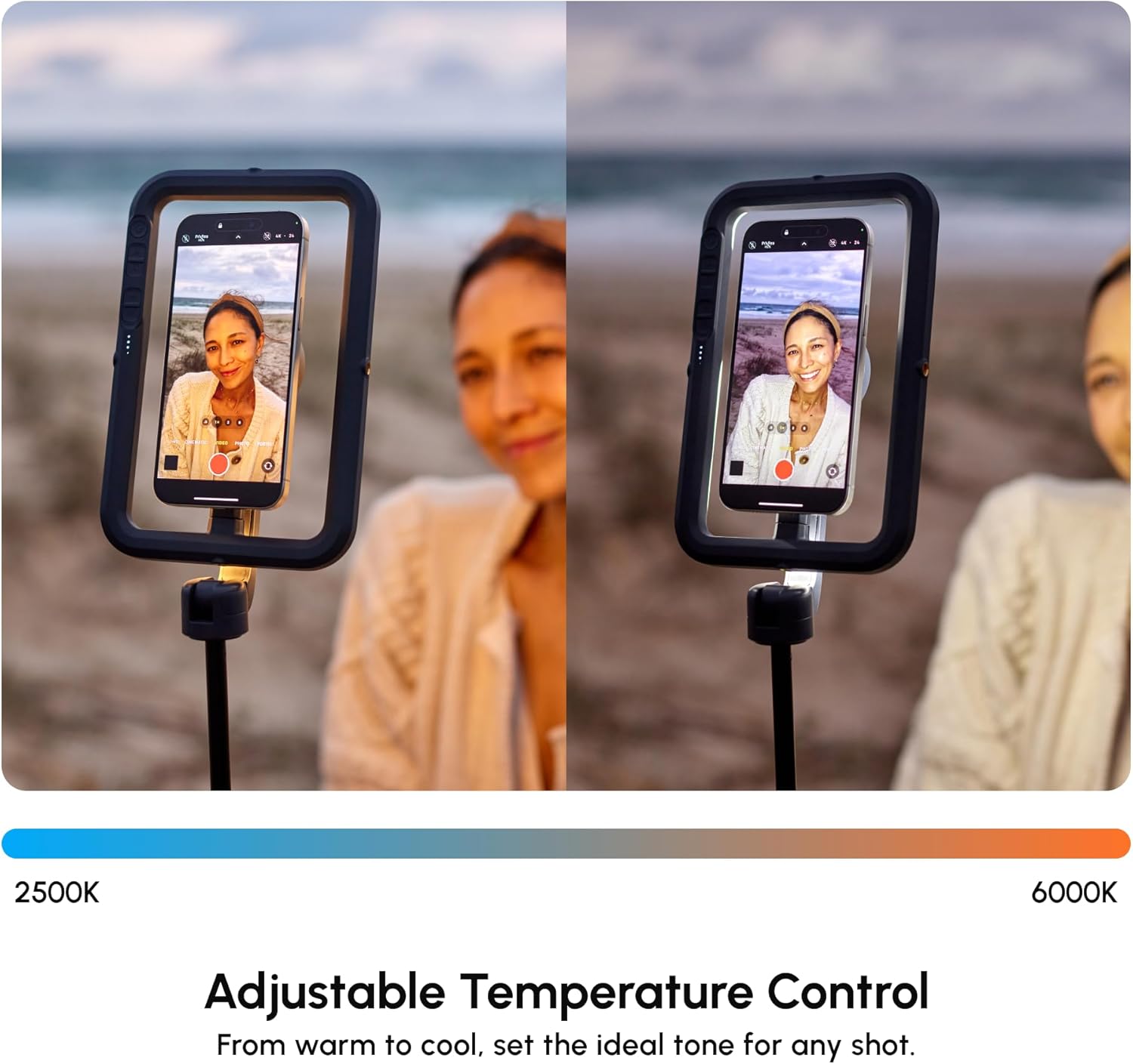
Image: The SnapStudio Light's adjustable temperature control, illustrating the range from warm 2500K to cool 6000K for setting the ideal tone.
- Ajuste del brillo: Use the '+' and '-' buttons (often indicated by sun/snowflake icons) to adjust the light intensity across 10 brightness levels.

Image: The SnapStudio Light's adjustable brightness control, demonstrating how to dim or brighten the light to match creative vision.
- Rotating the Light Source: The central magnetic puck can be manually rotated 180 degrees to switch between illuminating the front-facing camera or the rear-facing camera.

Image: The 180° rotatable magnetic puck of the SnapStudio Light, allowing easy switching of lighting direction between selfie and subject.

Imagen: Un detalle view of the SnapStudio Light's control panel, showing buttons for power, color temperature adjustment (K-/K+), and brightness adjustment (+/-).
Mantenimiento
- Limpieza: Limpie el dispositivo con un paño suave y seco. Evite el uso de limpiadores abrasivos o disolventes.
- Cargando: Recharge the battery regularly to maintain optimal performance. Avoid prolonged storage with a completely depleted battery.
- Almacenamiento: Store the SnapStudio Light in a cool, dry place away from direct sunlight and extreme temperatures.
- Resistencia al agua: Este dispositivo no es resistente al agua. Evite la exposición a líquidos.
Solución de problemas
- La luz no se enciende:
- Verifique el nivel de batería. Recárguela si es necesario.
- Asegúrese de que el botón de encendido esté presionado y mantenido presionado lo suficiente.
- La luz no se carga:
- Verify the USB-C cable is securely connected to both the light and a power source.
- Pruebe con un cable USB-C o un adaptador de corriente diferente.
- El dispositivo no se conecta de forma segura:
- Ensure your smartphone is MagSafe compatible or using a MagSafe-enabled case.
- Check for any obstructions between the phone and the magnetic puck.
- Salida de luz inconsistente:
- Check battery level. Low battery can affect brightness.
- Ensure no physical damage to the LED array.
Presupuesto
| Marca | ShiftCam |
| Nombre del modelo | SnapStudio Light |
| Número de modelo | S-AC03-ST |
| LED | 106 LED incorporados |
| Salida de lúmenes | 440-600 lumens (adjustable) |
| Temperatura de color | 2500K - 6000K (10-step adjustable) |
| Niveles de brillo | Ajustable en 10 pasos |
| Duración de la batería | Up to 40 minutes at full brightness |
| Interfaz de carga | USB tipo C |
| Compatibilidad magnética | Compatible con MagSafe |
| Rotatable Puck | Rotación de 180° |
| Accesorios incluidos | Mini Tripod/Handle |
| Resistencia al agua | No resistente al agua |
| Código Postal | 799793506935 |
Garantía y soporte
Garantía: The ShiftCam SnapStudio Light comes with a 1-year manufacturer's warranty. Please retain your proof of purchase for warranty claims.
Apoyo: Para obtener más ayuda, registrar el producto o view additional accessories, please visit the official ShiftCam websitio o póngase en contacto con su servicio de atención al cliente.