
1. Introducción
Thank you for choosing the Inwa MZ-320 Outdoor Bluetooth Speakers. This manual provides essential information for the safe and efficient use of your speakers. Please read it thoroughly before operation and retain it for future reference.
The Inwa MZ-320 speakers are designed for outdoor use, featuring IPX5 waterproofing, beat-driven light shows, and the ability to link up to 100 speakers wirelessly for an immersive audio experience.

Image 1.1: Two Inwa MZ-320 Outdoor Bluetooth Speakers.
2. Contenido del paquete
Por favor revise el paquete para ver los siguientes artículos:
- Inwa MZ-320 Outdoor Bluetooth Speaker (2 units)
- Power Cable (2 units)
- Manual de usuario (este documento)
3. Producto terminadoview
The Inwa MZ-320 features a robust design suitable for various environments. Key components include:
- Full-range Drivers: Two 3-inch drivers for clear audio output.
- Radiadores de bajos: Two passive bass radiators for enhanced low-frequency sound.
- Panel de control: Located at the base for power, Bluetooth, light, and volume adjustments.
- Puerto AUX IN: Para conexiones de audio por cable.
- Mango integrado: Para portabilidad.

Image 3.1: Internal speaker components, including drivers and bass radiators.

Image 3.2: Sound output and bass radiation plate design.
Funciones del panel de control

Imagen 3.3: Detallada view del panel de control con descripciones de botones.
- Botón de encendido: Mantenga presionado para encender o apagar el altavoz.
- Bluetooth/Connect Button: Press to enter Bluetooth pairing mode. Press and hold to disconnect current Bluetooth device.
- Botón de iluminación: Presione para recorrer los modos de luz.
- Color Timer Button: Press to set light duration (2H, 4H, 6H, 8H).
- Set Up the Host (TWS Pairing) Button: Used for linking multiple speakers.
- Botones de volumen (+/-): Presione para ajustar el volumen.
4. Configuración
4.1 Carga del altavoz
Before first use, fully charge the speaker. Connect the provided power cable to the speaker's charging port and a suitable power source. The charging indicator will show the charging status.
4.2 Encendido y apagado
- Para encender: Mantenga presionado el botón de encendido hasta que la luz indicadora se ilumine.
- Para apagar: Mantenga presionado el botón de encendido hasta que la luz indicadora se apague.
4.3 Emparejamiento Bluetooth
- Asegúrese de que el altavoz esté encendido.
- Press the Bluetooth/Connect button to enter pairing mode. The Bluetooth indicator will flash.
- En tu dispositivo (teléfono inteligente, tableta, etc.), activa el Bluetooth y busca dispositivos disponibles.
- Seleccione "Inwa MZ-320" de la lista.
- Una vez conectado, el indicador de Bluetooth dejará de parpadear y permanecerá fijo.
4.4 Linking Multiple Speakers (TWS Function)
The Inwa MZ-320 speakers support wireless linking for a stereo or multi-speaker setup.

Image 4.1: Multiple speakers linked for an outdoor audio system.
- Power on all speakers you wish to link.
- Pair one speaker to your Bluetooth device as described in section 4.3. This will be the primary speaker.
- On the primary speaker, press the "Set Up the Host" button.
- On the secondary speakers, press the "Set Up the Host" button. They will automatically search for and connect to the primary speaker.
- Once connected, all linked speakers will play audio from your device.
5. Operación
5.1 Reproducción de audio
After successful Bluetooth pairing, play audio from your connected device. Use the volume buttons on the speaker or your device to adjust the sound level.
5.2 Light Show Functions
The speakers feature a beat-driven light show.
- Presione el Iluminar button to cycle through various light modes and colors.
- Presione el Color Timer button to set a timer for the lights (e.g., 2 hours, 4 hours).

Image 5.1: Speaker displaying dynamic light effects during use.
5.3 entrada auxiliar
For devices without Bluetooth, use the AUX IN port.

Image 5.2: Connecting an audio device via AUX IN port.
- Connect one end of a 3.5mm audio cable (not included) to the speaker's AUX IN port.
- Conecte el otro extremo a la salida de audio de su dispositivo.
- El altavoz cambiará automáticamente al modo de entrada AUX.
6. Mantenimiento
6.1 Impermeabilización
The Inwa MZ-320 speakers are IPX5 waterproof, meaning they are protected against low-pressure water jets from any direction. They are suitable for outdoor use in light rain or splash environments.
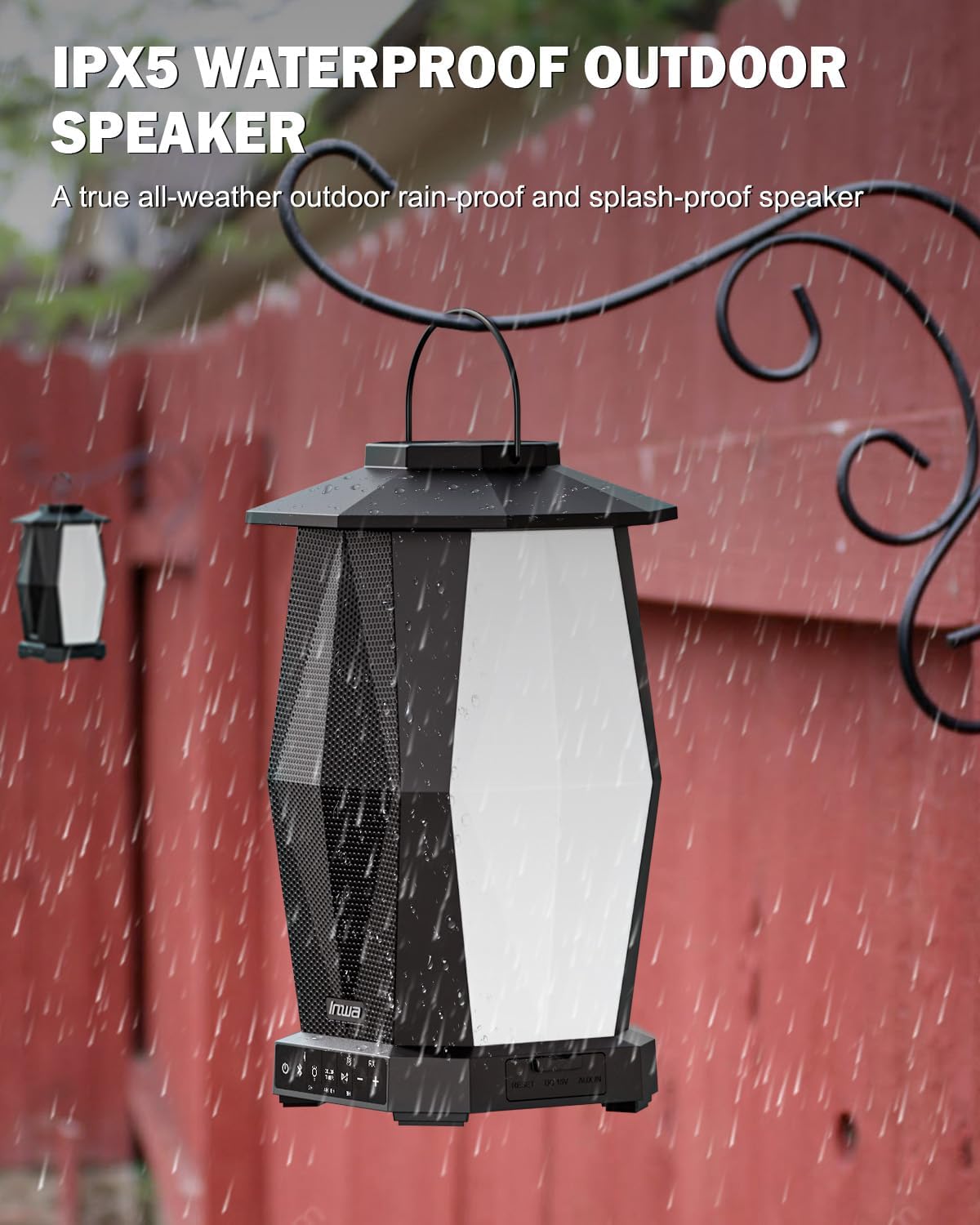
Image 6.1: Speaker in a rain environment, highlighting its waterproof feature.
Importante:
- No sumerja el altavoz en agua.
- Ensure the charging port and AUX IN port covers are securely closed when exposed to water.
6.2 Limpieza
Limpie el altavoz con un paño suave, damp Paño. No utilice limpiadores abrasivos ni disolventes.
6.3 Almacenamiento
Guarde el altavoz en un lugar fresco y seco, alejado de la luz solar directa y de temperaturas extremas cuando no lo utilice durante períodos prolongados.
7. Solución de problemas
| Problema | Posible causa | Solución |
|---|---|---|
| El altavoz no se enciende. | Batería baja. | Cargue el altavoz utilizando el cable de alimentación proporcionado. |
| No se puede emparejar a través de Bluetooth. | El altavoz no está en modo de emparejamiento; el Bluetooth del dispositivo está desactivado; demasiado lejos del altavoz. | Ensure speaker is in pairing mode (flashing indicator). Turn on device Bluetooth. Move device closer to speaker (within 33 feet/10 meters). |
| No hay sonido. | Volumen demasiado bajo; modo de entrada incorrecto; el dispositivo no reproduce audio. | Increase speaker and device volume. Ensure correct input (Bluetooth or AUX). Verify audio is playing on the connected device. |
| Multiple speakers not linking. | Incorrect TWS pairing procedure. | Follow the TWS linking steps in section 4.4 carefully. Ensure only one speaker is paired to your device initially. |
8. Especificaciones
| Característica | Especificación |
|---|---|
| Nombre del modelo | MZ320 |
| Tipo de altavoz | Altavoz Bluetooth para exteriores |
| Tecnología de conectividad | Bluetooth |
| Tecnología de comunicación inalámbrica | Bluetooth inalámbrico |
| Nivel de resistencia al agua | IPX5 (impermeable) |
| Fuente de poder | Funciona con pilas |
| Tipo de batería | 1 batería de iones de litio (incluida) |
| Capacidad de la batería | 6600 miliamp Horas |
| Potencia máxima de salida del altavoz | 25 vatios |
| Tipo de controlador de audio | Controlador dinámico |
| Dimensiones del producto | 7.1" de profundidad x 7.1" de ancho x 11.4" de alto |
| Peso del artículo | 12 libras (por par) |
| Método de control | Botón pulsador |
| Componentes incluidos | Manual, Power Cable |
9. Garantía y soporte
9.1 Información de garantía
The Inwa MZ-320 speakers come with a 1 año de garantía Desde la fecha de compra. Esta garantía cubre defectos de fabricación en condiciones normales de uso. No cubre daños causados por mal uso, accidentes, modificaciones no autorizadas ni desgaste normal.
9.2 Atención al cliente
For technical assistance, warranty claims, or any questions regarding your Inwa MZ-320 speakers, please contact Inwa customer support through the retailer's platform or the official Inwa websitio.