
1. Introducción
This manual provides detailed instructions for the safe and efficient use of your Baseus Picogo 5000mAh MagSafe Portable Charger. Please read this manual thoroughly before using the product and retain it for future reference.
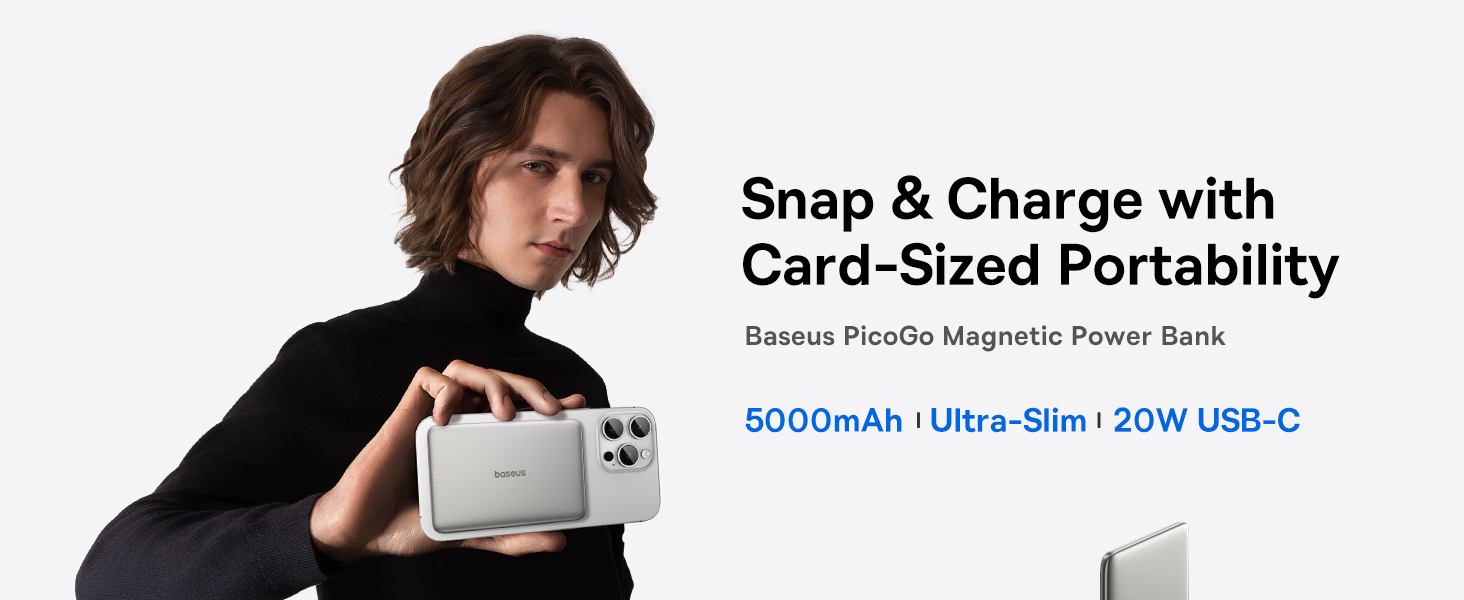
Image: The Baseus Picogo Power Bank magnetically attached to the back of a smartphone, highlighting its compact and slim design.
2. Características del producto
- Diseño ultradelgado: Measures 0.3 inches thick and weighs 3.8 ounces for enhanced portability.
- Capacidad de 5000 mAh: Proporciona energía suplementaria para dispositivos móviles.
- Fijación magnética: Strong 11N magnetic force for secure wireless charging with compatible devices.
- Modos de carga dual: Supports 20W USB-C wired output and 7.5W wireless charging.
- Sistema de enfriamiento avanzado: Features NTC temperature control chip, Graphene material, and aluminum alloy shell for efficient heat dissipation.
- Construcción duradera: Aluminum alloy shell and nano-coated silicone surface for scratch resistance and comfortable grip.
- Protecciones de seguridad: Incorporates 9-layer safety protections for secure operation.
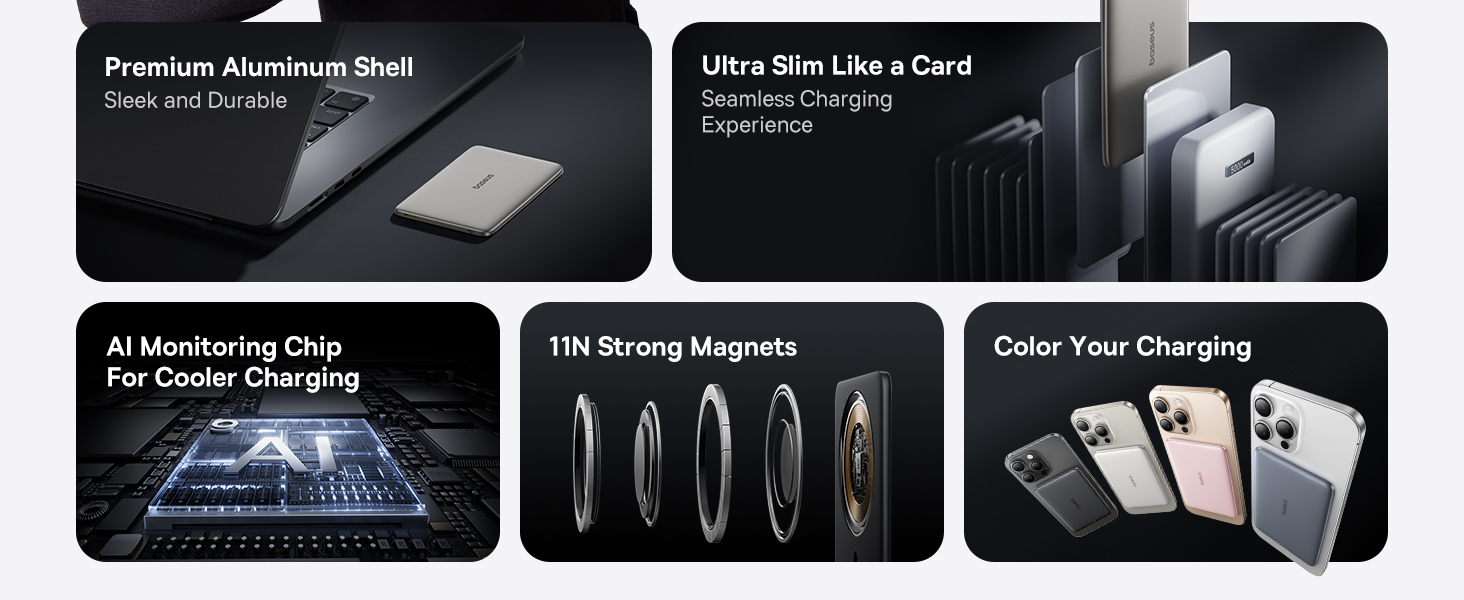
Image: Visual representation of the power bank's ultra-slim profile (0.3 inches) and light weight (3.8 oz), emphasizing its portability and ergonomic design.

Image: A diagram detailing the internal cooling system, including aluminum alloy, AI monitoring chip, and Graphene material, designed to maintain optimal operating temperature.
3. Contenido del paquete
Por favor, compruebe el contenido del paquete al desembalarlo:
- Cargador portátil MagSafe Baseus Picogo de 10 000 mAh
- Cable trenzado USB-C
- Manual de usuario (este documento)
4. Configuración y uso inicial
4.1 Carga del banco de energía
Antes del primer uso, cargue completamente el banco de energía.
- Connect the provided USB-C braided cable to the USB-C port on the power bank.
- Conecte el otro extremo del cable a un adaptador de corriente USB compatible (no incluido).
- Los indicadores LED del banco de energía se iluminarán para indicar el estado de carga. Los cuatro LED permanecerán fijos cuando la carga esté completa.
4.2 Estado del indicador LED
The LED indicators provide information about the power bank's battery level and charging status.
- 1 LED: 0-25% de batería restante
- 2 LED: 25-50% de batería restante
- 3 LED: 50-75% de batería restante
- 4 LED: 75-100% de batería restante
- During wireless charging, a specific LED indicator will light up to confirm magnetic charging is active.

Image: An illustration detailing how the LED indicators on the power bank function to display battery level and magnetic charging status.
5. Instrucciones de funcionamiento
5.1 Carga inalámbrica (compatible con MagSafe)
The power bank supports magnetic wireless charging for compatible devices (e.g., iPhone 12-17 series with MagSafe or MagSafe-compatible cases).
- Asegúrese de que su dispositivo sea compatible con MagSafe o tenga una funda compatible con MagSafe.
- Align the power bank with the back of your device. The strong magnets will automatically snap it into place.
- Wireless charging will begin automatically. The LED indicator on the power bank will confirm active charging.

Image: The power bank securely attached to the back of an iPhone, demonstrating the magnetic wireless charging feature.

Image: A user holding a smartphone with the Baseus Picogo Power Bank attached, illustrating the secure magnetic connection during use.
5.2 Carga por cable (USB-C)
The power bank can also charge devices via its USB-C port.
- Connect one end of the USB-C braided cable to the USB-C port on the power bank.
- Conecte el otro extremo del cable al puerto de carga de su dispositivo.
- La carga comenzará automáticamente.

Image: The power bank connected to an iPhone via a USB-C cable, demonstrating wired charging capability.
5.3 Simultaneous Charging (Pass-through Charging)
The power bank supports pass-through charging, allowing it to be recharged while simultaneously charging a device.
- Connect the power bank to a power adapter using the USB-C cable to recharge it.
- While the power bank is recharging, connect your device for wired or wireless charging.
- Tanto el banco de energía como su dispositivo se cargarán simultáneamente.

Image: The power bank connected to a wall adapter and an iPhone, illustrating the pass-through charging feature where both devices charge simultaneously.
6. Compatibilidad
The Baseus Picogo Power Bank is designed for broad compatibility:
- Salida inalámbrica: Compatible with iPhone 12-17 Series, AirPods 4/3/Pro 2/Pro, and devices with MagSafe phone cases.
- Salida USB-C: Compatible with iPad Mini/Air/Pro, Android Phones, and other USB-C powered devices.
Nota: Wireless charging is not compatible with non-MagSafe phones or phone cases.

Image: A visual guide illustrating the compatibility of the power bank with various devices, including iPhones, AirPods, iPads, and Android phones, for both wireless and wired charging.
7. Especificaciones
| Capacidad total | 5,000 mAh |
| Fuerza magnética | 11 N |
| Material | Silicone, Aluminum Alloy |
| Entrada USB-C | 5 V = 3 A / 9 V = 1.67 A |
| Salida USB-C | 5 V = 2.4 A / 9 V = 2.22 A / 12 V = 1.5 A |
| Salida inalámbrica | 5 W / 7.5 W / 15 W |
| Producción total | 5 V = 2.4 A |
| Dimensiones | 3.9 x 2.6 x 0.3 pulgadas |
| Peso | Aproximadamente 3.8 oz |
| Número de modelo | PPKPC-0520 |

Image: The product packaging alongside a detailed list of technical specifications for the Baseus Picogo Power Bank.
8. Mantenimiento y cuidado
- Mantenga el banco de energía alejado del agua, la humedad y las temperaturas extremas.
- Evite dejar caer o someter el power bank a fuertes impactos.
- Limpie la superficie con un paño suave y seco. No utilice productos químicos agresivos ni materiales abrasivos.
- Conservar en un lugar fresco y seco cuando no esté en uso.
- Recargue el banco de energía al menos una vez cada tres meses para mantener la salud de la batería si se almacena durante períodos prolongados.
9. Solución de problemas
9.1 El dispositivo no se carga
- Comprobar la carga del banco de energía: Ensure the power bank itself is sufficiently charged (check LED indicators).
- Conexión de cable: For wired charging, ensure the USB-C cable is securely connected to both the power bank and your device. Try a different cable if available.
- Wireless Alignment: For wireless charging, ensure the power bank is correctly aligned with your device's charging coil. Remove any thick or non-MagSafe compatible cases.
- Compatibilidad del dispositivo: Verify your device is compatible with the power bank's charging methods (MagSafe for wireless, USB-C for wired).
9.2 Carga lenta
- Calidad del cable: Use the provided USB-C braided cable or a high-quality, certified charging cable.
- Adaptador de corriente: For recharging the power bank, use a compatible power adapter that supports the input specifications.
- Temperatura del dispositivo: If your device or the power bank becomes too warm, charging speed may reduce to protect the battery. Move to a cooler environment.

Image: An explanation regarding potential charging slowdowns at 80% battery, often due to thermal management protocols in devices like iPhones.
10. Información de seguridad
- No desmonte, modifique ni repare el producto usted mismo.
- Do not expose the product to fire, water, or corrosive liquids.
- Avoid using the product in environments with high temperatures or humidity.
- Mantener fuera del alcance de los niños.
- Deseche el producto de acuerdo con las normativas locales sobre residuos electrónicos.
11. Garantía y soporte
The Baseus Picogo Power Bank comes with a Garantía de 24 meses. This warranty covers manufacturing defects and ensures free returns or replacements.
For technical support, warranty claims, or any inquiries, please contact Baseus customer service. Lifelong 24/7 professional support is available.
You can find contact information on the official Baseus websitio o a través de su plataforma de compra.