
1. Introducción
The MEETION DirectorD-KB is a wireless ergonomic keyboard designed for comfortable and natural typing. It features a scientific wave key design and a built-in firm wrist rest to support your hands during extended use. This keyboard offers broad compatibility with Windows and macOS devices through a 2.4GHz wireless connection.

Image: The MEETION DirectorD-KB Wireless Ergonomic Keyboard positioned on a wooden desk, showcasing its wave-curved design and integrated wrist rest.
2. Contenido del paquete
Asegúrese de que todos los artículos estén presentes en el paquete:
- 1 x MEETION DirectorD-KB Wireless Ergonomic Keyboard
- 1 x Manual de usuario
- 1 x USB-A 2.4GHz Wireless Receiver
- 1 adaptador USB-C
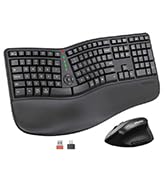
Image: Contents of the MEETION DirectorD-KB package, including the keyboard, user manual, USB-A receiver, and USB-C adapter.
3. Instrucciones de configuración
3.1. Instalación de la batería
- Localice el compartimento de la batería en la parte inferior del teclado.
- Abra la tapa del compartimiento de la batería.
- Inserte dos pilas AAA (no incluidas) en el compartimento, asegurándose de la polaridad correcta.
- Cierre bien la tapa del compartimento de la batería.

Image: The underside of the keyboard showing the battery compartment for two AAA batteries and details on power saving features.
3.2. Conexión del receptor
- Locate the USB-A 2.4GHz wireless receiver, typically found in the slot inside the keyboard's battery compartment or in the accessory pouch.
- For devices with a USB-A port: Plug the USB-A receiver directly into an available USB-A port on your computer.
- Para dispositivos con un puerto USB-C: Conecte el adaptador USB-C provisto al receptor USB-A, luego conecte la unidad combinada a un puerto USB-C disponible en su computadora.
- The keyboard is plug-and-play and should connect automatically.
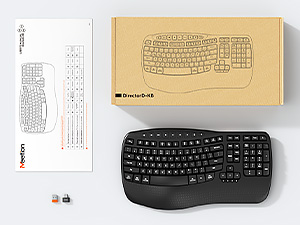
Image: Step-by-step guide on connecting the USB-A receiver with the USB-C adapter to a computer's USB-C port.
3.3. Encendido
After installing batteries and connecting the receiver, slide the power switch on the keyboard to the 'ON' position. The keyboard is now ready for use.
4. Instrucciones de funcionamiento
4.1. Ergonomic Design and Wrist Rest
The keyboard features a wave-shaped key layout and a firm, integrated wrist rest. This design guides your hands and wrists into a natural, relaxed typing position, reducing strain during long typing sessions.

Image: A user's hands resting comfortably on the integrated wrist rest while typing on the ergonomic keyboard.
4.2. Inclinación ajustable
Utilize the adjustable tilt legs on the underside of the keyboard to find your preferred typing angle. Different angles can further enhance comfort and reduce wrist fatigue.

Imagen: Side profiles of the keyboard demonstrating three different adjustable tilt angles for personalized comfort.
4.3. Dual System Layout (Windows/macOS)
The keyboard supports both Windows and macOS layouts. To switch between operating systems:
- Prensa FN+Q para diseño de Windows.
- Prensa FN + W para el diseño de macOS.
4.4. Teclas multimedia
The keyboard includes dedicated and combined multimedia keys for quick access to functions like volume control, media playback, and more.
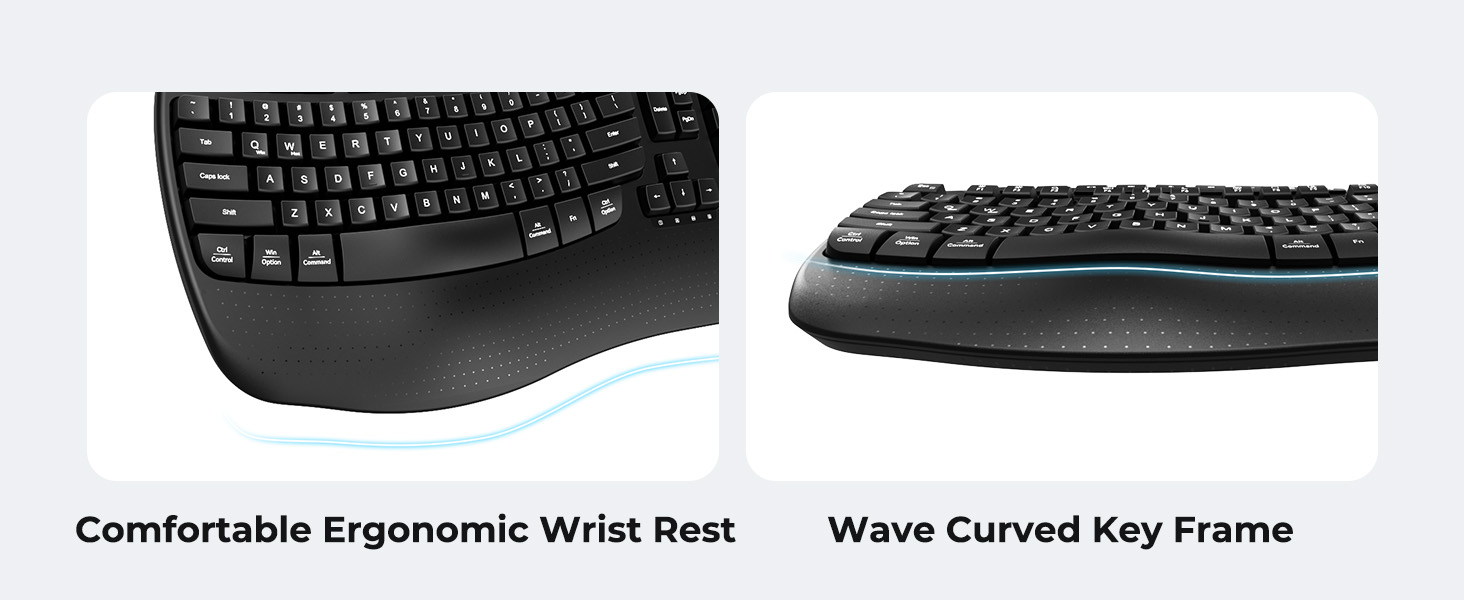
Image: A visual representation of the independent and combined multimedia keys available on the keyboard.
4.5. Ahorro de energía inteligente
The keyboard features an auto-sleep mode to conserve battery life. After 20 minutes of inactivity, it will enter hibernation. To wake it up, simply press any key.

Image: Close-up of the keyboard's indicator lights, showing status for Num Lock, Caps Lock, FN Lock, and low battery warning.
5. Mantenimiento
Para garantizar la longevidad y el rendimiento óptimo de su teclado, siga estas pautas de mantenimiento:
- Limpieza: Utilice un paño suave y seco para limpiar la superficie del teclado. Para una limpieza más profunda, utilice un paño ligeramente seco.amp cloth with mild soap can be used, ensuring no liquid enters the keycaps or internal components.
- Evite los líquidos: No exponga el teclado a humedad excesiva ni derrame líquidos sobre él.
- Almacenamiento: Guarde el teclado en un lugar fresco y seco, alejado de la luz solar directa y de temperaturas extremas.
- Reemplazo de batería: Replace batteries promptly when the low battery indicator appears to maintain consistent performance.
6. Solución de problemas
If you encounter issues with your MEETION DirectorD-KB keyboard, refer to the following common solutions:
- El teclado no responde:
- Compruebe si el teclado está encendido.
- Asegúrese de que las baterías estén correctamente instaladas y no agotadas. Reemplácelas si es necesario.
- Verify that the USB receiver is securely plugged into your computer's USB port (or via the USB-C adapter).
- Intente conectar el receptor a un puerto USB diferente.
- Reinicie su computadora.
- Conexión intermitente o con retraso:
- Ensure the keyboard is within the effective range of the receiver (typically up to 10 meters).
- Minimize interference from other wireless devices by moving them further away.
- Evite colocar el receptor cerca de objetos metálicos grandes.
- Teclas que no funcionan correctamente:
- Verifique si hay obstrucciones físicas debajo de las teclas.
- Ensure the correct operating system layout (Windows/macOS) is selected using FN+Q or FN+W.
7. Especificaciones
| Característica | Detalle |
|---|---|
| Marca | REUNIÓN |
| Número de modelo | DirectorD-KB |
| Tecnología de conectividad | 2.4G Wireless (USB-A, USB-C Adapter) |
| Dispositivos compatibles | Laptop, PC (Windows XP/7/8/10/11 & macOS X 10.6 or later) |
| Disposición del teclado | QWERTY |
| Número de llaves | 113 |
| Características especiales | Ergonomic, Hotkeys and Media Keys, Integrated Stand, Wave Keys, Wrist Rest |
| Dimensiones del producto (L x An x Al) | 17.39" x 9.43" x 1.81" |
| Material | Plástico |
| Fuente de poder | Funciona con pilas (2 x AAA, no incluidas) |
8. Vídeo oficial del producto
Vídeo: Un vídeo oficial del producto que muestraasing the features and ergonomic design of the MEETION DirectorD-KB Wave Ergonomic Wireless Keyboard. (Duration: 0:39)
9. Garantía y soporte
This MEETION DirectorD-KB Wireless Ergonomic Keyboard comes with a 1-year manufacturer's warranty.
For further assistance, troubleshooting, or warranty claims, please visit the official MEETION store or contact customer support.
Official MEETION Store: Tienda MEETION en Amazon