
Oilsky M303
Oilsky M303 Android 9.0 MP3 Player User Manual
Modelo: M303
1. Introducción
The Oilsky M303 is a versatile digital audio and video player running on Android 9.0. It features a 4-inch full-touch screen, 8-core processor, 2GB RAM, 16GB internal storage (expandable with a 64GB microSD card included), Wi-Fi, and Bluetooth connectivity. This manual provides essential information for operating your device.
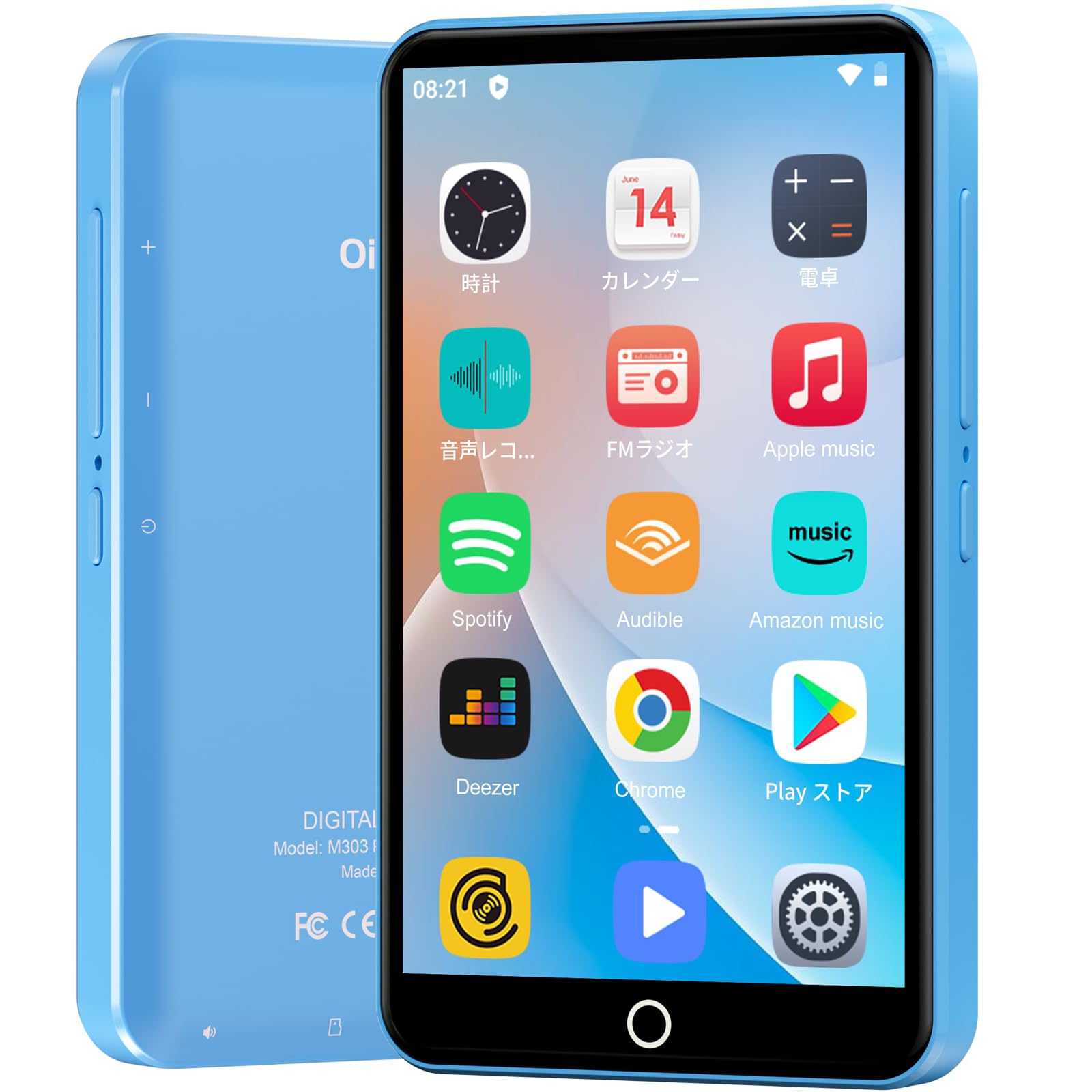
Imagen: Frente view del reproductor MP3 Oilsky M303, mostradoasing its compact design and touchscreen interface.
2. ¿Qué hay en la caja?
Por favor, compruebe que todos los siguientes elementos estén incluidos en su paquete:
- Oilsky M303 Main Unit
- Auriculares
- Cable de datos tipo C
- Protective Film (one pre-installed, one spare)
- Multi-language User Manual (including Japanese)
- Funda protectora de silicona
- Tarjeta de memoria 64GB

Image: All included accessories for the Oilsky M303 MP3 Player, neatly arranged.
3. Producto terminadoview
Familiarícese con las características físicas y los controles del dispositivo.
3.1. Disposición del dispositivo

Imagen: Lateral view of the Oilsky M303, highlighting the volume buttons, power button, and USB-C port.
- Botón de encendido: Mantén pulsado para encender/apagar o reiniciar. Pulsa brevemente para encender/apagar la pantalla.
- Botones de volumen: Ajustar el volumen del audio.
- Puerto USB-C: Para carga y transferencia de datos.
- Toma de auriculares de 3.5 mm: Conecte los auriculares con cable.
- Ranura para tarjeta microSD: Inserte una tarjeta microSD para ampliar el almacenamiento.
- Altavoz incorporado: Para reproducción de audio sin auriculares.
4. Configuración
4.1. Carga inicial
Before first use, fully charge the device. Connect the provided Type-C data cable to the player and a USB power adapter (not included). A full charge takes approximately 3 hours. The device has a 2000mAh battery for extended use.
4.2. Encendido y apagado
- Para encender: Mantén presionado el botón de encendido hasta que se encienda la pantalla.
- Para apagar: Mantenga presionado el botón de Encendido, luego seleccione “Apagar” en las opciones.
- Pantalla encendida/apagada: Short press the Power button to turn the screen on or off.
4.3. Configuración de idioma
Upon first boot, you may need to set the language. Navigate to Settings > System > Languages & input > Languages to select your preferred language, such as English or Japanese.
4.4 Conexión wifi
Para acceder a funciones en línea y descargar aplicaciones, conéctese a una red Wi-Fi:
- Ir a Configuración > Red e Internet > Wi-Fi.
- Activar/desactivar Wi-Fi On.
- Seleccione la red deseada de la lista e ingrese la contraseña si se le solicita.
4.5. Google Play Store
The Oilsky M303 supports Google Play Store, allowing you to download various applications.
- Asegúrese de estar conectado a Wi-Fi.
- Abrir el Tienda de juegos aplicación desde la pantalla de inicio.
- Inicia sesión con tu cuenta de Google.
- Buscar and install desired applications like YouTube, Spotify, or other streaming services.

Image: The Oilsky M303 screen showing the Google Play Store interface with various app icons.
5. Instrucciones de funcionamiento
5.1. Reproducción de música
The device supports various audio formats including MP3, WMA, WAV, FLAC, OGG, AAC, APE, and M4A.
- Transferir música: Connect the player to your computer using the Type-C cable and transfer audio files to the device's internal storage or the microSD card.
- Tocar música: Open the Music app. You can browse by artist, album, song, or create custom playlists.
- Ecualizador: Adjust sound settings using the built-in equalizer for a personalized audio experience.
- Online Lyrics: The player supports displaying online lyrics for songs.

Image: The Oilsky M303 displaying its music playback interface, showing options for song classification, search, playlist creation, and equalizer settings.
5.2. Reproducción de video
Enjoy videos on the 4-inch IPS full-touch screen with 480x800px resolution, supporting up to 1080P Full HD video playback. Supported formats include RM, AVI, RMVB, FLV, MP4, DAT, MKV, MPG, MOV, TS.
- Transfer Videos: Transferir video files desde su computadora al dispositivo.
- Reproducir vídeos: Open the Video app and select your desired video.
- Opciones de reproducción: Features include loop or random playback, variable speed playback, sleep timer, and gesture controls for zoom.

Image: The Oilsky M303 displaying a video on its 4-inch screen, illustrating its video playback capabilities.
5.3. Conexión Bluetooth
Connect your player to Bluetooth headphones, speakers, or car audio systems.
- Ir a Configuración > Dispositivos conectados > Bluetooth.
- Activar o desactivar Bluetooth On.
- Asegúrese de que su accesorio Bluetooth esté en modo de emparejamiento.
- Seleccione el accesorio de la lista de dispositivos disponibles para emparejar.

Image: The Oilsky M303 demonstrating its Bluetooth connectivity with various audio devices like speakers and headphones.
5.4. Radio FM
The device includes an FM radio function. Connect wired earphones to act as an antenna for optimal reception.
5.5. Grabadora de voz
Use the built-in voice recorder for capturing audio notes or lectures. Open the Grabadora de sonido app to start recording.
5.6. File Gestión
The player comes with 16GB of internal storage and a 64GB microSD card, providing a total of 80GB usable storage. This can be expanded further up to 512GB using a larger microSD card. Use the File Manager app to organize your media and documents.
6. Mantenimiento
- Limpieza: Utilice un paño suave y seco para limpiar el dispositivo. Evite limpiadores líquidos o materiales abrasivos.
- Almacenamiento: Guarde el dispositivo en un lugar fresco y seco, alejado de la luz solar directa y de temperaturas extremas.
- Cuidado de la batería: Para prolongar la vida útil de la batería, evite descargarla por completo con frecuencia. Cárguela regularmente.
- Actualizaciones de software: Busque actualizaciones del sistema periódicamente en Configuración > Sistema > Avanzado > Actualización del sistema para garantizar un rendimiento y seguridad óptimos.
7. Solución de problemas
| Problema | Posible solución |
|---|---|
| El dispositivo no se enciende. | Asegúrese de que la batería esté cargada. Conecte el dispositivo a un cargador durante al menos 30 minutos antes de intentar encenderlo de nuevo. |
| No se puede conectar al wifi. | Check if Wi-Fi is enabled in settings. Ensure the password is correct. Restart the device and your Wi-Fi router. |
| La conexión Bluetooth es inestable o se desconecta. | Ensure the player and Bluetooth accessory are within close range. Avoid areas with strong electromagnetic interference. Try re-pairing the devices. |
| Las aplicaciones son lentas o no responden. | Close unnecessary background applications. Clear app cache (Settings > Apps & notifications > See all apps > [App Name] > Storage & cache > Clear cache). Restart the device. |
| El dispositivo se calienta durante el uso. | It is normal for the device to warm up during intensive use (e.g., video playback, gaming). If it becomes excessively hot, close applications and let it cool down. |
| Cannot charge with USB-C PD charger. | The device may not support USB-C Power Delivery (PD) protocols. Use a standard USB-A to USB-C cable with a compatible USB-A power adapter (5V, up to 900mA). |
8. Especificaciones
| Marca | aceitesky |
| Modelo | M303 |
| Sistema operativo | Androide 9.0 |
| Pantalla | 4-inch Full-touch IPS LCD (480x800px) |
| Procesador | 8-core (MTK 8-Core) |
| RAM | 2 GB |
| Almacenamiento interno | 16 GB |
| Almacenamiento expandible | MicroSD card up to 512GB (64GB card included) |
| Batería | 2000 mAh |
| Conectividad | Wi-Fi, Bluetooth |
| Formatos de audio compatibles | MP3, WMA, WAV, FLAC, OGG, AAC, APE, M4A |
| Formatos de vídeo compatibles | RM, AVI, RMVB, FLV, MP4, DAT, MKV, MPG, MOV, TS (up to 1080P) |
| Dimensiones (D x W x H) | 1 x 6.1 x 10.3 cm |
| Características | Touchscreen, Voice Recorder, Built-in Speaker, Video Playback, FM Radio, Calculator, Calendar, Alarm |
| Origen | Porcelana |
9. Garantía y soporte
The Oilsky M303 MP3 Player comes with a 1 año de garantía A partir de la fecha de compra. Conserve el comprobante de compra para reclamaciones de garantía.
For technical support or warranty inquiries, please contact the retailer or manufacturer directly. Refer to the contact information provided in the packaging or on the official Oilsky websitio.
Ask a question about this manual
Ask about setup, troubleshooting, compatibility, parts, safety, or missing instructions. Manuals+ will review the question and use this page’s manual context to help answer it.