
1. Introducción
Thank you for choosing the Turtlebox Original Gen 3 Portable Outdoor Bluetooth Speaker. This speaker is engineered for exceptional durability and sound performance in outdoor environments. It features an ultra-loud output, IP67 waterproof rating, impact resistance, and an extended battery life. This manual provides essential information for setting up, operating, maintaining, and troubleshooting your device to ensure optimal performance and longevity.
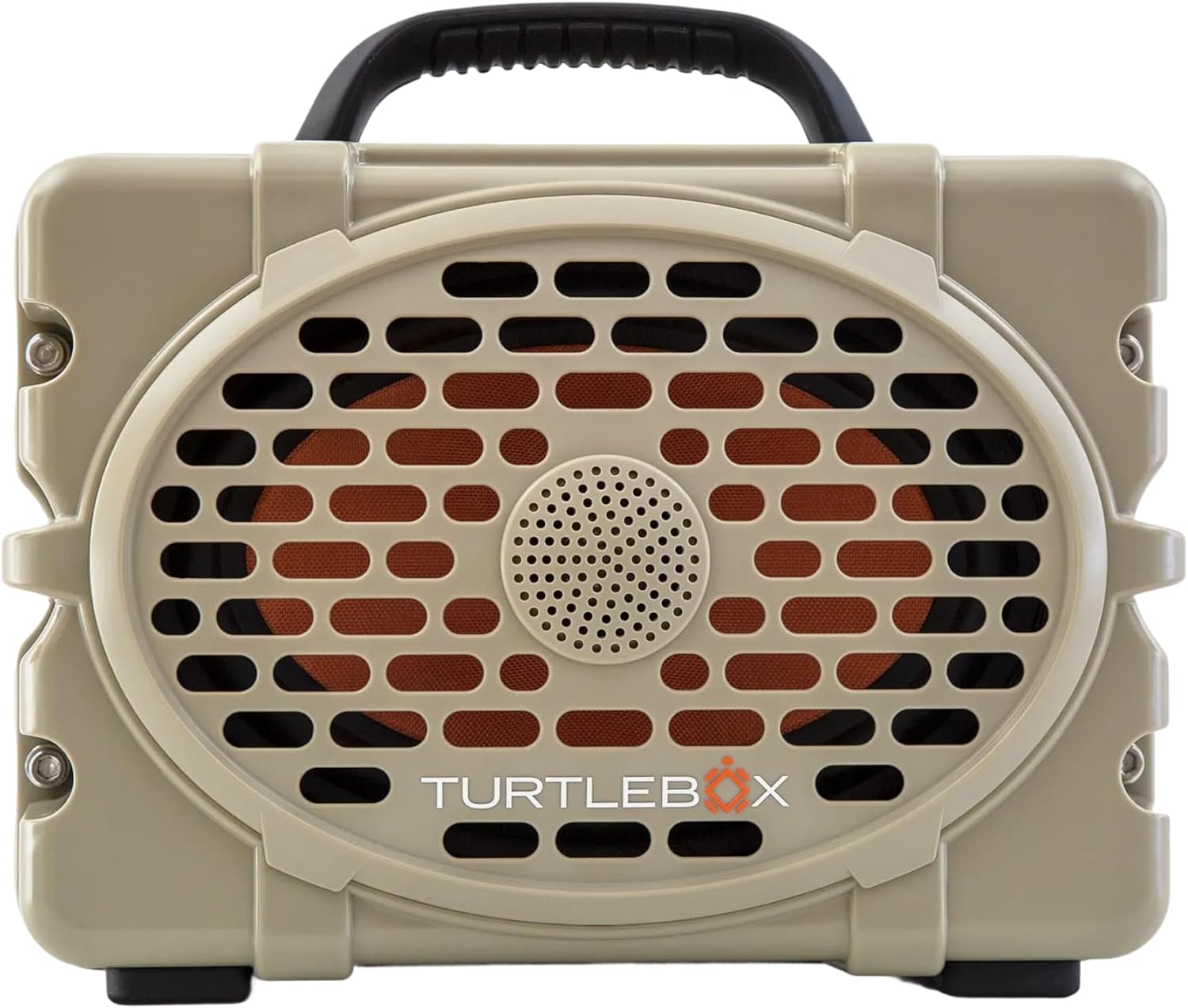
Figura 1: Frente view of the Turtlebox Original Gen 3 speaker.
2. Información de seguridad
- No intente desmontar, reparar ni modificar el altavoz. Esto podría anular la garantía y suponer un riesgo para la seguridad.
- Ensure all port covers are securely closed before exposing the speaker to water to maintain its IP67 waterproof rating.
- Use only the provided charger or a certified equivalent to prevent damage to the battery.
- Avoid prolonged exposure to extreme temperatures (hot or cold) as this can affect battery life and speaker performance.
- Do not operate the speaker while it is charging if it is exposed to water.
3. Contenido del paquete
Verifique que todos los artículos estén presentes en su paquete:
- Turtlebox Original Gen 3 Speaker
- Cargador
4. Producto terminadoview
4.1. Panel de control
The control panel is located on the top of the speaker, providing easy access to essential functions.

Figure 2: Control Panel with labeled buttons.
- Botón de encendido: Presione para encender o apagar el altavoz.
- Botones de volumen (-/+): Ajustar el volumen de reproducción.
- Track Control Buttons (|<|): Saltar a la pista anterior o siguiente.
- Botón Bluetooth: Inicia el modo de emparejamiento Bluetooth.
- Party Mode Button: Activates Party Mode for multi-speaker synchronization.
4.2. Puertos y conexiones
The rear panel features protected ports for charging and external audio connections.
Vídeo 1: Terminadoview of the Turtlebox speaker's side and ports, demonstrating the waterproof cover.
- Puerto de carga: For connecting the power adapter to charge the speaker.
- ENTRADA AUX: Entrada de audio de 3.5 mm para conexiones por cable.
- ENTRADA DE MICRÓFONO: Input for connecting a microphone.
- SALIDA USB-C: Output port for charging external devices.
4.3. Características físicas
- Mango integrado: Para una fácil portabilidad.
- Stainless Steel Tie-Downs: Secure the speaker to a UTV or boat.
- Rugged Casing: Provides drop, crush, and dust-proof protection.
5. Configuración
5.1. Carga inicial
Before first use, fully charge your Turtlebox speaker. Connect the provided charger to the charging port on the rear panel and plug it into a power outlet. The battery indicator lights on the control panel will show charging progress.
5.2. Encendido / apagado
- To power on, press and hold the Power Button on the control panel until the indicator lights illuminate.
- To power off, press and hold the Power Button again until the indicator lights turn off.
5.3. Emparejamiento Bluetooth
Para conectar su dispositivo a través de Bluetooth:
- Ensure the Turtlebox speaker is powered on.
- Press the Bluetooth Button on the control panel. The Bluetooth indicator light will flash, indicating pairing mode.
- On your audio device (e.g., smartphone, tablet), navigate to Bluetooth settings and select "Turtlebox Gen 3" from the list of available devices.
- Una vez conectado, la luz indicadora de Bluetooth en el altavoz se volverá fija.
6. Instrucciones de funcionamiento
6.1. Reproducción de audio básica
- Ajuste de volumen: Utilice los botones '+' y '-' en el panel de control.
- Navegación de pista: Use the '|<' and '>|' buttons to skip tracks.
6.2. Party Mode (Multi-Speaker Pairing)
Party Mode allows you to connect multiple Turtlebox Original Gen 3 speakers for an expanded sound experience. Note: The Original Gen 3 does not pair with Gen 1 or Gen 2 Turtlebox speakers.
- Ensure all speakers are powered on and not currently connected to a Bluetooth device.
- On the primary speaker (the one you want to connect to your device), press the Bluetooth Button to enter pairing mode. Connect your audio device to this speaker.
- On the primary speaker, press the Party Mode button. The Party Mode indicator will flash.
- On each additional speaker, press the Party Mode button. They will automatically search for and connect to the primary speaker.
- Once connected, all speakers will play audio from your device.
6.3. Uso de la entrada AUX
For wired audio connections, open the rear port cover and connect a 3.5mm audio cable from your device to the AUX IN port. The speaker will automatically switch to AUX input mode.
6.4. Using Microphone Input
To use a microphone, open the rear port cover and connect your microphone to the MIC IN port. Adjust microphone volume as needed from the connected microphone or audio source.
6.5. Carga de dispositivos externos
The USB-C OUT port can be used to charge compatible external devices. Open the rear port cover and connect your device's charging cable to the USB-C OUT port.
7. Mantenimiento
7.1. Limpieza
Limpiar el altavoz con publicidad.amp cloth. For stubborn dirt, use mild soap and water. Ensure all port covers are closed during cleaning. Do not use abrasive cleaners or solvents.
7.2. Waterproof Seal Check
Regularly inspect the rubber seals around the port cover for any signs of wear or damage. A compromised seal can affect the speaker's waterproof integrity. Always ensure the port cover is firmly closed with an audible "click" before exposing the speaker to water.
7.3. Cuidado de la batería
To maximize battery life, avoid fully discharging the battery frequently. Store the speaker in a cool, dry place when not in use for extended periods. Charge the battery at least once every three months to prevent deep discharge.
7.4. Almacenamiento
When storing the speaker, especially for long durations, ensure it is clean, dry, and all port covers are securely fastened. Store in a location away from direct sunlight and extreme temperatures.
8. Solución de problemas
- Sin energía: Ensure the battery is charged. Connect the speaker to the charger and allow it to charge for at least 30 minutes before attempting to power on again.
- Bluetooth no se conecta: Ensure the speaker is in pairing mode (flashing Bluetooth light). Turn off and on your device's Bluetooth. Move the speaker closer to your device. If issues persist, try forgetting the device in your Bluetooth settings and re-pairing.
- Sin sonido: Check the volume levels on both the speaker and your connected device. Ensure the correct input source (Bluetooth or AUX) is selected.
- Party Mode Issues: Ensure all speakers are Gen 3 models. Confirm all speakers are in Party Mode pairing. Try resetting all speakers and re-initiating Party Mode from the primary speaker.
- Sonido distorsionado: Baja el volumen tanto del altavoz como del dispositivo. Asegúrate de que la fuente de audio sea de buena calidad.
9. Especificaciones
| Característica | Especificación |
|---|---|
| Nombre del modelo | Turtlebox Gen 3 |
| Material | Fiberglass, Stainless Steel, Titanium |
| Tipo de altavoz | Tweeter, Bass Driver |
| Características especiales | 120 decibels of sound, 1” Titanium tweeter, 6” x 9” woofer, 85Wh Lithium-ion battery, Powerful Class D digital ampmás vivaz |
| Dispositivos compatibles | iPhone, Android |
| Configuración de canales de sonido envolvente | 2.0 |
| Color | Bronceado / negro |
| Dimensiones del producto | 12" de profundidad x 8.75" de ancho x 7" de alto |
| Nivel de resistencia al agua | IP67 resistente al agua |
| Batería | 1 Lithium Ion battery (included), up to 3 days playtime |
| Método de control | Tocar |
| Tecnología de comunicación inalámbrica | Bluetooth |
| Potencia máxima de salida del altavoz | 100 vatios |
| Peso del artículo | 11.88 libras |
| Código Postal | 850024307742 |
10. Garantía y soporte
The Turtlebox Original Gen 3 speaker comes with a 1-Year Manufacturer Warranty. For warranty claims, technical support, or additional product information, please refer to the official Turtlebox webSitio web o contacte directamente con el servicio de atención al cliente. Conserve su comprobante de compra para validar la garantía.